[Testing Update] 2025-11-19 - Plasma 6.5.3, KDE Frameworks 6.20.0, Firefox 145.0.1

Hello community, here we have another set of package updates. Welcome to our new development cycle of Manjaro 25.1.0, code-named ‘Anh-Linh’.We will focus on Plasma 6.5 series and will introduce GNOME 49, maybe Cosmic 1.0 (Beta).

Current Promotions

Recent News

Valkey to replace Redis in the [extra] Repository

2025-04-17 - Andrew Crerar

Valkey, a high-performance key/value datastore, will be replacing redis in the [extra] repository. This change is due to Redis modifying its license from BSD-3-Clause to RSALv2 and SSPLv1 on March 20th, 2024.

Arch Linux Package Maintainers intend to support the availability of the redis package for roughly 14 days from the day of this post, to enable a smooth transition to valkey. After the 14 day transition period has ended, the redis package will be moved to the AUR. Also, from this point forward, the redis package will not receive any additional updates and should be considered deprecated until it is removed.

Users are recommended to begin transitioning their use of Redis to Valkey as soon as possible to avoid possible complications after the 14 day transition window closes.

Arch Linux - News: Valkey to replace Redis in the [extra] Repository

Previous News
Finding information easier about Manjaro

Finding information easier about Manjaro always has been a topic that needed to be solved. With our new search we have put all Manjaro data accessible in one place and divided by sections so it makes it easier to digest: News – Manjaro

Notable Package Updates

Additional Info

Python 3.13 info

:information_source: You will need to rebuild any AUR Python packages that install files to site-packages or link to libpython3.12.so.

Print a list of of packages that have files in /usr/lib/python3.12/ :

pacman -Qoq /usr/lib/python3.12/

Rebuild them all at once:*

pamac build $(pacman -Qoq /usr/lib/python3.12)

Use rebuild-detector to see if anything else needs to be rebuilt:

 checkrebuild

* It’s recommended to clean your build cache first with pamac clean --build-files

Info about AUR packages

:warning: AUR (Arch User Repository) packages are neither supported by Arch nor Manjaro. Posts about them in Announcements topics are off-topic and will be flagged, moved or removed without warning.

For help with AUR packages, please create a new topic in Support > AUR and a helpful volunteer may be able to assist you.

Get our latest daily developer images now from Github: Plasma, GNOME, XFCE. You can get the latest stable releases of Manjaro from CDN77.


Our current supported kernels

  • linux54 5.4.301
  • linux510 5.10.246
  • linux515 5.15.196
  • linux61 6.1.158
  • linux66 6.6.116
  • linux612 6.12.58
  • linux617 6.17.8
  • linux618 6.18.0-rc6
  • linux61-rt 6.1.158_rt58
  • linux66-rt 6.6.116_rt66
  • linux612-rt 6.12.57_rt14
  • linux616-rt 6.16.0_rt3
  • linux617-rt 6.17.5_rt7

Package Changes (11/19/25 08:30 CET)

  • testing core x86_64: 6 new and 6 removed package(s)
  • testing extra x86_64: 702 new and 703 removed package(s)
  • testing multilib x86_64: 2 new and 2 removed package(s)

A list of all changes can be found here.

  • No issue, everything went smoothly
  • Yes there was an issue. I was able to resolve it myself.(Please post your solution)
  • Yes i am currently experiencing an issue due to the update. (Please post about it)
0 voters

Check if your mirror has already synced:


3 Likes

Known issues and solutions

This is a wiki post; please edit as necessary.
Please, consider subscribing to the Testing Updates Announcements RSS feed


Please RTFT (Read This Fine Thread) first before reporting the same issues over and over again!

Note: Do not forget to review your .pacnew files:

:arrow_right: 2025-11-10

mkinitcpio v40 disabled fallback image creation for new installs

mkinitcpio v40, packaging changes and kernel-install - Arch-dev-public - lists.archlinux.org
This is only affects new installs as we can’t change the hook files on existing installs.

To disable fallback image creation on older installed systems

  • Change PRESETS=('default' 'fallback') line to PRESETS=('default') in the respective .preset files in /etc/mkinitcpio.d/.
  • Regenerate initramfs - sudo mkinitcpio -P
  • Update boot loader - sudo update-grub

Warning
Disabling all fallback initramfs generation will deprive you of another option to boot into the system in case a default initramfs fails. Before proceeding, make sure you have a bootable installation medium for rescue purposes on hand.

2025-09-28

2025-9-27

Heads up: Gnome 49 is here and wayland is the default.

Previous testing threads:

1 Like

After switching branches from stable to testing and updating the system, I was met with the Error: symbol 'grub_memcpy' not found during boot. I fixed it by chrooting to the system from a live usb and then

cd /boot
cp grub/x86_64-efi/core.efi efi/EFI/BOOT/BOOTX64.EFI

Running install-grub from chroot didn’t fix the issue. Also, this only happened on a laptop installed with the Manjaro Cinnamon ISO (manjaro-cinnamon-25.0.3-250609-linux612.iso). Two other laptops installed with Manjaro GNOME ISO (manjaro-gnome-25.0.10-251013-linux612.iso) didn’t exhibit this issue after switching.

4 Likes

Perfect! :handshake:

1 Like

A post was merged into an existing topic: [Stable Update] 2025-09-26 - Kernels, NVIDIA, Systemd, LibreOffice, KDE Software

Aanndd…Falkon is working again. :wink:

3 Likes

Random Steam games, with the new 6.18.0rc6-2 build, fail to launch. Switching to 6.17 fixed the issue.

Addendum; coincidentally, the unresponsiveness I was experiencing in Firefox is also gone.

Plasma, AMD GPU/CPU

EDIT 2: Tried 6.18.0rc6-2 again, Steam itself is failing to launch. rc6-1 was fine

EDIT 3: Uninstalled/reinstalled 6.18.0rc6-2 from Manjaro Settings Manager (oddly grub showed up as text-only). Steam launches but same errors launching same games. [IMHO] of note, while running journalctl -f in background, a whole lot of the following;

ERROR: ld.so: object ‘/home/username/.local/share/Steam/ubuntu12_32/gameoverlayrenderer.so’ from LD_PRELOAD cannot be preloaded (wrong ELF class: ELFCLASS32): ignored.

systemd[746]: Started Launch DrKonqi for a systemd-coredump crash (PID 1142/UID 1000).

drkonqi-coredump-processor[1142]: “/home/username/.local/share/Steam/steamapps/common/Proton 9.0 (Beta)/files/bin/wine64-preloader” 16285 “/var/lib/systemd/coredump/core.CrRendererMain.1000.17cc737eb6e14a21be0e5c516427945e.16285.1763543918000000.zst”

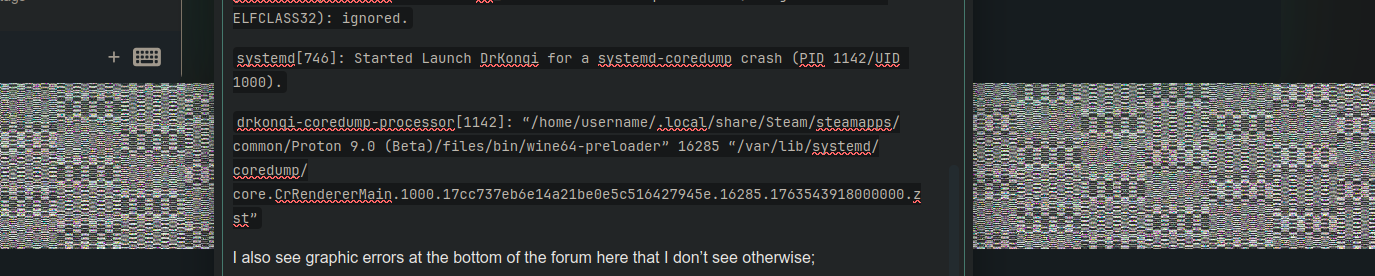
I also see graphic errors at the bottom of the forum here that I don’t see otherwise;

The only variable is the kernel.

1 Like

Can confirm the steam problem.

Can’t be as the only change was a PID device change for some USB controller: [pkg-upd] 6.18-rc6-2 (fe9a4b29) · Commits · Packages / core / linux618 · GitLab

1 Like

Also, this only happened on a laptop installed with the Manjaro Cinnamon ISO (manjaro-cinnamon-25.0.3-250609-linux612.iso ). Two other laptops installed with Manjaro GNOME ISO (manjaro-gnome-25.0.10-251013-linux612.iso ) didn’t exhibit this issue after switching.

I now have further info regarding this observed behavior. The laptop that was installed using Manjaro Cinnamon ISO is a Chromebook that was flashed using RW_LEGACY firmware aka edk2 UEFI bootloader. This is not a full firmware ROM replacement for the one that came with ChromeOS.

Because of this, the bootloader by default uses the path EFI/BOOT/BOOTX64.efi to load Grub, whereas the other two laptops with two different vendor BIOS use the correct path set by install-grub, which is EFI/Manjaro/grubx64.efi. Boot entries aren’t saved under RW_LEGACY, and it looks like EFI/BOOT/BOOTX64.efi doesn’t get updated whenever a Grub update is installed.

1 Like

I just installed kernel 6.18.0rc6-2 and I see a problem with steam too.

Steam’s main window won’t appear (the tray icon does, though) but I see a lot of coredumps in the journal:

Nov 21 10:45:25 themachine systemd-coredump[7594]: Process 7592 (steamwebhelper) of user 1000 terminated abnormally with signal 11/SEGV, processing...
Nov 21 10:45:25 themachine systemd-coredump[7595]: Process 7593 (steamwebhelper) of user 1000 terminated abnormally with signal 11/SEGV, processing...
Nov 21 10:45:25 themachine systemd[1]: Started Process Core Dump (PID 7594/UID 0).
Nov 21 10:45:25 themachine systemd[1]: Started Process Core Dump (PID 7595/UID 0).
Nov 21 10:45:25 themachine systemd-coredump[7596]: [🡕] Process 7592 (steamwebhelper) of user 1000 dumped core.
                                                
                                                Stack trace of thread 7592:
                                                #0  0x00007fe1904c3fc6 n/a (libwidevinecdm.so + 0x10c3fc6)
                                                #1  0x00007fe1900c6d83 n/a (libwidevinecdm.so + 0xcc6d83)
                                                #2  0x00007fe1a53b92a7 n/a (ld-linux-x86-64.so.2 + 0x62a7)
                                                #3  0x00007fe1a53b937d n/a (ld-linux-x86-64.so.2 + 0x637d)
                                                #4  0x00007fe1a53b54f5 _dl_catch_exception (ld-linux-x86-64.so.2 + 0x24f5)
                                                #5  0x00007fe1a53c02a9 n/a (ld-linux-x86-64.so.2 + 0xd2a9)
                                                #6  0x00007fe1a53b5456 _dl_catch_exception (ld-linux-x86-64.so.2 + 0x2456)
                                                #7  0x00007fe1a53c075a n/a (ld-linux-x86-64.so.2 + 0xd75a)
                                                #8  0x00007fe196892cc4 n/a (/run/host/usr/lib/libc.so.6 + 0x92cc4)
                                                #9  0x00007fe1a53b5456 _dl_catch_exception (ld-linux-x86-64.so.2 + 0x2456)
                                                #10 0x00007fe1a53b55a9 n/a (ld-linux-x86-64.so.2 + 0x25a9)
                                                #11 0x00007fe1968927b3 n/a (/run/host/usr/lib/libc.so.6 + 0x927b3)
                                                #12 0x00007fe196892d7b n/a (/run/host/usr/lib/libc.so.6 + 0x92d7b)
                                                #13 0x00007fe19e3cfba8 n/a (/opt/mks/Steam/ubuntu12_64/libcef.so + 0x67cfba8)
                                                #14 0x00007fe19e3c6437 n/a (/opt/mks/Steam/ubuntu12_64/libcef.so + 0x67c6437)
                                                #15 0x00007fe19ddf1024 n/a (/opt/mks/Steam/ubuntu12_64/libcef.so + 0x61f1024)
                                                #16 0x00007fe19ddef4a5 n/a (/opt/mks/Steam/ubuntu12_64/libcef.so + 0x61ef4a5)
                                                #17 0x00007fe19ddef8b0 n/a (/opt/mks/Steam/ubuntu12_64/libcef.so + 0x61ef8b0)
                                                #18 0x00007fe19a53039c n/a (/opt/mks/Steam/ubuntu12_64/libcef.so + 0x293039c)
                                                #19 0x00007fe19a519107 n/a (/opt/mks/Steam/ubuntu12_64/libcef.so + 0x2919107)
                                                #20 0x00007fe19a487b11 cef_execute_process (/opt/mks/Steam/ubuntu12_64/libcef.so + 0x2887b11)
                                                #21 0x000055ac957b509e n/a (/opt/mks/Steam/ubuntu12_64/steamwebhelper + 0x94609e)
                                                #22 0x000055ac9536b3bf n/a (/opt/mks/Steam/ubuntu12_64/steamwebhelper + 0x4fc3bf)
                                                #23 0x000055ac95373e82 n/a (/opt/mks/Steam/ubuntu12_64/steamwebhelper + 0x504e82)
                                                #24 0x00007fe196827635 n/a (/run/host/usr/lib/libc.so.6 + 0x27635)
                                                #25 0x00007fe1968276e9 n/a (/run/host/usr/lib/libc.so.6 + 0x276e9)
                                                #26 0x000055ac9517b02a n/a (/opt/mks/Steam/ubuntu12_64/steamwebhelper + 0x30c02a)
                                                ELF object binary architecture: AMD x86-64
Nov 21 10:45:25 themachine systemd-coredump[7597]: [🡕] Process 7593 (steamwebhelper) of user 1000 dumped core.
                                                
                                                Stack trace of thread 7593:
                                                #0  0x00007f1f472c3fc6 n/a (libwidevinecdm.so + 0x10c3fc6)
                                                #1  0x00007f1f46ec6d83 n/a (libwidevinecdm.so + 0xcc6d83)
                                                #2  0x00007f1f5c1f12a7 n/a (ld-linux-x86-64.so.2 + 0x62a7)
                                                #3  0x00007f1f5c1f137d n/a (ld-linux-x86-64.so.2 + 0x637d)
                                                #4  0x00007f1f5c1ed4f5 _dl_catch_exception (ld-linux-x86-64.so.2 + 0x24f5)
                                                #5  0x00007f1f5c1f82a9 n/a (ld-linux-x86-64.so.2 + 0xd2a9)
                                                #6  0x00007f1f5c1ed456 _dl_catch_exception (ld-linux-x86-64.so.2 + 0x2456)
                                                #7  0x00007f1f5c1f875a n/a (ld-linux-x86-64.so.2 + 0xd75a)
                                                #8  0x00007f1f4d692cc4 n/a (/run/host/usr/lib/libc.so.6 + 0x92cc4)
                                                #9  0x00007f1f5c1ed456 _dl_catch_exception (ld-linux-x86-64.so.2 + 0x2456)
                                                #10 0x00007f1f5c1ed5a9 n/a (ld-linux-x86-64.so.2 + 0x25a9)
                                                #11 0x00007f1f4d6927b3 n/a (/run/host/usr/lib/libc.so.6 + 0x927b3)
                                                #12 0x00007f1f4d692d7b n/a (/run/host/usr/lib/libc.so.6 + 0x92d7b)
                                                #13 0x00007f1f551cfba8 n/a (/opt/mks/Steam/ubuntu12_64/libcef.so + 0x67cfba8)
                                                #14 0x00007f1f551c6437 n/a (/opt/mks/Steam/ubuntu12_64/libcef.so + 0x67c6437)
                                                #15 0x00007f1f54bf1024 n/a (/opt/mks/Steam/ubuntu12_64/libcef.so + 0x61f1024)
                                                #16 0x00007f1f54bef4a5 n/a (/opt/mks/Steam/ubuntu12_64/libcef.so + 0x61ef4a5)
                                                #17 0x00007f1f54bef8b0 n/a (/opt/mks/Steam/ubuntu12_64/libcef.so + 0x61ef8b0)
                                                #18 0x00007f1f5133039c n/a (/opt/mks/Steam/ubuntu12_64/libcef.so + 0x293039c)
                                                #19 0x00007f1f51319107 n/a (/opt/mks/Steam/ubuntu12_64/libcef.so + 0x2919107)
                                                #20 0x00007f1f51287b11 cef_execute_process (/opt/mks/Steam/ubuntu12_64/libcef.so + 0x2887b11)
                                                #21 0x0000563b1fff509e n/a (/opt/mks/Steam/ubuntu12_64/steamwebhelper + 0x94609e)
                                                #22 0x0000563b1fbab3bf n/a (/opt/mks/Steam/ubuntu12_64/steamwebhelper + 0x4fc3bf)
                                                #23 0x0000563b1fbb3e82 n/a (/opt/mks/Steam/ubuntu12_64/steamwebhelper + 0x504e82)
                                                #24 0x00007f1f4d627635 n/a (/run/host/usr/lib/libc.so.6 + 0x27635)
                                                #25 0x00007f1f4d6276e9 n/a (/run/host/usr/lib/libc.so.6 + 0x276e9)
                                                #26 0x0000563b1f9bb02a n/a (/opt/mks/Steam/ubuntu12_64/steamwebhelper + 0x30c02a)
                                                ELF object binary architecture: AMD x86-64
Nov 21 10:45:25 themachine systemd[1]: systemd-coredump@42-57348-7594_7595-0.service: Deactivated successfully.
Nov 21 10:45:25 themachine systemd[1]: systemd-coredump@42-57348-7594_7595-0.service: Consumed 198ms CPU time, 78.9M memory peak.
Nov 21 10:45:25 themachine systemd[1]: systemd-coredump@43-57349-7595_7596-0.service: Deactivated successfully.
Nov 21 10:45:25 themachine systemd[1]: systemd-coredump@43-57349-7595_7596-0.service: Consumed 198ms CPU time, 78.6M memory peak.
Nov 21 10:45:25 themachine systemd-coredump[7643]: Process 7585 (steamwebhelper) of user 1000 terminated abnormally with signal 5/TRAP, processing...
Nov 21 10:45:25 themachine systemd[1]: Started Process Core Dump (PID 7643/UID 0).
Nov 21 10:45:26 themachine systemd-coredump[7644]: [🡕] Process 7585 (steamwebhelper) of user 1000 dumped core.
                                                
                                                Stack trace of thread 7585:
                                                #0  0x00007ffae010eaff n/a (/opt/mks/Steam/ubuntu12_64/libcef.so + 0x670eaff)
                                                #1  0x00007ffae010e5cb n/a (/opt/mks/Steam/ubuntu12_64/libcef.so + 0x670e5cb)
                                                #2  0x00007ffae010eb79 n/a (/opt/mks/Steam/ubuntu12_64/libcef.so + 0x670eb79)
                                                #3  0x00007ffade9e2017 n/a (/opt/mks/Steam/ubuntu12_64/libcef.so + 0x4fe2017)
                                                #4  0x00007ffade9df466 n/a (/opt/mks/Steam/ubuntu12_64/libcef.so + 0x4fdf466)
                                                #5  0x00007ffade9de0bb n/a (/opt/mks/Steam/ubuntu12_64/libcef.so + 0x4fde0bb)
                                                #6  0x00007ffade9e9b88 n/a (/opt/mks/Steam/ubuntu12_64/libcef.so + 0x4fe9b88)
                                                #7  0x00007ffade9eaf87 n/a (/opt/mks/Steam/ubuntu12_64/libcef.so + 0x4feaf87)
                                                #8  0x00007ffade805711 n/a (/opt/mks/Steam/ubuntu12_64/libcef.so + 0x4e05711)
                                                #9  0x00007ffade869b3b n/a (/opt/mks/Steam/ubuntu12_64/libcef.so + 0x4e69b3b)
                                                #10 0x00007ffade869d51 n/a (/opt/mks/Steam/ubuntu12_64/libcef.so + 0x4e69d51)
                                                #11 0x00007ffae015ebaf n/a (/opt/mks/Steam/ubuntu12_64/libcef.so + 0x675ebaf)
                                                #12 0x00007ffae017fac6 n/a (/opt/mks/Steam/ubuntu12_64/libcef.so + 0x677fac6)
                                                #13 0x00007ffae01e590e n/a (/opt/mks/Steam/ubuntu12_64/libcef.so + 0x67e590e)
                                                #14 0x00007ffad9920e0b n/a (/usr/lib/x86_64-linux-gnu/libglib-2.0.so.0.6600.8 + 0x51e0b)
                                                ELF object binary architecture: AMD x86-64

It’s the first time I tried a 6.18 kernel. So I can’t tell if earlier RCs had this problem or not.

I’m on a system with AMD CPU and GPU:

Operating System: Manjaro Linux 
KDE Plasma Version: 6.5.3
KDE Frameworks Version: 6.20.0
Qt Version: 6.10.0
Kernel Version: 6.17.8-2-MANJARO (64-bit)
Graphics Platform: Wayland
Processors: 24 × AMD Ryzen 9 3900X 12-Core Processor
Memory: 32 GiB of RAM (31.3 GiB usable)
Graphics Processor: AMD Radeon RX 5700 XT
Product Name: X570 Phantom Gaming 4
1 Like

I’m on a AMD system as well and I have tested again just now.

Problem had been, steam starts fine but the game “Stronghold” showed black screen.

It works now with 6.18.0rc6-2; so I suspect a steam problem/update fixed it?

Well 'rc’ means 'release candidate’ so it’s really something to be avoided for folks who want stable systems :wink: okay for testing on non-critical systems to report bugs.

LTS is stable, but there are plenty of stable kernels to choose from.

4 Likes

I know all that.
I simply tried 6.18.0rc6-2 to check if the steam problem appeared there. I thought, I had seen someone posting that for him the RC worked fine. And I thought that showing that the problem appears on an AMD system might be an interesting data point.
You are free to dismiss that, of course.

1 Like

OK, we may look into install-grub to also keep the legacy compat efi file synced as we only search for efi_boot_file=“bootx64.efi”

@braveheartleo would you try to change efi_target_file="$(find $path -name $efi_boot_file)" to efi_target_file="$(find $path -iname $efi_boot_file)" in /usr/bin/install-grub and tell me if this might fix your issue with your fallback file?

1 Like

I have manuallly copied the updated file atm to fix the issue, but from your proposed fix it looks like the case-insensitive matching would do the trick.
Thx for testing. Will include it into the next update of the script.

1 Like

A post was merged into an existing topic: Stable is a not updated at 2 months why?

It happened again, black screen when running “Stronghold”. I have never seen this up to kernel 6.18rc6-1.

I still do have issues with suspend, now the system even does not reach its suspend state. I am running GNOME and 6.12 LTS.