A post was split to a new topic: Kmail fails, because akonadi reports failures
$ yay -R linux615 linux615-headers linux615-virtualbox-host-modules
checking dependencies...
error: failed to prepare transaction (could not satisfy dependencies)
:: removing linux615-headers breaks dependency 'linux615-headers' required by linux-headers-meta
:: removing linux615 breaks dependency 'linux615' required by linux-meta
:: removing linux615-virtualbox-host-modules breaks dependency 'linux615-virtualbox-host-modules' required by linux-virtualbox-host-modules-meta
 -> exit status 1
We’re on the stable branch here. We don’t have yet production ready 6.17. We have “RC” release of it (basically beta software). So no, use 6.16 for now for non-LTS kernel.
2 Likes
No problems on a 2023 Dell XPS 15 9530 with a Nvidia RTX 4060 under wayland.
Thank you for your work guys!
2 Likes
You’re right: Not just stable branch but the whole (linux) world. 6.17 is still in its rc phase (see kernel.org) and should not be recommended as non lts.
2 Likes
I think i replied to someone saying he has problems with 6.16 and 6.12 and that’s why he stayed on 6.15. That is why the only alternative is either something much older like 6.6 or 6.1, or a release candidate.
But the update topics are always such a mess i am not sure anymore.
2 Likes
2 posts were split to a new topic: KVM causing crash since the 2025-08-11 update
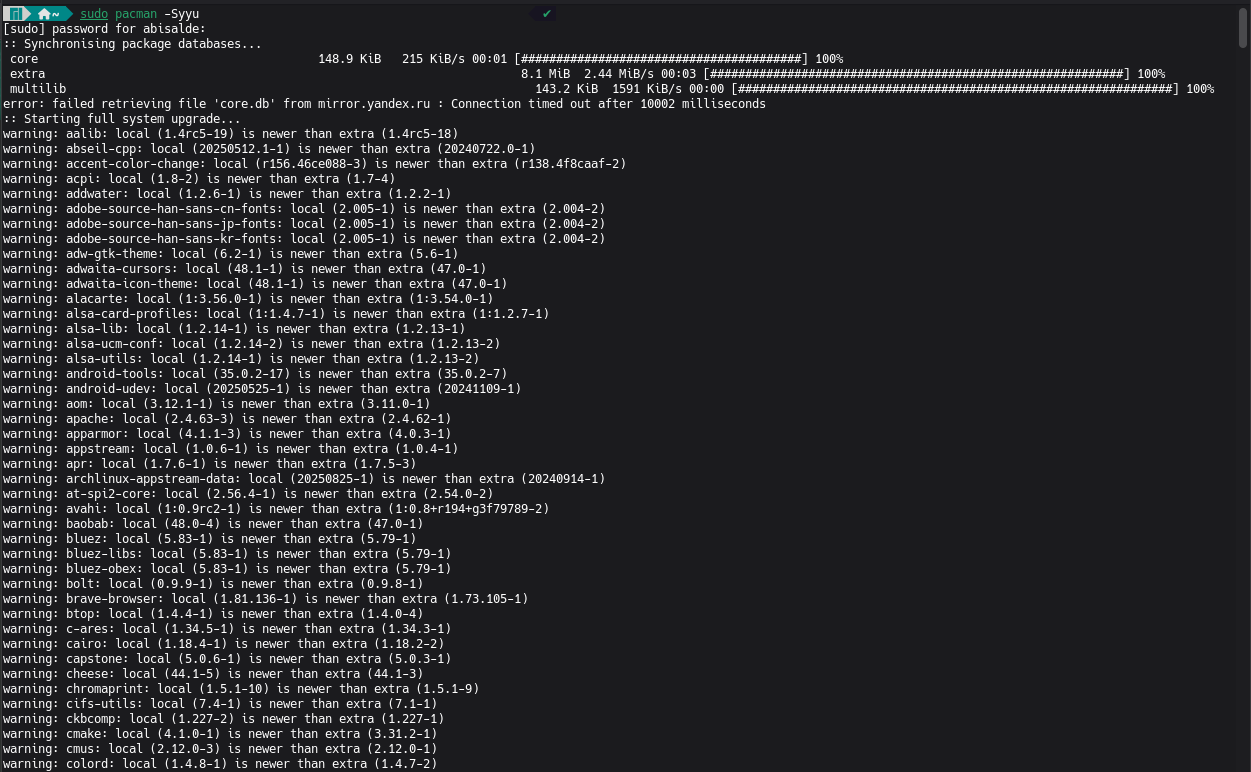
Refresh your mirror list. 
sudo pacman-mirrors -f && sudo pacman -Syu
It’s usually not required when installing or updating individual packages, but I do recommend refreshing the mirror list for every bundled update.
5 Likes
And do NOT post screenshots of text. You know how to copy paste, do you. And then use the button </>
Also, Syyu is not needed, Syu is enough. Cause you are still getting the database from a bad mirror. As written above, far more important is to change to a good mirror. (Unless you recently changed branches, that would be the alternative explanation of the warnings).
As a third note, on the left of the forum are some links, including one to check mirror health and sync state, if in doubt in the future.
2 Likes
Does anyone know anything more about this strange issue with OpenGL or Vulkan programs causing a crash and reverting back to the display manager? I just tested again today and I’m still experiencing this problem, had to revert back with Timeshift.
If anyone’s aware of a place upstream within the mesa, amdgpu, or kernel projects where they’re tracking and working on resolving this issue, I would be grateful!
1 Like
The 30 Aug update has broken Gnome (well, gdm & gnome-shell at least) again for me. The July updates fixed the problem (I posted about it here: GDM starts but does not respond ) everything was great. Now it’s broken again: no response to mouse or keyboard events.
I have no idea where to post this, and the wonderful forum search engine does not help too (although i am sure i have seen such topic), but just as an information:
In case you experience immediate crash of Libreoffice Writer ver 25.8.0.4 (or other office apps and versions too?) on opening every already saved .docx file (or other formats too?), the workaround may be to switch from the Microsoft Tabbed toolbar to the standard old look. View -> User interface... until the bug is fixed.
This might or might not be fixed in 25.8.1 since there are several similar bugs in the bugtracker, one is fixed and one not until ver. 26. I guess some input from test or unstable branch users will help here.
2 Likes
2 posts were split to a new topic: Flatpak External Data Checker
2 posts were split to a new topic: Kolourpaint is in conflict with kdelibs4support
Hello
I just did the update today and after rebooting, one of my docker container cannot start, it gives this error message:
> [obones@server frigate]$ docker-compose start
[+] Running 0/1
 ⠹ Container frigate  Starting                                                                                                                            10.3s
Error response from daemon: failed to create task for container: failed to create shim task: OCI runtime create failed: runc create failed: unable to start container process: error during container init: error running prestart hook #0: exit status 1, stdout: , stderr: Auto-detected mode as 'legacy'
nvidia-container-cli: ldcache error: process /sbin/ldconfig terminated with signal 9
Looking around it appears to be related to an issue in the libnvidia-container package: fix archlinux/packaging/packages/nvidia-container-toolkit#4 (!1) · Merge requests · Arch Linux / Packaging / Packages / libnvidia-container · GitLab
I found various suggestions to modify my docker-compose file but all those that I tried did not seem to solve the situation.
Moderator edit: In the future, please use proper formatting: [HowTo] Post command output and file content as formatted text
I’ve been sitting back on kernel 6.6 for a while since 6.12 starting giving me some amdgpu “page flip” errors that were freezing a panel.
Today after a major update to “Tainted Grail: Fall of Avalon” I had a couple game crashes related to amdgpu/dxvk…
Sep 12 15:06:02 AMD-Ryzen9-7940HS kernel: [drm:amdgpu_job_timedout [amdgpu]] *ERROR* ring gfx_0.0.0 timeout, signaled seq=31297670, emitted seq=31297672
Sep 12 15:06:02 AMD-Ryzen9-7940HS kernel: [drm:amdgpu_job_timedout [amdgpu]] *ERROR* Process information: process Fall of Avalon. pid 1778387 thread dxvk-submit pid 1778608
Sep 12 15:06:03 AMD-Ryzen9-7940HS kernel: [drm:gfx_v11_0_hw_fini [amdgpu]] *ERROR* failed to halt cp gfx
Sep 12 15:06:04 AMD-Ryzen9-7940HS kernel: [drm:amdgpu_cs_ioctl [amdgpu]] *ERROR* Failed to initialize parser -125!
After re-reading this thread, I caught a couple posts from @philm that made me feel better about the state of this update and the reported “black screen” and “desktop freezing” issues …
So I’ve bit the bullet, applied the updates, did not experience a black screen, nor did I have to uninstall the vulkan-intel packages to get my steam game to run.
I’ve also decided to give 6.12 a try to see if my page flip issue has been resolved… it’s only been 15 min post install/reboot so too early to tell… if I can go a week without any issues, I’ll call it good… if not, I may have to retry kernel 6.6 or think about restoring an old timeshift backup.
Update 1
Well, I got many hours in catching up on my video feed… but it only took about 40 min of game time for the game to “stop rendering” / lock up with amdgpu errors in the log…
Sep 13 16:13:22 AMD-Ryzen9-7940HS kernel: [drm:gfx_v11_0_bad_op_irq [amdgpu]] *ERROR* Illegal opcode in command stream
Sep 13 16:13:22 AMD-Ryzen9-7940HS kernel: [drm:gfx_v11_0_bad_op_irq [amdgpu]] *ERROR* Illegal opcode in command stream
Sep 13 16:13:22 AMD-Ryzen9-7940HS kernel: [drm:gfx_v11_0_bad_op_irq [amdgpu]] *ERROR* Illegal opcode in command stream
Sep 13 16:13:22 AMD-Ryzen9-7940HS kernel: [drm:gfx_v11_0_bad_op_irq [amdgpu]] *ERROR* Illegal opcode in command stream
Sep 13 16:13:22 AMD-Ryzen9-7940HS kernel: [drm:gfx_v11_0_bad_op_irq [amdgpu]] *ERROR* Illegal opcode in command stream
Sep 13 16:13:22 AMD-Ryzen9-7940HS kernel: [drm:gfx_v11_0_bad_op_irq [amdgpu]] *ERROR* Illegal opcode in command stream
Sep 13 16:13:22 AMD-Ryzen9-7940HS kernel: [drm:gfx_v11_0_bad_op_irq [amdgpu]] *ERROR* Illegal opcode in command stream
Sep 13 16:13:32 AMD-Ryzen9-7940HS kernel: amdgpu 0000:03:00.0: amdgpu: ring gfx_0.0.0 timeout, signaled seq=1403218, emitted seq=1403220
Sep 13 16:13:32 AMD-Ryzen9-7940HS kernel: amdgpu 0000:03:00.0: amdgpu: Process information: process Fall of Avalon. pid 1958201 thread dxvk-submit pid 1958345
Sep 13 16:13:35 AMD-Ryzen9-7940HS kernel: amdgpu 0000:03:00.0: amdgpu: MES failed to respond to msg=REMOVE_QUEUE
Sep 13 16:13:35 AMD-Ryzen9-7940HS kernel: [drm:amdgpu_mes_unmap_legacy_queue [amdgpu]] *ERROR* failed to unmap legacy queue
Sep 13 16:13:35 AMD-Ryzen9-7940HS kernel: [drm:gfx_v11_0_hw_fini [amdgpu]] *ERROR* failed to halt cp gfx
Sep 13 16:13:37 AMD-Ryzen9-7940HS kernel: [drm:amdgpu_cs_ioctl [amdgpu]] *ERROR* Failed to initialize parser -125!
I’m not thinking 6.6 is going to be my next test step, as I was just on that kernel before I updated and it had similar issues… so maybe it’s a better idea to try 6.15 or 6.16? Wouldn’t they have been targeted with the same backports that may be behind the issue?
Illegal opcode in command stream… is a new addition to the remaining same/similar error, and I’m not certain if that has a root cause in the driver/kernel or mesa?
I guess if a newer kernel doesn’t work I might try TimeShift back a month or two to when things were stable when I last played Tainted Grail. After that all I can think of is installing a distro recommended/supported by Framework… hoping their kernel backport decisions were different enough to solve my errors.
Update 2
Well it only took 5 minutes for kernel 6.16 to toss the same log errors as 6.12 as the game locked up…
Sep 13 17:05:30 AMD-Ryzen9-7940HS kernel: [drm:gfx_v11_0_bad_op_irq [amdgpu]] *ERROR* Illegal opcode in command stream
Sep 13 17:05:30 AMD-Ryzen9-7940HS kernel: [drm:gfx_v11_0_bad_op_irq [amdgpu]] *ERROR* Illegal opcode in command stream
Sep 13 17:05:30 AMD-Ryzen9-7940HS kernel: [drm:gfx_v11_0_bad_op_irq [amdgpu]] *ERROR* Illegal opcode in command stream
Sep 13 17:05:30 AMD-Ryzen9-7940HS kernel: [drm:gfx_v11_0_bad_op_irq [amdgpu]] *ERROR* Illegal opcode in command stream
Sep 13 17:05:30 AMD-Ryzen9-7940HS kernel: [drm:gfx_v11_0_bad_op_irq [amdgpu]] *ERROR* Illegal opcode in command stream
Sep 13 17:05:30 AMD-Ryzen9-7940HS kernel: [drm:gfx_v11_0_bad_op_irq [amdgpu]] *ERROR* Illegal opcode in command stream
Sep 13 17:05:30 AMD-Ryzen9-7940HS kernel: [drm:gfx_v11_0_bad_op_irq [amdgpu]] *ERROR* Illegal opcode in command stream
Sep 13 17:05:30 AMD-Ryzen9-7940HS kernel: amdgpu 0000:03:00.0: amdgpu: ring gfx_0.0.0 timeout, signaled seq=93423, emitted seq=93425
Sep 13 17:05:30 AMD-Ryzen9-7940HS kernel: amdgpu 0000:03:00.0: amdgpu: Process information: process Fall of Avalon. pid 15027 thread dxvk-submit pid 15169
Sep 13 17:05:30 AMD-Ryzen9-7940HS kernel: amdgpu 0000:03:00.0: amdgpu: Starting gfx_0.0.0 ring reset
Sep 13 17:05:30 AMD-Ryzen9-7940HS kernel: amdgpu 0000:03:00.0: amdgpu: Ring gfx_0.0.0 reset failed
Sep 13 17:05:32 AMD-Ryzen9-7940HS kernel: amdgpu 0000:03:00.0: amdgpu: MES failed to respond to msg=REMOVE_QUEUE
Sep 13 17:05:32 AMD-Ryzen9-7940HS kernel: [drm:amdgpu_mes_unmap_legacy_queue [amdgpu]] *ERROR* failed to unmap legacy queue
Sep 13 17:05:33 AMD-Ryzen9-7940HS kernel: [drm:gfx_v11_0_hw_fini [amdgpu]] *ERROR* failed to halt cp gfx
Sep 13 17:05:34 AMD-Ryzen9-7940HS kernel: [drm:amdgpu_cs_ioctl [amdgpu]] *ERROR* Failed to initialize parser -125!
According to my save file list, my last save before I shelved Tainted Grail waiting for Patch 1.1 was July 7… unfortunately I have no Timeshft backup for July, but looking back in my pacman.log I know I had linux66.94-1 and linux612.34-1 installed.
$ cat /var/log/pacman.log | grep linux66 | grep -e upgraded -e installed
[2025-06-24T10:59:34-0500] [ALPM] upgraded linux66 (6.6.65-1 -> 6.6.94-1)
[2025-06-25T07:00:38-0500] [ALPM] installed linux66-headers (6.6.94-1)

$ cat /var/log/pacman.log | grep linux612 | grep -e upgraded -e installed
[2025-06-24T10:59:33-0500] [ALPM] upgraded linux612 (6.12.4-1 -> 6.12.34-1)
[2025-06-25T07:00:39-0500] [ALPM] installed linux612-headers (6.12.34-1)
Instead of rolling back everything back to the “Yonda” era, is there a downside to just grabbing a slightly older kernel version I know used to work from manjaro-kernels · GitHub?
Actually, because I’ve been holding back periodically, these files are still in /var/cache/pacman/pkg/, so already on disk.
Is it important to have the amd ucode installed from the same era? Is there a correlation between kernel and ucode?
$ cat /var/log/pacman.log | grep amd-ucode | grep -e upgraded -e installed
[2025-06-24T10:58:47-0500] [ALPM] upgraded amd-ucode (20241210.b00a7f7e-1 -> 20250508.788aadc8-2)
Edit: seems the answer is yes for a correlation between kernel and ucode… or I didn’t downgrade the kernel properly?.
Sep 13 18:43:30 archlinux kernel: microcode: No sha256 digest for patch ID: 0xa704108 found
Sep 13 18:43:30 archlinux kernel: microcode: No sha256 digest for patch ID: 0xa704108 found
Sep 13 18:43:30 archlinux kernel: microcode: No sha256 digest for patch ID: 0xa704108 found
Sep 13 18:43:30 archlinux kernel: microcode: No sha256 digest for patch ID: 0xa704108 found
Sep 13 18:43:30 archlinux kernel: microcode: CPU4: update failed for patch_level=0x0a704108
Sep 13 18:43:30 archlinux kernel: microcode: CPU2: update failed for patch_level=0x0a704108
Sep 13 18:43:30 archlinux kernel: microcode: No sha256 digest for patch ID: 0xa704108 found
<=truncated as it just repeats=>
Update 3
Even after downgrading to linux66.94-1 and amd-ucode 20250508.788aadc8-2 the game locked up after about 90 minutes with the same original error…
Sep 13 20:36:45 AMD-Ryzen9-7940HS kernel: [drm:amdgpu_job_timedout [amdgpu]] *ERROR* ring gfx_0.0.0 timeout, signaled seq=2638070, emitted seq=2638072
Sep 13 20:36:45 AMD-Ryzen9-7940HS kernel: [drm:amdgpu_job_timedout [amdgpu]] *ERROR* Process information: process Fall of Avalon. pid 84504 thread dxvk-submit pid 84723
Sep 13 20:36:45 AMD-Ryzen9-7940HS kernel: [drm:gfx_v11_0_hw_fini [amdgpu]] *ERROR* failed to halt cp gfx
Sep 13 20:36:46 AMD-Ryzen9-7940HS kernel: [drm:amdgpu_cs_ioctl [amdgpu]] *ERROR* Failed to initialize parser -125!
… this is a kernel/amd-ucode combination I know worked 2 months ago when I was originally playing the game… and when I had stopped I had about 200 hrs invested so a pretty good stability track record.
So where do I go from here? Try downgrade mesa further to what I was using 2 months ago? Is a downgrade to mesa 1:25.1.4-1 “too far”? Perhaps not as downgrading didn’t seem to toss any conflicts or seem to want to downgrade any other files…
[2025-09-13T21:18:14-0500] [PACMAN] Running 'pacman -U lib32-mesa-1:25.1.4-1-x86_64.pkg.tar.zst mesa-1:25.1.4-1-x86_64.pkg.tar.zst lib32-vulkan-mesa-layers-1:25.1.4-1-x86_64.pkg.tar.zst vulkan-mesa-layers-1:25.1.4-1-x86_64.pkg.tar.zst vulkan-radeon-1:25.1.4-1-x86_64.pkg.tar.zst vulkan-intel-1:25.1.4-1-x86_64.pkg.tar.zst'
[2025-09-13T21:18:47-0500] [ALPM] transaction started
[2025-09-13T21:18:47-0500] [ALPM] downgraded mesa (1:25.2.1-4 -> 1:25.1.4-1)
[2025-09-13T21:18:47-0500] [ALPM] downgraded lib32-mesa (1:25.2.1-1 -> 1:25.1.4-1)
[2025-09-13T21:18:47-0500] [ALPM] downgraded vulkan-mesa-layers (1:25.2.1-4 -> 1:25.1.4-1)
[2025-09-13T21:18:47-0500] [ALPM] downgraded lib32-vulkan-mesa-layers (1:25.2.1-1 -> 1:25.1.4-1)
[2025-09-14T08:03:42-0500] [ALPM] downgraded vulkan-radeon (1:25.2.1-4 -> 1:25.1.4-1)
[2025-09-14T08:03:42-0500] [ALPM] downgraded vulkan-intel (1:25.2.1-4 -> 1:25.1.4-1)
[2025-09-13T21:18:48-0500] [ALPM] transaction completed
[2025-09-13T21:18:48-0500] [ALPM] running '30-systemd-update.hook'...
Getting tired/frustrated, will test this combination of downgraded kernel, microcode, and mesa tomorrow.
Update 4
With all the downgrading scenarios that I’ve worked through (expand the updates above for the details)… I’ve noticed that the timing of the game lock + amdgpu errors may not be random… it always seems to happen when I’ve opened the stash to deposit a bunch of stuff I’ve looted.
And actually a couple times the game crashed to desktop with zero amdgpu/dxvk entries added to the journal journaclt -p 3 -xb… so it’s getting me thinking that of course the game was patched/changed and maybe it has the error?
Is it possible that the game has always been trying to crash to the desktop when I’m in my stash… that it’s done so “cleanly” a couple times (no log), but typically crashes so ungracefully that the amdgpu / dxvk freaks out and the game looks locked up instead of releasing/closing?
Hmm… proton experimental is also a changing variable… pretty sure it’s in the 10 series now… perhaps enforcing proton 9 would also be a good test… nope, same issue with proton 9
Might have found resolution in game's Discord bug channel... using linux66 out of habit
Since I was not having success with all my downgrading attempts, I decided to put all packages back to the latest…
[2025-09-14T11:41:46-0500] [ALPM] transaction started
[2025-09-14T11:41:46-0500] [ALPM] installed vulkan-intel (1:25.2.1-4)
[2025-09-14T11:41:46-0500] [ALPM] upgraded amd-ucode (20250508.788aadc8-2 -> 20250808-2)
[2025-09-14T11:41:46-0500] [ALPM] upgraded mesa (1:25.1.4-1 -> 1:25.2.1-4)
[2025-09-14T11:41:46-0500] [ALPM] upgraded lib32-mesa (1:25.1.4-1 -> 1:25.2.1-1)
[2025-09-14T11:41:46-0500] [ALPM] upgraded vulkan-mesa-layers (1:25.1.4-1 -> 1:25.2.1-4)
[2025-09-14T11:41:46-0500] [ALPM] upgraded lib32-vulkan-mesa-layers (1:25.1.4-1 -> 1:25.2.1-1)
[2025-09-14T11:41:47-0500] [ALPM] upgraded linux612 (6.12.34-1 -> 6.12.44-3)
[2025-09-14T11:41:49-0500] [ALPM] upgraded linux612-headers (6.12.34-1 -> 6.12.44-3)
[2025-09-14T11:41:50-0500] [ALPM] upgraded linux66 (6.6.94-1 -> 6.6.103-3)
[2025-09-14T11:41:51-0500] [ALPM] upgraded linux66-headers (6.6.94-1 -> 6.6.103-3)
[2025-09-14T11:41:51-0500] [ALPM] upgraded vulkan-radeon (1:25.1.4-1 -> 1:25.2.1-4)
[2025-09-14T11:41:52-0500] [ALPM] transaction completed
I opened a bug thread in the game’s discord as I was really starting to believe it was the game doing something it shouldn’t. After verifying a few things with them, they suggested I try using the stash in a different zone as the one I was in received a lot of work with the patch… and they also wanted me to try test if the issue was controller specific or if it also happen with KBM.
I duplicated the issue with KBM in the same zone, but when I went to a different zone I could not trigger the freeze using the controller. I tried pulling 150 items out of my stash, and could put them back in without triggering a freeze in the old zone too.
I decided to try verify the game file via steam, and because I thought it was going to take a while I swapped back to discord to read a response… by the time I looked back at steam all the work had already been done, so I’m not sure if it found an error and resolved it or not with a small download.
Logged back into the game after the verify and tried to duplicate my withdrawal/re-deposit 150 items at the stash I had the freezes at… and had zero issues. Went out adventuring for a while and accumulated 125+ items/stacks of things to stash/sell. Returned to the original stash where I got the freezes and deposited 3/4 (~90) of the items without issue and sold the remained without issue to a nearby vendor.
So I don’t know if there was something about my save that was corrected with the visit to the different zone's stash… or if my verify actually downloaded/applied some file fixes, but things are looking normal and I really hope the gremlins were ironed out and didn’t just throw me a bone to psych me out later with another freeze/lock up.
Here’s an interesting quote from of of the folks (moderator? developer? I dunno) helping me out that kinda reinforces my belief there was something going on in the game …
It’s also possible it could only effect this one playthrough at this one spot? We’ve seen some really interesting bugs that we just can’t replicate easily
Not really encouraging LOL  But I now know that there is a log file that the game writes that I can provide them if the freeze/lock up does rear it’s head again.
Final Update... linux612 working flawlessly for 3 days 16 hrs and counting
I guess I got lucky around my last update because afterwards Tainted Grail continued to intermittently freeze / soft-lock … after doing more testing and providing logs to the devs they have now found an issue related to “UI Blur” being enabled.
I feel good about them duplicating the issue on their side, so looking forward to the workaround of disabling “UI Blur” bringing me a stable experience… will test it out tomorrow.
What I think this has taught me is… not all amdgpu errors in the journal point to them being the cause… that the journal entries may sometimes indicate “bad calls”/bugs by what was using them.
Be curious to know if there is a way for us to tell?
6 Likes
A post was split to a new topic: Akonadi fails to start following Stable Update 2025-08-30
Hi Teo.
Thanks so much for the tip, I’ve just been trying to open several .docx files for about an hour.
1 Like
adios2 needs a rebuild.
Paraview does currently not start for me (undefined symbol in libadios).
After rebuilding adios2, it works.
Yes, it seems the mgard 1.6.0 rebuild just missed the last Stable snap. adios2 2.10.2-9.0 will be available shortly.
1 Like