I’ve just finally installed Manjaro, after doing a bit of testing of different distros on VirtualBox VMs. I have tried moving over from Windows to Linux a couple of times already over the last few years. I went with Ubuntu, like most switchers, I assume. Both times something has gone badly wrong, and the famously wonderful Ubuntu support has not been as amazing as it’s reputed to be :~) The forum support was really good when I first tried Ubuntu, about five years ago, but it seems to have gone to the dogs a bit by now. Also now Ubuntu just consistently fails to install, whether from a USB or DVD. Clearly it’s time to try something else (rather than rant about Ubuntu, sorry!), and Manjaro passed my aesthetics test, as I was able quite easily to get the following three working on the VM without too much hastle:
Workspace Matrix
Cairo Dock
Variety wallpaper changer
It’s actually amazing that it should be so difficult for the others! The Manjaro installation was also fine, showing that there was something seriously wrong with the Ubuntu iso file, and not my PC!
Anyway, I guess the first thing that I’m going to do is to follow this list of things to do after installing Manjaro. It’s for the XFCE shell, and I installed Gnome, but shall I assume that that’s mostly all the same? Also, I suppose I’m just keen to know if there are any good tutorials to read up about the key differences between Ubuntu and Manjaro (and more broadly between Arch and Debian, I suppose). I did look at a couple of pages last night, but they were fairly short and I wouldn’t say I learned an enormous amount. Any suggestions will be greatly appreciated. Thanks!
Please dont follow guides like that.
Or if you must … research their suggestions before applying.
Commonly they are too vague, too specific, outdated, opinionated, or plainly wrong.
For example in this case we have a few things like …
Enable AUR and Install Redshift are statements … but “Consider LTS kernel” ?
We are instructed to both sort mirrors, and install new packages, but not told to update ?
(this can easily lead to problems with those installations and/or a partial-upgrade[=broken]!)
It suggests using bleachbit, which can be extremely volatile.
etc …
Most everything you need to know outside of particular cases is likely covered in the wiki(s)
As a nugget … when you first start, before installing new packages, you want to sync with the mirrors and update. It makes sense to sort the mirrors first. And remember - we always do a full db refresh and upgrade after touching mirrors. Anyways heres that, using attempt at localized mirrors:
sudo pacman-mirrors -g && sudo pacman -Syyu
(if there are any big updates like kernels or modules etc … reboot)
Now you are from a good stable/synced starting point and go ahead and install and tweak as you like.
OK, gotcha! Well, I haven’t done anything yet. Writing from Windows just now (dual-booting), but I’ll change over for my first investigations later tonight
I guess the first thing (or one of the first things) is to understand the difference between pacman and apt-get. I’ll have a look at that later!
By the way, this forum has already got one up on the Ubuntu forum in my eyes, as it’s easy to upload images here (as easy as it obviously should be). My God - those Ubuntu guys make things so difficult.
Win Vista drove me to Linux in 2007…started with Ubuntu, then tried most of them…have been using
Arch for last 6-7 years…had some problems installing Arch on new PC, so tried Manjaro because of
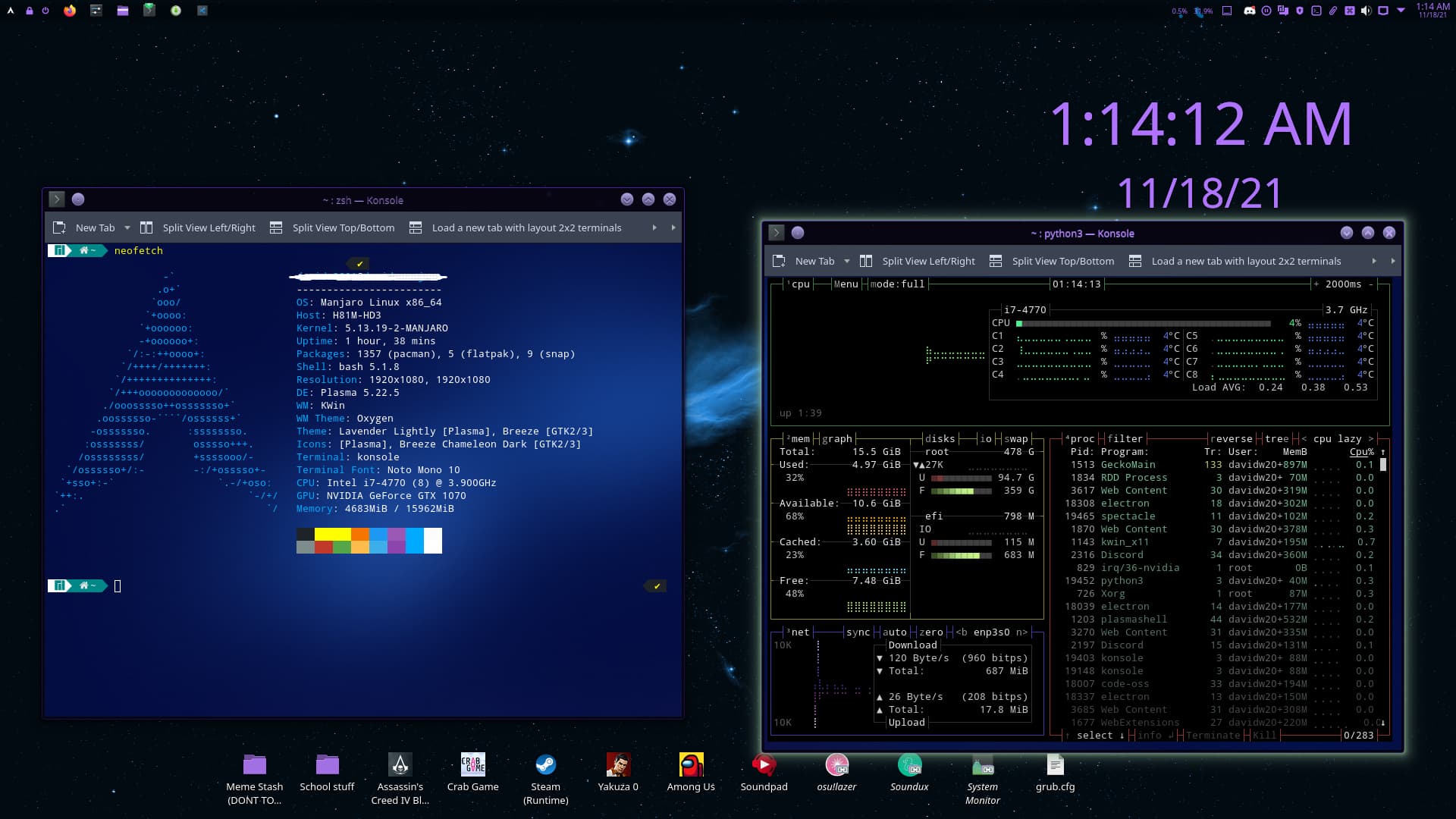
it’s ease of installation…and I still have the rolling releases of Arch…best of both worlds! here is a screenie of my desktop
Hey everyone new here and have been running manjaro kde for about a week and loving it. My os background has been most major releases of windows going back to 3.1 ubuntu 18 and 20.04 and pop os. I’ve always liked linux but I’m a gamer/content creator and was hesitant to make the transition until my system was not approved by the windows 11 gods. The terminal commands are the only thing that’s really different arch compared to debian but I’m learning and hope that if I get stuck somewhere I can find my answers here
Hello Linux community!
I am a longtime Windows user since I ever first touched a computer and have just recently switched to using KDE Manjaro for over a week now. I saw videos online about the Linux OS and decided to give it a try mostly due to the new Windows 11 being released. My first idea for a distro was Pop OS for a few reasons, mainly for it’s ease of use and support for graphics cards (gaming). Unfortunately, Pop OS did not work very smoothly on my main computer, with everything freezing up anytime I would open an application. I’ve kept Pop on my laptop though. Since then, Manjaro was my next distro and I’ve been hooked ever since. Customization and access to my computer have been the main reasons for staying with Linux. For now, I will be dual booting Manjaro with Windows because there are programs and games that are not yet supported on Linux. Hope to make a full jump eventually! !
Hi there, been trying *nix systems on and off since many years.
Mainly replacing (my privat) Windows for everyday stuff, but also as a musician with various Music/Multimedia distributions.
I consider myself interested but far from being an experienced or power-user (but I know how to RTFM ).
Right now I’m fed up with MS politics, forcing HW upgrades for W11 and other nonsense.
I maintain the IT in 4 shops with 6 POS. I plan on replacing all of these with Manjaro, given that I can make work our printers/scanners, ticket printers Barcode scanners and such.
There’s only one application for which I can’t find a linux alternative (proprietary), so hopefully it’ll run under Wine …
Looking forward to the new Arch/Manjaro adventure.
LinuxPusher, The Original, Made in Canada, I have no .com website
Ultimate Edition Oz Development Team ( Closed )
S.T.A.R.S. Project Coordinator United Way
Supplying Technology to At Risk Students ( Closed after 12 Years )
701 Complete Linux Computers and Laptops given freely to students and those in need tutoring included
Huge Fan of Manjaro, more so now that my Games work
Started on Linux Ubuntu 6 or 5 I don’t remember, time just keeps going faster and faster
I finally made it here, I will always be a new user
New guy in the community here from France
I jumped up on Manjaro a week ago and I’m loving it so far. I had a fair share of struggles with minor issues when preparing my workspace but I’m on the right path.
I used Ubuntu a while ago when I was still at school (15 years ago or so). I really like it but I didn’t stay long because I was more into gaming back in the day.
I decided to move back (and give Manjaro a shot) for a lot of reasons (privacy, stability, performance, and others) but mainly because Windows is becoming worse and worse… So far, I’m keeping Windows as a secondary boot for gaming and for Windows-specific situations. I had a few concerns, being a .Net Developer, that I would be able to fully work from Manjaro but I’m quite impressed for the moment.
Hello guys I am gunit, I am in this community for a year but introducing now
I am from India I have dual boot windows and manjaro and using linux for a couple of years. I am a student of Delhi University, India . I also work on blender and ue4 for time pass. I have also many a time messed with my pc like mixing 4 OS in one. And custom kernel
Hello Manjaro community! I’ve dabbled and struggled with Linux for a few years now and finally transitioned to NO WINDOWS machines in my home. Mint has been my go to but stumbled upon Manjaro recently and decided to check it out. Really glad I did. Need to get used to the layout but most exciting was that upon installation, it saw my new Qnap NAS and I could access it! Sadly this has changed and now I am unable to see it. Not sure why but that’s a part of the Linux game and I’m down with the struggle. Hoping to learn a lot and find help with the simple things. Thanks for taking a look.
Things went not exactly as scheduled since new PC was delivered on Monday and it is the whole week I am struggling to move as much as I can from my other Windows 7 pc to this one but…
…I am pretty satisfied of the result
My main struggle is related to the obsession of trying to find the corresponding Linux tool for the one I was using under Windows: this is the BIGGEST mistake I have made so far !!!
Some things can be done in a total different way using preloaded apps and of course trying to adapt to the new environment.
I like very much the new environment where all is EXT4 (evaluating BTRFS for boot disk) and the magic that allows VirtualBox Windows environment to map such EXT4 drive like an NTFS: cool!!!
This was solving the never-ending question of maintaining windows 7 for 3 apps not developed under Linux.
Sometimes I have the doubt that choosing provider’s drivers instead of open source would have been better but I am still learning this part
Havent found a very good file comparing tool for my dev to GIT daily checks but I am looking forward for it
I’ve been using Manjaro for a few years now. Meanwhile, I am so accustomed to Manjaro that I no longer want to have another operating system on my computer. I reinstall every 1-2 months my computer completely new, to keep the knowledge how to configure his system, quasi like a computer school. Then I would like to say something about it now… I do not understand some people here who constantly have problems with their system. What do you do with your computers that you constantly have serious problems with Manjaro? I still have a more than 10 year old computer here with which I also play regularly and have no problems at all until now, until now everything went smoothly… I thank you very much to the creators of Manjaro, who have a really ingenious operating system on the legs etc. … And then complain even some, because of the updates are held back… Be glad that the programs are first tested before you come into the stable branch. As long as Firefox, Thunderbird and other important programs are kept up to date, everything else does not matter.
Joining the forum for my reading and in case I happen to have an issue that isn’t dealt with by the posts that already are here. I expect I won’t be posting very much as almost all the issues I have will be ones that many have had before me and gotten resolved.
I’m from Toronto, Canada. I’m old enough to remember the days of DOS and Windows PCs, but young enough to still want to do this stuff for fun.
Had two laptops get left behind by their original operating systems this year – a 2015 Chromebook Pixel LS and a 2013 Macbook Air. I flashed new firmware on the Pixel and after a brief time running Mint, it now runs vanilla Arch, and is doing very well.
After that success, I did a full install of Pop!_OS on the 2013 Macbook Air, which ran pretty well, but it wasn’t nearly as nice as I found Arch on the Pixel. So I’ve moved it over to Manjaro. Got all the hardware working, and have Budgie and Enlightenment as my two main desktop environments. Very happy with what I’ve seen so far, and so I think this’ll be its home distro – all the flexibility of Arch, but a tiny bit less bleeding-edge (on the stable channel) and slightly more GUI-focused development. It’s a great balance for a tricky device.
Looking forward to benefiting from the community’s struggles with the OS, and helping where I can.


 )
)