Virtualbox: cannot create new VMs nor add existing VMs

I am really sorry to come up with this again – and I try to keep it as short as possible - really. :slight_smile: After this long discussion here:
https://forum.manjaro.org/t/since-may-june-2025-virtualbox-cannot-create-new-vms-and-add-existing-vms/180698/5
it has been cleared, that I can run VBox on my BTRFS system and have my VMs on a separate ext4 partition, because VBox cannot operate *.vdi when they are on a BTRFS. The mount point for the ext4 partition is the directory VBox-VMs which is on the BTRFS Volume.

I followed this advice (VBox and its files in ./config/VirtualBox are on my BTRFS and the VMs are on the ext4 drive).
Then tried to create a new *.vdi. Result: VBox-Manager freezes when I click create / finish.

In the new *.vbox file I find machine uuid
f107a882-9da0-4bbf-933c-f5f83b30f56a
and harddisk uuid
3ade902e-0c35-4122-965f-bfa6cce90619

In the new ./config/VirtualBox/VBoxSVC.log the last 6 lines showed the same problem as in the discussion, I cited above:

VirtualBox: object deletion starts
00:02:38.593394 main     ERROR [COM]: aRC=VBOX_E_OBJECT_IN_USE (0x80bb000c) aIID={7d510820-a678-4730-a862-818dcd3fbed0} aComponent={MediumWrap} aText={Medium '/home/jaqueline/VBox-VMs/Win-7-Test/Win-7-Test.vdi' cannot be closed because it is still attached to 1 virtual machines}, preserve=false aResultDetail=0
00:02:38.593647 main     HostDnsMonitor: shutting down ...
00:02:38.593758 main     HostDnsMonitor: shut down
00:02:38.616418 Watcher  ERROR [COM]: aRC=E_ACCESSDENIED (0x80070005) aIID={d644ad1e-c501-4fc7-9ab6-aa6d763bc540} aComponent={VirtualBoxWrap} aText={The object is not ready}, preserve=false aResultDetail=0
00:02:38.616491 main     VirtualBox: object deleted

Before I started the next try, I have emptied the folder ./config/VirtualBox/ so that VBox-Manager starts blank like at the first time start.

I try to add an existing Win-7 VM with *.vbox file containing the machine uuid
9e645dad-53c0-4b28-87d3-afcbd9bcac2f
and the harddisk uuid
64d490dc-92bd-4a58-84b1-42f8884d6836

I have checked the uuid of the harddisk by using VBoxManage showhdinfo /home/jaqueline/VBox-VMs/Win-7_CS-6/Win-7_CS-6.vdi and it is correct.

The VBox-Manager also freezes. And in the ./config/VirtualBox/VBoxSVC.log the relevant 11 lines at the end of the file are:

00:00:32.172739 DCon02   Loading settings file "/home/jaqueline/VBox-VMs/Win-7_CS-6/Win-7_CS-6.vbox" with version "1.19-linux"
00:00:32.172823 DCon02   Platform architecture set to 'x86'
00:00:32.173030 DCon02   ERROR [COM]: aRC=VBOX_E_OBJECT_NOT_FOUND (0x80bb0001) aIID={d644ad1e-c501-4fc7-9ab6-aa6d763bc540} aComponent={VirtualBoxWrap} aText={Could not find a registered machine with UUID {9e645dad-53c0-4b28-87d3-afcbd9bcac2f}}, preserve=false aResultDetail=0
00:00:32.173561 DCon02   Saving settings file "/home/jaqueline/.config/VirtualBox/VirtualBox.xml" with version "1.12-linux"
00:00:32.184995 DCon02   Finished saving settings file "/home/jaqueline/.config/VirtualBox/VirtualBox.xml"
00:01:52.621428 main     VirtualBox: object deletion starts
00:01:52.621466 main     ERROR [COM]: aRC=VBOX_E_OBJECT_IN_USE (0x80bb000c) aIID={7d510820-a678-4730-a862-818dcd3fbed0} aComponent={MediumWrap} aText={Medium '/home/jaqueline/VBox-VMs/Win-7_CS-6/Win-7_CS-6.vdi' cannot be closed because it is still attached to 1 virtual machines}, preserve=false aResultDetail=0
00:01:52.621765 main     HostDnsMonitor: shutting down ...
00:01:52.637969 main     HostDnsMonitor: shut down
00:01:52.664784 Watcher  ERROR [COM]: aRC=E_ACCESSDENIED (0x80070005) aIID={d644ad1e-c501-4fc7-9ab6-aa6d763bc540} aComponent={VirtualBoxWrap} aText={The object is not ready}, preserve=false aResultDetail=0
00:01:52.664820 main     VirtualBox: object deleted

VBox-Manager cannot find the harddisk with the uuid from *.vbox file and after that it finds a conflict because the harddisk, which it cannot find, would still be connected to another VM. What???

What could be the reason for this problem and how can I get arround it?

I’m out my league here because I have no experience with virtualbox, but is it really the hard disk UUID that you need, or would it rather be the filesystem UUID of the (emulated) ntfs volume?

How could I access a filesystem within a *.vdi VM? VBox uses only the two uuids, I have listed up here.

If it would be possible to find a uuid of a filesystem, then in my understanding, the *.vdi VM should be open / run by VBox-Manager in oder to access such a uuid.

I think, it is really strange, that I could operate existing VMs under VirtualBox on a btrfs until around the end of 2024. No problems! – Then I discovered accidentally by trying to add another VM, that it is not possible any more. Because of the complexity I put it to the shelve, when I would have more time. But now, I cannot escape, because I have to setup my new computer with VBox.

Well, you could be right. Like I said, I don’t have any experience with virtualbox — hence my question. :man_shrugging:

I did some further web search and I just found this:
https://forums.virtualbox.org/viewtopic.php?t=109060
The problems are similar to mine and at the end, they found, that there is a problem with kernel versions higher than 5.15. If you use kernels 6.1 etc. then the problems start. Going back to 5.15, VirtualBox works well.

OK, I wanted to try this before I post here again. Following the advice for switching the kernel here:
https://forum.manjaro.org/t/switching-kernels/70658/2
The computer hangs after having chosen the 5.15 kernel in Grub and then proceed with booting.

You can perhaps imagine, what a shocking moment I experienced after all this efforts the last weeks!
After I tried to reboot again, I am automatically back in kernel 6.12.41. But now the WiFi connection has gone and I have to connect via LAN cable. In the dmesg output I can see, that the driver of the WiFi module could not be loaded:

mt7921e 0000:05:00.0: driver own failed
mt7921e 0000:05:00.0: probe with driver mt7921e failed with error -5

KI told me, that this is a known issue, which was solved by more recent kernels. Often this loading failure will disappear after powering down the computer, waiting some time and then restart again.
Maybe, that the kernel 5.15 does not have this fix and when trying to use this kernel, the WiFi module got in a malfunctioning mode. I have rebooted completely from off powered computer and WiFi is working again.

That’s how things are developing its own problem dynamic: I simply wanted to try out kernel 5.15 and followed the tutorial and… BANG! the next problems arise. So my “sub question” is, how to switch to kernel 5.15 safely without ruining my system. All this in order to just to find out, whether kernel 5.15 would solve the problem with VirtualBox.

You should really not use an older kernel on the hardware …

Linux 6.16 should fit the hardware perfectly.

As I mentioned earlier (previous topic) I cannot reproduce your issue - which leads me thinking your existing virtual box configuration has a mismatch - this is further indicated by the vdi ID issues.

Create a folder to hold your .vdi file(s) only - on a non-btrfs filesystem - call it something useful - like virtual-disks.

Select one of your old virtual machins - and move the .vdi file to the new virtual-disks folder.

Open the Media manager File → Tools → Media and remove the reference to this particular virtual disk.

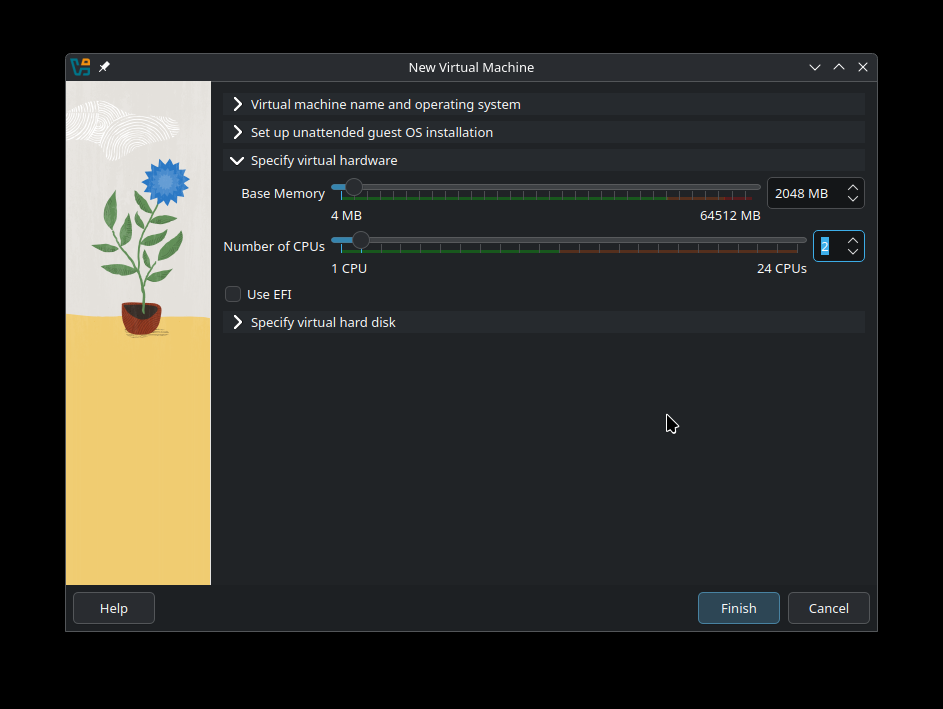
Use the Machine → New

  • give it a name
  • use the default vm folder - we use attach later - so configs location is not relevant
  • set os to Arch Linux
  • set windows version
  • set hardware as required
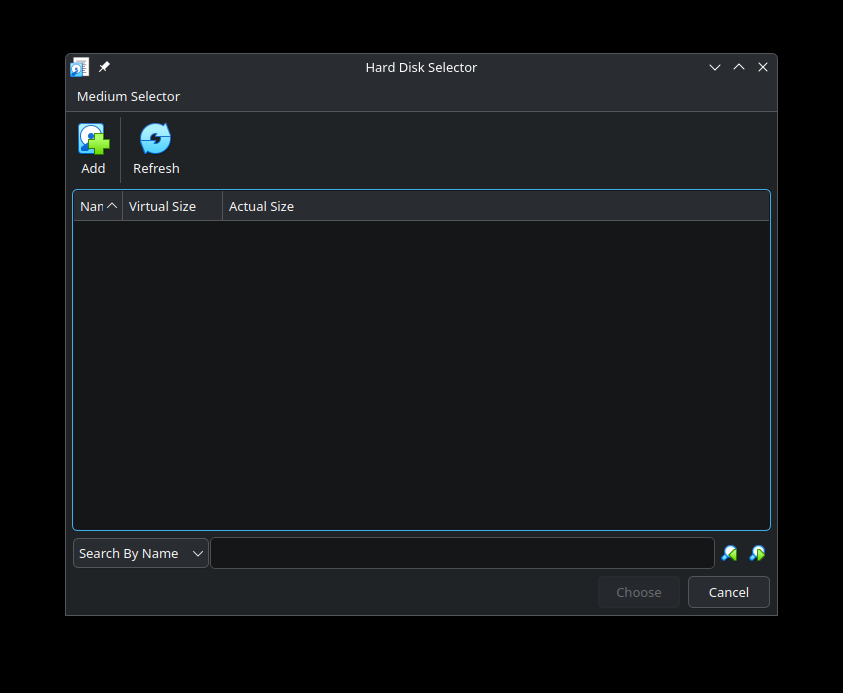
  • specify virtual disk
  • scroll down
  • select Use an Existing Virtual Hard Disk File
  • point to the virtual-disks folder and the .vdi file

Click finish

I thank you for your response and your engagement!

I followed your advice and first changed the directory name for the VM folder to the standard VirtualBox VMs:
I am running Manjaro on a NVME drive on btrfs, which has the following volumes and partitions:

# <file system>                           <mount point>  <type>  <options>  <dump>  <pass>
UUID=5BCD-7D96                            /boot/efi      vfat    defaults,umask=0077 0 2
UUID=7fa7979a-a0e0-476d-ae0e-53941ec65064 swap           swap    defaults   0 0
UUID=28f95c5e-1540-44e0-af83-1f58ee10a7d7 /              btrfs   subvol=/@,defaults,noatime,compress=zstd:3 0 0
UUID=28f95c5e-1540-44e0-af83-1f58ee10a7d7 /home          btrfs   subvol=/@home,defaults,noatime,compress=zstd:3 0 0
UUID=28f95c5e-1540-44e0-af83-1f58ee10a7d7 /var/cache     btrfs   subvol=/@cache,defaults,noatime,compress=zstd:3 0 0
UUID=28f95c5e-1540-44e0-af83-1f58ee10a7d7 /var/log       btrfs   subvol=/@log,defaults,compress=zstd:3 0 0
tmpfs                                     /tmp           tmpfs   defaults,noatime,mode=1777 0 0
UUID=5b578c12-7401-47a4-857a-c9cfac7ce47b /home/jaqueline/VirtualBox\040VMs ext4 defaults 0 0

The *.vdi VMs are located on the ext4 partition in the last line of the fstab above. Nothing else is on that ext4 partition.
This partition is mounted to the directory VirtualBox VMs, which is located at /home/jaqueline/VirtualBox VMs.

I have removed all references to any previous VMs on this new computer.

I just have moved one of the old but previously working VMs to the ext4 partition:
/Win7-Test.vdi without its *.vbox file.

Then I followed your advice (but without the point “set OS to Arch Linux” – where should I select this???)
I selected the existing VDI as the “existing harddisk” and click finish.

Immediately the VBox-Manager freezes!

VBox-Manager had created the new directory for this machine correctly. In the *.vbox file I get the uuid of the machine:
Machine uuid="{468dba2c-f153-41b2-9b5e-75732da22242}"
and of the harddisk / VM:
HardDisk uuid="{a4a5f509-2786-431f-9252-daac2621f784}"

And in the file /home/jaqueline/.config/VirtualBox/VBoxSVC.log I get:

00:01:00.821205 DCon01   Finished saving settings file "/home/jaqueline/VirtualBox VMs/Win-7/Win-7.vbox"
00:01:19.543814 main     VirtualBox: object deletion starts
00:01:19.543866 main     ERROR [COM]: aRC=VBOX_E_OBJECT_IN_USE (0x80bb000c) aIID={7d510820-a678-4730-a862-818dcd3fbed0} aComponent={MediumWrap} aText={Medium '/home/jaqueline/VirtualBox VMs/Win-7-Test/Win-7-Test.vdi' cannot be closed because it is still attached to 1 virtual machines}, preserve=false aResultDetail=0
00:01:19.544154 main     HostDnsMonitor: shutting down ...
00:01:19.544243 main     HostDnsMonitor: shut down
00:01:19.563973 Watcher  ERROR [COM]: aRC=E_ACCESSDENIED (0x80070005) aIID={d644ad1e-c501-4fc7-9ab6-aa6d763bc540} aComponent={VirtualBoxWrap} aText={The object is not ready}, preserve=false aResultDetail=0
00:01:19.564006 main     VirtualBox: object deleted

At the end, I get exactly, what I have observed in my first posting. Vbox is correctly installed and kernel module is fitting the my kernel version 6.12. VBox has read/write access to the VM directory on the ext4 drive. And I am using the conventional directory name for the VMs in the mount point.
VBox Manager freezes every time, when a new machine should be created or when an existing machine should be added.

If I could switch to kernel 5.15 without getting trouble, I would do it, just to try, whether the difficulties will persist.

Another idea which will not solve the problem, but could be of interest concerning the results:
As I am now using standard folder names for VBox, I have copied all the files from ./config/VirtualBox/ and the corresponding VMs from the drive of my old computer to my new one and then start VBox Manager just to see what happens:
Nothing! It just freezes as soon as I start the VBox Manager! Even the GUI will not become visible!

I have no clue, whats going on here.

I’m familiar with VirtualBox, but not with Btrfs. However, the filesystem in use should be a secondary cause. Did you download and install the latest (stable) VirtualBox Extension set? Downloads – Oracle VirtualBox. The Extension shall be installed on host machine. With the installer you may probably be able to establish virtual machines without Btrfs. Regarding kernel version: You may also try stable kernel 6.12.

I should add, that after switching to a stable kernel, the proper kernel modules to your host machine. Is this done? If not, you may start Virtualbox, but no VMs. So please make sure:

sudo pacman -S linux-virtualbox-host-modules-meta

This should install and configure the specific kernel files for your kernel - reinstalling should make no difference, unless you are using Secure Boot (TPM) features on your host, probably in an Dual-Boot environment… Do you?

I am on Kernel 6.12 and the kernel modules are 7.1.12-1 as well as the other parts of VBox.
I am not using TPM or secure boot or other BIOS based security measures.
I am not using DualBoot because I am running only Manjaro Linux.
All the VBox parts are installed via pamac.

Neither do I - since this is not easily reproduced - I am thinking it is local to your configuration - but why - I am as clueless as you are.

I am speculating

  • which version - if any - of the virtualbox extension pack is installed ?
  • which version of the virtual box host modules did you install ?

For testing purpose - remove the virtualbox extension pack (the difference between stable branch and unstable - may create issues with the extension pack) unless you have a special use case - it is not required.

sudo pacman -Rns virtualbox-ext-oracle

When you install virtualbox - you will be queried to select host modules and the selection should match your running kernel e.g. linux 6.12 (linux612-virtualbox-host-modules) or the dkms version (virtualbox-host-dkms).

It is easy to get the wrong modules installed - if you just hit enter - the default is never or rarely correct.

Check the running kernel

Example

 $ mhwd-kernel -li
Currently running: 6.12.42-1-MANJARO (linux612)
The following kernels are installed in your system:
   * linux612

Currently running linux612 thus the the system requires linux612-virtualbox-host-modules or virtualbox-host-dkms.

The main difference is the first is the precompiled version matching a given kernel - the dkms variant rebuild on kernel update/change.

Often you will want to use the precompiled version

Check what is installed

Incorrect - linux61-virtualbox-host-modules does not match the running kernel linux612 as extracted above

 $ pamac search virtualbox | grep Installed
linux61-virtualbox-host-modules  7.2.0-6 [Installed]                       extra
virtualbox  7.2.0-1 [Installed]                                            extra

Correct - using dkms to compile modules

 $ pamac search virtualbox | grep Installed
virtualbox-host-dkms  7.2.0-1 [Installed]                                  extra
virtualbox  7.2.0-1 [Installed]                                            extra

Correct - using precompiled modules

 $ pamac search virtualbox | grep Installed
linux612-virtualbox-host-modules  7.2.0-7 [Installed]                      extra
virtualbox  7.2.0-1 [Installed]                                            extra

The Manjaro mhwd-kernel script can facilitate adding or removing kernels - and ensure extra modules already present e.g. virtualbox-host-modules is added or removed as well.

The script will not add extra modules only maintenance related to existing extra modules

E.g. to switch to 5.15 - not recommended with your hardware - but if you insist .. I highly doubt it would solve anything ..

sudo mhwd-kernel -i linux515

You have conflicting configurations - please remove the conflicting configuration(s)

  • remove the virtual machine
  • remove the virtual disk in the media manager

Forgive me the confusion - I was thinking a Manjaro VM - but obviously - when it is Windows .. :man_facepalming:

Summary

Created at 2025-08-20T04:48:00Z


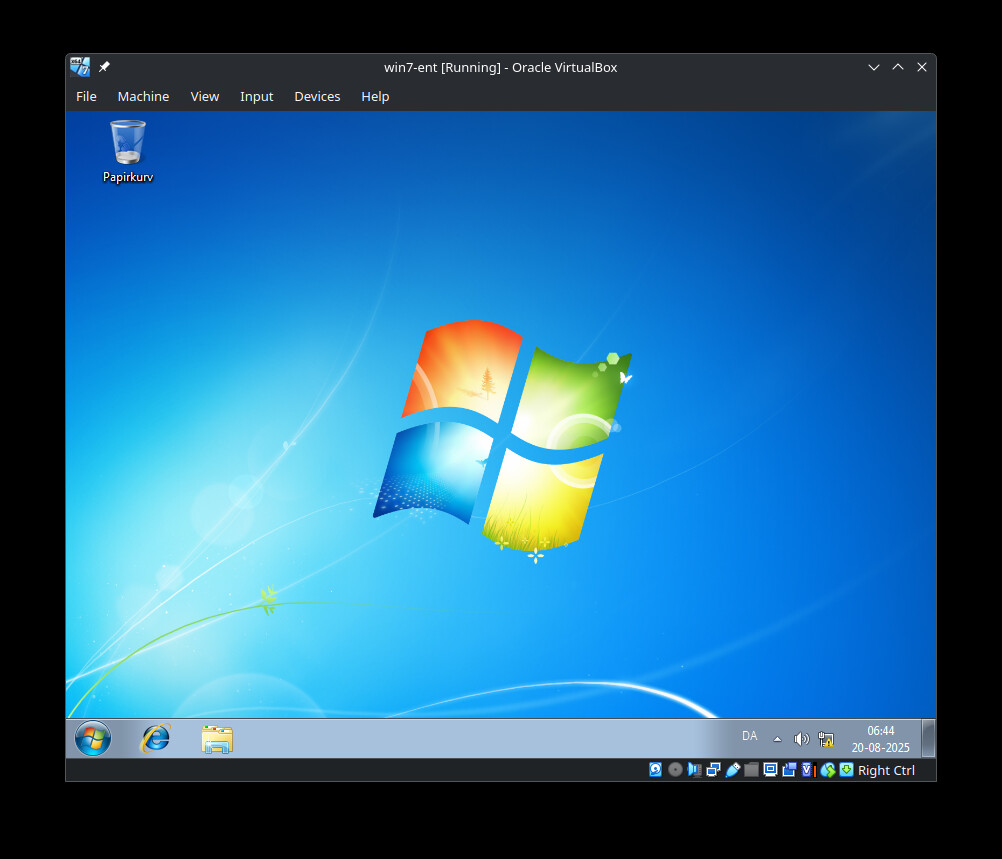
This would show a structure similar to this

 $ tree VirtualBox\ VMs/
VirtualBox VMs/
├── manjaro-plasma
│   ├── Logs
│   │   └── VBox.log
│   ├── manjaro-plasma.nvram
│   ├── manjaro-plasma.vbox
│   ├── manjaro-plasma.vbox-prev
│   └── manjaro-plasma.vdi
├── virtual-disks
│   └── win7-ent.vdi
└── win7-ent
    ├── Logs
    │   └── VBox.log
    ├── win7-ent.vbox
    └── win7-ent.vbox-prev

6 directories, 9 files

 $ cat win7-ent.vbox
<?xml version="1.0"?>
<!--
** DO NOT EDIT THIS FILE.
** If you make changes to this file while any VirtualBox related application
** is running, your changes will be overwritten later, without taking effect.
** Use VBoxManage or the VirtualBox Manager GUI to make changes.
**
** Written by VirtualBox 7.2.0 (r170228)
-->
<VirtualBox xmlns="http://www.virtualbox.org/" version="1.19-linux">
  <Machine uuid="{bfa2ca3f-0aaa-424e-ab4c-4b5531b6c8ba}" name="win7-ent" OSType="Windows7_64" snapshotFolder="Snapshots" lastStateChange="2025-08-20T04:50:38Z">
    <MediaRegistry>
      <HardDisks>
        <HardDisk uuid="{ff4c33c7-f8fe-4927-8e39-b28bde64091b}" location="/home/fh/VirtualBox VMs/virtual-disks/win7-ent.vdi" format="VDI" type="Normal"/>
      </HardDisks>
    </MediaRegistry>
    <ExtraData>
      <ExtraDataItem name="GUI/LastGuestSizeHint" value="870,647"/>
      <ExtraDataItem name="GUI/LastNormalWindowPosition" value="755,144,870,700"/>
    </ExtraData>
    <Hardware>
      <Memory RAMSize="2048"/>
      <HID Pointing="USBTablet"/>
      <Display controller="VBoxSVGA" VRAMSize="90"/>
      <Firmware/>
      <BIOS>
        <IOAPIC enabled="true"/>
        <SmbiosUuidLittleEndian enabled="true"/>
        <AutoSerialNumGen enabled="true"/>
      </BIOS>
      <USB>
        <Controllers>
          <Controller name="OHCI" type="OHCI"/>
          <Controller name="EHCI" type="EHCI"/>
        </Controllers>
      </USB>
      <Network>
        <Adapter slot="0" enabled="true" MACAddress="0800277802AE" type="82540EM">
          <NAT/>
        </Adapter>
      </Network>
      <AudioAdapter controller="HDA" useDefault="true" driver="ALSA" enabled="true" enabledOut="true"/>
      <Clipboard/>
      <GuestProperties>
        <GuestProperty name="/VirtualBox/GuestAdd/Components/VBoxControl.exe" value="7.0.10r158379" timestamp="1755665052782637000" flags=""/>
        <GuestProperty name="/VirtualBox/GuestAdd/Components/VBoxGuest.sys" value="7.0.10r158379" timestamp="1755665052787104000" flags=""/>
        <GuestProperty name="/VirtualBox/GuestAdd/Components/VBoxHook.dll" value="7.0.10r158379" timestamp="1755665052784381000" flags=""/>
        <GuestProperty name="/VirtualBox/GuestAdd/Components/VBoxMRXNP.dll" value="7.0.10r158379" timestamp="1755665052786225000" flags=""/>
        <GuestProperty name="/VirtualBox/GuestAdd/Components/VBoxMouse.sys" value="7.0.10r158379" timestamp="1755665052787367000" flags=""/>
        <GuestProperty name="/VirtualBox/GuestAdd/Components/VBoxSF.sys" value="7.0.10r158379" timestamp="1755665052787567000" flags=""/>
        <GuestProperty name="/VirtualBox/GuestAdd/Components/VBoxService.exe" value="7.0.10r158379" timestamp="1755665052785603000" flags=""/>
        <GuestProperty name="/VirtualBox/GuestAdd/Components/VBoxTray.exe" value="7.0.10r158379" timestamp="1755665052785482000" flags=""/>
        <GuestProperty name="/VirtualBox/GuestAdd/InstallDir" value="C:/Program Files/Oracle/VirtualBox Guest Additions" timestamp="1755665052781507000" flags=""/>
        <GuestProperty name="/VirtualBox/GuestAdd/Revision" value="158379" timestamp="1755665052781447000" flags=""/>
        <GuestProperty name="/VirtualBox/GuestAdd/Version" value="7.0.10" timestamp="1755665052781357000" flags=""/>
        <GuestProperty name="/VirtualBox/GuestAdd/VersionExt" value="7.0.10" timestamp="1755665052781415000" flags=""/>
        <GuestProperty name="/VirtualBox/GuestInfo/Net/0/MAC" value="0800277802AE" timestamp="1755665058011547000" flags=""/>
        <GuestProperty name="/VirtualBox/GuestInfo/Net/0/Status" value="Up" timestamp="1755665058011462000" flags=""/>
        <GuestProperty name="/VirtualBox/GuestInfo/Net/0/V4/Broadcast" value="255.255.255.255" timestamp="1755665058011275000" flags=""/>
        <GuestProperty name="/VirtualBox/GuestInfo/Net/0/V4/IP" value="10.0.2.15" timestamp="1755665058011165000" flags=""/>
        <GuestProperty name="/VirtualBox/GuestInfo/Net/0/V4/Netmask" value="255.255.255.0" timestamp="1755665058011372000" flags=""/>
        <GuestProperty name="/VirtualBox/GuestInfo/Net/Count" value="1" timestamp="1755665066001152000" flags=""/>
        <GuestProperty name="/VirtualBox/GuestInfo/OS/Product" value="Windows 7" timestamp="1755665052781095000" flags=""/>
        <GuestProperty name="/VirtualBox/GuestInfo/OS/Release" value="6.1.7601" timestamp="1755665052781184000" flags=""/>
        <GuestProperty name="/VirtualBox/GuestInfo/OS/ServicePack" value="1" timestamp="1755665052781273000" flags=""/>
        <GuestProperty name="/VirtualBox/GuestInfo/OS/Version" value="" timestamp="1755665052781239000" flags=""/>
        <GuestProperty name="/VirtualBox/HostInfo/GUI/LanguageID" value="en_US" timestamp="1755665067020721000" flags="RDONLYGUEST"/>
      </GuestProperties>
      <StorageControllers>
        <StorageController name="SATA" type="AHCI" PortCount="2" useHostIOCache="false" Bootable="true" IDE0MasterEmulationPort="0" IDE0SlaveEmulationPort="1" IDE1MasterEmulationPort="2" IDE1SlaveEmulationPort="3">
          <AttachedDevice type="HardDisk" hotpluggable="false" port="0" device="0">
            <Image uuid="{ff4c33c7-f8fe-4927-8e39-b28bde64091b}"/>
          </AttachedDevice>
          <AttachedDevice passthrough="false" type="DVD" hotpluggable="false" port="1" device="0"/>
        </StorageController>
      </StorageControllers>
      <CPU count="2">
        <HardwareVirtExLargePages enabled="false"/>
        <PAE enabled="false"/>
        <LongMode enabled="true"/>
      </CPU>
    </Hardware>
  </Machine>
</VirtualBox>

If you cannot make it work as I laid out in the Summary tag - there is not much else to suggest.

Thank you for your great supporting ideas!
I have checked my system with the following results:

Manjaro Kernel Linux 6.12.41-1-MANJARO (x86_64) with XFCE desktop

Oracle Virtual Box 7.1.12.1 – official repo
linux612-virtualbox-host-modules 7.1.12.6 – official repo
virtualbox-guest-iso 7.1.12.1 – official repo

no guest extensions installed ( 7.1.12.1 AUR) I suppose these are necessary to be installed in a guest system and not in the host system. But I may be mal-informed. On my other computers I have guest-extensions installed on the host system.

In order to have a clean system, I have deinstalled these components, then power down rebooted and then wanted to reinstall via pamac. But actually the installation of Virtual Box via the Arch / Manjaro repos will be inconsistent!
They offer different versions which may be conflicting:

Oracle Virtual Box 7.1.12-1 – official repo
linux612-virtualbox-host-modules 7.1.12.6 – official repo
virtualbox-guest-iso 7.2.0-1 – official repo
virtualbox guest extensions 7.2.0-1 – AUR

Thus I will wait until the versions are the same for all these components and then try again.

You don’t need either of them - VirtualBox will will work without.

The official repo contains 7.1.12 for stable branch - which branch are you using ?

pacman-mirrors -G

The guest ISO is only relevant for the guest - and when you run your Windows guest - virtualbox will offer to update if it is present.

The oracle extension is only relevant if you need some of the functionality it provides - it is a common misconception they are required for Virtual Box to function.

For completeness: with relation to non-windows VBox machines

Don’t install virtual box guest related packages in the host - they do no harm - only confusion.

For non-Arch(-based) Linux guests you will likely need the guest ISO - but I suggest you pull it directly using the menu item for a virtual machine - Devices → Insert Guest Additions CD image - if not present on the system it will download the relevant version from virtualbox.org.

For a Manjaro guest (Arch-based) you will only need the package virtualbox-guest-utils which is automagically included if installing into a VBox machine. The service is not started - that would have to be done manually

Thank you! I have reread all your advice here and then I have installed

Oracle Virtual Box 7.1.12-1 – official repo
virtualbox-host-dkms 7.1.12-1 -- official repo

strange, no hint to reboot after that. After rebooting I have run sudo dmesg and I did not find any loafing of vbox components – just in contrast as in the installation before not using “dkms” version.
pamac search virtualbox | grep Installed did not give any response! So I checked with vboxmanage --version i and I got:

WARNING: The vboxdrv kernel module is not loaded. Either there is no module
         available for the current kernel (6.12.41-1-MANJARO) or it failed to
         load. Please recompile the kernel module and install it by
           sudo /sbin/vboxconfig
But in /sbin/ there is no file vboxconfig

Then I repeated the installation of virtualbox-host-dkms 7.1.12-1 – official repo and it seemed, it would run a compilation (because of the time i t required - similar as at the first run). Again no hint to do a reboot. I have rebooted and repeated checking vbox components as above. – Sorry but with the same results!
Further I could not start vboxservice by typing sudo systemctl enable vboxservice
Failed to enable unit: Unit vboxservice.service does not exist

If I deinstall all this and reinstall by not using the kernel dkms package, then I will run into a slight mismatch, because Pamac actually will only offer:

Oracle Virtual Box 7.1.12.1 – official repo
linux612-virtualbox-host-modules 7.1.12.6 – official repo

What to do now?

either reboot or run sudo vboxreload

In addition, I’ll leave this here:

VirtualBox - ArchWiki

As it was a problem here, having the images stored on a BTRFS file system:
the warning note in the red box in this section (1.7)

VirtualBox - ArchWiki
https://wiki.archlinux.org/title/VirtualBox#Front-ends

I don’t use VirtualBox anymore myself - I use virt-manager (qemu) instead.

Thank you!

 sudo vboxreload                                                                                             1 ✘  6s  
[sudo] Passwort für clemens: 
Unloading modules: 
Loading modules: modprobe: FATAL: Module vboxnetadp not found in directory /lib/modules/6.12.41-1-MANJARO
modprobe: FATAL: Module vboxnetflt not found in directory /lib/modules/6.12.41-1-MANJARO
modprobe: FATAL: Module vboxdrv not found in directory /lib/modules/6.12.41-1-MANJARO

I think, that the virtualbox-host-dkms did not install correct so that basic elements are missing.
Do you really think, that the small version difference between

Oracle Virtual Box 7.1.12.1 – official repo
linux612-virtualbox-host-modules 7.1.12.6 – official repo

will result in malfunctioning? If not, I will try to deinstall again, waht I have and after reboot I will install these two components and try again.

yes!

Just start over - follow the Arch wiki …

OK here I am.
Manjaro Kernel Linux 6.12.41-1-MANJARO (x86_64) with XFCE desktop
Oracle Virtual Box 7.1.12-1 – official repo
linux612-virtualbox-host-modules 7.1.12.6 – official repo

vboxmanage --version  
7.1.12r169651

sudo vboxreload  
Unloading modules: vboxnetadp vboxnetflt vboxdrv 
Loading modules: vboxnetadp vboxnetflt vboxdrv 

groups  
jaqueline sys network power vboxusers lp wheel

In summary, this is the same installation, I had before but without virtualbox-guest.iso

It want to emphasize, that I use default names for the typical VBox directories like VirtualBox VMs and the default pathes, which are expected from VBox Manager, when leaving those things unchanged at setup. I experienced, if you change for example the directory name for the VMs, then VBox manager will not change it in all instances. In the file /home/jaqueline/.config/VirtualBox/VirtualBox.xml-prev one of the last lines will keep the unchanged default directory name VirtualBox VMs. And maybe this is not the only place, where the pathes or names remain unchanged.

And sorry, YES, VBox behaves exactly as before:
I just tried to simply add an already existing VM and VBox manager did freeze immediately after pushing “finish”.
When I close VBox manager and try to restart it without before emptying the content of /home/jaqueline/.config/VirtualBox/... it will freeze immediately after start so that even the GUI won’t show up.

In the file VBoxSVC.log the same error lines show up:
First it cannot find the machine with the uuid, which is set in *.vbox file
Then it cannot close this machine, because it is still attached…
And finally on shutting down, it tells, that the access is denied.

Perhaps the output of sudo dmesg may help. I have extracted those lines from dmesg, which are somehow realted to VirtualBox:

systemd[1]: Mounted Kernel Configuration File System.
vboxdrv: loading out-of-tree module taints kernel.
vboxdrv: module verification failed: signature and/or required key missing - tainting kernel
. . .
systemd[1]: Starting Create System Users...
vboxdrv: TSC mode is Invariant, tentative frequency 4691205168 Hz
vboxdrv: Successfully loaded version 7.1.12 r169651 (interface 0x00340001)
VBoxNetAdp: Successfully started.
VBoxNetFlt: Successfully started.
systemd[1]: Finished Load Kernel Modules.

This is why I mentioned

If kernel headers - for your active kernel - is not present - dkms will fail - it depends on the correct headers - again - the default choice is never or rarely correct.

Add the headers for your active kernel - using your information

sudo pacman -Syu linux612-headers

[root tip] [How To] Kernel - Headers - DKMS

I thank you for your helpfull advice!
Oh yes, it seems that there has been something with the kernel-headers. I have executed sudo pacman -Syu linux612-headers and then it fetched these packages:
pahole-1:1.30-2 signal-desktop-7.67.0-1 linux612-headers-6.12.41-1

Then many things were performed:

  • it deleted two directories with Timeshift snapshots
  • it started Grub probe and told: unknown device type nvme1n1. (This is my /boot/EFI and I was shocked.)
  • after that it installed the three packages and also DKMS modules successfully.

I checked with Gparted and all partitions were OK. Then I did the following steps:

  • deinstalling the two packages of VirtualBox
  • doing a power-down reboot
  • installing Oracle Virtual Box 7.1.12.1 – official repo
    and then
  • virtualbox-host-dkms 7.1.12-1 – official repo
    and then
  • doing a power-down reboot

Then checking:

vboxmanage --version 
7.1.12r169651

sudo vboxreload 
Unloading modules: vboxnetadp vboxnetflt vboxdrv 
Loading modules: vboxnetadp vboxnetflt vboxdrv 

groups
jaqueline sys network power vboxusers lp wheel

So it all seems to be OK! – Then I tried to create a new empty VM “Testmaschine”. Empty means: without using an existing *.vdi VM or any *.iso of an OS.
As soon as I clicked “finish”, the VBox-Manager freezed again. Because I had tried to create an “empty” machine, there cannot arise any conflicts with UUIDs or that the new VM would be connected with other VMs like all these errors, I already had described.

The *.vdi VM, the *.vbox file and its folder were successfully created. And this is the result in the *.vbox file (only the relevant lines cited):

<Machine uuid="{f6957bb1-0fea-44b3-8d1c-baa8ff9a13de}" name="Testmaschine" OSType="Windows7_64" snapshotFolder="Snapshots" lastStateChange="2025-08-21T11:33:17Z">
<HardDisk uuid="{88c7245f-605e-42e5-916c-d8a96854730f}" location="Testmaschine.vdi" format="VDI" type="Normal"/>
          <AttachedDevice type="HardDisk" hotpluggable="false" port="0" device="0">
            <Image uuid="{88c7245f-605e-42e5-916c-d8a96854730f}"/>
          </AttachedDevice>

As I have no VirtualBox Guest Additions installed, I wonder what “attached harddisk” is defined here. It has the same UUID as that of the fresh created *.vdi
How can a harddisk be attached to itself???

In the home directory of VirtualBox = /home/jaqueline/.config/VirtualBox/ I checked the file VBoxSVC.log and here are again the typical last 6 lines with the error description, I have seen so often before:

DCon48   Finished saving settings file "/home/jaqueline/VirtualBox VMs/Testmaschine/Testmaschine.vbox"

main     VirtualBox: object deletion starts

main     ERROR [COM]: aRC=VBOX_E_OBJECT_IN_USE (0x80bb000c) aIID={7d510820-a678-4730-a862-818dcd3fbed0} aComponent={MediumWrap} aText={Medium '/home/jaqueline/VirtualBox VMs/Testmaschine/Testmaschine.vdi' cannot be closed because it is still attached to 1 virtual machines}, preserve=false aResultDetail=0

main     HostDnsMonitor: shutting down

main     HostDnsMonitor: shut down

Watcher  ERROR [COM]: aRC=E_ACCESSDENIED (0x80070005) aIID={d644ad1e-c501-4fc7-9ab6-aa6d763bc540} aComponent={VirtualBoxWrap} aText={The object is not ready}, preserve=false aResultDetail=0

main     VirtualBox: object deleted

I found from former tests, that these 6 last lines in the VBoxSVC.log are always the same and they contain always the same aIID=. . . numbers:

ERROR [COM]: aRC=VBOX_E_OBJECT_IN_USE (0x80bb000c) aIID={7d510820-a678-4730-a862-818dcd3fbed0}
ERROR [COM]: aRC=E_ACCESSDENIED (0x80070005) aIID={d644ad1e-c501-4fc7-9ab6-aa6d763bc540}

I asked KI and searched the VBox-Forum. Oh yes, there were many of those problems. But it seems, that no one described a problem similar to mine, where VBox Manager even cannot create and administer a new VM successfully.

It seems, that in our discussion here, we have checked all possible things, which could be associated with VirtualBox and Manjaro. We have found nothing, which could cause these problems here and it seems, that I have to discuss this on VirtualBox Forum.
I have started a new thread there:
https://forums.virtualbox.org/viewtopic.php?t=113942
and I hope, that we find a solution there.

If we find a solution there, and if this thread here is not closed til then, I will post the solution here.

I thank you for all your engagement and your assitance!