New bug.
Krita not opening.
[edit] Latest appimage did not work too.
Workaround found! Had to install flatpak version.
This update is turning me into a flatpakella user…….
New bug.
Krita not opening.
[edit] Latest appimage did not work too.
Workaround found! Had to install flatpak version.
This update is turning me into a flatpakella user…….
It does open here. But krita is now qt6, which means that you may have some leftover stuff from the qt5 era in ~/.cache/.
After the update the GNOME 49.2 has a bug with Sticky Keys enabled. After modifier key release (after another key press) mouse still thinks the modifier is pressed. This makes it unusable. There is no fix yet. I read somewhere it will be fixed in GNOME 50.
2 posts were split to a new topic: Caught out by Gnome X11 removal
I updated my system yesterday (KDE Plasma on Wayland, kernel 6.12). All went well.
Just a reminder for zfs on root users to check the following Wiki article:
Install Arch Linux on ZFS - ArchWiki
Recent installations of Arch Linux uses a systemd initramfs. The ZFS hook provided by zfs-utilsAUR is only compatible with busybox initramfs. Unless you plan to use a different ZFS hook compatible with systemd, please make sure to copy exactly the hooks above.
So remember to check your mkinitcpio.conf.pacnewand use udev instead of systemd hook. Otherwise, you’ll have an unbootable system.
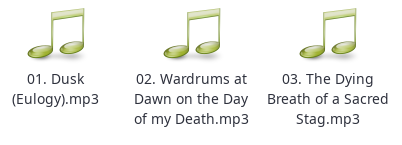
As of this update, thunar is not displaying thumbnails on music files anymore. I was going to show you flacs too but to tell the truth I don’t remember if they ever displayed…but mp3s I know are supposed to.
6 posts were split to a new topic: GTK2 apps not following system dark theme
I applied the hooks as you instructed and ran mkinitcpio -P, but upon reboot a systemd start job would time out, leaving me with an unbootable system.
A start job is running for /dev/map[some uuid]
So I needed to chroot into the unbootable system to fix it, but since manjaro-chroot apparently doesn’t work on BTRFS file systems, I needed to do it manually using these commands I found in an Arch forum thread:
cryptsetup open /dev/path/to/encrypted/partition cryptlvm
mount -o subvol=@ /dev/mapper/cryptlvm /mnt
mount -o subvol=@home /dev/mapper/cryptlvm /mnt/home
mount -o nodatacow,subvol=@log /dev/mapper/cryptlvm /mnt/var/log
mount --bind /proc /mnt/proc
mount --bind /sys /mnt/sys
mount --bind /dev /mnt/dev
mount --bind /dev/pts /mnt/dev/pts
chroot /mnt
I then replaced the hooks in /etc/mkinitcpio.conf with my previous hooks, ran mkinitcpio -P again, and the system rebooted normally.
Hi guys,
I stumbled into a weird issue and I think that it started appearing after this update. While typing, I noticed that I started to often miss space characters. After inspecting the issue more thoroughly, I discovered that the reason is the following: The space character isn’t being typed while the shift button is pressed.
However, xev reports a key press when pressing the space bar even while holding the shift button. So it’s not a hardware/kernel/X11 issue, as far as I understand. The space character is being eaten up somewhere between X11 and the text field I’m typing into…
Did anyone else notice a similar issue?
I’m using Xfce and X11.
edit: Even an online key checker recognizes the space bar press, it’s only that no space character is put into a text field…
A post was split to a new topic: Unclear problem
Ok, I was too lazy yesterday. Easy mistake, I did.
I did not merge the pacnew, but replaced it…
So, everybody who has the same issue I had:
/etc/crypttab/etc/mkinitcpio.confin FILES=(*here*)mkinitcpio -P and update-grubIf not, replace in HOOKS systemd with udev and vd-console with consolefont and add encrypt before filesystems.
Have a nice day, ask me everything you need.
Thanks a lot for this great update. Nearly everything went smooth as always. There were only two little issues.
The first was this known issue during boot process and I fixed it (I think) by looking at my .pacnew files. I changed the grub-file to
GRUB_CMDLINE_LINUX_DEFAULT=“quiet udev.log_priority=3”
The second issue was an error concerning a package that I had to recompile - and the issue was solved (as this is a package from the AUR - this doesn’t belong in this threat).
So a big THANK YOU for this great update! 
Using KDE Plasma, I’m having trouble with the icons-only task bar. For a few running programs, clicking on its icon does not seem to do anything. The window does not appear. Hovering over the icon does show a preview of the screen, though.
A post was split to a new topic: System is not booting after recent stable update
Hi all! Trying to update now that I have a bit of time; found a problem:
sudo pacman -Syu ✔
:: Synchronizing package databases...
core is up to date
extra is up to date
multilib is up to date
:: Starting full system upgrade...
warning: btrfsmaintenance: local (1:0.5.2-1) is newer than extra (0.5.2-2)
:: Replace gnome-mimeapps with extra/gnome-session? [Y/n] Y
:: Replace lib32-vulkan-mesa-device-select with multilib/lib32-vulkan-mesa-implicit-layers? [Y/n] Y
:: Replace libappindicator-gtk3 with extra/libappindicator? [Y/n] Y
:: Replace vulkan-mesa-device-select with extra/vulkan-mesa-implicit-layers? [Y/n] Y
resolving dependencies...
looking for conflicting packages...
error: failed to prepare transaction (could not satisfy dependencies)
:: installing icu (78.1-1) breaks dependency 'libicuuc.so=76-64' required by qt5-webkit
:: installing icu (78.1-1) breaks dependency 'libicui18n.so=76-64' required by qt5-webkit
I need that package for using Palo Alto GlobalProtect, which I am required to use by my employer.
I had to remove the qt-5-webkit; after the update I installed a pre-built binary from here: FabioLolix-OS-Archive - Browse /Packages at SourceForge.net (the qt5-webkit-5.212.0alpha4-29-x86_64.pkg.tar.zst and installed it with pacman -U. Now GlobalProtect works again.
Hope this helps somebody…
This gives an issue with one custom udev rule that I’m using that lowers AMD Ryzen’s min frequency on idle from Lowest Non-linear Performance back down again to Lowest Performance.
For now I’m reverting back to udev to be able to load.
Only applied this update to one system so far… the pre-existing install-grub and update-grub hooks did their job during the update process, so no manual intervention was required.
Only ran zoom (AUR) so far just to ensure it was operating properly on Wayland (the only reason the Mrs was still using X11)… so not sure about any other compatibility issue (like chromium browsers) that others have mentioned.
The only item that stood out to me post update was that qt6-wayland was identified as an orphan… that didn’t make sense to me so I marked it as “explicitly installed” for the time being.
X11-only applications can still be run under Wayland by way of xwayland.
The only thing that requires it on my system is telegram-desktop. So if it’s listed as an orphan, then it can be removed.
That’s because upstream moved most of the relevant bits to qt6-base.