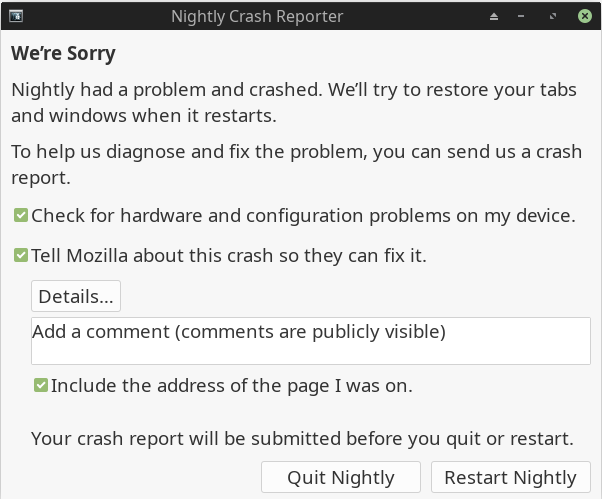
After update Firefox crashes every 10 minutes

A few days ago there was a big Manjaro update. The update went well, except for the Firefox browser.
I have had more then 20 Firefox Crashes, watching video’s, not only on youtube but also on other websites.
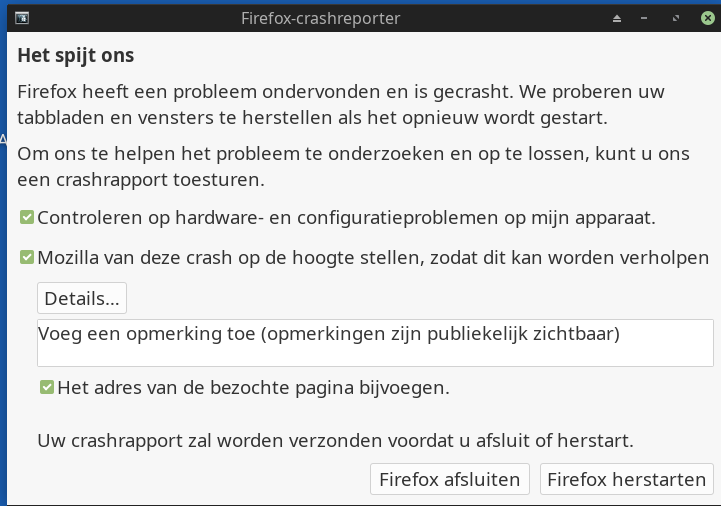
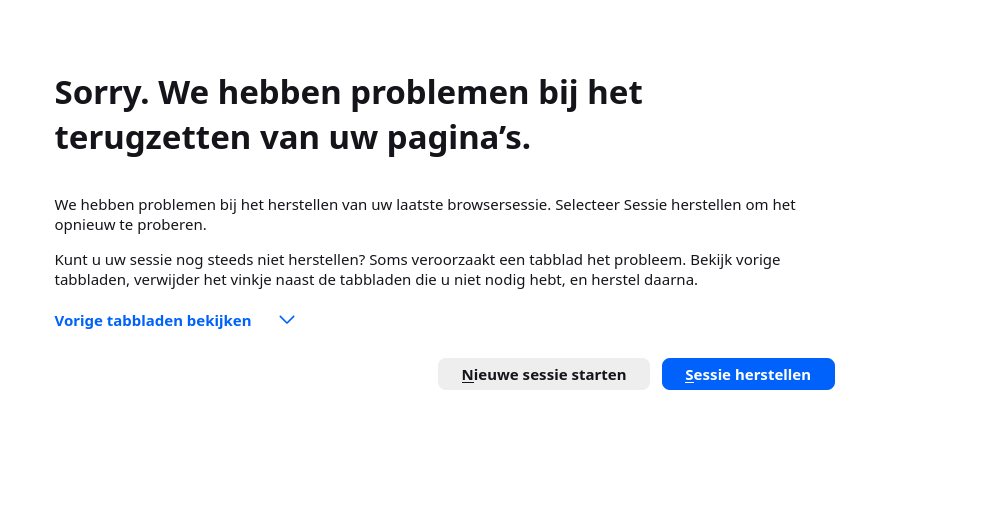
For each chrash i have send a default chrash-report to firefox. Then after a few hours a received a firefox update, but after that the crashes continued and no improvement since then. This is going on for a few days now. What can i do?

Summary


Even on the appimage nightly

1 Like

Maybe you encountered the same issue:

2 Likes

Firefox Nightly is experimental and sometimes it can be unstable. With that being said…

Does the issue occur with the Stable build?

Does the issue occur with a fresh profile with no addons?

Have you tried via about:support (Troubleshooting Information), click Troubleshoot Mode and test if the issue occurs?

Is your system low on RAM? Do you have swap enabled?

It would be helpful if you posted some system information:

inxi -zv8

Most Firefox issues are caused by corrupt profiles or addons that are misbehaving.

2 Likes
System:
  Kernel: 6.12.61-1-MANJARO arch: x86_64 bits: 64 compiler: gcc v: 15.2.1
    clocksource: tsc avail: hpet,acpi_pm
    parameters: BOOT_IMAGE=/@/boot/vmlinuz-6.12-x86_64
    root=UUID=acca4765-644c-47ae-9de8-fbbbcf51cfaa rw rootflags=subvol=@
    quiet splash apparmor=1 security=apparmor udev.log_priority=3
  Desktop: Xfce v: 4.20.1 tk: Gtk v: 3.24.51 wm: xfwm4 v: 4.20.0
    with: xfce4-panel tools: xfce4-screensaver vt: 7 dm: LightDM v: 1.32.0
    Distro: Manjaro base: Arch Linux
Machine:
  Type: Desktop System: Dell product: OptiPlex 7010 v: 01
    serial: <superuser required> Chassis: type: 15 serial: <superuser required>
  Mobo: Dell model: 0WR7PY v: A03 serial: <superuser required>
    part-nu: OptiPlex 7010 uuid: <superuser required> Firmware: BIOS
    vendor: Dell v: A19 date: 08/18/2014
Battery:
  Message: No system battery data found. Is one present?
Memory:
  System RAM: total: 8 GiB available: 7.64 GiB used: 1.81 GiB (23.7%)
  Message: For most reliable report, use superuser + dmidecode.
  Array-1: capacity: 32 GiB slots: 4 modules: 2 EC: None
    max-module-size: 8 GiB note: est.
  Device-1: DIMM3 type: no module installed
  Device-2: DIMM1 type: DDR3 detail: synchronous size: 4 GiB
    speed: 1600 MT/s volts: N/A width (bits): data: 64 total: 64
    manufacturer: Samsung part-no: M378B5173DB0-CK0 serial: <filter>
  Device-3: DIMM4 type: no module installed
  Device-4: DIMM2 type: DDR3 detail: synchronous size: 4 GiB
    speed: 1600 MT/s volts: N/A width (bits): data: 64 total: 64
    manufacturer: Samsung part-no: M378B5173DB0-CK0 serial: <filter>
PCI Slots:
  Permissions: Unable to run dmidecode. Root privileges required.
CPU:
  Info: model: Intel Core i5-3570 bits: 64 type: MCP arch: Ivy Bridge
    gen: core 3 level: v2 built: 2012-15 process: Intel 22nm family: 6
    model-id: 0x3A (58) stepping: 9 microcode: 0x21
  Topology: cpus: 1x dies: 1 clusters: 4 cores: 4 smt: <unsupported> cache:
    L1: 256 KiB desc: d-4x32 KiB; i-4x32 KiB L2: 1024 KiB desc: 4x256 KiB
    L3: 6 MiB desc: 1x6 MiB
  Speed (MHz): avg: 3800 min/max: 1600/3800 scaling: driver: intel_cpufreq
    governor: schedutil cores: 1: 3800 2: 3800 3: 3800 4: 3800 bogomips: 27149
  Flags: acpi aes aperfmperf apic arat arch_perfmon avx bts clflush cmov
    constant_tsc cpuid cpuid_fault cx16 cx8 de ds_cpl dtes64 dtherm dts epb
    ept erms est f16c flexpriority flush_l1d fpu fsgsbase fxsr ht ibpb ibrs
    ida lahf_lm lm mca mce md_clear mmx monitor msr mtrr nonstop_tsc nopl nx
    pae pat pbe pcid pclmulqdq pdcm pebs pge pln pni popcnt pse pse36 pti pts
    rdrand rdtscp rep_good sep smep smx ss ssbd sse sse2 sse4_1 sse4_2 ssse3
    stibp syscall tm tm2 tpr_shadow tsc tsc_deadline_timer vme vmx vnmi vpid
    x2apic xsave xsaveopt xtopology xtpr
  Vulnerabilities:
  Type: gather_data_sampling status: Not affected
  Type: indirect_target_selection status: Not affected
  Type: itlb_multihit status: KVM: Split huge pages
  Type: l1tf mitigation: PTE Inversion; VMX: conditional cache flushes, SMT
    disabled
  Type: mds mitigation: Clear CPU buffers; SMT disabled
  Type: meltdown mitigation: PTI
  Type: mmio_stale_data status: Unknown: No mitigations
  Type: reg_file_data_sampling status: Not affected
  Type: retbleed status: Not affected
  Type: spec_rstack_overflow status: Not affected
  Type: spec_store_bypass mitigation: Speculative Store Bypass disabled via
    prctl
  Type: spectre_v1 mitigation: usercopy/swapgs barriers and __user pointer
    sanitization
  Type: spectre_v2 mitigation: Retpolines; IBPB: conditional; IBRS_FW;
    STIBP: disabled; RSB filling; PBRSB-eIBRS: Not affected; BHI: Not
    affected
  Type: srbds status: Vulnerable: No microcode
  Type: tsa status: Not affected
  Type: tsx_async_abort status: Not affected
  Type: vmscape mitigation: IBPB before exit to userspace
Graphics:
  Device-1: Intel Xeon E3-1200 v2/3rd Gen Core processor Graphics vendor: Dell
    driver: i915 v: kernel arch: Gen-7 process: Intel 22nm built: 2012-13 ports:
    active: VGA-1 empty: DP-1, DP-2, HDMI-A-1, HDMI-A-2 bus-ID: 00:02.0
    chip-ID: 8086:0152 class-ID: 0300
  Display: x11 server: X.org v: 1.21.1.21 compositor: xfwm4 v: 4.20.0
    driver: X: loaded: modesetting alternate: fbdev,vesa dri: crocus gpu: i915
    display-ID: :0.0 note: <missing: xdpyinfo/xrandr>
  Monitor-1: VGA-1 model: HKC-TV built: 2019 res: 1366x768 gamma: 1.2
    chroma: red: x: 0.635 y: 0.349 green: x: 0.290 y: 0.588 blue: x: 0.141
    y: 0.078 white: x: 0.314 y: 0.329 size: 575x323mm (22.64x12.72")
    modes: 1366x768, 1280x768, 1280x720, 1024x768, 800x600, 640x480, 720x400
  API: EGL v: 1.5 hw: drv: intel crocus platforms: device: 0 drv: crocus
    device: 1 drv: swrast gbm: drv: crocus surfaceless: drv: crocus x11:
    drv: crocus inactive: wayland
  API: OpenGL v: 4.5 compat-v: 4.2 vendor: intel mesa v: 25.3.1-arch1.2
    glx-v: 1.4 direct-render: yes renderer: Mesa Intel HD Graphics 2500 (IVB
    GT1) device-ID: 8086:0152 memory: 1.46 GiB unified: yes
  Info: Tools: api: eglinfo,glxinfo de: xfce4-display-settings x11: xprop
Audio:
  Device-1: M-Audio Fast Track Pro driver: snd-usb-audio type: USB rev: 1.1
    speed: 12 Mb/s lanes: 1 mode: 1.1 bus-ID: 4-1.1:3 chip-ID: 0763:2012
    class-ID: 0102
  Device-2: M-Audio Oxygen Pro 49 driver: hid-generic,snd-usb-audio,usbhid
    type: USB rev: 1.0 speed: 12 Mb/s lanes: 1 mode: 1.1 bus-ID: 4-1.2:4
    chip-ID: 0763:0039 class-ID: 0301 serial: <filter>
  API: ALSA v: k6.12.61-1-MANJARO status: kernel-api with: aoss
    type: oss-emulator tools: alsactl,alsamixer,amixer
  Server-1: sndiod v: N/A status: off tools: aucat,midicat,sndioctl
  Server-2: JACK v: 1.9.22 status: off tools: N/A
  Server-3: PipeWire v: 1.4.9 status: active with: 1: pipewire-pulse
    status: active 2: wireplumber status: active 3: pipewire-alsa type: plugin
    tools: pactl,pw-cat,pw-cli,wpctl
Network:
  Device-1: Intel 82579LM Gigabit Network vendor: Dell driver: e1000e
    v: kernel port: f080 bus-ID: 00:19.0 chip-ID: 8086:1502 class-ID: 0200
  IF: eno1 state: up speed: 1000 Mbps duplex: full mac: <filter>
  IP v4: <filter> type: dynamic noprefixroute scope: global
    broadcast: <filter>
  IP v6: <filter> type: dynamic noprefixroute scope: global
  IP v6: <filter> type: noprefixroute scope: link
  Info: services: NetworkManager,systemd-timesyncd
  WAN IP: <filter>
Bluetooth:
  Message: No bluetooth data found.
Logical:
  Message: No logical block device data found.
RAID:
  Message: No RAID data found.
Drives:
  Local Storage: total: 912.9 GiB used: 520.74 GiB (57.0%)
  SMART Message: Required tool smartctl not installed. Check --recommends
  ID-1: /dev/sda maj-min: 8:0 vendor: Kingston model: SA400S37240G
    size: 223.57 GiB block-size: physical: 512 B logical: 512 B speed: 6.0 Gb/s
    tech: SSD serial: <filter> fw-rev: B1D2 scheme: MBR
  ID-2: /dev/sdb maj-min: 8:16 vendor: Kingston model: SA400S37240G
    size: 223.57 GiB block-size: physical: 512 B logical: 512 B speed: 6.0 Gb/s
    tech: SSD serial: <filter> fw-rev: B1D2 scheme: MBR
  ID-3: /dev/sdc maj-min: 8:32 vendor: Western Digital
    model: WD5000AAKS-22A7B2 size: 465.76 GiB block-size: physical: 512 B
    logical: 512 B speed: 3.0 Gb/s tech: N/A serial: <filter> fw-rev: 3B01
    scheme: MBR
  Message: No optical or floppy data found.
Partition:
  ID-1: / raw-size: 105.85 GiB size: 105.85 GiB (100.00%)
    used: 30.87 GiB (29.2%) fs: btrfs dev: /dev/sda4 maj-min: 8:4
    label: Manjaro_nieuw uuid: acca4765-644c-47ae-9de8-fbbbcf51cfaa
  ID-2: /home raw-size: 105.85 GiB size: 105.85 GiB (100.00%)
    used: 30.87 GiB (29.2%) fs: btrfs dev: /dev/sda4 maj-min: 8:4
    label: Manjaro_nieuw uuid: acca4765-644c-47ae-9de8-fbbbcf51cfaa
  ID-3: /media/jean/audio raw-size: 48.83 GiB size: 47.76 GiB (97.81%)
    used: 27.9 GiB (58.4%) fs: ext4 dev: /dev/sda2 maj-min: 8:2 label: audio
    uuid: cc9d82f2-c9ab-4018-bc2f-6dd25e618f44
  ID-4: /media/jean/backup raw-size: 117.19 GiB size: 117.19 GiB (100.00%)
    used: 108.69 GiB (92.7%) fs: ntfs dev: /dev/sdb1 maj-min: 8:17 label: backup
    uuid: 50AB694170879D83
  ID-5: /media/jean/backup_extern raw-size: 372.53 GiB
    size: 372.53 GiB (100.00%) used: 319.79 GiB (85.8%) fs: ntfs dev: /dev/sdc2
    maj-min: 8:34 label: backup_extern uuid: 8ED4D13AD4D1256D
  ID-6: /media/jean/manjaro_oud raw-size: 48.08 GiB
    size: 48.08 GiB (100.00%) used: 33.49 GiB (69.7%) fs: btrfs dev: /dev/sdb3
    maj-min: 8:19 label: manjaro_24 uuid: 169db61c-1da8-49f3-875d-8676be3b8185
  ID-7: /var/cache raw-size: 105.85 GiB size: 105.85 GiB (100.00%)
    used: 30.87 GiB (29.2%) fs: btrfs dev: /dev/sda4 maj-min: 8:4
    label: Manjaro_nieuw uuid: acca4765-644c-47ae-9de8-fbbbcf51cfaa
  ID-8: /var/log raw-size: 105.85 GiB size: 105.85 GiB (100.00%)
    used: 30.87 GiB (29.2%) fs: btrfs dev: /dev/sda4 maj-min: 8:4
    label: Manjaro_nieuw uuid: acca4765-644c-47ae-9de8-fbbbcf51cfaa
Swap:
  Alert: No swap data was found.
Unmounted:
  ID-1: /dev/sda1 maj-min: 8:1 size: 19.53 GiB fs: btrfs label: Manjaro_op_sda
    uuid: 6804707d-c411-4739-9576-ab73d473d8e5
  ID-2: /dev/sda3 maj-min: 8:3 size: 49.36 GiB fs: ext4 label: linux_mint
    uuid: 28cd3d46-d701-421b-92d4-2da2738c84cf
  ID-3: /dev/sdb2 maj-min: 8:18 size: 1 KiB fs: <superuser required>
    label: N/A uuid: N/A
  ID-4: /dev/sdb5 maj-min: 8:21 size: 58.3 GiB fs: btrfs label: LinuxFX
    uuid: d6b8dd59-b903-4ef6-a05e-b478af6472f9
  ID-5: /dev/sdc1 maj-min: 8:33 size: 93.13 GiB fs: ntfs label: leeg
    uuid: 2C82798A5C1FF009
USB:
  Hub-1: 1-0:1 info: hi-speed hub with single TT ports: 4 rev: 2.0
    speed: 480 Mb/s (57.2 MiB/s) lanes: 1 mode: 2.0 chip-ID: 1d6b:0002
    class-ID: 0900
  Device-1: 1-4:2 info: Logitech Keyboard K120 type: keyboard,HID
    driver: hid-generic,usbhid interfaces: 2 rev: 1.1
    speed: 1.5 Mb/s (183 KiB/s) lanes: 1 mode: 1.0 power: 90mA
    chip-ID: 046d:c31c class-ID: 0300
  Hub-2: 2-0:1 info: full speed or root hub ports: 2 rev: 2.0
    speed: 480 Mb/s (57.2 MiB/s) lanes: 1 mode: 2.0 chip-ID: 1d6b:0002
    class-ID: 0900
  Hub-3: 2-1:2 info: Intel Integrated Rate Matching Hub ports: 8 rev: 2.0
    speed: 480 Mb/s (57.2 MiB/s) lanes: 1 mode: 2.0 chip-ID: 8087:0024
    class-ID: 0900
  Hub-4: 3-0:1 info: super-speed hub ports: 4 rev: 3.0
    speed: 5 Gb/s (596.0 MiB/s) lanes: 1 mode: 3.2 gen-1x1 chip-ID: 1d6b:0003
    class-ID: 0900
  Hub-5: 4-0:1 info: full speed or root hub ports: 2 rev: 2.0
    speed: 480 Mb/s (57.2 MiB/s) lanes: 1 mode: 2.0 chip-ID: 1d6b:0002
    class-ID: 0900
  Hub-6: 4-1:2 info: Intel Integrated Rate Matching Hub ports: 6 rev: 2.0
    speed: 480 Mb/s (57.2 MiB/s) lanes: 1 mode: 2.0 chip-ID: 8087:0024
    class-ID: 0900
  Device-1: 4-1.1:3 info: M-Audio Fast Track Pro type: audio
    driver: snd-usb-audio interfaces: 6 rev: 1.1 speed: 12 Mb/s (1.4 MiB/s)
    lanes: 1 mode: 1.1 power: 200mA chip-ID: 0763:2012 class-ID: 0102
  Device-2: 4-1.2:4 info: M-Audio Oxygen Pro 49 type: audio,keyboard
    driver: hid-generic,snd-usb-audio,usbhid interfaces: 3 rev: 1.0
    speed: 12 Mb/s (1.4 MiB/s) lanes: 1 mode: 1.1 power: 300mA
    chip-ID: 0763:0039 class-ID: 0301 serial: <filter>
  Device-3: 4-1.4:5 info: OPPO OnePlus NordCE 5G type: <vendor specific>
    driver: N/A interfaces: 1 rev: 2.0 speed: 480 Mb/s (57.2 MiB/s) lanes: 1
    mode: 2.0 power: 500mA chip-ID: 22d9:2764 class-ID: 0000 serial: <filter>
  Device-4: 4-1.6:6 info: Logitech Mouse type: mouse
    driver: hid-generic,usbhid interfaces: 1 rev: 2.0
    speed: 1.5 Mb/s (183 KiB/s) lanes: 1 mode: 1.0 power: 100mA
    chip-ID: 046d:c077 class-ID: 0301
Sensors:
  System Temperatures: cpu: 24.0 C mobo: N/A
  Fan Speeds (rpm): N/A
Repos:
  Packages: 1406 pm: pacman pkgs: 1393 libs: 358 tools: octopi,pamac,yay
    pm: flatpak pkgs: 6 pm: snap pkgs: 7
  Active pacman repo servers in: /etc/pacman.d/mirrorlist
    1: https://ftp.snt.utwente.nl/pub/linux/manjaro/stable/$repo/$arch
    2: https://manjaro.mirror.garr.it/manjaro/stable/$repo/$arch
    3: https://ziply.mm.fcix.net/manjaro/stable/$repo/$arch
    4: https://mirror.raiolanetworks.com/manjaro/stable/$repo/$arch
    5: https://mirror.mobinhost.com/manjaro/stable/$repo/$arch
    6: https://mirrors.ocf.berkeley.edu/manjaro/stable/$repo/$arch
    7: https://ftp.tsukuba.wide.ad.jp/Linux/manjaro/stable/$repo/$arch
    8: https://mirrors.jlu.edu.cn/manjaro/stable/$repo/$arch
Processes:
  CPU top: 5 of 270
  1: cpu: 8.4% command: brave pid: 9748 mem: 212.5 MiB (2.7%)
  2: cpu: 6.8% command: brave pid: 7963 mem: 317.7 MiB (4.0%)
  3: cpu: 4.5% command: brave pid: 10750 mem: 311.9 MiB (3.9%)
  4: cpu: 3.4% command: brave pid: 7924 mem: 346.7 MiB (4.4%)
  5: cpu: 2.7% command: brave pid: 9382 mem: 260.1 MiB (3.3%)
  Memory top: 5 of 270
  1: mem: 346.7 MiB (4.4%) command: brave pid: 7924 cpu: 3.4%
  2: mem: 317.7 MiB (4.0%) command: brave pid: 7963 cpu: 6.8%
  3: mem: 311.9 MiB (3.9%) command: brave pid: 10750 cpu: 4.5%
  4: mem: 260.1 MiB (3.3%) command: brave pid: 9382 cpu: 2.7%
  5: mem: 212.5 MiB (2.7%) command: brave pid: 9748 cpu: 8.4%
Info:
  Processes: 270 Power: uptime: 39m states: freeze,mem,disk suspend: deep
    avail: s2idle wakeups: 0 hibernate: platform avail: shutdown, reboot,
    suspend, test_resume image: 3.04 GiB services: upowerd,xfce4-power-manager
    Init: systemd v: 258 default: graphical tool: systemctl
  Compilers: gcc: 15.2.1 Shell: Zsh v: 5.9 running-in: xfce4-terminal
    inxi: 3.3.40

Mod edit:- Corrected command output display according to forum guidelines. No charge.
Please attend to this yourself in future.


@germona

Yes thanks

I don’t know how to do that.

For now i have installed The Brave browser, because Firefox was not workable anymore, crashes every few seconds, maybe 45 seconds

Create a new user and login into it. There you will have a fresh config base. If it’s working better you know it’s config related. :wink:

2 Likes

… or start it from terminal in safe mode:
firefox --safe-mode

Any search engine will quickly find you this or other solutions - how to start the browser with a different profile, for example.

Or simply move the profile folder so that a new profile will be created the next time you start the browser.
mv ~/.mozilla ~/.mozilla-backup
for example.

That way you can easily go back to the old profile, without losing anything.

3 Likes

Firefox has a menu called ‘HELP’.

In this ‘HELP’ menu is ‘Troubleshoot Mode’.

Selecting this will prompt the choice to ‘refresh’.

‘refresh’ will do two things - firstly, it will move your current profile to the desktop, secondly it will create a new default profile - which will work perfectly.

You can then sign in and synchronise to get back your settings.

You access the menu by pressing your Alt key on the keyboard…

Alternatively, you click on the Hamburger menu and go all the way down to ‘Help’.

Firefox is perfectly workable, I don’t remember the last time it crashed - was it 3, 4, or 5 years ago? I honestly couldn’t guess.

When messing with DIFFERENT VERSIONS of Firefox, however, they are not always fully compatible - I once destroyed a profile by installing Nightly, then reverting back to the current version - which cannot be made ‘forward compatible’ (no time travel powers…) - troubleshooting and synchronising re-created it perfectly.

This would also work if you go to a completely new machine, a different operating system - whatever.

You can also do this manually:

In Firefox, open about:profiles.

You can completely delete the cache folder to be sure it’s clean.

You can create new profiles and try them out too.

You can also launch firefox in krunner, or terminal, using firefox -p to get the profile menu.

I use firefox -p ben to open my personal profile, I use firefox -p james to open the profile I created with my son’s accounts set up so I can use his Facebook to comment on my sales page.

  • :memo: If you think there’s an issue with your update, or with XFCE, the best way to verify that is to create a new USER…

I do this in Plasma, I create a new non-admin user called ‘TEST’ password test - lolz you clicked it? What did you expect? :stuck_out_tongue:

When I log in there, I expect Plasma to behave as it did when first installed (except that software got installed…) and any defects that persist are not of my doing.

Otherwise it can be anything that I did since I installed it.

2 Likes

I’m in the same boat as OP. Since the December update, I’m seeing constant crashes with Firefox stable v146 from the Manjaro extra repo’s. Though I’m also seeing just as many crashes using the file manager (thunar). All I’m seeing in logs are systemd-coredumps.

We’re using very similar setups. Same LTS Kernel (I’ve tried other kernels btw), same XFCE DE, same Ivybridge gen CPU/onboard GPU. I’m using the video-linux opensource drivers (OpenGL renderer string: Mesa Intel(R) HD Graphics 4000 (IVB GT2)). I haven’t tried the video-modesetting, or video-vesa drivers yet.

I’ll let you know if mesa-amber fixes the crashing.

A post was split to a new topic: Constant crashes with Firefox stable v146

Installed mesa-amber and no crashes anywhere yet!!! No Xorg coredumps either. OP my response was moved by a mod, but if you read this, try that suggestion. I think we’re both experiencing the same bug.
2 Likes

3 posts were split to a new topic: Firefox crtashing