To Upgrade or Not To Upgrade
When installing a package on Manjaro Linux, the wiki says pacman -Syu <pkgname>.
This has been adapted from the Arch Wiki because it is valid for Manjaro Linux as well.
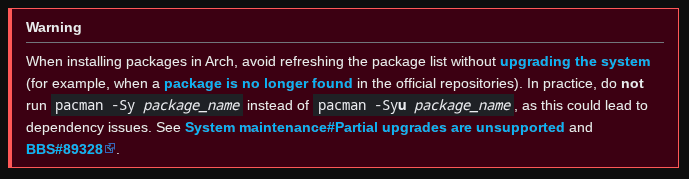
Installing a package
Don’t get this wrong.
It is perfectly fine to install a package using the --sync argument (or the short version -S).
sudo pacman -S foo
The exact version of the package is then read from the local sync metadata /var/lib/pacman/sync which will return something like foo-1.0-1.pkg.tar.zst.
The package file foo-1.0-1.pkg.tar.zst is requested from the first mirror in the mirror list /etc/pacman.d/mirrorlist.
If downloading the file succeeds, the package is unpacked onto the file system and all is good.
What if the package doesn’t exist
But what happens when the mirror does not have the file?
The package manager will print a message, and continue with the remaining mirrors listed in the mirror list until there is no more mirrors left.
If none of the mirrors contain the package file foo-1.0-1.pkg.tar.zst, it may have produced a very long list of 404 File Not Found
Many Manjaro Linux users will run screaming onto the forum; then complain that their system cannot install a new package.
I know it exist
Yes - and you are probably correct - but to be able get the requested package, you need a fresh set of metadata to locate the package in the repository.
This is what the --refresh or the short version -y argument does.
sudo pacman -Sy
This will download a new set of metadata if the first mirror’s metadata is newer than the local metadata.
This will create an entirely new set of metadata for your system’s working components where dependencies may have changed. This maybe change is the reason why the above warning is displayed on the Arch Wiki page.
IF the needed package relies on existing packages, but in newer versions then you are encouraged to do a full upgrade using the --upgrade or -u flag when syncing the package
sudo pacman -Syu <pkgname>
While Arch Linux only has one branch, with Manjaro Linux you have three - each of which may provide different versions - and therefore it makes sense - if switching branch - to force downloading the corresponding metadata
sudo pacman -Syyu <pkgname>
Why does Manjaro Linux Wiki say otherwise
To avoid an insane amount of forum issues - the wiki contains the mantra - and Pamac will default to the mantra
sudo pacman -Syu <pkgname>
Meaning Do not install a new package unless you do a full system sync or you know your local metadata is valid for your chosen mirror(s).
One way of making this true is described in this topic.