KDE. Yes completely black screen, but taskbar and windows are OK (that’s why I haven’t even noticed that at first).
You’re not supposed to touch that file. You’re supposed to create a new “drop in” file under /etc/NetworkManager/conf.d/
Then let us do …/30–stupid.conf 
The offending url is inside this holy file - so you ignore “not to touch the earth” file

or nothing will change - although time changes everything
B.t.w.: today is the first day of the rest of your life!
Thank you, thank you, it did the trick. At first it looked weird with random wallpapers and the taskbar gone, but after resetting the display settings (laptop + external display) it was back to normal.
2 Likes
Doesnot work, because NetworkManager does not care about…
That’s because we forced KDE to reset the display settings by renaming/removing the kscreen config folder. 
1 Like
How / what file did you create? Where? What are the contents of this new file? Did you restart the NetworkManager service using systemctl?
First I tried: sudo nano /etc/networkManager/conf.d/20-connectivity.conf
(This File did not exist before) with this contents:
[connectivity]
uri=http://nmcheck.gnome.org/check_network_status.txt
Followed by sudo systemctl restart NetworkManager
and -nothing happend/changed.
Then, as I have Internet, an Ubuntu-Forum told me I did wrong.
had to do: sudo nano /usr/lib/NetworkManager/conf.d/20-connectivity.conf
This file already existed, contents:
[connectivity]
uri=http://ping.manjaro.org/check_network_status.txt
Changed to:
[connectivity]
[uri=http://ping.manjaro.org/check_network_status.txt]
uri=http://nmcheck.gnome.org/check_network_status.txt
saved, did sudo systemctl restart Networkmanager
and mission accomplished…
20-connectivity.conf
1 Like
Indeed. Mission: Wrong Syntax
2 Likes
So it appears that the Ardour bug was a recurring problem that has cropped up consistently for at least one other person after recent updates. A fix may or may not be available before Ardour 7. Trying to find out:
Since the last 2 stable updates i have a temporary mouse cursor bug under KDE with Dolphin, im not sure how to repeat this bug… but i had it often in the last 8 days, my cursor changed to a slider cursor and i have to reopen the window to get my normal mouse cursor back.
Edit: Here is the wrong cursor.
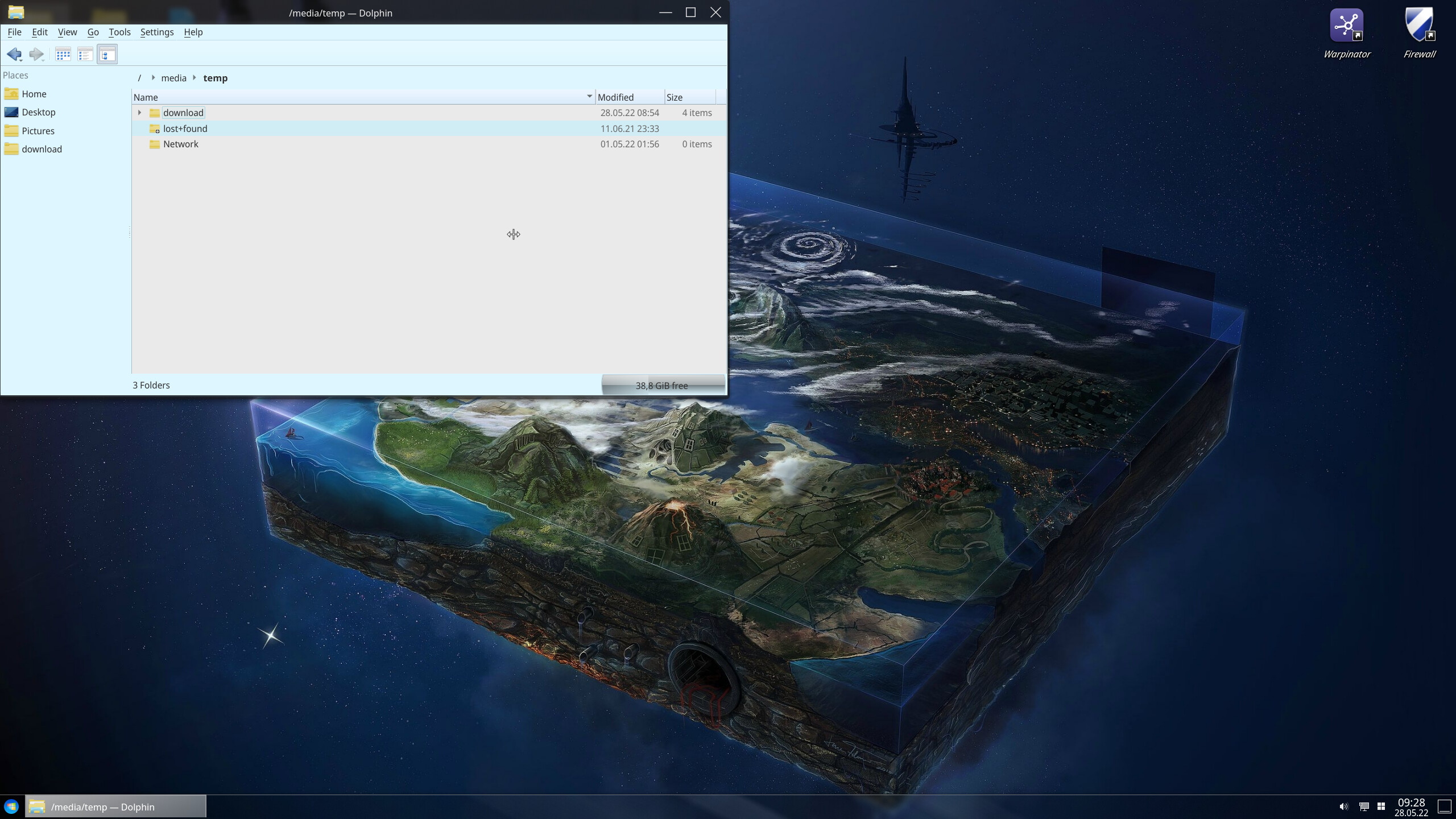
The Cursor changed back to normal outside the Dolphin Window or when i close and open Dolphin again.
# pacman -Syyuw
:: Synchronizing package databases...
 core                  166.9 KiB   650 KiB/s 00:00 [######################] 100%
 extra                1896.1 KiB  1975 KiB/s 00:01 [######################] 100%
 community               7.0 MiB  2.01 MiB/s 00:03 [######################] 100%
 multilib              177.5 KiB  1365 KiB/s 00:00 [######################] 100%
:: Starting full system upgrade...
error: could not open file /var/lib/pacman/local/gcc-11.2.0-4/desc: No such file or directory
resolving dependencies...
warning: could not fully load metadata for package gcc-11.2.0-4
error: failed to prepare transaction (invalid or corrupted package)
#
try this:
sudo touch /var/lib/pacman/local/gcc-11.2.0-4/desc
then:
sudo pacman -S gcc
# touch /var/lib/pacman/local/gcc-11.2.0-4/desc
# pacman -S gcc
error: duplicated database entry 'gcc'
error: duplicated database entry 'gcc-libs'
resolving dependencies...
looking for conflicting packages...
error: could not open file /var/lib/pacman/local/gcc-11.2.0-4/files: No such file or directory
warning: could not fully load metadata for package gcc-11.2.0-4
error: failed to prepare transaction (invalid or corrupted package)
#
sudo touch /var/lib/pacman/local/gcc-11.2.0-4/files
sudo pacman -S gcc
1 Like
can you remove
sudo pacman -Rs gcc gcc-libsthen add
sudo pacman -S gcc gcc-libs nb : version will goes to 12.x series for this stable
1 Like
3 posts were split to a new topic: Kernel panic after Stable Update 2022.05.23
update fix gnutls 3.7.5-2
2 posts were split to a new topic: I have file conflicts while updating my system