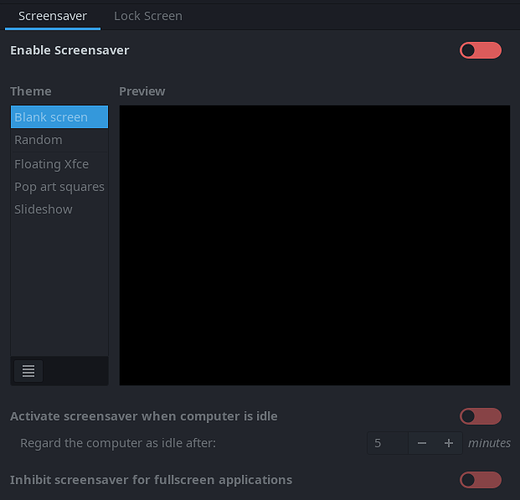
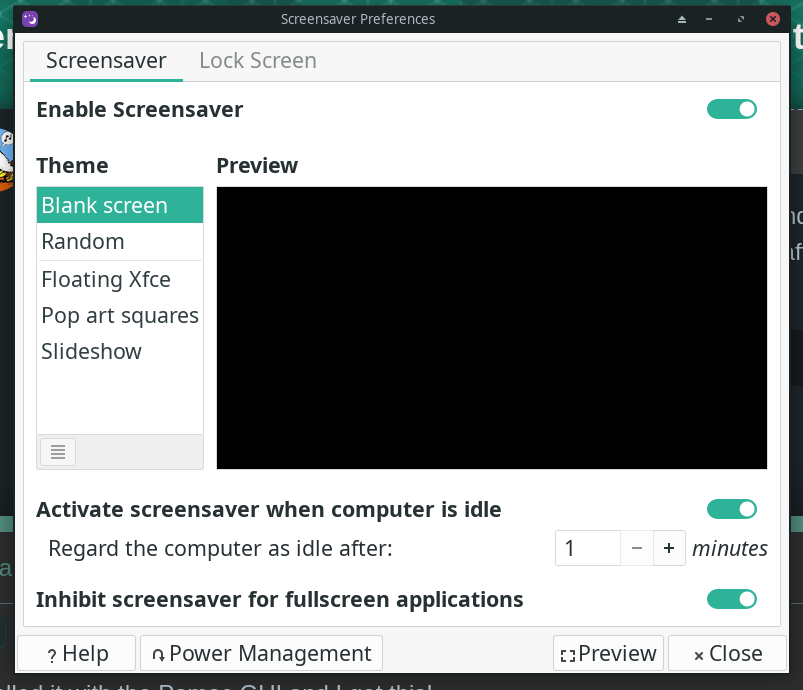
I am pulling my hair out trying to stop my laptop screen from blanking after 5 minutes of inactivity. I read one post saying that it was solved but do not know HOW they actually solved it. I remember one page that mentions “Call xfce4-screensaver-preferences and disable the screensaver” , somehow, but I do not know how to do that:
I tried to execute a call suggested in the above forum link but no joy:
$ xfce4-screensaver-preferences
bash: xfce4-screensaver-preferences: command not found
$ sudo xfce4-screensaver-preferences
[sudo] password for user:
sudo: xfce4-screensaver-preferences: command not found
$
Just to be sure, I ran the following:
$ xfce4-about -V
xfce4-about 4.20.2 (Xfce 4.20)
Copyright (c) 2008-2025
The Xfce development team. All rights reserved.
There is no dedicated “security” tab anymore. Lock screen management was massively simplified and “Light Locker” was dropped. “lock-on-sleep” is now synchronized with xfce4-session and xfce4-screensaver.
Screen locking settings are now only handled by xfce4-screensaver to avoid conflicts
But Manjaro updates did not automatically install xfce4-screensaver and remove light-locker, and users reported similar issues with screen blanking after 5 minutes, that were usually resolved by installing xfce4-screensaver manually
I set the idel timeout to 1 minute but it did not seems to work. I will reboot and try it again. I’m sure it will work then. Or do I also have to uninstall the light-locker dealie-bob?
THANKS!!!
OK! The reboot fixed it! The screen will blank after 60 seconds! Now I will set it to my preferences! Whew! That is a monkey off my back!! Thanks again you guys!!
Keyboard is unresponsive after resuming from suspend by pressing the power button. PTL, I was able to open Mousepad and the keyboard worked there. Then I went back to Firefox and keyboard worked again as you can see.
I removed light-locker and set screensaver to 1 minute and suspend to 3 minutes. Screensaver worked perfectly but suspend failed. After more than three minutes, I pressed the shift key and was greeted with my usual screen where I left off and a dialog:
Mod edit:- Please avoid posting images when a text description will suffice. Save the Server.
So I clicked on “No”. Maybe I need to look into the settings for xfce4 power manager and xfce4-screensaver…
Mod edit:- Please avoid posting images when a text description will suffice. Save the Server.
The Security section suggests screen locking…
I enabled the “Lock Screen with Screensaver” and set it to one minute after screensaver activation and see what happens. Everything else is unchanged. Let’s see what this does.
Mod edit:- Please avoid posting images when a text description will suffice. Save the Server.
OK screensaver blanked right on the money at 60 seconds
Lock Screen worked after two minutes and presented a login prompt that was different in appearance than the boot up lock prompt.
I still got the error dialog about not being able to suspend due to lock failure
Now I will try turning off the “lock screen when system is going to sleep” in the Security section of the xfce4 Power Manager.
BINGO! That did the trick!! I also now, finally, have a wake from suspend prompt thta does not require me to press the shift key a bunch of times to make the screen come back on so I can see the login prompt and log back in!!!