I want to install VISIT visualization software on my Manjaro Linux. How can i install it? Which VISIT file should i download?
A pre-built binary of the current visit release (v 3.4.2) is available from the AUR: AUR (en) - visit-bin, so you can easily install it using the Pamac GUI (make sure the AUR is enabled in its 3rd-party preferences), or via the command line:
pamac build visit-bin
Edit: I just built the visit-bin package on my Testing branch machine. It took about 8 minutes to finish building (much of that time spent -> Stripping unneeded symbols from binaries and libraries...).
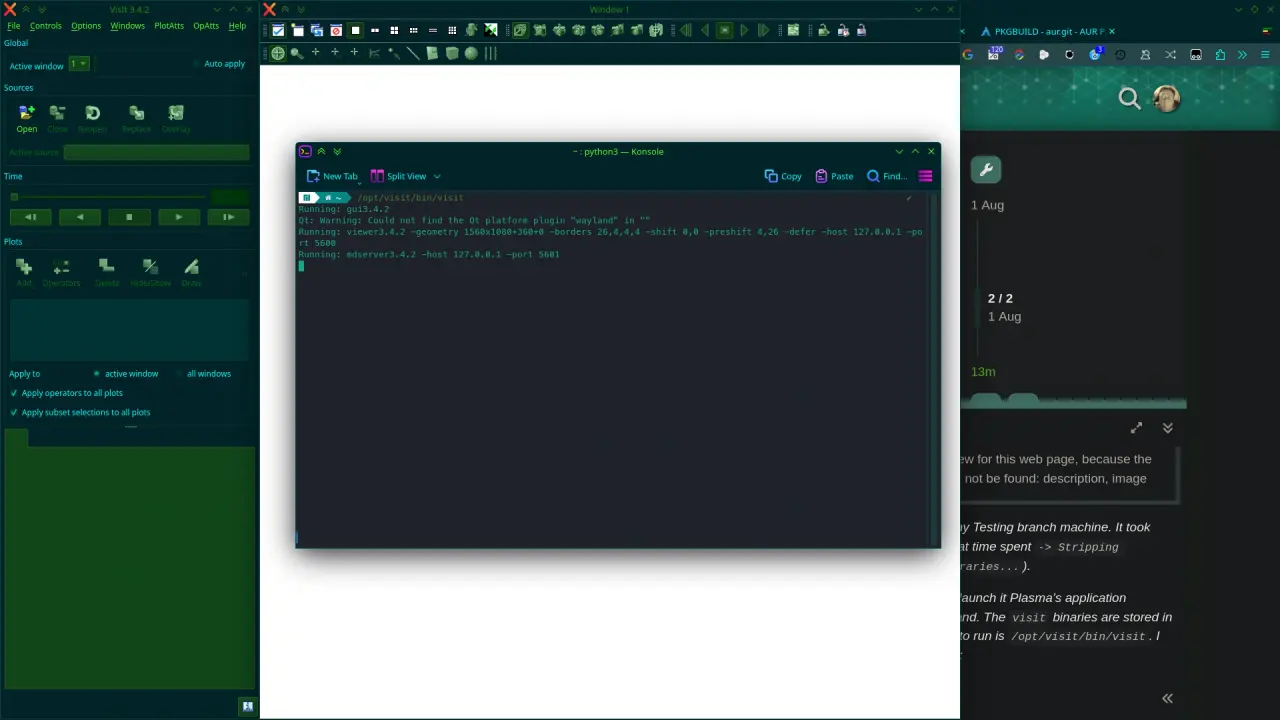
After installing visit-bin, I was not able to launch it via Plasma’s application launcher, due to it having an incorrect command. The visit binaries are stored in /opt/visit/bin/, so the correct command to run is /opt/visit/bin/visit. I was able to open the GUI with that command:
1 Like
This command also worked for me.
- Thanks for posting How to use AUR, I also have problem in installing from AUR. Often i found packages in AUR but i don’t know how to install them as there are no instructions for installation process.
- It would be better to have installation steps written for every packages on AUR repository.
1 Like
No it wouldn’t - however a link to the wiki on every package page (instead of just the main page) might be a good idea.
2 Likes
This topic was automatically closed 3 days after the last reply. New replies are no longer allowed.