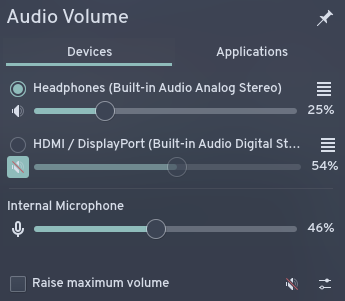
When I plug in Apple earbuds, the output port automatically changes to them, and I can listen just fine, but the input still remains internal microphone instead of the headset microphone. Is there any way to fix this? The picture shows how the input device does not change before and after plugging in the earbuds.
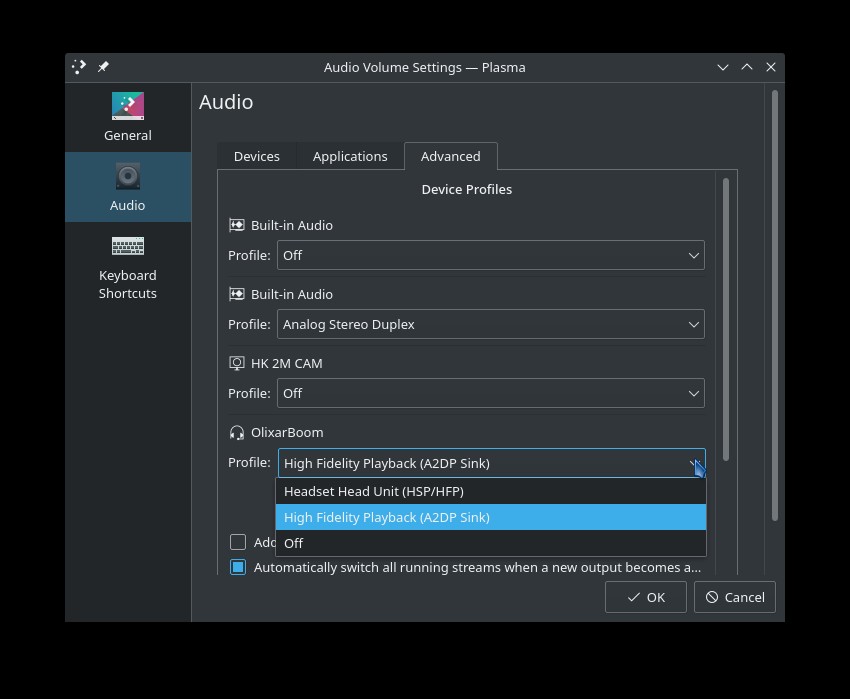
If you have High Fidelity Playback enabled you won’t be able to use the microphone on the headset, as far as I can determine. Try setting it to headset mode … but the sound quality won’t be good enough for music, unfortunately.
The automatically switch all running streams… only works for the output. I think I found a part of the problem. When I plug in the headphones, the settings show that the headset microphone is unplugged until I manually switch to it, does anyone know a fix? The output, however, correctly works through the headphones.
Apple earbuds use a different wiring standard compared to the jack socket on the laptop
I posted about this before - Headphone Microphone Not Detected
incorrect jack connections may be why the microphone is showing as unplugged, but it can be caused by other problems too
it is not difficult to obtain a headset adaptor to correct for a difference in wiring
but some Apple headsets have built-in remote control buttons and might not work even if the jack connection is corrected