Terminal command xfce4-appearance-settings is owned by xfce4-settings and can be used to launch Appearance settings GUI

the previously suggested xfconf-query command also shows which sound theme is in use that is not shown in Xfce GUI
xfconf-query -c xsettings -lv | grep -i soundtheme
xfce:xfce4-settings:appearance [Xfce Docs]
Enable event sounds - Event sounds include things like logging in/out, plugging/unplugging power, inserting/removing USB devices, etc. Requires “Canberra” support and may, in addition, require installing sound themes or other supporting applications, depending on your distribution.
Terminal commandnotifyd-configis owned by xfce4-notifyd and can be used to launch Appearance settings GUI
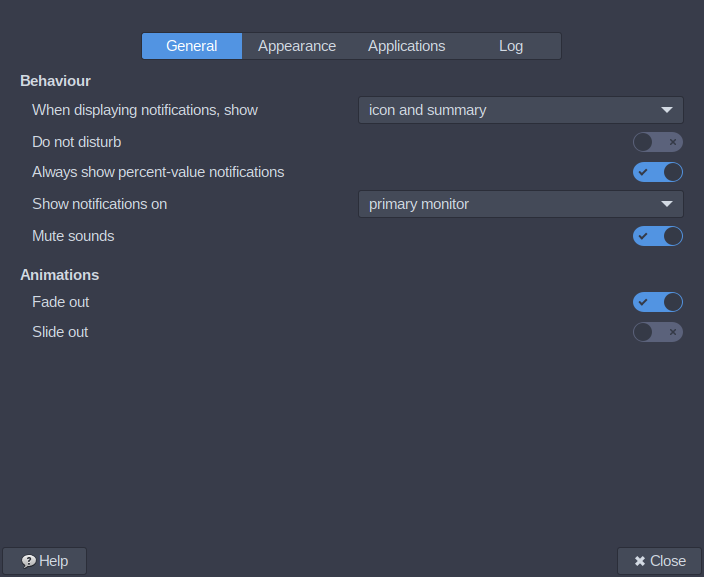
If some of the sound notifications are working it is unlikely to be an issue with libcanberra
Try this to check if Xfce Notifications are working
notify-send -i drive-removable-media -h "string:sound-name:device-added" Test:device-added-sound
That should show a desktop notification and play sound notification.
If the sound notification works, turn on Log notifications in Notifications settings GUI
apps:xfce4-notifyd:Logging settings [Xfce Docs]
and check if logs shows notifications when removable devices are mounted and unmounted
As far as I can recall from previous forum posts about this, Xfce sound notifications for removable devices was last confirmed to be working in 2023:
USB plug in and out notifications question
Manjaro Xfce ISO includes sound-theme-freedesktop that does not have notification sounds for device-added so most Xfce users would not know if this specific sound notification does not work unless they had installed another sound theme