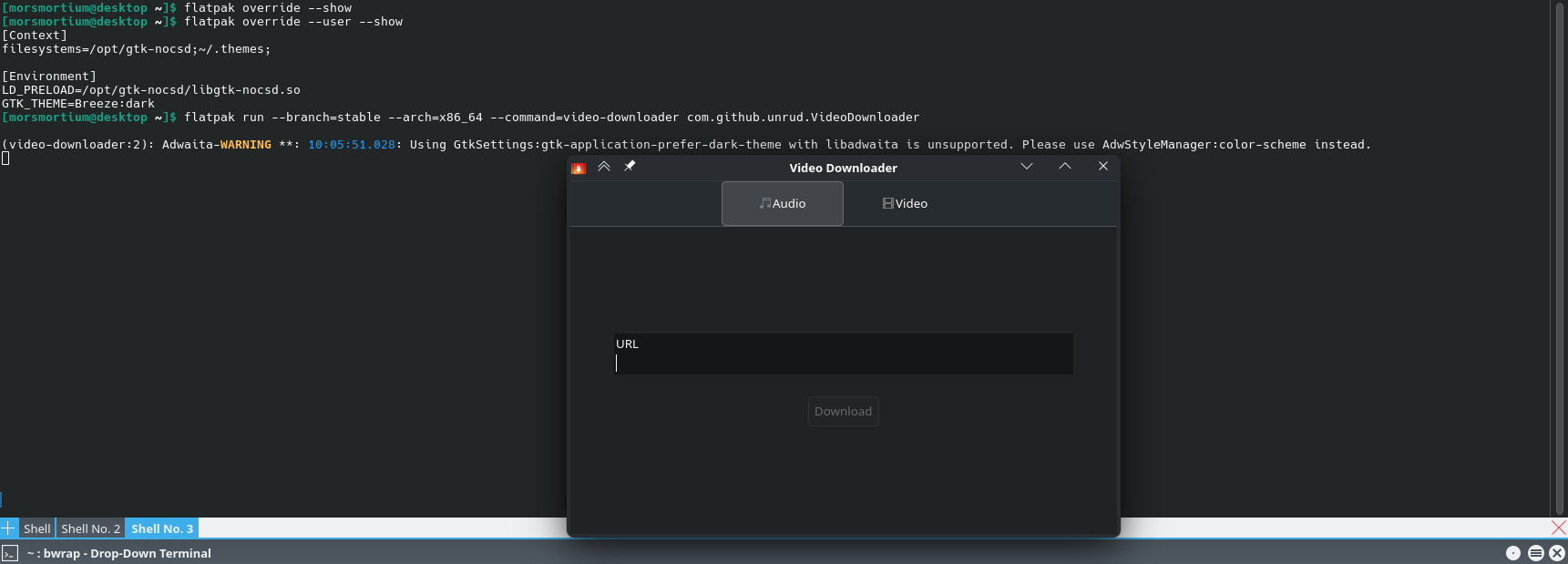
Thought I’d announce the library I have written, which allows the removal of the GTK client side decoration (headerbar) in all GTK versions (GTK3/4, LibHandy, and LibAdwaita).
It is similar to the older gtk3-nocsd, except works for all applications, even flatpak, and there aren’t that many bugs (if any, reports are welcome)
The source/documentation is here: https://codeberg.org/MorsMortium/GTK-NoCSD
And it is available from the AUR: https://aur.archlinux.org/packages/gtk-nocsd-git
(sorry for link formatting)
Mod edit:- Converted malformed URLs to pre-formatted text – the complete URLs may now be easily selected and copied to clipboard by anyone who so wishes. No charge.
[Mini-HowTo] Present code or command output
Note: Grave accent (or, backtick) characters are used.
For inlinecode or to show a single command:
please follow this simple example: code here.
For multi-linecommand output:
place text beween two rows of three (```) backtick characters to form a scrollable text box, or …
use the </> button in the Compose window to achieve the same result.
The empty row between these rows of backtick characters is where to paste any multi-line command output (such as inxi).
An example of a pre-formatted text enclosure:
What is a Quark?

A. In Physics, an elementary particle and fundamental constituent of matter.
B. A character from the Star Trek: "Deep Space Nine" television series.
C. A soft, creamy, usually unsalted cheese traditional to central Europe.
Thank you so much for writing this. I’ll test it out soon.
The invasion of mobile-first features on Linux desktops is very irritating to me.
Links: GTK-NoCSD on codeberg.org AUR: gtk-nocsd-git
This but also an increased uptick (or maybe just my feeling) of folks initiating projects to do what has already been done in a ‘slicker’ GTK4 skin and with many missing features.
Latest example (after enjoying Shortwave since around 2019) is ‘Receiver’… which offers ‘a curated list of 30,000 stations’ but when I tested it, the curated list was well outdated…
Once again the mobile generation strikes in another attempt to dumb down the simple yet functional interface of https://www.radio-browser.info/ and present a mobile-friendly dumb interface with no useful options.
I opened the reply box before you made your edits, and then got a little distracted for a few minutes before completing the reply. So I didn’t spot the extra info you had added to your post.
(this globally sets it up for the user)
pamac-manager does work on my end. How exactly do you set it up? Also have you tested it manually from terminal? There are certain launchers that might need the ~/.config/environment.d part from the readme https://0.vern.cc/A_.png
For pamac-manager, I tried this setup method as well, It also did not work, from editing the menu and also from ~/.config/environment.d.
Per app loading is a bit fragile, since different startup methods inherit from different environments. The way I load it on my own system is having export LD_PRELOAD=/usr/lib/libgtk-nocsd.so in my ~/.bash_profile, it might not be bash_profile for you as you might have a different system shell, the profile of that is needed. Another, which might be a more unified solution and I have seen used is having LD_PRELOAD=/opt/gtk-nocsd/libgtk-nocsd.so in /etc/environment or in /etc/environment.d/gtk-nocsd.conf But these of course need super user rights to edit, and everything except the menu editing is global loading.