The one that has the linked repo as source (or the flathub ID https://flathub.org/en/apps/io.github.mhogomchungu.media-downloader). I have it from the AUR AUR (en) - media-downloader
I tried that one once before, didn’t like it. Went back to the GNOME one.
1 Like
I just wanted to say how much I appreciate your work. I’ve been using Klassy lately and GTK stuff just looked dumb (well actually GTK CSD has been bothering me for quite some time (years) no matter which KDE window style I chose. Now everything is consistent. Thanks.
3 Likes
I don’t use many GTK based applications, But this is great, it all fits together.
3 Likes
But - doesn’t it just take more space and look worse by just taking out the window decorations and bolting a titlebar on top?
Firstly, I’ll mention that I haven’t yet had the opportunity to play with this creation.
There are some GTK based applications that deposit additional functionality into what normally should be the titlebar – there may or may not be options to rearrange that.
One that comes to mind is the Epiphany Browser (Gnome’s “Web”) which forces the search bar into the titlebar.
In replacing the titlebar, what happens to such controls under those circumstances?
The window ends up taking up more vertical space, with a lesser display area than before.
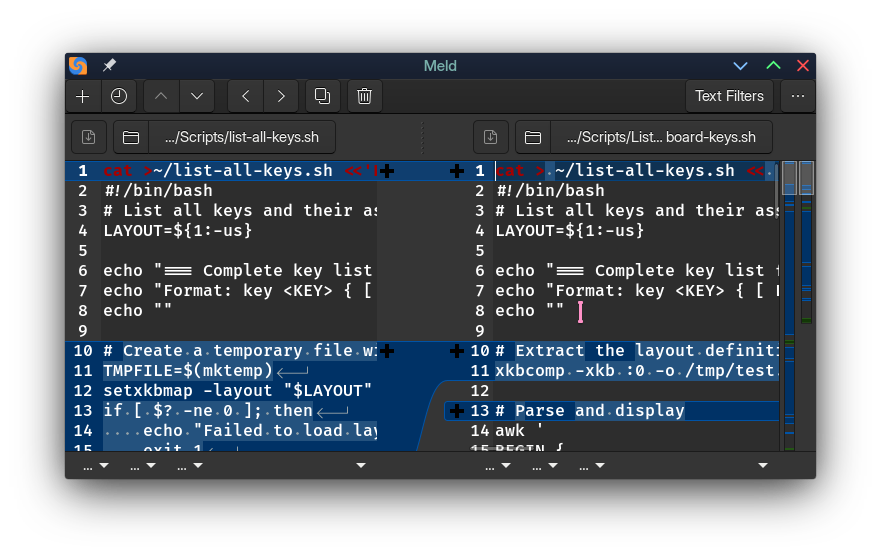
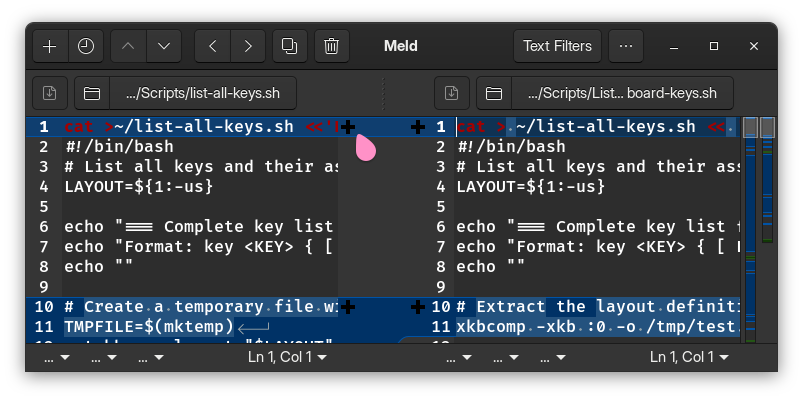
So for this case it’s a regression.
As the image shows, it is always put under it. I don’t think it is a regression, I use this on my linux mobile device, with all applications maximized and the titlebar set to hide on maximize, so where the most space is needed, this still saves some. (as you can see, just the buttons alone take less space without the title part, than in the CSD)
Epiphany:
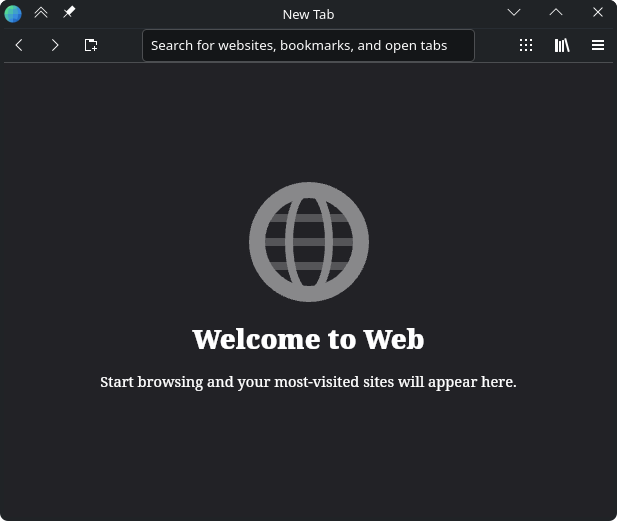
So, no real difference when comparing most Qt based applications; example Dolphin, which has the navigation control. As long as nothing is lost (my only remote concern).
Looks good.
1 Like
Taking more space is why i personally decided against it for the time being. But i like to have a choice to customize. The real solution would be not to code mobile like interfaces on desktop, but that is the brave new world we are in: gen Z vibe-coding…
1 Like
Looks good to me.
I actually don’t mind if it takes a tiny bit more space, it’s not like my computer monitor is the size of a phone, I don’t need everything to be crammed together or hidden.
3 Likes
Only really useful if there are multiple users on the computer, and you the admin want them all taking advantage of this. On the other hand I can have my main user with the changes, and have test users without them, so I can see any GNOME applications (say developed in vala) naked.
I find the following works best for me.
Add the following line to my bash-profile
export LD_PRELOAD=/usr/lib/libgtk-nocsd.so
run the following in a terminal
flatpak override --user --filesystem=/opt/gtk-nocsd/ --env=LD_PRELOAD=/opt/gtk-nocsd/libgtk-nocsd.so
add the following to ~/.config
environment.d
└── LD_PRELOAD.conf
with the following content in LD_PRELOAD.conf
LD_PRELOAD=/opt/gtk-nocsd/libgtk-nocsd.so
1 Like