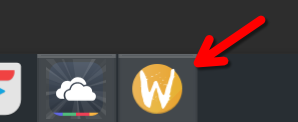
I’m having an issue with webapp-manager on Manjaro KDE (Wayland session):
icons for my webapps do not show correctly, and pinned icons are not respected. Instead of using the icon defined in the .desktop file, the window always shows the generic Wayland “W” icon, and when I pin the app to the task manager, launching it still opens a separate entry with the Wayland icon, not the pinned icon.
I tried to manually edit the .desktop entry for a Chromium webapp with --ozone-platform=x11 but it still opens with Wayland.
There is an unresoved issue on webapp-manager Gihub since June 2024:
Could you help me find a workaround for this? Either with webapp-manager or maybe with another app? I use it a lot, I have more than 10 web apps with separate profiles.
I seem to recall this general issue (it’s not only the app affected) from maybe two years ago. I believe there were some workarounds at the time, but none were very successful.
This isn’t a Manjaro issue, as it occurred with Plasma on several distributions. For your specific app, I’d suggest the best place to find help is via the very link you gave.
Create an issue at that GitHub page and cross fingers.
KDE Discuss might be helpful.
With respect possible alternatives, have a look here: