Neither do I - since this is not easily reproduced - I am thinking it is local to your configuration - but why - I am as clueless as you are.
I am speculating
- which version - if any - of the virtualbox extension pack is installed ?
- which version of the virtual box host modules did you install ?
For testing purpose - remove the virtualbox extension pack (the difference between stable branch and unstable - may create issues with the extension pack) unless you have a special use case - it is not required.
sudo pacman -Rns virtualbox-ext-oracle
When you install virtualbox - you will be queried to select host modules and the selection should match your running kernel e.g. linux 6.12 (linux612-virtualbox-host-modules) or the dkms version (virtualbox-host-dkms).
It is easy to get the wrong modules installed - if you just hit enter - the default is never or rarely correct.
Check the running kernel
Example
 $ mhwd-kernel -li
Currently running: 6.12.42-1-MANJARO (linux612)
The following kernels are installed in your system:
   * linux612
Currently running linux612 thus the the system requires linux612-virtualbox-host-modules or virtualbox-host-dkms.
The main difference is the first is the precompiled version matching a given kernel - the dkms variant rebuild on kernel update/change.
Often you will want to use the precompiled version
Check what is installed
Incorrect - linux61-virtualbox-host-modules does not match the running kernel linux612 as extracted above
 $ pamac search virtualbox | grep Installed
linux61-virtualbox-host-modules  7.2.0-6 [Installed]                       extra
virtualbox  7.2.0-1 [Installed]                                            extra
Correct - using dkms to compile modules
 $ pamac search virtualbox | grep Installed
virtualbox-host-dkms  7.2.0-1 [Installed]                                  extra
virtualbox  7.2.0-1 [Installed]                                            extra
Correct - using precompiled modules
 $ pamac search virtualbox | grep Installed
linux612-virtualbox-host-modules  7.2.0-7 [Installed]                      extra
virtualbox  7.2.0-1 [Installed]                                            extra
The Manjaro mhwd-kernel script can facilitate adding or removing kernels - and ensure extra modules already present e.g. virtualbox-host-modules is added or removed as well.
The script will not add extra modules only maintenance related to existing extra modules
E.g. to switch to 5.15 - not recommended with your hardware - but if you insist .. I highly doubt it would solve anything ..
sudo mhwd-kernel -i linux515
You have conflicting configurations - please remove the conflicting configuration(s)
- remove the virtual machine
- remove the virtual disk in the media manager
Forgive me the confusion - I was thinking a Manjaro VM - but obviously - when it is Windows .. 
Summary
Created at 2025-08-20T04:48:00Z

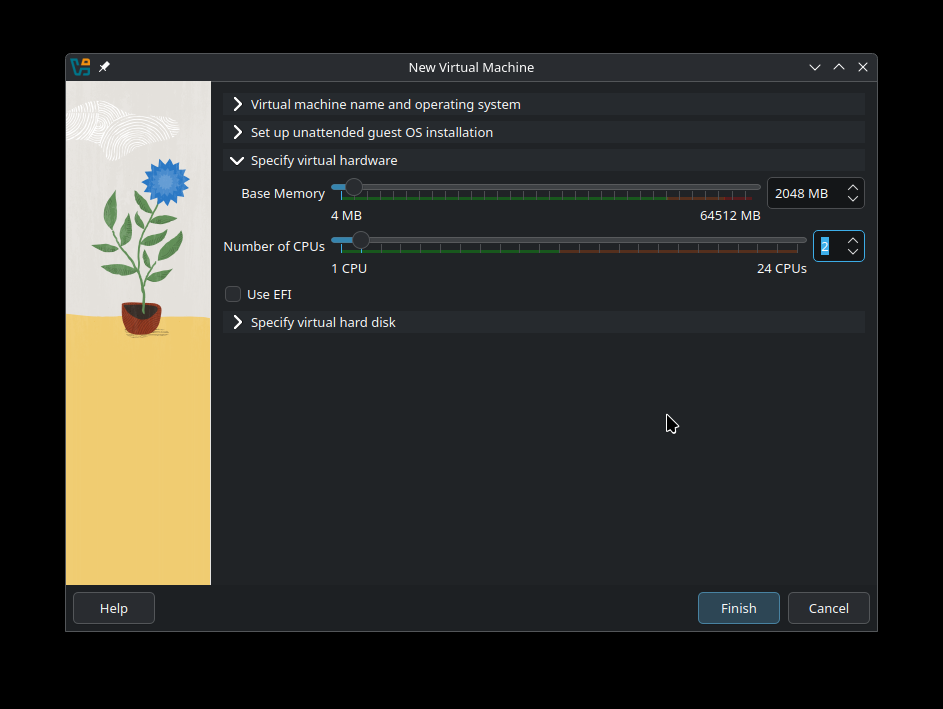
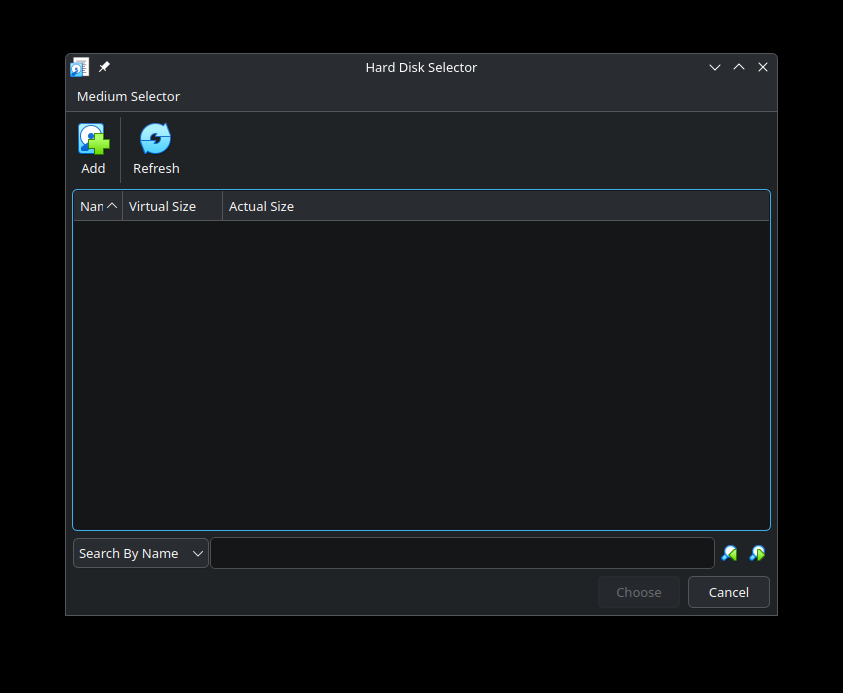


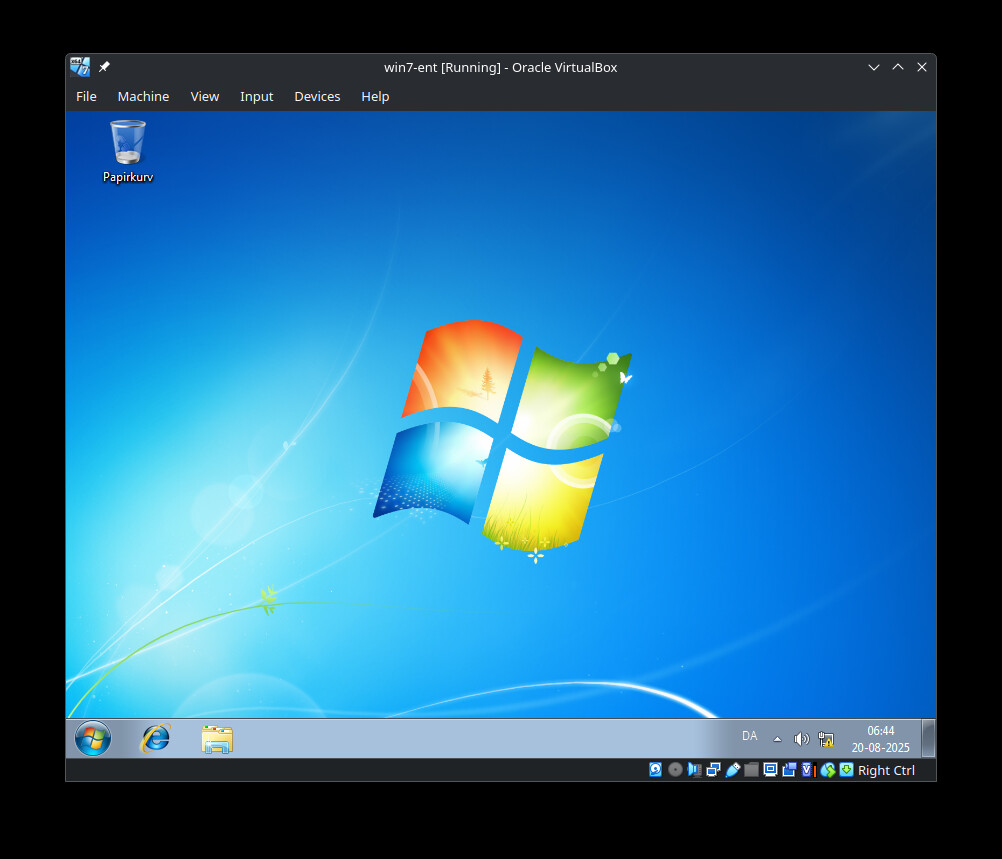
This would show a structure similar to this
 $ tree VirtualBox\ VMs/
VirtualBox VMs/
├── manjaro-plasma
│   ├── Logs
│   │   └── VBox.log
│   ├── manjaro-plasma.nvram
│   ├── manjaro-plasma.vbox
│   ├── manjaro-plasma.vbox-prev
│   └── manjaro-plasma.vdi
├── virtual-disks
│   └── win7-ent.vdi
└── win7-ent
    ├── Logs
    │   └── VBox.log
    ├── win7-ent.vbox
    └── win7-ent.vbox-prev

6 directories, 9 files
 $ cat win7-ent.vbox
<?xml version="1.0"?>
<!--
** DO NOT EDIT THIS FILE.
** If you make changes to this file while any VirtualBox related application
** is running, your changes will be overwritten later, without taking effect.
** Use VBoxManage or the VirtualBox Manager GUI to make changes.
**
** Written by VirtualBox 7.2.0 (r170228)
-->
<VirtualBox xmlns="http://www.virtualbox.org/" version="1.19-linux">
  <Machine uuid="{bfa2ca3f-0aaa-424e-ab4c-4b5531b6c8ba}" name="win7-ent" OSType="Windows7_64" snapshotFolder="Snapshots" lastStateChange="2025-08-20T04:50:38Z">
    <MediaRegistry>
      <HardDisks>
        <HardDisk uuid="{ff4c33c7-f8fe-4927-8e39-b28bde64091b}" location="/home/fh/VirtualBox VMs/virtual-disks/win7-ent.vdi" format="VDI" type="Normal"/>
      </HardDisks>
    </MediaRegistry>
    <ExtraData>
      <ExtraDataItem name="GUI/LastGuestSizeHint" value="870,647"/>
      <ExtraDataItem name="GUI/LastNormalWindowPosition" value="755,144,870,700"/>
    </ExtraData>
    <Hardware>
      <Memory RAMSize="2048"/>
      <HID Pointing="USBTablet"/>
      <Display controller="VBoxSVGA" VRAMSize="90"/>
      <Firmware/>
      <BIOS>
        <IOAPIC enabled="true"/>
        <SmbiosUuidLittleEndian enabled="true"/>
        <AutoSerialNumGen enabled="true"/>
      </BIOS>
      <USB>
        <Controllers>
          <Controller name="OHCI" type="OHCI"/>
          <Controller name="EHCI" type="EHCI"/>
        </Controllers>
      </USB>
      <Network>
        <Adapter slot="0" enabled="true" MACAddress="0800277802AE" type="82540EM">
          <NAT/>
        </Adapter>
      </Network>
      <AudioAdapter controller="HDA" useDefault="true" driver="ALSA" enabled="true" enabledOut="true"/>
      <Clipboard/>
      <GuestProperties>
        <GuestProperty name="/VirtualBox/GuestAdd/Components/VBoxControl.exe" value="7.0.10r158379" timestamp="1755665052782637000" flags=""/>
        <GuestProperty name="/VirtualBox/GuestAdd/Components/VBoxGuest.sys" value="7.0.10r158379" timestamp="1755665052787104000" flags=""/>
        <GuestProperty name="/VirtualBox/GuestAdd/Components/VBoxHook.dll" value="7.0.10r158379" timestamp="1755665052784381000" flags=""/>
        <GuestProperty name="/VirtualBox/GuestAdd/Components/VBoxMRXNP.dll" value="7.0.10r158379" timestamp="1755665052786225000" flags=""/>
        <GuestProperty name="/VirtualBox/GuestAdd/Components/VBoxMouse.sys" value="7.0.10r158379" timestamp="1755665052787367000" flags=""/>
        <GuestProperty name="/VirtualBox/GuestAdd/Components/VBoxSF.sys" value="7.0.10r158379" timestamp="1755665052787567000" flags=""/>
        <GuestProperty name="/VirtualBox/GuestAdd/Components/VBoxService.exe" value="7.0.10r158379" timestamp="1755665052785603000" flags=""/>
        <GuestProperty name="/VirtualBox/GuestAdd/Components/VBoxTray.exe" value="7.0.10r158379" timestamp="1755665052785482000" flags=""/>
        <GuestProperty name="/VirtualBox/GuestAdd/InstallDir" value="C:/Program Files/Oracle/VirtualBox Guest Additions" timestamp="1755665052781507000" flags=""/>
        <GuestProperty name="/VirtualBox/GuestAdd/Revision" value="158379" timestamp="1755665052781447000" flags=""/>
        <GuestProperty name="/VirtualBox/GuestAdd/Version" value="7.0.10" timestamp="1755665052781357000" flags=""/>
        <GuestProperty name="/VirtualBox/GuestAdd/VersionExt" value="7.0.10" timestamp="1755665052781415000" flags=""/>
        <GuestProperty name="/VirtualBox/GuestInfo/Net/0/MAC" value="0800277802AE" timestamp="1755665058011547000" flags=""/>
        <GuestProperty name="/VirtualBox/GuestInfo/Net/0/Status" value="Up" timestamp="1755665058011462000" flags=""/>
        <GuestProperty name="/VirtualBox/GuestInfo/Net/0/V4/Broadcast" value="255.255.255.255" timestamp="1755665058011275000" flags=""/>
        <GuestProperty name="/VirtualBox/GuestInfo/Net/0/V4/IP" value="10.0.2.15" timestamp="1755665058011165000" flags=""/>
        <GuestProperty name="/VirtualBox/GuestInfo/Net/0/V4/Netmask" value="255.255.255.0" timestamp="1755665058011372000" flags=""/>
        <GuestProperty name="/VirtualBox/GuestInfo/Net/Count" value="1" timestamp="1755665066001152000" flags=""/>
        <GuestProperty name="/VirtualBox/GuestInfo/OS/Product" value="Windows 7" timestamp="1755665052781095000" flags=""/>
        <GuestProperty name="/VirtualBox/GuestInfo/OS/Release" value="6.1.7601" timestamp="1755665052781184000" flags=""/>
        <GuestProperty name="/VirtualBox/GuestInfo/OS/ServicePack" value="1" timestamp="1755665052781273000" flags=""/>
        <GuestProperty name="/VirtualBox/GuestInfo/OS/Version" value="" timestamp="1755665052781239000" flags=""/>
        <GuestProperty name="/VirtualBox/HostInfo/GUI/LanguageID" value="en_US" timestamp="1755665067020721000" flags="RDONLYGUEST"/>
      </GuestProperties>
      <StorageControllers>
        <StorageController name="SATA" type="AHCI" PortCount="2" useHostIOCache="false" Bootable="true" IDE0MasterEmulationPort="0" IDE0SlaveEmulationPort="1" IDE1MasterEmulationPort="2" IDE1SlaveEmulationPort="3">
          <AttachedDevice type="HardDisk" hotpluggable="false" port="0" device="0">
            <Image uuid="{ff4c33c7-f8fe-4927-8e39-b28bde64091b}"/>
          </AttachedDevice>
          <AttachedDevice passthrough="false" type="DVD" hotpluggable="false" port="1" device="0"/>
        </StorageController>
      </StorageControllers>
      <CPU count="2">
        <HardwareVirtExLargePages enabled="false"/>
        <PAE enabled="false"/>
        <LongMode enabled="true"/>
      </CPU>
    </Hardware>
  </Machine>
</VirtualBox>
If you cannot make it work as I laid out in the Summary tag - there is not much else to suggest.