Here are the current ISOs with dbus-broker-units: Release 202607180942 · manjaro/release-review · GitHub Will do another one with dbus-daemon-units …
Here we go: Release 202607181700 · manjaro/release-review · GitHub
Here are the current ISOs with dbus-broker-units: Release 202607180942 · manjaro/release-review · GitHub Will do another one with dbus-daemon-units …
Here we go: Release 202607181700 · manjaro/release-review · GitHub
Im tired…
I just added manjaro/gnome/desktop-overlay/etc/pam.d/gdm-autologin
and added 1 line:
session required pam_systemd.so
Becouse its missing the originally created config…
And i just share the findings
Gn
That is a good observation - but for what I recall from the live configuration script this session is configured on the fly by the manjaro-live.service and thus the configuration should not be needed.
The reason for the on-the-fly configuration is the fact that the username is configurable in the /.config/manjaro-tools/manjaro-tools.conf.
The manjaro-live.service executes the script which calls a function in the /usr/lib/manjaro-tools/util-live.shcalled configure_displaymanager
 $ cat manjaro-live
#!/bin/sh

LIBDIR='/usr/lib/manjaro-tools'
DATADIR='/usr/share/manjaro-tools'
SYSCONFDIR='/etc/manjaro-tools'

export LC_MESSAGES=C
export LANG=C

livetimer=$(date +%s%3N)

[[ -r ${LIBDIR}/util-live.sh ]] && source ${LIBDIR}/util-live.sh

load_live_config "${SYSCONFDIR}/live.conf" || load_live_config "${DATADIR}/live.conf"

livetimer=$(get_timer_ms)
detect_desktop_env
echo "Detected ${default_desktop_executable} ${default_desktop_file}: $(elapsed_time_ms ${livetimer})ms" >> /var/log/manjaro-live.log

livetimer=$(get_timer_ms)
CONSOLEFONT="$(kernel_cmdline vconsole.font)"
CONSOLEMAP="$(kernel_cmdline vconsole.font.map)"
arch=$(uname -m)
echo "Got consolefont and arch $arch: $(elapsed_time_ms ${livetimer})ms" >> /var/log/manjaro-live.log


### DECIDE IF WE DON'T NEED IT ###
# see also https://github.com/calamares/calamares/issues/860
# Activate swap
#livetimer=$(get_timer_ms)
#configure_swap
#echo "Activated swap and added to fstab: $(elapsed_time_ms ${livetimer})ms" >> /var/log/manjaro-live.log

livetimer=$(get_timer_ms)
configure_language
echo "Finished localization: $(elapsed_time_ms ${livetimer})ms" >> /var/log/manjaro-live.log

livetimer=$(get_timer_ms)
configure_user
echo "Created user ${username} with password ${password}: $(elapsed_time_ms ${livetimer})ms" >> /var/log/manjaro-live.log

livetimer=$(get_timer_ms)
configure_sudoers_d
echo "Configured sudoers: $(elapsed_time_ms ${livetimer})ms" >> /var/log/manjaro-live.log

livetimer=$(get_timer_ms)
configure_machine_id
echo "Configured machine-id: $(elapsed_time_ms ${livetimer})ms" >> /var/log/manjaro-live.log

livetimer=$(get_timer_ms)
configure_accountsservice "${username}"
echo "Configured accountsservice: $(elapsed_time_ms ${livetimer})ms" >> /var/log/manjaro-live.log

livetimer=$(get_timer_ms)
configure_displaymanager
echo "Configured displaymanager: $(elapsed_time_ms ${livetimer})ms" >> /var/log/manjaro-live.log

livetimer=$(get_timer_ms)
configure_user_root /
echo "Configured root user: $(elapsed_time_ms ${livetimer})ms" >> /var/log/manjaro-live.log

if [[ -f /usr/bin/samba ]];then
    livetimer=$(get_timer_ms)
    configure_samba
    echo "Configured samba: $(elapsed_time_ms ${livetimer})ms" >> /var/log/manjaro-live.log
fi
The function configures the live environment based on the active display manager
configure_displaymanager(){
        # Try to detect desktop environment
        # Configure display manager
        if [[ -f /usr/bin/lightdm ]];then
                groupadd -r autologin
                [[ -d /run/openrc ]] && set_lightdm_vt
                set_lightdm_greeter
                if $(is_valid_de); then
                        sed -i -e "s/^.*user-session=.*/user-session=$default_desktop_file/" /etc/lightdm/lightdm.conf
                fi
                if ${autologin};then
                        gpasswd -a ${username} autologin &> /dev/null
                        sed -i -e "s/^.*autologin-user=.*/autologin-user=${username}/" /etc/lightdm/lightdm.conf
                        sed -i -e "s/^.*autologin-user-timeout=.*/autologin-user-timeout=0/" /etc/lightdm/lightdm.conf
                        sed -i -e "s/^.*pam-autologin-service=.*/pam-autologin-service=lightdm-autologin/" /etc/lightdm/lightdm.conf
                fi
        elif [[ -f /usr/bin/gdm ]];then
                configure_accountsservice "gdm"
                if ${autologin};then
                        sed -i -e "s/\[daemon\]/\[daemon\]\nAutomaticLogin=${username}\nAutomaticLoginEnable=True/" /etc/gdm/custom.conf
                fi
        elif [[ -f /usr/bin/mdm ]];then
                if $(is_valid_de); then
                        sed -i "s|default.desktop|$default_desktop_file.desktop|g" /etc/mdm/custom.conf
                fi
        elif [[ -f /usr/bin/sddm ]];then
                if [[ -e /etc/sddm.conf.d/kde_settings.conf ]];then
                        conf_file=/etc/sddm.conf.d/kde_settings.conf
                else
                        conf_file=/etc/sddm.conf
                fi
                if $(is_valid_de); then
                        sed -i -e "s|^Session=.*|Session=$default_desktop_file.desktop|" $conf_file
                fi
                if ${autologin};then
                        sed -i -e "s|^User=.*|User=${username}|" $conf_file
                fi
        elif [[ -f /usr/bin/lxdm ]];then
                if $(is_valid_de); then
                        sed -i -e "s|^.*session=.*|session=/usr/bin/$default_desktop_executable|" /etc/lxdm/lxdm.conf
                fi
                if ${autologin};then
                        sed -i -e "s/^.*autologin=.*/autologin=${username}/" /etc/lxdm/lxdm.conf
                fi
        fi
        [[ -d /run/openrc ]] && set_pam
}
Because these changes are made to in-memory-files only, those changes are not carried over to the final installation.
Even, given the fact, that I only have a vague idea of how this works - it may be worth looking closer into this.
I’d like to summarize what I did yesterday – at least half of it might have been dead ends.
Also, I have some questions and observations because I looked into the GNOME and XFCE ISOs that philm shared, and it’s possible that this issue didn’t start on the 10th, but earlier… Need time to wrote this down, and figure out what would be good questions… I have multiple questions and lot of toughs…
Some of them i guess not for public …
And I don’t know who to ask some of my questions to. Because I don’t know who makes the engineering decisions, in Manjaro land… or how they work, or what the decisions depend on… Because I have some questions for those who can decide these things, and I’m not sure I can write them here…
When was started in gnome that thing when no autologin and you need to enter 3-6times the manajro password to login?
You mentioned it may be worth looking closer into the configure_displaymanager function. Here is the output from my working XFCE live environment :
grep -A 50 -i "configure_displaymanager" /usr/lib/manjaro-tools/util-live.sh
configure_displaymanager(){
    # Try to detect desktop environment
    # Configure display manager
    if [[ -f /usr/bin/lightdm ]];then
        groupadd -r autologin
        [[ -d /run/openrc ]] && set_lightdm_vt
        set_lightdm_greeter
        if $(is_valid_de); then
            sed -i -e "s/^.*user-session=.*/user-session=$default_desktop_file/" /etc/lightdm/lightdm.conf
        fi
        if ${autologin};then
            gpasswd -a ${username} autologin &> /dev/null
            sed -i -e "s/^.*autologin-user=.*/autologin-user=${username}/" /etc/lightdm/lightdm.conf
            sed -i -e "s/^.*autologin-user-timeout=.*/autologin-user-timeout=0/" /etc/lightdm/lightdm.conf
            sed -i -e "s/^.*pam-autologin-service=.*/pam-autologin-service=lightdm-autologin/" /etc/lightdm/lightdm.conf
        fi
    elif [[ -f /usr/bin/gdm ]];then
        configure_accountsservice "gdm"
        if ${autologin};then
            sed -i -e "s/\[daemon\]/\[daemon\]\nAutomaticLogin=${username}\nAutomaticLoginEnable=True/" /etc/gdm/custom.conf
        fi
    elif [[ -f /usr/bin/mdm ]];then
        if $(is_valid_de); then
            sed -i "s|default.desktop|$default_desktop_file.desktop|g" /etc/mdm/custom.conf
        fi
    elif [[ -f /usr/bin/sddm ]];then
        if [[ -e /etc/sddm.conf.d/kde_settings.conf ]];then
            conf_file=/etc/sddm.conf.d/kde_settings.conf
        else
            conf_file=/etc/sddm.conf
        fi
        if $(is_valid_de); then
            sed -i -e "s|^Session=.*|Session=$default_desktop_file.desktop|" $conf_file
        fi
        if ${autologin};then
            sed -i -e "s|^User=.*|User=${username}|" $conf_file
        fi
    elif [[ -f /usr/bin/lxdm ]];then
        if $(is_valid_de); then
            sed -i -e "s|^.*session=.*|session=/usr/bin/$default_desktop_executable|" /etc/lxdm/lxdm.conf
        fi
        if ${autologin};then
            sed -i -e "s/^.*autologin=.*/autologin=${username}/" /etc/lxdm/lxdm.conf
        fi
    fi
    [[ -d /run/openrc ]] && set_pam
}

gen_pw(){
    echo $(openssl passwd -6 ${password})
}
┏[manjaro]
┖[~]
The manjaro-live script is not created at runtime but installed by a package when the ISO is created.
What I meant with the worth looking at - is how it configures the display manager session.
Just to make sure I understand correctly: would you like me to build a debug XFCE live ISO (with persistent journal enabled) so we can capture the full boot log and see exactly how configure_displaymanager sets up the LightDM session? Since my XFCE build works reliably, the logs might show what the working configuration looks like compared to the failing ones.
I also want to add that I think this is a deeper rabbit hole than it might seem at first glance. Because of that, I’d like to summarize what I’ve been thinking, what I’ve tried so far, and ask a few questions—just to make sure we’re on the same page before going further.
I checked the builds linked by @philm —all of them behave the same intresting way…
But I also have an observation that has been present for a while now. A few weeks ago I downloaded one of the testing or unstable GNOME ISOs for some reason, and it did exactly the same thing back then: autologin didn’t work, and I had to type the manjaro password 3–5 times before it finally logged into the GNOME desktop. That was way before 07.10! Maybe that way a plymouth error ?
The GNOME version I built lets me in on the first attempt.
I took that script out of my XFCE ISO
the one that creates long-running processes, refreshes the repos based on continent, configures Timeshift, starts services, etc.
and rebuilt the ISO. Nothing changed: XFCE still logs in automatically, and the Hungarian keyboard layout is in effect under XFCE as well.
After that, I built an ISO where I commented out the logind-check-graphical=true entry in lightdm.conf. Rebuilt the ISO again, and it still worked.
As a final step, I removed the lightdm.conf file and the lightdm-gtk-greeter.conf entirely, then rebuilt the ISO. Everything still works: it logs in automatically and passes the keyboard layout setting.
And now the facts:
The entire profile uses only the xlibre fork packages instead of xorg
everything in the shared folder as well has been switched over to xlibre packages.
XORG is fully replaced.
Even the gnome branch has replaced xorg packages in the shared folder…
The compositor is compiz, and it works out of the box.
The ISOs can be found here:
But note: only two images are kept automatically. So if I revert the ISO profile to the original state and upload it, the second ISO will be the one where the script is off and all lightdm-related files have been removed.
I build from these on GitHub:
It uses:
megvadulthangya/manjaro-iso-action@awesome
and clones:
sudo git clone --depth 1
–branch awesome-manjaro
And my question: why is Manjaro not on xlibre yet?
There is an xlibre repo built on Manjaro stable. And the one built on Arch can be used on testing and unstable.
Mod edit: Consecutive posts merged.
This is an ISO with having the manjaro-live ran during build-time. Also the service got disabled and doesn’t run on live-session. Most likely the part of user-creation needs to be stripped out. Give it a test, as it might not be perfect yet: Release 202607191707 · manjaro/release-review · GitHub. util-iso-image: run manjaro-live on build-time. (2718733a) · Commits · Tools / development-tools / manjaro-tools · GitLab
This is another test creating the user on build-time via: util-iso-image: create user on build-time (391340ad) · Commits · Tools / development-tools / manjaro-tools · GitLab
I downloaded the manjaro-xfce-26.1-testing-260719-linux71.iso and in my testing VM, it booting into the desktop flawlessly, rebooting in the VM, once again booted right into the desktop.
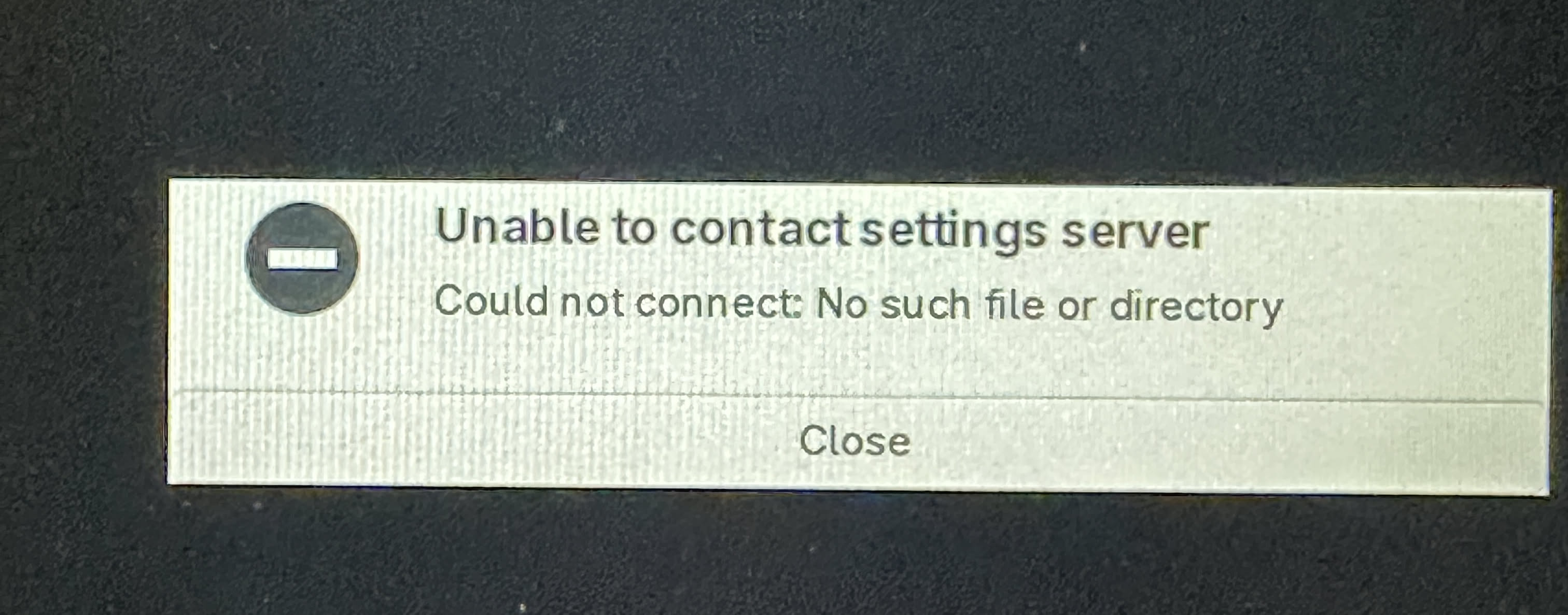
Copied the ISO to my Ventoy drive, and plugged in it into my Beelink SER, AMD Ryzen 7, 5800H, booted into this screen
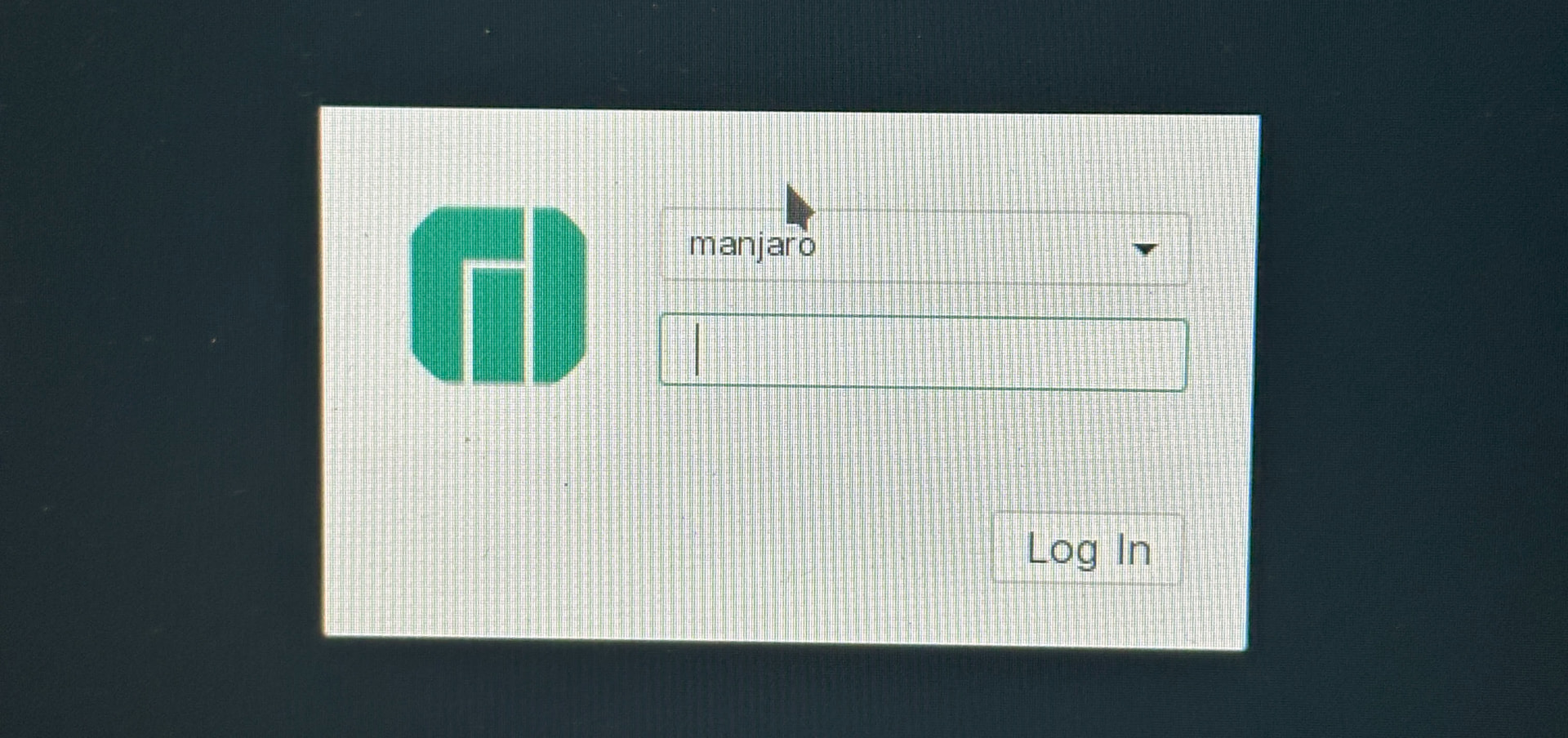
Decided to bypass Ventoy and wrote ISO directly to a USB drive, booted into same error message. Only way to bypass this error was to use Ctrl +Alt+ Back, then it took me to the login screen, where I could enter the manjaro password, and it took me to the desktop.
Also tried it on my HP Probook 6570b laptop, same scenario, although the time it took for the password to work was considerably longer, like 2 minutes.
Did you test both variants? The one manjaro-live was run at build-time or the one with user creation on build-time? Which exactly did you test? Both releases have the same file name!
Not the minimal, only the XFCE testing (4.8GB).
Read my questions and answer correctly! Both ISOs were created one hour apparent.
I did not catch that… I tried the …757, I will try the …707.
OK, this XFCE ISO - Release 202607191707 · manjaro/release-review · GitHub
Worked perfect on my test VM, the Beelink SER and my ancient HP Probook 6570b!
Tried both cold boots and simple reboots, they all logged in automatically.
UPDATE: I tried switching Language and Keymap, to PT, Portugal and it still booted in English. Locale Settings all showed english, nothing was changed to Portuguese.
Mod edit: Consecutive posts merged.
Yes, I’m working on splitting stuff up:
Lets see if a new ISO will enable language selection once more or if that is a separate issue …
New ISOs to test: Release 202607200632 · manjaro/release-review · GitHub
From my quick test of an XFCE ISO I was able to select German language and keyboard layout on GRUB boot screen, which got adopted to the Desktop environment just fine.
Tested on real HW bios mode.
202607200632:
manjaro-gnome-26.1-testing-minimal-260720-linux71.iso
Logs in keyboard falls back to default ENG
xfce-26.1-testing-minimal-260720-linux71.iso
First boot:
no autologin gives the poup what DeLinuxCO showed earlier… Then let me in for the first try
Hungarian kb layout is set correctly in the DE.
Second try:
Cant even let me in, check video.
manjaro-kde-26.1-testing-minimal-260720-linux71.iso
bootsinto flashing cursors on the top of the left side…
ALT plus TAB F2 gives me login screen
keyboard layout falls back to Default ENG
202607191757 or 202607191707
KDE behaves exactly same.
This is full off topic: but i mention, couse i just noticed, in the KDE ISO-s. I can scrool with my laptops touchpad, out of the box… but not in Gnome. And i really dont know what package missing in gnome.
If i remember correctly in awesome-wm the libinput-gestures makes this work. Im not sure what makes in wayland.
Seems people should focus on the linux618 builds to be able to compare to the older ISOs of last Manjaro release. Also changes to systemd may affect things …
Tested on real hw(laptop) bios mode.
202607200632:
xfce-26.1-testing-minimal-260720-linux618.iso
gives that msg what showed by …
4-6 times wrote the manjaro password, then let me in, Hungarian layout in DE.
kde-26.1-testing-minimal-260720-linux618.iso
does not even let me in… i tryed 8-10 times to login… nothin… just freezed the login screen… cursor not even blinking… so i need to press alt plus ctrl and f2 to gets back the login screen to try again
gnome-26.1-testing-minimal-260720-linux618.iso
needed to type manjaro pw 6-8 times to let me in kb layout is fallback to engrish.
It’s not about how many types you write the password, it is about when. If it doesn’t take it the first time the “solution” is to wait some time (1-2-3 minutes).
I also suspect it has something to do with some change or bug in systemd. Because the way of manjaro building isos was not changed, the variable are the package versions. And the kernel has nothing to do with it…so logically it has to be dbus or systemd change, since the greeters seem to be more or less out of the equation now after many tests.
Logically if the timing of the service is wrong it is either who creates the service or who manages it, making systemd a candidate to take the blame for the mess.
xorg packages is not changed at al?
I ask couse this with xlibre xfce was no problem at all. Now that fails too.
And maybe something similar happening… like here
Ok i go back and wait more in kde 618.
This is completely different issue.
xlibre is currently unsupported
Third party repositories is unsupported