I use Manjaro Xfce with the default Thunar file explorer, but I’m experiencing some problems with Thunar. When I want to transfer large amounts of data between two external hard drives, it regularly crashes. The only thing I can do then is to shut down the laptop using the power button and restart it. I have now installed Dolphin from the repositories and I don’t have that problem there. Can I use both (Thunar and Dolphin) or will this cause conflicts in the long run? Thanks in advance!
You can use any file manager you like.  Of course,
 dolphin won’t be as integrated with Xfce as thunar, but it’s all perfectly doable.
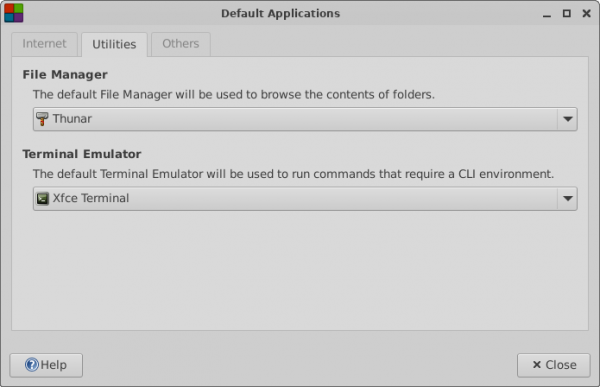
The Utilities tab of the Default Applications window allows user to set default File Manager
You can also try some other filemanagers that are nonkde based. Like PCmanFM
I tried it but I miss the possibility to remove safely an USB device
You could also try nemo the cinnamon file manager.
I’ve had issues in the past - dragging and dropping large transfers, especially if there’s a USB involved…
I would suggest something you can resume… I personally like rsync for the job.
I like it Verbose, I like Progress to see what’s going on. Also preserving permissions, timestamps, symlinks.
rsync -avh --progress /mnt/W2/Data /mnt/T3/Data
I wonder if installing the udev-usb-sync package might also help out? It is available from Manjaro’s repos:
pamac install udev-usb-sync
or
sudo pacman -Syu udev-usb-sync
pamac info udev-usb-sync

Name                  : udev-usb-sync
Version               : 1.0-1
Description           : Fine tune write cache and impose buffer limits when USB storage device is plugged
URL                   : https://gitlab.manjaro.org/applications/udev-usb-sync
Licenses              : MIT
Repository            : extra
Installed Size        : 7.8 kB
Groups                : --
Depends On            : hdparm bc
Optional Dependencies : --
Required By           : --
Optional For          : --
Provides              : --
Replaces              : --
Conflicts With        : --
Packager              : Mark Wagie <mark@manjaro.org>
Build Date            : Sat 29 Mar 2025 02:57:55
Install Date          : Wed 02 Apr 2025 16:48:09
Install Reason        : Explicitly installed
Validated By          : Signature
Backup files          : /etc/udev-usb-sync/udev-usb-sync.conf
The GitLab page: