Hello,
I recently migrated to Wayland, and everything it’s working smoothly. However I’ve noticed a minor visual glitch on Plasma’s taskbar that I find a bit annoying. I’ve captured a video showing the issue. This doesn’t happen under X11.

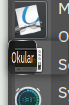
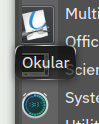
Notice how the little window where the application name is displayed doesn’t always resize correctly. I know this is really nitpicky and I suppose it might be a Plasma bug. But I guess Nvidia is also a suspect, as always.
Anybody has observed a similar behavior?
yeah… sometimes, not very often.
I’ve noticed the same behaviour in the Application Menu for some time now too.
I do have annoying problems with KDE Launcher anyway. I posted this here: Application Launcher not working correctly
I have no idea if this has to do with each other, but the problems I have lead me in to another direction, saying: a different distribution. Maybe I have to reset the complete installation, but unfortunately up-to-know I did not find a user-friendly way to do this.
Unlikely. I imagine if it were, we would all be experiencing the same issue; I’m not. I do suspect, however, that Nvidia plays a part; I mean, it virtually always does. The information you have provided is extremely limited, so can only take blind guesses, at this point.
Please provide your system information as described (below) to help others identify other possible contibutors.
Regards.
Welcome to the Manjaro community
As a new or infrequent forum user, please take some time to familiarise yourself with Forum requirements, and the many ways to use the forum to your benefit.
To that end, links are provided (below) - Please use them.
Be prepared to provide outputs from various commands when asked. It’s equally important to provide as much actionable information as possible in your first post, rather than simply indicating there is a problem.
Waiting for someone to blindly ask questions is also counter-productive – typically, nobody has a  at their disposal – Instead, please help others to make informed suggestions, based on information you provide.
Update Announcements
The Update Announcements contain important information and a Known Issues and Solutions section that should generally be checked before posting a request for support.
System Information
While information from *-fetch type apps might be fine for someone wishing to buy your computer, for Support purposes it’s better to ask your system directly; 
Output of the inxi command (with appropriate parameters, and formatted according to forum guidelines) will generate information useful for those wishing to help:
inxi --filter --verbosity=8
or the short form (preferred):
inxi -zv8
- inxi man pages (Arch Manual)
Highly Recommended
Technical Resources
Required Reading
Sorry, you’re absolutely right. Reading my post again I see how it lacks necessary info.
Here is the output inxi:
$inxi -zv8
System:
  Kernel: 6.12.48-1-MANJARO arch: x86_64 bits: 64 compiler: gcc v: 15.2.1
    clocksource: tsc avail: hpet,acpi_pm
    parameters: BOOT_IMAGE=/@/boot/vmlinuz-6.12-x86_64
    root=UUID=27ac6e93-e7a8-4b73-b799-644e8d3e2ca5 rw rootflags=subvol=@
    quiet splash resume=UUID=62175b73-942c-4e2f-aa1e-5fe64449e55a
    udev.log_priority=3 drm.edid_firmware=HDMI-A-1:edid/HDR4k_60.bin
    video=HDMI-A-1:e
  Desktop: KDE Plasma v: 6.3.6 tk: Qt v: N/A info: frameworks v: 6.18.0
    wm: kwin_wayland vt: 1 dm: SDDM Distro: Manjaro base: Arch Linux
Machine:
  Type: Desktop Mobo: MSI model: H270 PC MATE (MS-7A72) v: 1.0
    serial: <superuser required> uuid: <superuser required>
    UEFI: American Megatrends v: 2.80 date: 07/05/2018
Battery:
  Message: No system battery data found. Is one present?
Memory:
  System RAM: total: 16 GiB available: 15.58 GiB used: 4.38 GiB (28.1%)
  Message: For most reliable report, use superuser + dmidecode.
  Array-1: capacity: 64 GiB slots: 4 modules: 2 EC: None
    max-module-size: 16 GiB note: est.
  Device-1: ChannelA-DIMM0 type: no module installed
  Device-2: ChannelA-DIMM1 type: DDR4 detail: synchronous unbuffered
    (unregistered) size: 8 GiB speed: 2133 MT/s volts: curr: 1 width (bits):
    data: 64 total: 64 manufacturer: Kingston part-no: KHX2133C14/8G
    serial: <filter>
  Device-3: ChannelB-DIMM0 type: no module installed
  Device-4: ChannelB-DIMM1 type: DDR4 detail: synchronous unbuffered
    (unregistered) size: 8 GiB speed: 2133 MT/s volts: curr: 1 width (bits):
    data: 64 total: 64 manufacturer: Kingston part-no: KHX2133C14/8G
    serial: <filter>
PCI Slots:
  Permissions: Unable to run dmidecode. Root privileges required.
CPU:
  Info: model: Intel Core i5-7400 bits: 64 type: MCP arch: Kaby Lake
    gen: core 7 level: v3 note: check built: 2018 process: Intel 14nm family: 6
    model-id: 0x9E (158) stepping: 9 microcode: 0xF8
  Topology: cpus: 1x dies: 1 clusters: 4 cores: 4 smt: <unsupported> cache:
    L1: 256 KiB desc: d-4x32 KiB; i-4x32 KiB L2: 1024 KiB desc: 4x256 KiB
    L3: 6 MiB desc: 1x6 MiB
  Speed (MHz): avg: 800 min/max: 800/3500 scaling: driver: intel_pstate
    governor: powersave cores: 1: 800 2: 800 3: 800 4: 800 bogomips: 24008
  Flags: 3dnowprefetch abm acpi adx aes aperfmperf apic arat
    arch_capabilities arch_perfmon art avx avx2 bmi1 bmi2 bts clflush
    clflushopt cmov constant_tsc cpuid cpuid_fault cx16 cx8 de ds_cpl dtes64
    dtherm dts ept ept_ad erms est f16c flexpriority flush_l1d fma fpu
    fsgsbase fxsr ht hwp hwp_act_window hwp_epp hwp_notify ibpb ibrs ida
    intel_pt invpcid lahf_lm lm mca mce md_clear mmx monitor movbe mpx msr
    mtrr nonstop_tsc nopl nx pae pat pbe pcid pclmulqdq pdcm pdpe1gb pebs pge
    pln pni popcnt pse pse36 pti pts rdrand rdseed rdtscp rep_good sdbg sep
    smap smep ss ssbd sse sse2 sse4_1 sse4_2 ssse3 stibp syscall tm tm2
    tpr_shadow tsc tsc_adjust tsc_deadline_timer vme vmx vnmi vpid x2apic
    xgetbv1 xsave xsavec xsaveopt xsaves xtopology xtpr
  Vulnerabilities:
  Type: gather_data_sampling mitigation: Microcode
  Type: indirect_target_selection status: Not affected
  Type: itlb_multihit status: KVM: Split huge pages
  Type: l1tf mitigation: PTE Inversion; VMX: conditional cache flushes, SMT
    disabled
  Type: mds mitigation: Clear CPU buffers; SMT disabled
  Type: meltdown mitigation: PTI
  Type: mmio_stale_data mitigation: Clear CPU buffers; SMT disabled
  Type: reg_file_data_sampling status: Not affected
  Type: retbleed mitigation: IBRS
  Type: spec_rstack_overflow status: Not affected
  Type: spec_store_bypass mitigation: Speculative Store Bypass disabled via
    prctl
  Type: spectre_v1 mitigation: usercopy/swapgs barriers and __user pointer
    sanitization
  Type: spectre_v2 mitigation: IBRS; IBPB: conditional; STIBP: disabled;
    RSB filling; PBRSB-eIBRS: Not affected; BHI: Not affected
  Type: srbds mitigation: Microcode
  Type: tsa status: Not affected
  Type: tsx_async_abort status: Not affected
  Type: vmscape mitigation: IBPB before exit to userspace
Graphics:
  Device-1: NVIDIA GP107 [GeForce GTX 1050 Ti] vendor: Micro-Star MSI
    driver: nvidia v: 580.82.09 alternate: nouveau,nvidia_drm
    non-free: 550-580.xx+ status: current (as of 2025-08; EOL~2026-12-xx)
    arch: Pascal code: GP10x process: TSMC 16nm built: 2016-2021 pcie: gen: 3
    speed: 8 GT/s lanes: 16 ports: active: DP-1 off: HDMI-A-1 empty: DVI-D-1
    bus-ID: 01:00.0 chip-ID: 10de:1c82 class-ID: 0300
  Device-2: Logitech C920 PRO HD Webcam driver: snd-usb-audio,uvcvideo
    type: USB rev: 2.1 speed: 480 Mb/s lanes: 1 mode: 2.0 bus-ID: 1-12.1:9
    chip-ID: 046d:08e5 class-ID: 0102
  Display: wayland server: X.org v: 1.21.1.18 with: Xwayland v: 24.1.8
    compositor: kwin_wayland driver: X: loaded: nvidia
    gpu: nvidia,nvidia-nvswitch display-ID: 0
  Monitor-1: DP-1 model: LG (GoldStar) ULTRAGEAR serial: <filter>
    built: 2023 res: mode: 3840x2160 hz: 95 scale: 150% (1.5) to: 2560x1440
    dpi: 163 gamma: 1.2 chroma: red: x: 0.678 y: 0.310 green: x: 0.267
    y: 0.682 blue: x: 0.149 y: 0.055 white: x: 0.314 y: 0.329
    size: 597x336mm (23.5x13.23") diag: 685mm (27") ratio: 16:9
    modes: 3840x2160, 2560x1440, 1920x1080, 1280x1024, 1280x720, 1024x768,
    800x600, 720x480, 640x480
  EDID-Warnings: 1: parse_edid: unknown tag 112
  Monitor-2: HDMI-A-1 model: AOC 28E850 built: 2017 res: 1920x1080 dpi: 79
    gamma: 1.2 chroma: red: x: 0.682 y: 0.310 green: x: 0.204 y: 0.694 blue:
    x: 0.149 y: 0.055 white: x: 0.314 y: 0.329 size: 480x270mm (18.9x10.63")
    diag: 707mm (27.8") ratio: 16:9 modes: 3840x2160, 1280x800, 1280x720,
    1024x768, 800x600, 720x576, 720x480, 640x480
  EDID-Warnings: 1: parse_edid: unhandled CEA mode 97 2: parse_edid:
    unhandled CEA mode 96 3: parse_edid: unhandled CEA mode 95 4: parse_edid:
    unhandled CEA mode 94 5: parse_edid: unhandled CEA mode 93
  API: EGL v: 1.5 hw: drv: nvidia platforms: device: 0 drv: nvidia device: 2
    drv: swrast gbm: drv: nvidia surfaceless: drv: nvidia wayland: drv: nvidia
    x11: drv: nvidia inactive: device-1
  API: OpenGL v: 4.6.0 compat-v: 4.5 vendor: nvidia mesa v: 580.82.09
    glx-v: 1.4 direct-render: yes renderer: NVIDIA GeForce GTX 1050 Ti/PCIe/SSE2
    memory: 3.91 GiB display-ID: :0.0
  API: Vulkan v: 1.4.321 layers: 9 device: 0 type: discrete-gpu name: NVIDIA
    GeForce GTX 1050 Ti driver: nvidia v: 580.82.09 device-ID: 10de:1c82
    surfaces: N/A
  Info: Tools: api: clinfo, eglinfo, glxinfo, vulkaninfo
    de: kscreen-console,kscreen-doctor gpu: nvidia-settings,nvidia-smi
    wl: wayland-info x11: xdpyinfo, xprop, xrandr
Audio:
  Device-1: Intel 200 Series PCH HD Audio vendor: Micro-Star MSI H270 PC MATE
    driver: snd_hda_intel v: kernel alternate: snd_soc_avs bus-ID: 00:1f.3
    chip-ID: 8086:a2f0 class-ID: 0403
  Device-2: NVIDIA GP107GL High Definition Audio vendor: Micro-Star MSI
    driver: snd_hda_intel v: kernel pcie: gen: 3 speed: 8 GT/s lanes: 16
    bus-ID: 01:00.1 chip-ID: 10de:0fb9 class-ID: 0403
  Device-3: Logitech C920 PRO HD Webcam driver: snd-usb-audio,uvcvideo
    type: USB rev: 2.1 speed: 480 Mb/s lanes: 1 mode: 2.0 bus-ID: 1-12.1:9
    chip-ID: 046d:08e5 class-ID: 0102
  API: ALSA v: k6.12.48-1-MANJARO status: kernel-api with: aoss
    type: oss-emulator tools: alsactl,alsamixer,amixer
  Server-1: sndiod v: N/A status: off tools: aucat,midicat,sndioctl
  Server-2: JACK v: 1.9.22 status: off tools: N/A
  Server-3: PipeWire v: 1.4.8 status: active with: 1: pipewire-pulse
    status: active 2: wireplumber status: active 3: pipewire-alsa type: plugin
    tools: pactl,pw-cat,pw-cli,wpctl
Network:
  Device-1: Intel Ethernet I219-V vendor: Micro-Star MSI H270 PC MATE
    driver: e1000e v: kernel port: N/A bus-ID: 00:1f.6 chip-ID: 8086:15b8
    class-ID: 0200
  IF: enp0s31f6 state: up speed: 1000 Mbps duplex: full mac: <filter>
  IP v4: <filter> type: dynamic noprefixroute scope: global
    broadcast: <filter>
  IP v6: <filter> type: noprefixroute scope: global
  IP v6: <filter> type: noprefixroute scope: link
  Device-2: Qualcomm Atheros AR9227 Wireless Network Adapter driver: ath9k
    v: kernel bus-ID: 04:00.0 chip-ID: 168c:002d class-ID: 0280
  IF: wlp4s0 state: down mac: <filter>
  IF-ID-1: ipv6leakintrf0 state: unknown speed: N/A duplex: N/A
    mac: <filter>
  IP v6: <filter> type: noprefixroute scope: global
  IP v6: <filter> type: noprefixroute scope: link
  IF-ID-2: proton0 state: unknown speed: N/A duplex: N/A mac: N/A
  IP v4: <filter> type: noprefixroute scope: global
  IP v6: <filter> type: noprefixroute scope: global
  IP v6: <filter> type: noprefixroute scope: link
  Info: services: NetworkManager,systemd-timesyncd
  WAN IP: <filter>
Bluetooth:
  Device-1: Cambridge Silicon Radio Bluetooth Dongle (HCI mode) driver: btusb
    v: 0.8 type: USB rev: 2.0 speed: 12 Mb/s lanes: 1 mode: 1.1 bus-ID: 1-5:2
    chip-ID: 0a12:0001 class-ID: e001
  Report: rfkill ID: hci0 rfk-id: 0 state: up address: see --recommends
Logical:
  Message: No logical block device data found.
RAID:
  Message: No RAID data found.
Drives:
  Local Storage: total: 1.13 TiB used: 172.4 GiB (14.9%)
  SMART Message: Required tool smartctl not installed. Check --recommends
  ID-1: /dev/sda maj-min: 8:0 vendor: Western Digital
    model: WD10EZEX-08WN4A0 size: 931.51 GiB block-size: physical: 4096 B
    logical: 512 B speed: 6.0 Gb/s tech: HDD rpm: 7200 serial: <filter>
    fw-rev: 1A01 scheme: GPT
  ID-2: /dev/sdb maj-min: 8:16 vendor: Seagate model: WDC WDS240G1G0B-00RC30
    size: 223.57 GiB block-size: physical: 512 B logical: 512 B speed: 6.0 Gb/s
    tech: SSD serial: <filter> fw-rev: 1000 scheme: GPT
  Optical-1: /dev/sr0 vendor: ASUS model: DRW-24D5MT rev: 1.00
    dev-links: cdrom
  Features: speed: 12 multisession: yes audio: yes dvd: yes
    rw: cd-r,cd-rw,dvd-r,dvd-ram state: running
Partition:
  ID-1: / raw-size: 206.14 GiB size: 206.14 GiB (100.00%)
    used: 80.3 GiB (39.0%) fs: btrfs dev: /dev/sdb2 maj-min: 8:18 label: N/A
    uuid: 27ac6e93-e7a8-4b73-b799-644e8d3e2ca5
  ID-2: /boot/efi raw-size: 300 MiB size: 299.4 MiB (99.80%)
    used: 632 KiB (0.2%) fs: vfat dev: /dev/sdb1 maj-min: 8:17 label: N/A
    uuid: 4BA8-2BF7
  ID-3: /home raw-size: 206.14 GiB size: 206.14 GiB (100.00%)
    used: 80.3 GiB (39.0%) fs: btrfs dev: /dev/sdb2 maj-min: 8:18 label: N/A
    uuid: 27ac6e93-e7a8-4b73-b799-644e8d3e2ca5
  ID-4: /media/nicolas raw-size: 931.51 GiB size: 931.51 GiB (100.00%)
    used: 92.09 GiB (9.9%) fs: btrfs dev: /dev/sda1 maj-min: 8:1 label: N/A
    uuid: 94cf02d6-049d-45ab-91a0-9edca19f8e81
  ID-5: /var/cache raw-size: 206.14 GiB size: 206.14 GiB (100.00%)
    used: 80.3 GiB (39.0%) fs: btrfs dev: /dev/sdb2 maj-min: 8:18 label: N/A
    uuid: 27ac6e93-e7a8-4b73-b799-644e8d3e2ca5
  ID-6: /var/log raw-size: 206.14 GiB size: 206.14 GiB (100.00%)
    used: 80.3 GiB (39.0%) fs: btrfs dev: /dev/sdb2 maj-min: 8:18 label: N/A
    uuid: 27ac6e93-e7a8-4b73-b799-644e8d3e2ca5
Swap:
  Kernel: swappiness: 60 (default) cache-pressure: 100 (default) zswap: no
  ID-1: swap-1 type: partition size: 17.13 GiB used: 0 KiB (0.0%)
    priority: -2 dev: /dev/sdb3 maj-min: 8:19 label: swap
    uuid: 62175b73-942c-4e2f-aa1e-5fe64449e55a
Unmounted:
  Message: No unmounted partitions found.
USB:
  Hub-1: 1-0:1 info: hi-speed hub with single TT ports: 16 rev: 2.0
    speed: 480 Mb/s (57.2 MiB/s) lanes: 1 mode: 2.0 chip-ID: 1d6b:0002
    class-ID: 0900
  Device-1: 1-5:2 info: Cambridge Silicon Radio Bluetooth Dongle (HCI mode)
    type: bluetooth driver: btusb interfaces: 2 rev: 2.0
    speed: 12 Mb/s (1.4 MiB/s) lanes: 1 mode: 1.1 power: 100mA
    chip-ID: 0a12:0001 class-ID: e001
  Device-2: 1-6:3 info: 8BitDo Ultimate Wireless Controller type: HID
    driver: hid-generic,usbhid interfaces: 1 rev: 1.1 speed: 12 Mb/s (1.4 MiB/s)
    lanes: 1 mode: 1.1 power: 500mA chip-ID: 2dc8:3109 class-ID: 0300
    serial: <filter>
  Hub-2: 1-12:4 info: Genesys Logic Hub ports: 4 rev: 2.1
    speed: 480 Mb/s (57.2 MiB/s) lanes: 1 mode: 2.0 power: 100mA
    chip-ID: 05e3:0610 class-ID: 0900
  Device-1: 1-12.1:9 info: Logitech C920 PRO HD Webcam type: video,audio
    driver: snd-usb-audio,uvcvideo interfaces: 4 rev: 2.1
    speed: 480 Mb/s (57.2 MiB/s) lanes: 1 mode: 2.0 power: 500mA
    chip-ID: 046d:08e5 class-ID: 0102
  Hub-3: 1-12.4:5 info: Realtek RTS5411 Hub ports: 5 rev: 2.1
    speed: 480 Mb/s (57.2 MiB/s) lanes: 1 mode: 2.0 chip-ID: 0bda:5411
    class-ID: 0900
  Device-1: 1-12.4.1:6 info: PCPlay Barcode PCP-BCG4209 type: keyboard,mouse
    driver: hid-generic,usbhid interfaces: 2 rev: 1.1
    speed: 1.5 Mb/s (183 KiB/s) lanes: 1 mode: 1.0 power: 400mA
    chip-ID: 13ba:0018 class-ID: 0301
  Device-2: 1-12.4.2:7 info: Logitech G102 LIGHTSYNC Gaming Mouse
    type: mouse,HID driver: hid-generic,usbhid interfaces: 2 rev: 2.0
    speed: 12 Mb/s (1.4 MiB/s) lanes: 1 mode: 1.1 power: 300mA
    chip-ID: 046d:c09d class-ID: 0300 serial: <filter>
  Device-3: 1-12.4.3:8 info: LG USA 27UP850 - WK.AEUDCSN External Monitor 4K
    type: HID,abstract (modem),CDC-data driver: cdc_acm,hid-generic,usbhid
    interfaces: 3 rev: 2.0 speed: 12 Mb/s (1.4 MiB/s) lanes: 1 mode: 1.1
    chip-ID: 043e:9a39 class-ID: 0a00 serial: <filter>
  Hub-4: 2-0:1 info: super-speed hub ports: 8 rev: 3.0
    speed: 5 Gb/s (596.0 MiB/s) lanes: 1 mode: 3.2 gen-1x1 chip-ID: 1d6b:0003
    class-ID: 0900
  Hub-5: 2-4:2 info: Genesys Logic Hub ports: 4 rev: 3.2
    speed: 5 Gb/s (596.0 MiB/s) lanes: 1 mode: 3.2 gen-1x1 chip-ID: 05e3:0626
    class-ID: 0900
  Hub-6: 2-4.4:3 info: Realtek Hub ports: 4 rev: 3.2
    speed: 5 Gb/s (596.0 MiB/s) lanes: 1 mode: 3.2 gen-1x1 chip-ID: 0bda:0411
    class-ID: 0900
  Hub-7: 3-0:1 info: hi-speed hub with single TT ports: 2 rev: 2.0
    speed: 480 Mb/s (57.2 MiB/s) lanes: 1 mode: 2.0 chip-ID: 1d6b:0002
    class-ID: 0900
  Hub-8: 4-0:1 info: super-speed hub ports: 2 rev: 3.1
    speed: 10 Gb/s (1.16 GiB/s) lanes: 1 mode: 3.2 gen-2x1 chip-ID: 1d6b:0003
    class-ID: 0900
Sensors:
  System Temperatures: cpu: 39.0 C mobo: N/A
  Fan Speeds (rpm): N/A
Repos:
  Packages: 1576 pm: pacman pkgs: 1567 libs: 470 tools: pamac pm: flatpak
    pkgs: 9
  Active pacman repo servers in: /etc/pacman.conf
    1: https://github.com/LizardByte/pacman-repo/releases/latest/download
  Active pacman repo servers in: /etc/pacman.d/mirrorlist
    1: https://manjaro.kurdy.org/stable/$repo/$arch
    2: https://mirror.alpix.eu/manjaro/stable/$repo/$arch
    3: https://distrohub.kyiv.ua/manjaro/stable/$repo/$arch
    4: https://coresite.mm.fcix.net/manjaro/stable/$repo/$arch
    5: https://nocix.mm.fcix.net/manjaro/stable/$repo/$arch
    6: https://volico.mm.fcix.net/manjaro/stable/$repo/$arch
    7: https://codingflyboy.mm.fcix.net/manjaro/stable/$repo/$arch
Processes:
  CPU top: 5 of 315
  1: cpu: 29.6% command: firefox pid: 2346 mem: 751.8 MiB (4.7%)
  2: cpu: 20.6% command: kwin_wayland pid: 693 mem: 324.3 MiB (2.0%)
  3: cpu: 18.8% command: firefox pid: 2726 mem: 345.7 MiB (2.1%)
  4: cpu: 14.1% command: konsole pid: 3687 mem: 311.2 MiB (1.9%)
  5: cpu: 13.5% command: steamwebhelper pid: 3112 mem: 448.5 MiB (2.8%)
  Memory top: 5 of 315
  1: mem: 751.8 MiB (4.7%) command: firefox pid: 2346 cpu: 29.6%
  2: mem: 478.8 MiB (3.0%) command: firefox pid: 1748 cpu: 6.1%
  3: mem: 448.5 MiB (2.8%) command: steamwebhelper pid: 3112 cpu: 13.5%
  4: mem: 441.0 MiB (2.7%) command: exe pid: 1546 cpu: 13.1%
  5: mem: 433.6 MiB (2.7%) command: plasmashell pid: 848 cpu: 2.4%
Info:
  Processes: 315 Power: uptime: 9m states: freeze,mem,disk suspend: deep
    avail: s2idle wakeups: 0 hibernate: platform avail: shutdown, reboot,
    suspend, test_resume image: 6.2 GiB services: org_kde_powerdevil,
    power-profiles-daemon, upowerd Init: systemd v: 257 default: graphical
    tool: systemctl
  Compilers: clang: 20.1.8 gcc: 15.2.1 Shell: Zsh v: 5.9 running-in: konsole
    inxi: 3.3.39
I too was having weird little glitches in Wayland. One was that in Xnviewmp, the menu for changing a border color was missing options. I installed the Weston compositor and that fixed the issue. You will be running Weston/Wayland.
One presumes you have taken the usual steps to rule out local environmental issues.
1. Delete the cache directory:
Logout, switch to a TTY and login, issue the following command;
rm -rf ~/.cache
Reboot and login normally; see if the issue persists.
(the cache will bebuild itself as you use the machine)
2. Create a new user account:
Create a new account (for testing purposes), reboot and login to that account, and verify whether or not the described issue persists.
Regards.
Have tried both things, to no avail. The visual glitch still happens with a clean cache and with a new user.