And which color you are using? I mean in KDE Colors page.
Breath Dark.
Can someone please help me with this issue? Not being able to suspend is a major issue for me. Thanks
SDDM theme is set to Breath, right? I don’t know what’s going on. This thing should be fixed with 21.2.0-1. Try to remove /var/lib/sddm/.cache and /var/lib/sddm/.config folders.
I have installed the updates and set my theme to a dark theme (breath dark), but when I boot my computer, the login screen input field is white (theme breath), but after I lock the screen, the input field is dark (what I expected), can this be fixed?
Deleted recursively /var/lib/sddm/.cache and /var/lib/sddm/.config, after which:
- switched to light theme
- back to dark theme
- went to “Login Screen (SDDM)” and set to Breeze and then back to Breath
- Did the “Apply Plasma Settings…”
- Rebooted
Still getting the oversaturated SDDM login screen but once logged in all is fine.
Well, it seems I crippled my system.
During updating, I got sudo.so errors complaining about rule 0 at sudoers_file because libldap.so (of what I could remember)
Unfortunately I thought rebooting is a good idea…not.
Now I ended up grub saying file ‘/vmlinuz-5.10-x86_64’ not found.
None of the recovery modes booted. So of seems I’ve to reinstall the shit.
Lost all of the kernels so you can’t even choose a different kernel in grub menu?
1 Like
It seems so
Same issue here. Standard shell changed from bash to zsh.
Set it back manually by editing the profile file as suggested.
Nevermind, found that I didn’t pushed the fix for Breath Dark into repo. Will be available soon… Again sorry we didn’t catch it during unstable and testing phases.
2 Likes
Good to hear that an explanation was found.
You might be able to boot the system with a live cd and chroot into the installation and still fix the issue. I’ve done that to Arch and other distributions earlier but I don’t remember the recommended commands for Manjaro live cd chrooting just right now.
Edit: googling helps, you could try this if you didn’t reinstall yet:
[HowTo] Chroot from or into any Linux distribution
Although, I’d go with the manjaro-chroot command which handles steps 3-5 if I remember correctly.
1 Like
Why no python 3.10?
The update left my system in a broken state.
I started the Manjaro update from the graphical UI along with an update of virtualbox-ext-oracle from the AUR to version 6.1.30 and went out of the room for doing some other stuff. When I came back, the updater had vanished, and the desktop was dead (nothing was working). Apparently the process crashed somewhere in the middle, leaving a broken system that didn’t boot any more. After restoring it with Timeshift I gave it a second shot, but first uninstalled virtualbox-ext-oracle on suspicion. This time everything went fine. Later I could re-install that package again without problems.
System: Asus ROG-Strix B550-E Gaming, Ryzen 5800X, Nvidia RTX 3080 with proprietary drivers, KDE.
1 Like
Cause Manjaro Features
Details:
Cause it does not reach testing branch of Manjaro →
cause it does not reach unstable branch of Manjaro →
cause it does not reach stable repo of Arch Linux, Testing only (Arch Linux - Package Search), but as you see was flagged in stable branch there as outdated.
You can monitor approaching to stable branch of any package by querying the Packages with your package
Currently it is far from stable
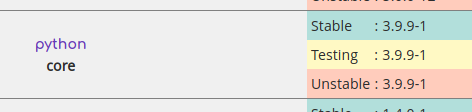
But when it reach testing branch of Manjaro updates, it is hard to say the exact date when it will be merged into stable different packages has different time to realize is it stable enough or not, some other packages uses 3.9 version and need to be rebuilt against 3.10 and to test them. After that, all those stuff will join stable branch of Manjaro updates.
2 Likes
Fixed in repo. When package will arrive, don’t forget to reapply the color scheme (i.e. apply some other and then return back) and sync sddm config. For now you could try to use this.
cp -f /etc/skel/.config/kdeglobals /var/lib/sddm/.config/
2 Likes
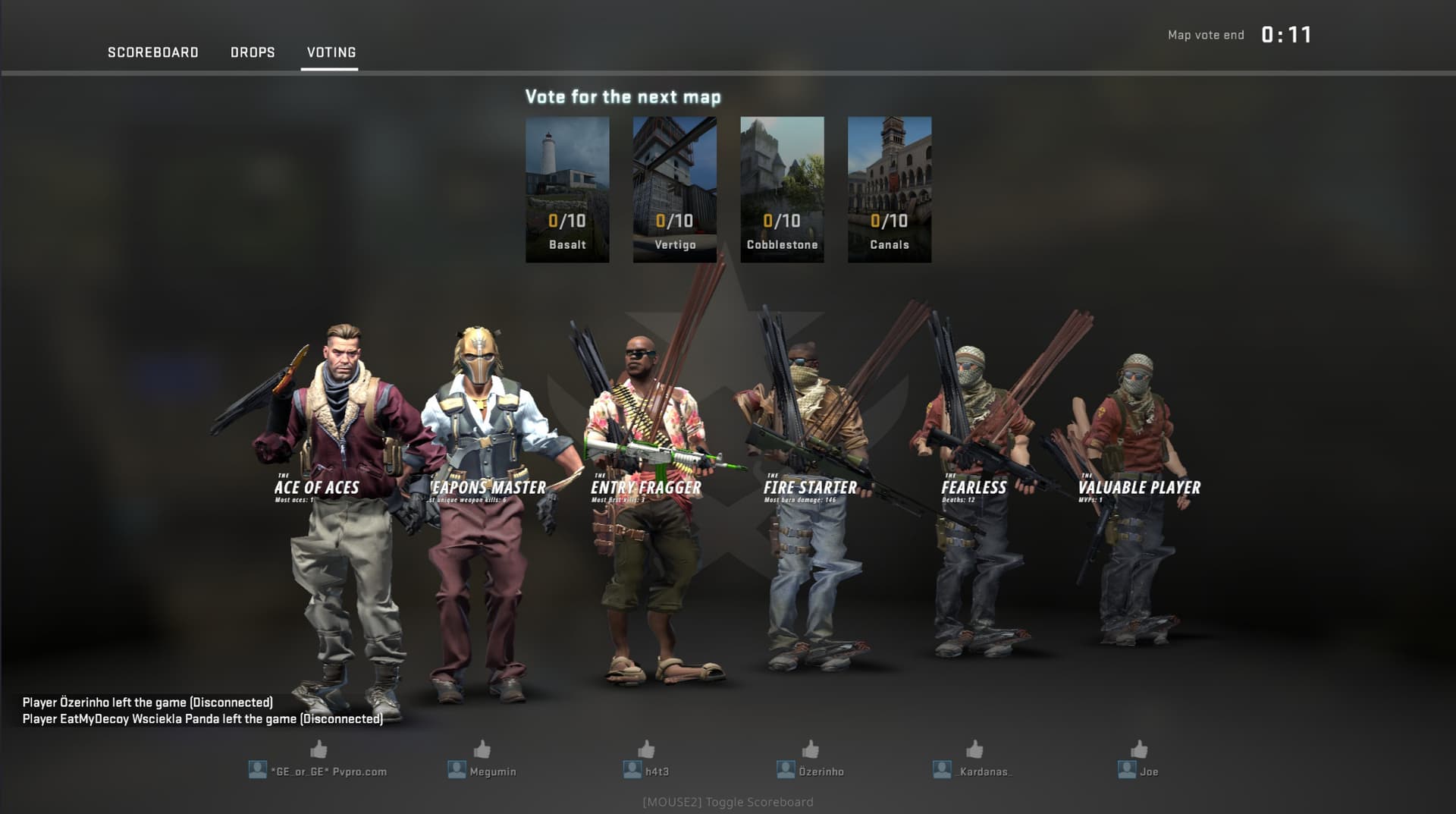
Since update today i get this problems on CS GO.
Any Idea i think its something with mesa maybe,
Thx
It’s CSGO update, check this
Thanks! I’m brand new to Manjaro and spent the last 18 hours trying to install and update it. It kept borking my system and had to reinstall about a dozen times. I saw your tip, followed it, and am up and running! Thanks again.
3 Likes