So everything is fine and dandy until it isn’t Manjaro Pacman GUI updates disappear when doing updates. I can’t move my mom to Manjaro because of that.
My mom will probably never be able to check updates from pacman etc. so that is not an option.
I think you are long enough here to know that
- you should not double post
- pamac has not enough developers, and this is one of the things that will be fixed first as soon as the situation allows
- only the gui crashes, the update succeds in background, so just tell your mom to wait a bit after
- manjaro, as an arch based distro, is not set and forget
Honestly, if i had to set up a pc for someone completely bad with computers - i will administer the pc myself. Either physically if i am near (it is one time a month after all) or i will set up a remote control solution.
There is no such thing. pacman is a command-line-only tool.
If on the other hand you’re talking about pamac, its problems are well known, but the advice has also been given to use octopi as an alternative — it’s in the “Known Problems and Solutions” section of every Announcements > Stable Updates thread.
That is what I would suggest as well. ssh access, and update the system via pacman first, and then the command-line version of pamac for AUR stuff.
You took the words right outta my mouth.
Must have been while I was kissing you. 
Hi @NZXT,
My humble thoughts…
I’d gently suggest reconsidering Manjaro for your mom’s setup. Here’s why:
Manjaro is a rolling-release distro, which means it needs regular updates to stay stable and secure.
For non-technical users who just want to use their computer without thinking about maintenance, a stable Debian-based distro like Linux Mint is a much better fit.
The key differences:
- Rolling releases (like Manjaro/Arch) require you to update frequently to prevent system drift and compatibility issues
- Stable releases (like Mint/Ubuntu) can go weeks or months between updates and still perform a clean update when needed
If your mom primarily uses the computer for browsing, email, music, and document writing, she’d benefit from a set-it-and-forget-it system that doesn’t demand regular maintenance.
The Pacman GUI issue you’re hitting is exactly the kind of thing that creates frustration for less technical users. Mint comes with a simpler, more stable update manager that “just works.”

Stable GUI updates would make this distro to be one of a kind
Indeed - no one has ever been able to accomplish that goal
The Pamac GUI may close - but the process is usually ongoing.
That is no a Manjaro Linux issue but a highly subjective statement.
It is impossible to create a Manjaro Linux system that suits everyone - especially if the user is a basic user which no technical experience and no desire to learn.
A system update may include decisions which may be difficult to understand the consequences of.
If you want a reasonably stable Manjaro Linux experience you need to first address the system at hand
- Ensure the system is 100% Linux compatible
- Ensure the system is not based on Nvidia
- Do not use the mainline kernel
- Only use the lastest LTS kernel
- Curently, as of 2026-09-11T22:00:00Z, it is Linux 6.18
- Do not enable AUR support
- Do not add custom packages
EDIT:
Based on this thread and the recurring complaints on Pamac GUI disappearing, I have been prototyping K.I.S.S. GUI.
The GUI simply lists the available updates and provides a button to sync the updates.
When accepting the update - the pamac console app will be launched to complete the update.
The prompts in the konsole will still need to be evaluated by the operator - there is no reliable way of automation for that.
Clone this repo
linux-aarhus/manjaro-simple-update - Forgejo for Manjaro: Enjoy the simplicity
In the data folder there is a PKGBUILD
cd manjaro-simple-update/data
makepkg -iscC
And THAT, my precious, is the real problem. We can patch pamac or develop a gazillion of other GUIs (hell, i kinda have made one myself with the cheatsheet), but the requirement to make decisions will be the show stopper for the majority. We see every day topics about “blocked updates” in which the updater has just asked a yes no question.
So for the beginner users a stable point release or immutable distro is still better. And for the completely illiterate users window$ just decides everything what is best for the user, even if it is not. It may still completely bork the system on update, but at least it won’t ask any questions before that and will not allow the user to stop it.
Well, Garuda Linux has implememted an update script “garuda update” that provides above and more. Quote from link: “Garuda Update is Garuda Linux’ preferred update solution. The update script allows Garuda Linux to apply certain hotfixes and update automations for a smoother experience.”
What does it do?
- A self-update is performed to ensure the latest fixes are downloaded.
- The mirrorlist is automatically refreshed using rate-mirrors
- The archlinux and chaotic keyrings are updated
- Package related hotfixes such as conflicts and other issues are automatically resolved after they have been approved by the developers.
- A secondary Copy-on-Write (CoW) aware disk space check is executed to account for btrfs snapshots preventing disk space from being freed.
- The system update is applied. Common pacman prompts are automatically answered by “auto-pacman”. The user is asked to answer with “y” if they want to apply the update.
- Common post-update tasks are executed. The mlocate database is updated, fish completions and micro plugins are updated.
- If needed, a changelog showing major configuration changes is shown.
EOF
The bold parts are the problematic ones. They take the decisions instead of leaving them to the user. And take the arch defaults (at least in 2 cases those defaults were wrong…and i wrote it in the announcement…).
I wouldn’t want that. I would prefer an announcement and explanation and make the decision myself.
So it is a matter of phylosophy of the distro and what user profile it wants.
If a user needs a point-and-click reliable distribution, where background maintenance doesn’t require terminal intervention - then you’re doing them a mis-service persuading them that an Arch-based distribution is right for them.
Coupled with your misunderstanding of the ‘pacman GUI’ it seems she’s not the only one.
Pamac is a wrapper, and sure - it has a GUI front end that can crash out when hooks start triggering complex post-install stuff, or high memory database shenanigans… GUI front ends across Linux can hang or crash… but you rightly point out that pacman is solid and continues it’s work regardless.
TL;DR
If you can’t press three keys and type sudo pacman -Syu then you’re in the wrong game.
Manjaro is a Rolling Release, not a Stable Release - synchronising large batch updates, requiring intelligent handling of .pacnew merges and requiring a reasonable level of confident terminal access even if you do prefer to live in the GUI.
For Mum, get Atomic/Immutable - Linux Mint, or Fedora Silverblue - don’t subject her to Manjaro or anything Archy 
For the record, I had no serious issues for years until this morning - and I lost my USB too…
Took me 45 minutes to get prepared, but the fix was only 5 minutes.
I had to go out and buy a USB, find a computer I could use with mine being off duty - install Ventoy, download an ISO, back to my desktop - boot from USB, and fortunately Manjaro makes it trivial to chroot and fix it, otherwise you have to start listing your (hdo,gpt whatever) stuff, get the nice long name of the kernel and type that in accurately and hope it works…
There’s your kicker.
No, not for your Mum… though there are plenty of Mums, Grandmums, and probably ancient spinsters who don’t have any problems with it.
100% agreed.
I had set up an AMD system with Garuda two years ago for a friend of mine, and since then I have been administrating the system just every two months. The garuda-update script has been handling all updates flawlessly, to my surprise. No issue at all.
My laptop runs with Manjaro Unstable, which I prefer at this point since lots of manual interactions bring some learning  .
.
However, for the average Manjaro Stable user such a Garuda update script funtionality would be a real helpfull. And yes, this user profile runs Manjaro for good reasons, especially if they are tired of the downsides of a non-rolling distro.
I agree with @musdus :
Do not switch to Arch / Manjaro someone who doesn’t have a modicum of knowledge on the matter, unless you’re prepared to assume full maintenance. Probably Mint / Zorin are more suited.
Well, if we’re comparing update scripts:
sudo pacman -S topgrade
An article from IT’S FOSS:
Or, if you prefer something visual;
you can take in a Chris Titus movie:
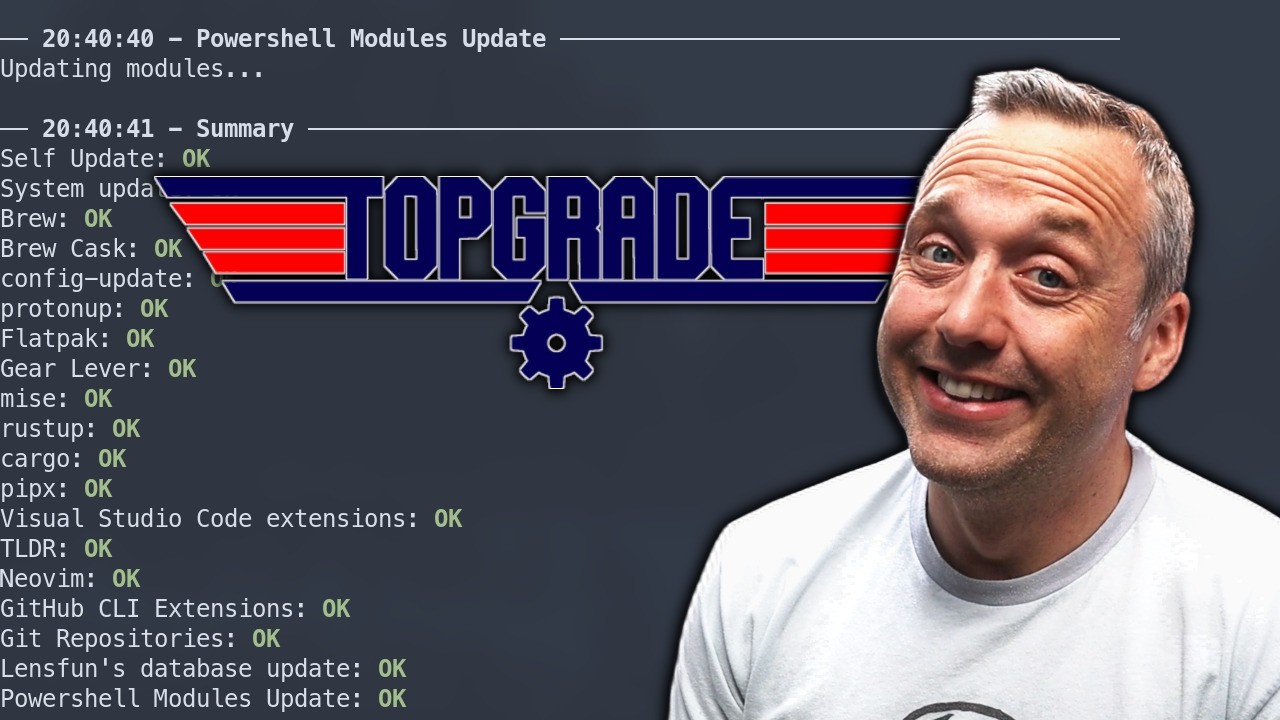
The binary auto-update bugs me, but I suppose it can be disabled
If you’re referring to the post from @Teo:
Note: Please try to use reply under the post you actually wish to reply to.
Topgrade does that too.
It’s a nice feature to ensure that the script (whichever script it may be) is current, with any updates or patches to it applied, before one progresses to perform a system update.
As the quoted test states, this applies to the binaries downloaded from GitHub – I understand that when topgrade is installed from the official Manjaro repositories, the package is managed by pacman which provides the latest verified version.
Ayuh. Set no_self_update = true in your ~/.config/topgrade/topgrade.toml. I’ll have to see about building it without self update support, I think that’s relatively new.
# Whether to self update
#
# this will be ignored if the binary is built without self update support
#
# available also via setting the environment variable TOPGRADE_NO_SELF_UPGRADE)
no_self_update = true
You could give her something like this.
#!/usr/bin/env python3
"""
Pacman Update GUI with pkexec privilege elevation
Displays real-time terminal output from pacman -Syu
"""

import sys
import subprocess
from PySide6.QtWidgets import (QApplication, QMainWindow, QWidget, QVBoxLayout,
                               QPlainTextEdit, QPushButton, QLabel, QHBoxLayout,
                               QMessageBox)
from PySide6.QtCore import QProcess, Qt
from PySide6.QtGui import QFont

class TerminalOutput(QPlainTextEdit):
    """Custom terminal-styled text widget"""

    def __init__(self, parent=None):
        super().__init__(parent)
        self.setReadOnly(True)
        self.setFont(QFont("Courier New", 10))
        self.setStyleSheet("""
            QPlainTextEdit {
                background-color: #1e1e1e;
                color: #d4d4d4;
                border: 1px solid #3c3c3c;
            }
        """)

class PacmanWindow(QMainWindow):
    """Main window for the pacman update GUI"""

    def __init__(self):
        super().__init__()
        self.process = None
        self.is_running = False
        self.init_ui()

    def init_ui(self):
        """Initialize the user interface"""
        self.setWindowTitle("Pacman Update Manager")
        self.setMinimumSize(800, 600)

        central_widget = QWidget()
        self.setCentralWidget(central_widget)
        layout = QVBoxLayout(central_widget)

        # Title label
        self.title_label = QLabel("Pacman Update Console")
        self.title_label.setStyleSheet("""
            font-size: 18px;
            font-weight: bold;
            color: #6d4aff;
            padding: 10px;
            border-bottom: 2px solid #6d4aff;
        """)
        layout.addWidget(self.title_label)

        # Status label
        self.status_label = QLabel("Status: Ready")
        self.status_label.setStyleSheet("padding: 5px; color: #888888;")
        layout.addWidget(self.status_label)

        # Terminal output area
        self.terminal = TerminalOutput()
        self.terminal.setPlaceholderText("Terminal output will appear here...")
        layout.addWidget(self.terminal)

        # Button layout
        button_layout = QHBoxLayout()

        # Start button
        self.start_btn = QPushButton("Start Update")
        self.start_btn.clicked.connect(self.start_update)
        self.start_btn.setStyleSheet("""
            QPushButton {
                background-color: #6d4aff;
                color: white;
                padding: 10px 20px;
                border-radius: 4px;
                font-weight: bold;
            }
            QPushButton:hover {
                background-color: #5a42cc;
            }
            QPushButton:disabled {
                background-color: #444444;
            }
        """)
        button_layout.addWidget(self.start_btn)

        # Stop button
        self.stop_btn = QPushButton("Stop")
        self.stop_btn.clicked.connect(self.stop_update)
        self.stop_btn.setEnabled(False)
        self.stop_btn.setStyleSheet("""
            QPushButton {
                background-color: #cc3333;
                color: white;
                padding: 10px 20px;
                border-radius: 4px;
                font-weight: bold;
            }
            QPushButton:hover {
                background-color: #aa2222;
            }
            QPushButton:disabled {
                background-color: #444444;
            }
        """)
        button_layout.addWidget(self.stop_btn)

        # Clear button
        self.clear_btn = QPushButton("Clear Terminal")
        self.clear_btn.clicked.connect(self.clear_terminal)
        self.clear_btn.setStyleSheet("""
            QPushButton {
                background-color: #333333;
                color: white;
                padding: 10px 20px;
                border-radius: 4px;
            }
            QPushButton:hover {
                background-color: #444444;
            }
        """)
        button_layout.addWidget(self.clear_btn)

        layout.addLayout(button_layout)

    def start_update(self):
        """Start the pacman update process with pkexec"""
        if self.is_running:
            return

        try:
            # Command: pkexec pacman -Syu --noconfirm
            cmd = ["pkexec", "pacman", "-Syu", "--noconfirm"]

            self.process = QProcess()
            self.process.setProgram(cmd[0])
            self.process.setArguments(cmd[1:])

            # Connect signals for real-time output
            self.process.readyReadStandardOutput.connect(self.on_output_ready)
            self.process.readyReadStandardError.connect(self.on_error_ready)
            self.process.finished.connect(self.on_process_finished)
            self.process.errorOccurred.connect(self.on_error_occurred)

            # Start process (pkexec will show system auth dialog)
            self.process.start()
            self.is_running = True

            # Update UI
            self.start_btn.setEnabled(False)
            self.stop_btn.setEnabled(True)
            self.status_label.setText("Status: Waiting for authentication...")
            self.terminal.appendPlainText(f"$ {' '.join(cmd)}")
            self.terminal.appendPlainText("=" * 60)
            self.terminal.appendPlainText("[Polkit authentication dialog will appear...]")
            self.terminal.appendPlainText("[Enter your password in the system dialog]")
            self.terminal.appendPlainText("=" * 60)

        except Exception as e:
            self.show_error(f"Failed to start process: {str(e)}")
            self.is_running = False
            self.start_btn.setEnabled(True)

    def stop_update(self):
        """Stop the running pacman process"""
        if self.process and self.is_running:
            self.process.kill()
            self.is_running = False
            self.terminal.appendPlainText("\n[Process stopped by user]")
            self.status_label.setText("Status: Stopped")
            self.start_btn.setEnabled(True)
            self.stop_btn.setEnabled(False)

    def clear_terminal(self):
        """Clear all terminal output"""
        self.terminal.clear()
        self.terminal.appendPlainText("Terminal cleared.")

    def on_output_ready(self):
        """Handle standard output from the process"""
        if self.process:
            output = self.process.readAllStandardOutput().data().decode('utf-8', errors='replace')
            self.terminal.appendPlainText(output.rstrip())

    def on_error_ready(self):
        """Handle standard error from the process"""
        if self.process:
            error = self.process.readAllStandardError().data().decode('utf-8', errors='replace')
            self.terminal.appendPlainText(error.rstrip())

    def on_error_occurred(self, error):
        """Handle process errors"""
        error_messages = {
            QProcess.FailedToStart: "Failed to start process. Is pkexec installed?",
            QProcess.Crashed: "Process crashed",
            QProcess.Timedout: "Process timed out",
            QProcess.WriteError: "Write error occurred",
            QProcess.ReadError: "Read error occurred",
            QProcess.UnknownError: "Unknown error"
        }
        error_msg = error_messages.get(int(error), f"Error code: {error}")
        self.show_error(error_msg)

    def on_process_finished(self, exit_code, exit_status):
        """Handle process completion"""
        self.is_running = False

        if exit_status == QProcess.NormalExit:
            if exit_code == 0:
                self.terminal.appendPlainText("")
                self.terminal.appendPlainText("=" * 60)
                self.terminal.appendPlainText("✓ Update completed successfully!")
                self.terminal.appendPlainText(f"Exit code: {exit_code}")
                self.terminal.appendPlainText("=" * 60)
                self.status_label.setText("Status: Completed ✓")
            else:
                self.terminal.appendPlainText("")
                self.terminal.appendPlainText("=" * 60)
                self.terminal.appendPlainText(f"! Update finished with exit code: {exit_code}")
                self.terminal.appendPlainText("=" * 60)
                self.status_label.setText(f"Status: Finished with code {exit_code}")
        else:
            self.status_label.setText("Status: Process terminated abnormally")

        self.start_btn.setEnabled(True)
        self.stop_btn.setEnabled(False)

    def show_error(self, message):
        """Display an error message"""
        QMessageBox.critical(self, "Error", message)

    def closeEvent(self, event):
        """Handle window close"""
        if self.is_running:
            reply = QMessageBox.question(
                self, 'Confirm Exit',
                'A process is still running. Close anyway?',
                QMessageBox.Yes | QMessageBox.No,
                QMessageBox.No
            )
            if reply == QMessageBox.Yes:
                if self.process:
                    self.process.kill()
                event.accept()
            else:
                event.ignore()
        else:
            event.accept()

def main():
    """Main entry point"""
    app = QApplication(sys.argv)

    # Set application-wide style
    app.setStyle("Fusion")

    window = PacmanWindow()
    window.show()

    sys.exit(app.exec())

if __name__ == "__main__":
    main()
NOTE: This was fully LLM generated. It works. but you may want to perform additional code checking.
It presents a GUI wrapped around a psuedo Terninal for feedback from pacman, and displays a pkexec password prompt.
Also it doesn’t need to run in a virtual environment if you already have pyside6 installed. It uses nothing fancy, just standard Python and PySide6
When I comment like this, there is a reason
Not so long ago the Plasma screenshot application spectacle was expanded with a non-optional dependency for extracting text from a screenshot.
This non-optional dependency has a hard dependency on one or more language libraries.
The user is prompted to select the relevant libraries, which creates several comments and topics on what to do.
To quote myself…
there is no reliable way of automation for that
In the case with the language library, how can a script or update manager decide on the user’s behalf which language pack(s) will be correct?
I am of the highly personal opinion - and the reason I use Manjaro - that Manjaro strikes the balance between a complete Arch DIY setup and a preconfigured but highly customizable Arch Linux based system.
I am happy that Garuda developers has created their update script and I will not question the usefulnes of such helper - it has it’s place - on Garuda Linux.
Applying something similar on Manjaro will only attract even more consumer like users and a consumer is not a bonus, unless they are bringing serious money to the table.
EDIT:
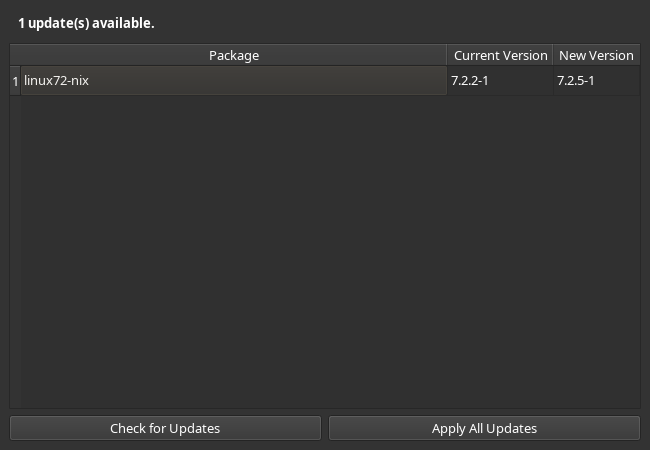
If you are using unstable you can install the package from an up-to-date mirror
sudo pacman -Syu kiss-up