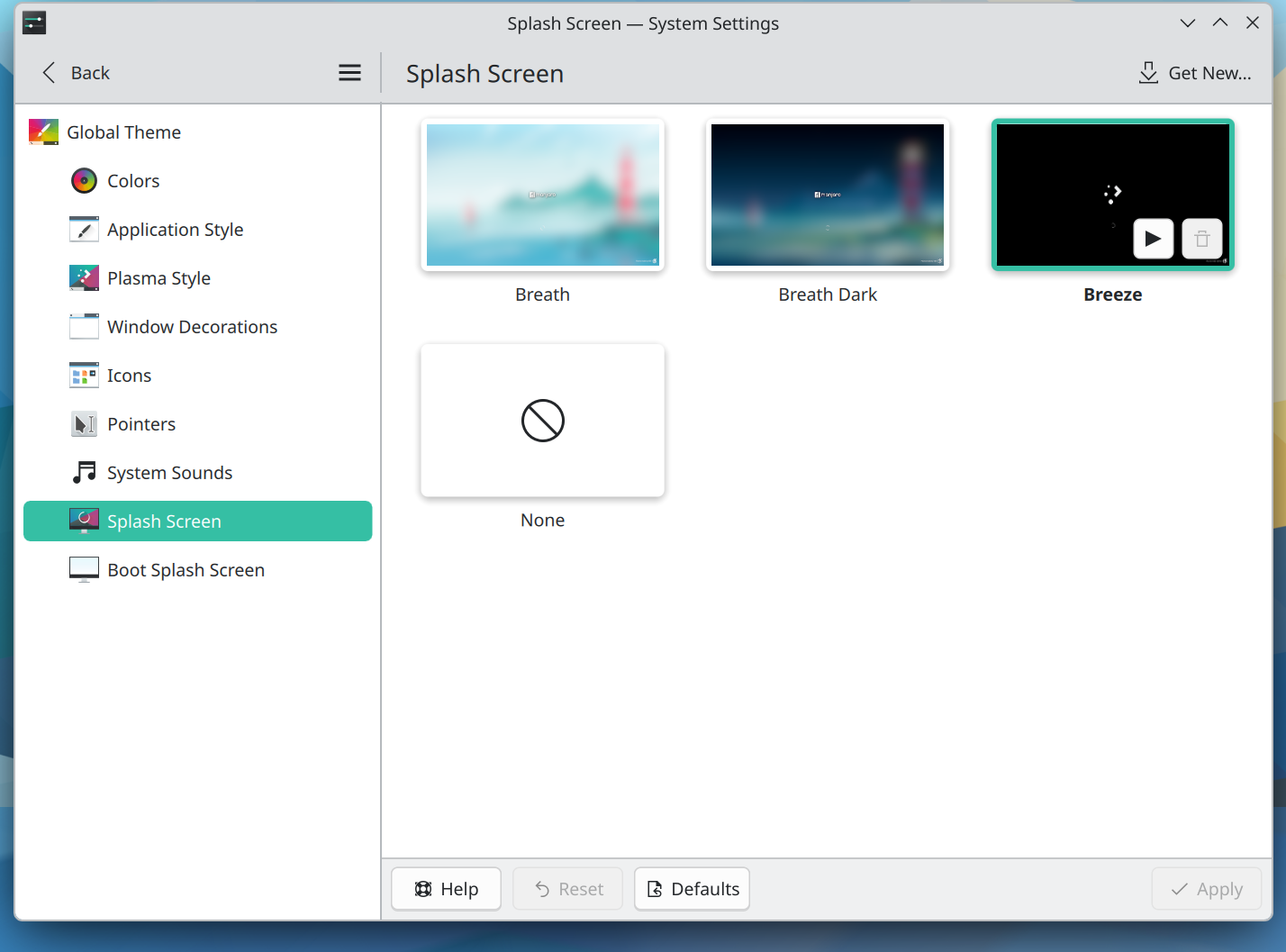
I’m using KDE Plasma 6.7.4 on the latest stable Kernel (7.1.6), and my login manager is PLM and not SDDM.
I’ve noticed that any changes I’ll make to the splash screen under “System Settings → Global Theme → Splash Screen” will “stick” for a reboot cycle, but the next time I have a cold boot, it reverts every time to “Breath”. Is there a config file I can view or edit?
Is there a config file I can pore over the text contents? Or is this one of those “many inter-related” things that has multiple config files touching on different things?
Thanks! That solved it. I haven’t installed anything that interacts with the system at that level except for maybe ClamAV; everything else is either my browser (Firefox, from the official repository) or a bunch of Steam games.
The kspashrc theme is now set up with the org.kde.breeze.desktop and it seems to be sticking.
@dmt Hey something weird happened. After a few days, the system reverted again back to the default (Breath) splash screen. When I check kspashrc, it’s a blank file. The only packages I’ve installed that “interacts” with the OS at any depth is ClamAV, pacnew checker, and asusctl (for power management settings so I can charge my laptop battery to a max of 80%). Any ideas or suggestions on what might be causing this?
If you remove the file ~/.config/ksplashrc your configuration will revert to the theme’s default splash.
If that file disappear every now and then - without you actively removing it - you may have more pressing matters to attend - it could be - I not saying it is - an issue with your file system.
@linux-aarhus The file persists in ~/.config/ as ksplashrc, it just goes “empty” for random reasons. I can’t find a rhyme or reason to it. How would I check if I have an issue with my file system?
That was a typo in the forum on my part; I do make sure to open the correct file when I am in the system; This is one of those “non-critical but very curious” quirks of this OS that I’m keen to solve, so I do try and eliminate operator error.
I just had a thought. The reversion happened after the latest Testing update (8/8). I’ll modify the splash screen again, and wait for the next Testing update. If it reverts back to stock, that’s likely the culprit.
If the configuration file is empty, then it’ll take whatever the default is. If an update comes along which changes that default, then it will indeed change.
However, a system update does not touch your home directory, and if your home directory overrides the default with a choice of your own, then this will not be changed after an update.
What is possible is that you’ve installed some third-party splash screen from store.kde.org and that this splash screen is now broken due to changes upstream, in which case it will of course revert to the default again.
P.S.: It’s your computer, but I would disable the splash screen if I were you. It does nothing but consume CPU cycles and delay the rendering of your desktop.
Definitely this. I’d sooner see the verbose boot process. How long do these splash screens typically show for, anyway? Still, it’s always a personal choice.
When the ksplashrc is empty, it shows the “Breath” option. I can select any other option shown in the screen shot, and ksplashrc text changes to reflect that. And that persists for a little while, be it through cold starts or reboots. And mysteriously, the setting disappears and reverts back to “Breath”.
I’ve not installed any third-party themes or the like.
Edit / Update: I’ve just updated the 8/10 Testing Update, rebooted, and there was no change, the “Breeze” splash screen persisted and did not revert back to “Breath”.
@tracyanne Oh aye, my update was more intended as a general update; years of working as a technical project manager has taught me that sometimes, it’s good to re-establish the baseline problem. And I wanted to eliminate ambiguity as much as possible.
I’m wondering, if it is a hardware error, if Linux has a built-in tool to scan for it. Confirmation of the problem would be lovely.
 is mine.