I don’t know where to ask this, but I have following little problem with the cinnamon taskbar:
I use the taskbar mostly in it’s default appearance, which means on the left are the icons for Terminal, Nemo, Thunderbird and Firefox. When I click one of these icons, the program opens and the icon expands with title and an underline.
But when there was an update of Firefox or Thunderbird and I click the icon, it opens another tag beside it.
I have to at least log out/in again to get normal behaviour back.
Is this fixable? Is this a problem of the update process of Manjaro or a problem of cinnamon?
Ok thanks, that would be an improvement.
So it seems the problem is not on Manjaro side, but on Cinnamon or the applet (grouped-window-list). I will try to report there.
I now tested it on linux Mint and there is no such behaviour. Maybe there is a difference how Pamac/pacman and Mintupdate/apt handle refreshing icons/the taskbar?
Do you mean removing e.g. the Firefox icon or removing whole grouped-window-list applet? I also thought about something like this, but then I thought maybe activating “reset to default values” does the same thing?
I will stay on top of it and experiment maybe with different icons. It’s just a little annoying to wait for updates to trigger this or maybe reinstalling a program has the same effect.
@BG405 is right, remove the icon from the panel . Then add it either by dragging it from the Main Menu on to the panel or by opening the application and when the icon shows up on the panel, right click and select “Pin to Panel”.
Right click on the icon and select “Unpin from Panel”.
I did a little testing and the easy part was that I could trigger the behaviour with just reinstalling an app (that has an icon in grouped-window-list).
I just tested a couple of apps, but it seems that only Firefox and Thunderbird are affected.
Following methodes will integrate those loose windows again into groupded-window-list:
restarting system
log out/in again
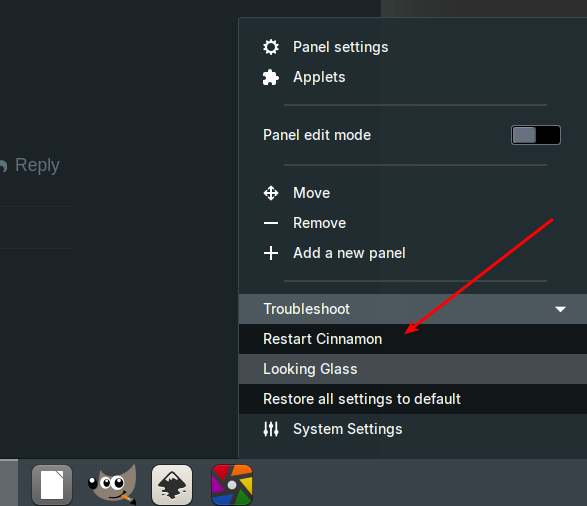
restarting cinnamon
(removing) adding an app to gwl (can be any)
Of course it’s good to know, that there are possibilities to correct this behaviour, but I am still curious, why it is happening at all and only with Firefox and Thunderbird.
I can only guess it has something to do that those two have a post transaction hook running after re/install, but my research didn’t come up with an answer for now.
I’d put it down to their rapid-release schedule leading to things being missed. Also, I wouldn’t know how much testing they do on various Desktop Environments etc..
I just think the fourth point in your post is the most practical “workaround” until Mozilla fix things.
I don’t think, it lies on Mozilla’s side, but how Manjaro and Cinnamon work together. In the end they are just binarys/executables and grouped-window-list links to them and does the animation in the taskbar.
I will put this aside for awhile. I hoped, someone would have a similar problem or an answer (not a workaround), but thanks anyway.