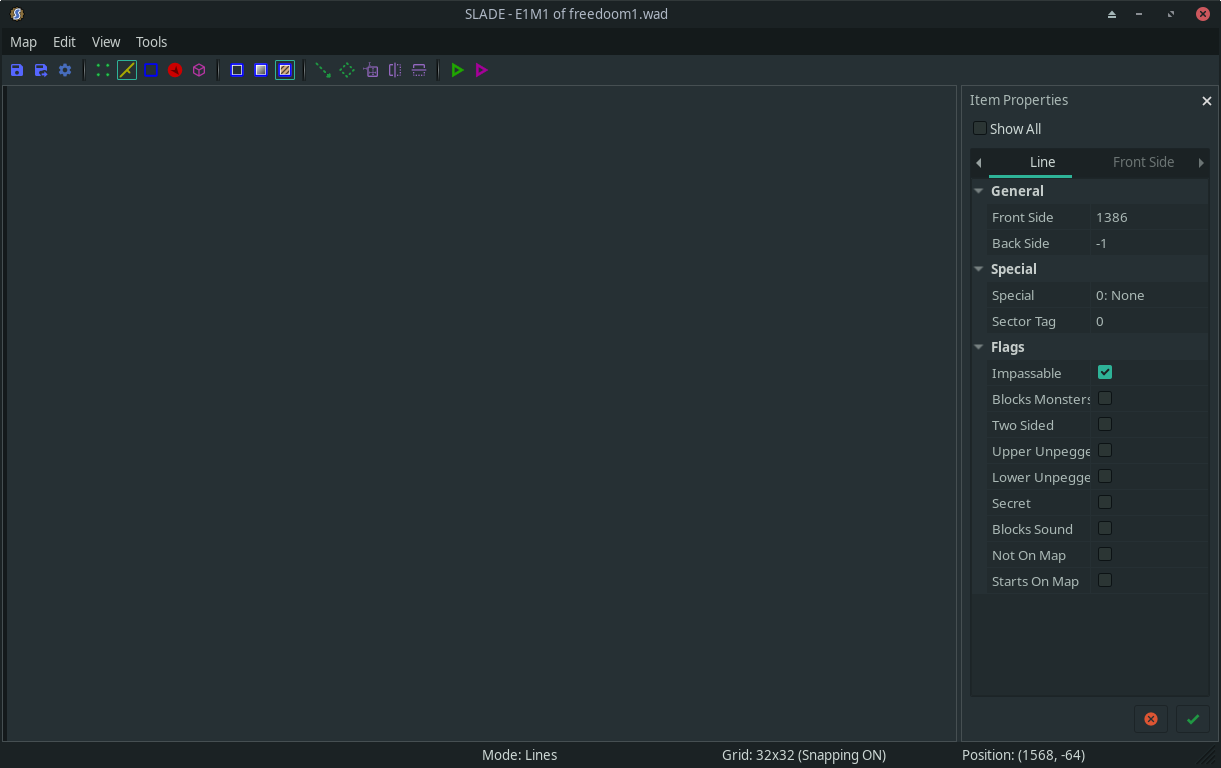
After the most recent stable update, the program SLADE (a Doom level editor) has trouble drawing maps on screen – only the windows show up with their respective UI controls, but no actual content in them. (EDIT: Source = GitHub - sirjuddington/SLADE: It's a Doom editor)
SLADE is a wxWidgets application and it uses the system-installed wxWidgets package from the Manjaro repository.
Given that there was a recent item in the update about X11 changes, what should I be examining to debug this further?
My desktop environment is XFCE and the system uses X11, not Wayland.
SLADE is self-built from sources directly and yes it has been rebuilt after the update.
The program starts and shows windows and opens level maps, but does not display the level maps. Where the picture of the level map would be, is just an empty window, but clicking on random points makes the status bar change status showing which line / area / map element had been clicked.
It’s fully a display rendering problem, which is why I am thinking something broke with X11 or wxWidgets after the update.
@Yochanan Please change this category back! This program was not downloaded from AUR. It was built directly from its source on Github. The wxWidgets library that it uses is from the Manjaro repositories, not AUR.
Thanks for suggesting things to try, but unfortunately that did not help. I tried passing that as a new environment variable before building, installation, and running, and the problem is still there.
To show what I mean, this is what Slade looks like with the problem:
That big “blank” area is where the map would be (currently loaded E1M1 of freedoom1.wad as the title says), and when I move the mouse around, the descriptions / checkboxes on the right pane change in real time depending on what line of the map is under the mouse pointer. Right clicking on a random point inside the map area brings up the context menu for the object clicked. But it’s not being drawn!
Do you think this is a graphics hardware issue? How can I find out?
I’m afraid that I’m unable to help with this – the last time I played with DOOM level editors was late in the last Millennium.
A reminder that 3rd-party software is generally not supported by Manjaro – that said, we don’t take a “hard-line” approach to that, and members may offer assistance if they can.
Use of the AUR isn’t officially supported by Manjaro (or Arch Linux), however, have you tried using this?
pamac build --aur slade-git
If you prefer not to, fair enough, but the list of dependencies and the PKGBUILD (as suggested by @anon33601770) might still be handy for reference.
The topic title has been changed to something more search-engine-friendly. No charge.
Please avoid pinging Manjaro Team members to fix minor forum related issues such as category placement.
You should be able to do this yourself – although, I say this tentatively, as many moons have come and gone since I was a new forum user.
Instead, ask a Community Assistant or Moderator, or send a PM to @moderators and one of us will no doubt sort it out.
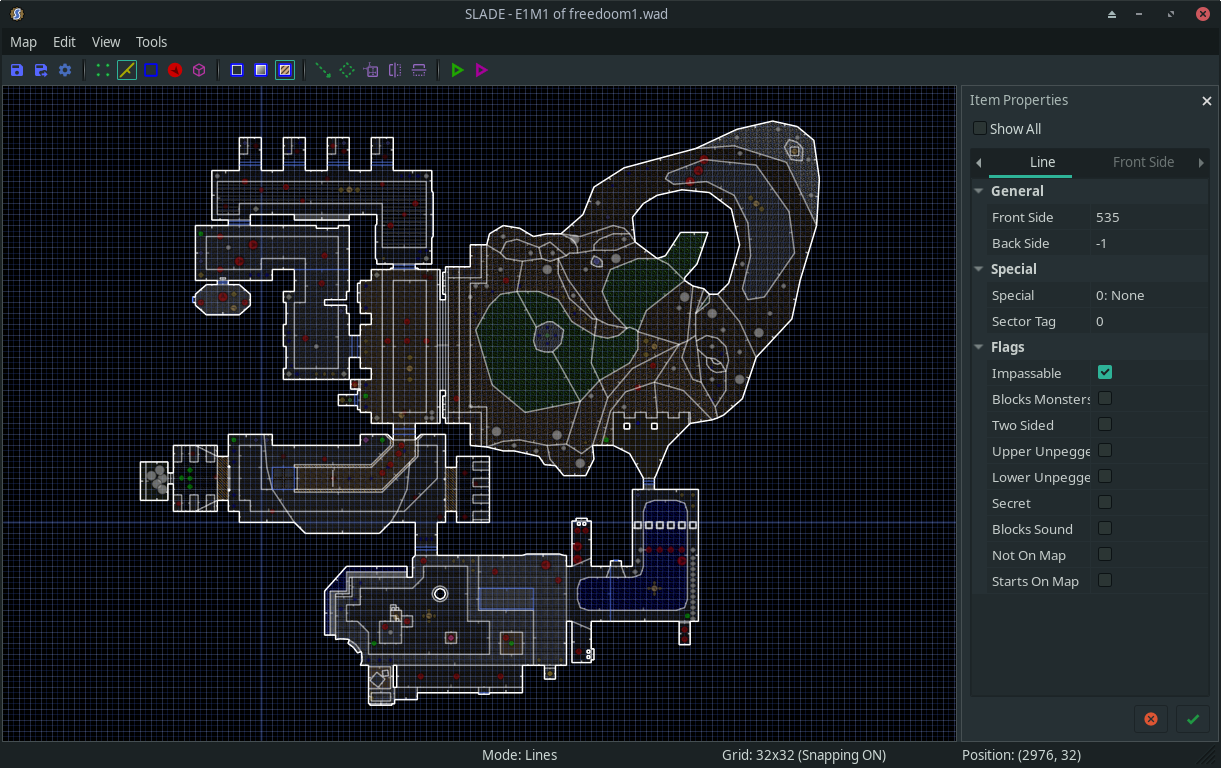
The stable update on 2025-December-15 included an update to wxWidgets (now version 3.2.9). After that, out of curiosity I rebuilt Slade from my own existing sources (not an AUR build), and this time it works beautifully. Image attached below. No changes needed to any environment vars or to X11 settings.
So it was indeed a problem with the previous version of wxWidgets not working well with whatever had changed on the X11 / GTK side of the system.
Anyway, the solution that worked for me is to upgrade to wxWidgets 3.2.9 or later.