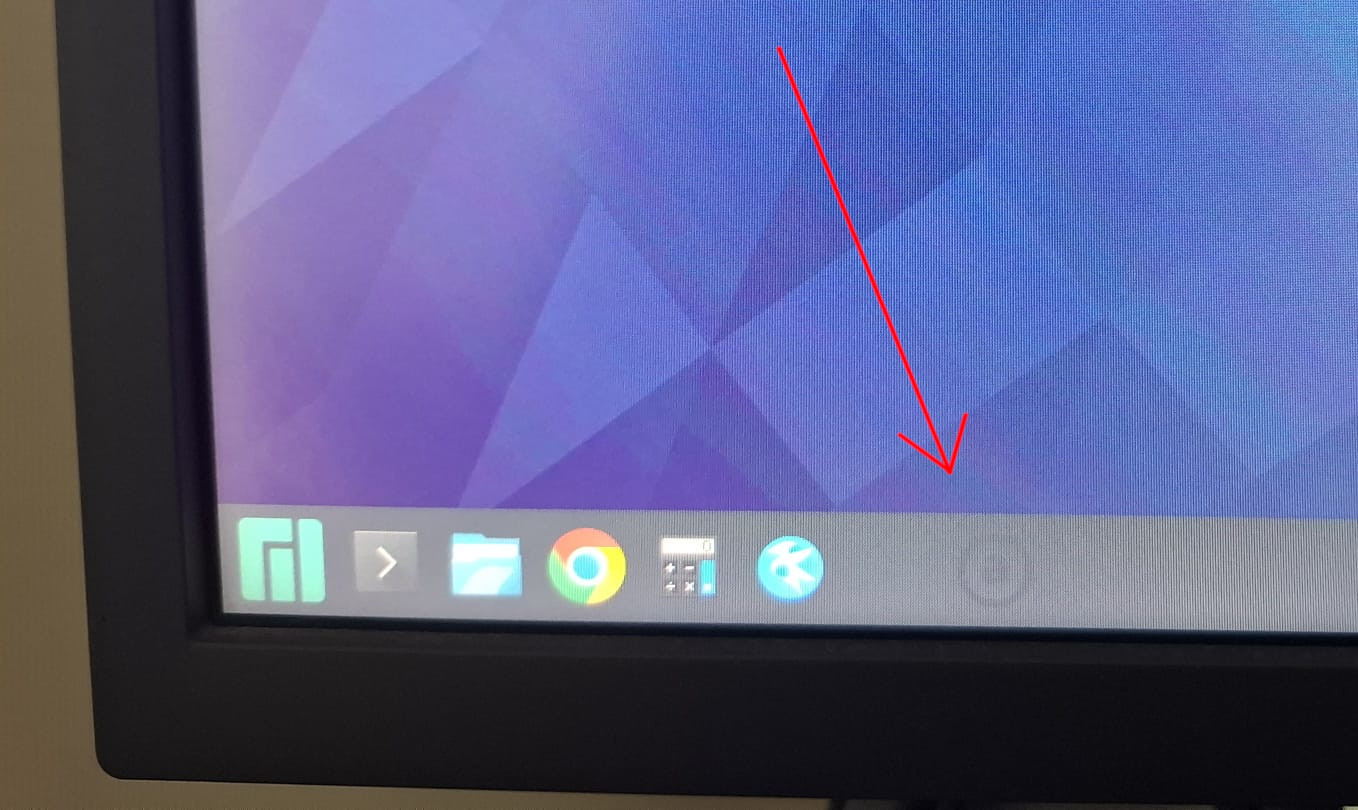
In secondary monitor, taskbar, quicklaunch widget, I added an icon for Audacious app, then I removed it.
Strangely, a shadow mark of the icon remains in the screen forever.
I rebooted, removed the widget, changed the taskbar, changed background, changed monitor resolution, unplug and plug HDMI, tried on Wayland and X11.
The mark is always there and in the same place.
Weirdly, if I take a capture of the screen, the mark isn’t printed on the image.
Since it appears rather dark or black, find some app with a light background and maximize it using F11
Firefox default new tab for instance
so it covers the panel, takes the entire screen.
Is it still there?
Or visible on the rather light login screen?
I have faintly visible icons on my phones screen because the person I bought it from had used it years with the screen always on and the icons kind of “burned in”.
With a light background the icon dissapears. And now I connected the monitor to another computer and it’s also visible so it is definitely a problem with the monitor as you suggested.
What’s strange is that it is rather new.
Thank you for your answer.
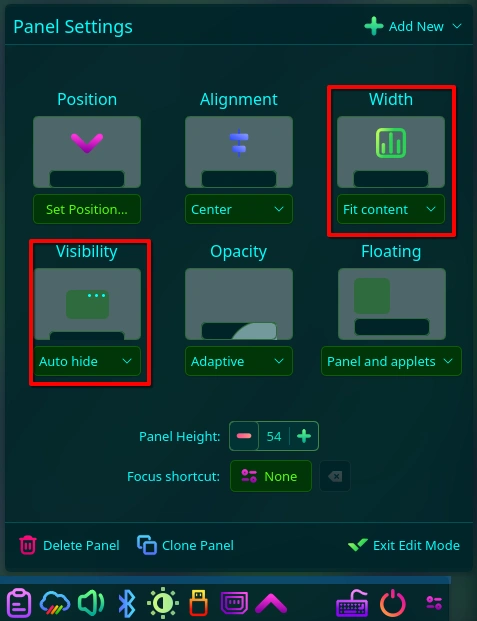
Avoiding screen burn-in (for CRT displays) or image persistence (for LCD & plasma displays) is one of the reasons why I always have my Plasma panel set to auto-hide. I’ve also set it to vary the panel width by fitting it to the content:
That way no panel icon is displayed in a set position on the monitor long enough for image persistence to occur.
Note that auto-hiding the panel can take a little getting used to. If you decide to skip that feature & just fit the panel width to the content, ensure that the panel alignment is centred so that any icons to the left of the task manager (eg. the application launcher) will also shift position on the display whenever an entry is added or removed from the task bar (i.e. an app is opened or closed).
If that IS image persistence (which it looks like to me), it should fade after a while. I had the same thing with one of my older monitors; the Firefox title & tab bars were leaving a temporary “impression” — unfortunately in the case of Firefox, full-screen also makes the toolbar inaccessible.