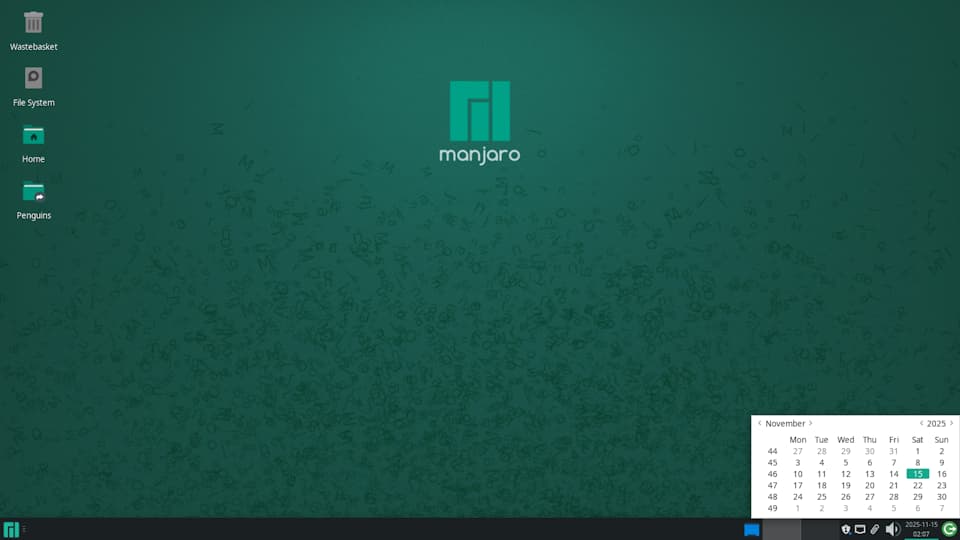
I am on Stable Branch and use Xfce.
Is there some way to adjust the size of the calendar (the one that pops up when you click the time and date on Panel)?
The size seems to depend on the theme. Mine is somewhat senselessly small.
I am on Stable Branch and use Xfce.
Is there some way to adjust the size of the calendar (the one that pops up when you click the time and date on Panel)?
The size seems to depend on the theme. Mine is somewhat senselessly small.
As you say…
However, your general scale can also play a part.
There is also:
As always, your system information might be useful;
plus details of the monitor(s) you are using.
inxi -zv8
Regards.
I was hoping I could only resize the calendar (the way you might resize an app window). The scaling (or the general proportion of things, or their relation to the monitor) is just fine.
This is how the Calendar should normally appear in Manjaro XFCE, assuming the default theme; as you can see, it’s a reasonable size.
How does yours differ?
Without editing or replacing the theme, I’m not sure how you would achieve that. Often, a calendar theme might be included as part of a global theme of some kind, for example – trial and error, I’m afraid, unless someone can suggest a specific theme.
As you can see, there is no obvious way to change it via the calendar GUI;
There may be other Calendar plugins that suit you better – pantheon-calendar is one example I was fond of for a minute.
This is how pantheon-calendar looks on Fedora (30) – it’s a part of the Pantheon Desktop here, but it at least gives an indication of what is possible:
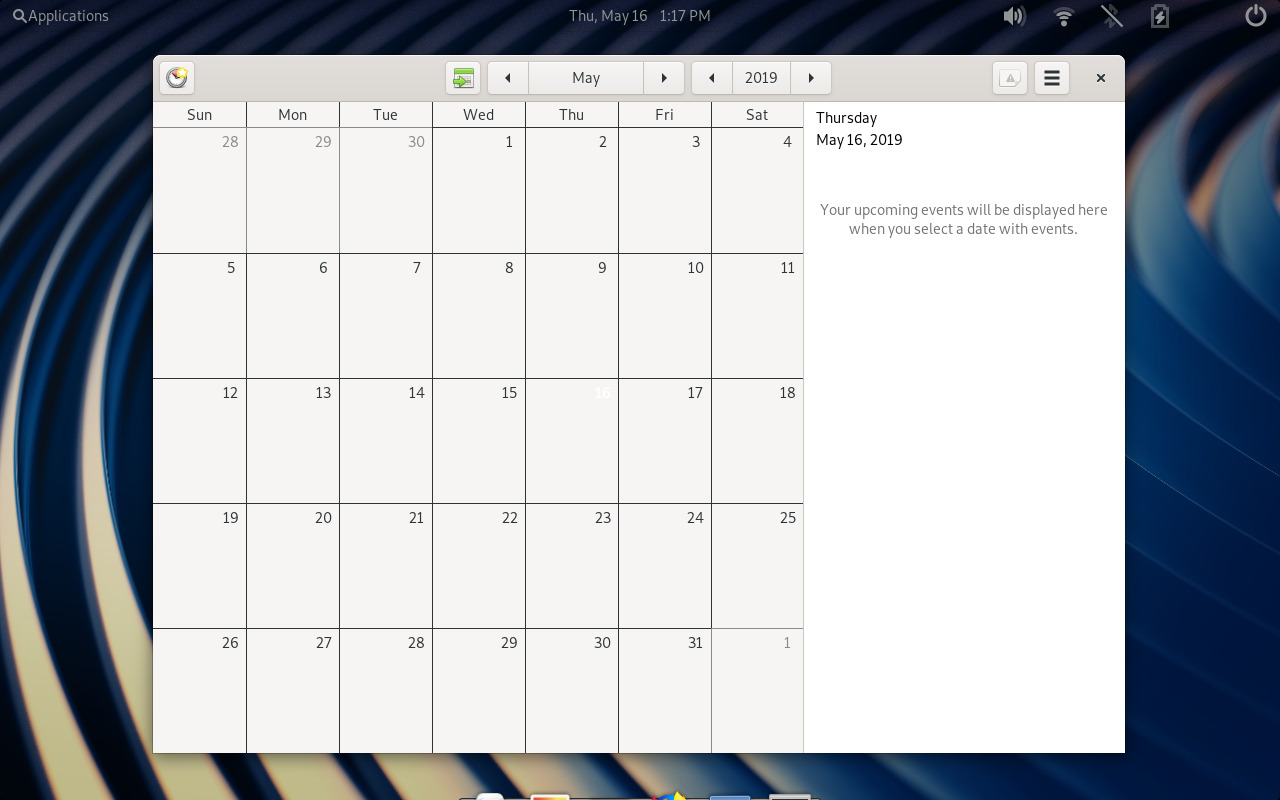
Big enough? 
A few theme sites here on the chance the Calendar is more to your liking in some random theme; I can only wish you (pot) luck:
Perhaps you might find something useful at:
Regards.
This is one of the things i did not like in xfce but i just accepted the micro-calender until now and never though of customizing it.
After some research, it seems to be easily possible.
If you do not have one already, create
~/.config/gtk-3.0/gtk.css
Add inside:
calendar {
    font-size: 14pt; /* Adjust as needed */
    padding: 15px; /* Adjust as needed */
}
And re-login.
==============================
Some additions and sources:
I ended up with
calendar {
    font-size: 13pt; /* Adjust as needed */
    padding: 3px; /* Adjust as needed */
}
calendar.highlight { color: orange; }
To have different colors for the weeks.
Some tutorials/documentation on this topic:
https://gitlab.gnome.org/GNOME/gtk/-/blob/gtk-3-24/gtk/theme/Adwaita/gtk-contained.css#L1591
https://www.reddit.com/r/xfce/comments/pa14ux/calender_theme/
And you do not actually need to logout, a simple xfce4-panel -r will reload panels.
This worked.
Only, the padding got applied to week number differently; so I just unticked it.
Thanks!
This topic was automatically closed 3 days after the last reply. New replies are no longer allowed.