I have been using Parole to play videos for a year or so now. simple MP4 etc videos work fine but I have a problem playing videos that originated from DVD - the so-called VOB type
I have a LOT of DVDs but transposed them to computer hard disk several years ago to make backups and to facilitate playing them - no searching the cupboards to find one.
Since there is no DVD player on the computer I do not get the Parole DVD menu. Whether I open a video using the Media menu or by dragging the video onto Parole (my usual method) the video ignores any in-video menu and skips to the film/first episode/whatever. As a result I cannot choose a play option or select an episode - I just have to let it play in whatever language and whatever order it wants - it played episodes in the order 4, 6, 5 the other day!
I have tried all combinations of GST files I can think of and looked at several dozen “helpful” web pages. Either I am missing something (likely) or Parole is missing the facility.
I must admit that it has been ages since I popped a DVD into the optical drive — and being a smoker, I guess I’ve already thoroughly ruined the lens of my optical drive by now — but I have recently begun using haruna as a movie player.
It’s a fairly new application, but it’s quite good, and it comes from the KDE developers, as opposed to vlc, which is an independently developed (and largely platform-independent) application.
looks promising as an alternative to Parole for simple streams such as mpeg4 but does nor solve my original problem. In fact it’s worse because it does not open the video at all. Also, like Parole, there is no Stop button - one has to keep skipping until the video end - most annoying.
Thanks for the pointer, though - I hadn’t heard of it before.
How did you do that?
I’m trying to replicate this right now by simply copying the contents, as they appear when the DVD is mounted through the file manager - and this, simply copying the files, doesn’t work.
There are tools to do that. dvdbackup is one mkisofs is another
With mkisofs you get an ISO file, which you can point your player to
instead of the /dev/dvd or /dev/sr0 as input source.
I used to use mplayer (when mpv didn’t exist yet) and I have used Handbrake to rip the main feature and any other features separately - while encoding them to the much lower resolution that I wanted and with only the audio tracks and subtitles that I cared about.
I always found the dvd menus annoying - you have to suffer through sometimes many minutes of content before the menu will appear and allow you to choose which feature you want to watch.
By ripping the main feature, for example, I avoid that and can go straight to it.
The simplest method I’ve found is makemkv. One can either:
“Backup” a DVD disc and directory structure saved to an ISO container (much like DvdBackup, oly simpler)
Save the content directly as a Matroska movie file (.mkv) with original video quality (from a typical DVD5 disc the resulting mkv file size is 4GB on average)
That’s right, it doesn’t – at least, not without manipulating the .vob files and recoding to create something remotely useful.
MakeMKV is a lot more convenient, no matter if you want to “backup” the DVD to an ISO file, or create a watchable copy of the movie for your video library.
MakeMKV can bypass those. If the DVD has several Titles, they can be saved individually (good for saving individual episodes of your favourite shows on DVD/BluRay).
I just created a backup of a DVD with dvdbackup and Parole can’t properly play it back.
Neither can Celluloid.
But mpv can.
… no menus, though - no usable menus anyway …
But playing back the main feature works.
But this is not the way I’d do it - this was just a try of the concept.
I’d probably use makemkv or - today - handbrake
to rip and encode what I want.
I use the Disks utility - the one that shows details of all disks and allows mounting and partitioning.
Select DVD player after inserting DVD, select option Create Disk Image and choose hard disk to save the iso image. Then use Engrampa Archive Manager to extract from the new iso. I have used other methods but this is the easiest/mosr reliable.
Hmm. So now you have an ISO image of the DVD.
Did playing back from it ever work with any player software?
(I don’t think so …
there are reasons why these many different backup and conversion tools exist)
… you could simply mount the image instead of extracting bits from it or all of it …
I’ll try right now to replicate what you described.
Will take ~ 50 minutes for the 7.7 GB the DVD contains, the progress bar says.
My hopes for that working are not high - will see.
DVD backup ISO created by MakeMKV plays as expected in VLC. Of course, I tend to exclude DVD menus and other clutter, so this isn’t overly definitive for the OPs purposes. It’s purely academic for me, as I don’t use Parole, either; nonetheless I’m interested in your possible results.
The method I desribed results in a folder containing vob, bup etc that will play in VLC when you click on enclosing folder. It plays in Parole/Gstreamer/etc but does not show in-video menus.
They are all brilliant, in my book. Can watch them multiple times and still miss something, or have forgotten it. Was really happy when they released both series.
Also, being the proper NTSC version (which it was made in) and Region 1, no issues playing on a Linux system, which doesn’t care about all this region-coding crap.


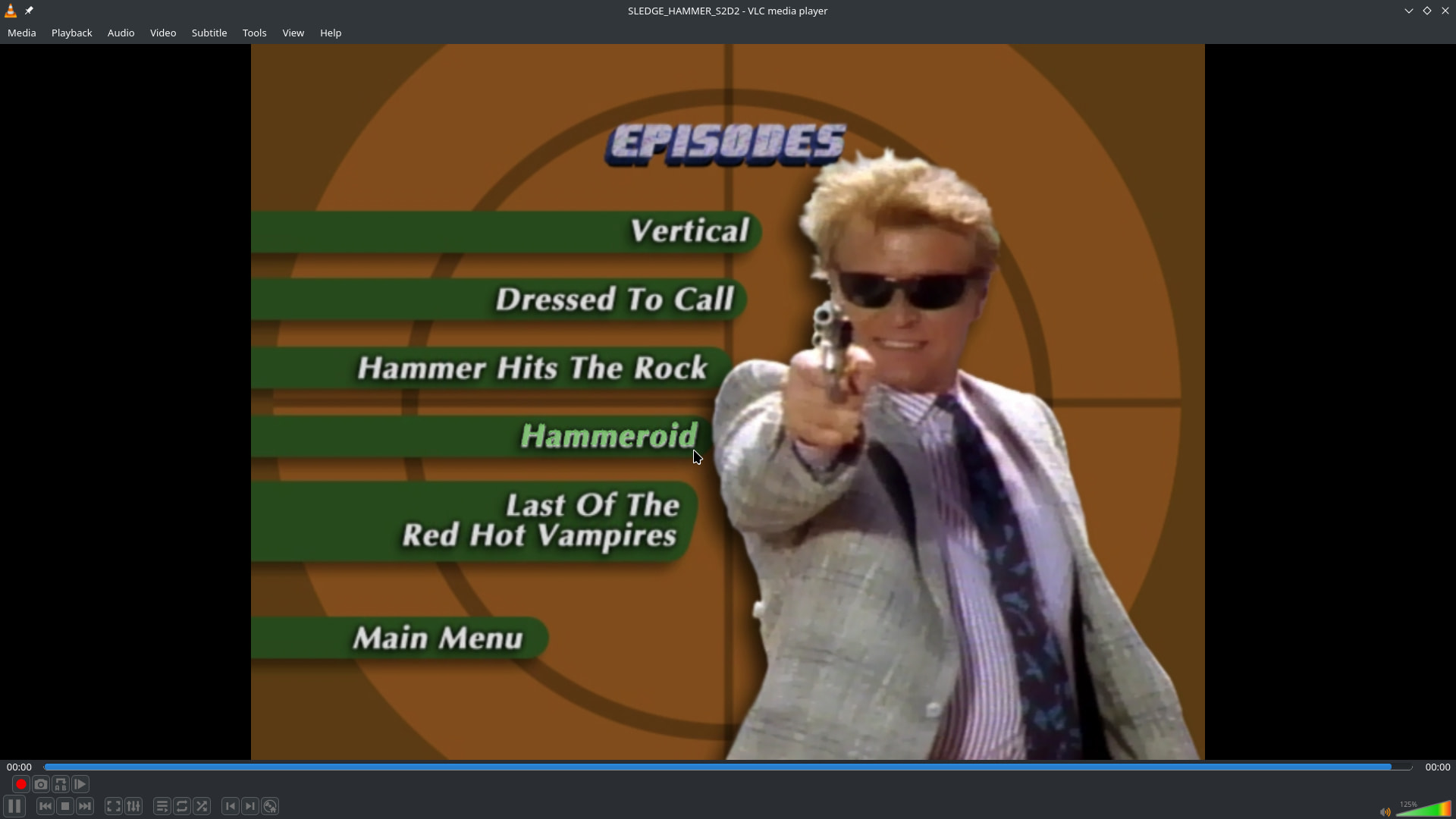


 Was really happy when they released both series.