On Manjaro-based distro, Calamares always fails

Hi, everyone!

Recently I released an alpha version of Linux Kamarada based on Manjaro.

It comes with Calamares 3.4.0. Sources:

Basically the difference is the branding.

I booted my distro ISO image using a VirtualBox virtual machine.

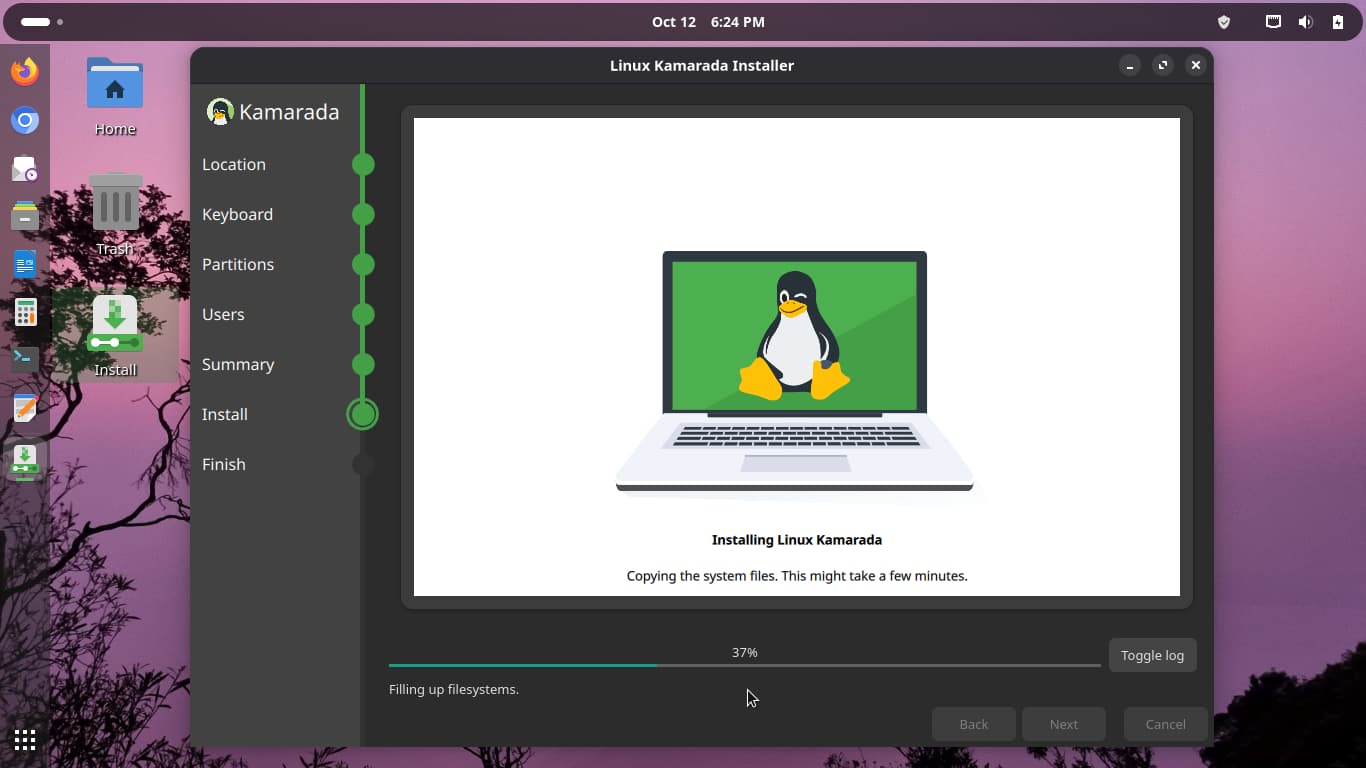
Then I started the installation as usual:

But in the end it always fails:

It reads:

Error

Installation failed

Bootloader installation error

Details:

The bootloader could not be installed. The installation command <pre>grub-mkconfig -o /boot/grub/grub.cfg</pre> returned error code 1.

Full install log here: https://termbin.com/0a9x

Does anyone know what is happening? Maybe some package is missing on the ISO profile?

I’m able to install the Manjaro GNOME ISO downloaded from Download x86 – Manjaro.

There is some error with grub:

2025-10-12 - 18:26:06 [6]:     .. Running QList("grub-mkconfig", "-o", "/boot/grub/grub.cfg") 
2025-10-12 - 18:26:06 [6]:     .. Target cmd: QList("grub-mkconfig", "-o", "/boot/grub/grub.cfg") Exit code: 1 output:
/usr/bin/grub-editenv: error: cannot open `//boot/grub/grubenv.new': No such file or directory.
/usr/sbin/grub-mkconfig: line 271: /boot/grub/grub.cfg.new: No such file or directory
2025-10-12 - 18:26:06 [2]: WARNING: [PYTHON JOB]: "Command 'grub-mkconfig -o /boot/grub/grub.cfg' returned non-zero exit status 1." 
2025-10-12 - 18:26:06 [6]: [PYTHON JOB]: "stdout:/usr/bin/grub-editenv: error: cannot open `//boot/grub/grubenv.new': No such file or directory.\n/usr/sbin/grub-mkconfig: line 271: /boot/grub/grub.cfg.new: No such file or directory" 
2025-10-12 - 18:26:06 [6]: [PYTHON JOB]: "stderr:None" 

Try to reinstall but use ext4 instead of btrfs. Also try linux612, as higher kernels we didn’t test yet.

I looked up your iso-profiles repo - you have invalid symlinks in your repo.

I cloned the repo and wasn’t able to build.

Your user-repos.conf is an invalid symlink.

You have an invalid symlink to pacman.conf in your livefs.

Best practise is to copy the profile to a different name in a different folder

E.g. create a folder iso-profiles/kamarada then copy the relevant profiles to the folder e.g. gnome

cp -R manjaro/gnome kamarada/kamarada.gnome

Modify only the files in that folder.

This will make it possible to do a git pull on the repo to keep the root and mhwd up-to-date with the changes made by the Manjaro Team.

When building

buildiso -p kamarada.gnome -k bla -b bla

EDIT:

After fixing the showstoppers in the profile information - the full ISO builds correct (linux612) - and is installable using ext4.

@kamarada pls try if this helps: 25.0.9 cannot be installed on non-EFI, but Calamares pretends and fails - #5 by philm

That’s strange, because I was always able to open my files, and also GitHub Actions has never failed.

Anyways, I accepted your suggestion: kamarada/iso-profiles@630fdfe. Thank you!

I merged your Calamares sources with mine, and rebuilt the ISO image, which can be found here: Releases · kamarada/download · GitHub

Now, if I try to run Calamares from the minimal image, I get:

$ calamares
calamares: /usr/lib/libQt6Core.so.6: version `Qt_6.10' not found (required by calamares)
calamares: /usr/lib/libQt6Core.so.6: version `Qt_6.10' not found (required by /usr/lib/libcalamaresui.so.3.4)
calamares: /usr/lib/libQt6Core.so.6: version `Qt_6.10' not found (required by /usr/lib/libcalamares.so.3.4)

The qt6-base package is version 6.9.2-1 and was retrieved from the Manjaro extra official repo. In fact, it is the version available e.g. at:

https://opencolo.mm.fcix.net/manjaro/stable/extra/x86_64/qt6-base-6.9.2-1-x86_64.pkg.tar.zst

I removed calamares-kamarada and installed the calamares package from the Manjaro repo, as you suggested:

Also, I deleted /etc/calamares/settings.conf. And, by doing this, I was able to install Kamarada/Manjaro to the virtual HDD.

What’s wrong with my Calamares fork? Why is it requiring Qt 6.10? Do you know?

I don’t doubt that - it was merely an information - when I clone your iso-profiles repo - and proceed to build the profile in question - the build will fail because of the invalid symlink.

I build the full ISO using unstable branch and qt6-base is indeed v6.10 which may indicate that you are somehow mixing branches when it comes to your calamares fork.

Always test your changes on same level as you want to distribute them. Don’t mix calamares build using packages from testing or unstable with the intent of distributing the installer with stable branch.
Such attempt is almost certain to fail.

You need to compile your calamares against the branch you want to use it. Also make sure you have the latest source changes https://gitlab.manjaro.org/applications/calamares/-/commits/3.4.x-stable?ref_type=heads

Lesson learned: I didn’t know of chrootbuild’s -b option.

sudo chrootbuild -c -p calamares-kamarada -b stable

Many thanks @philm and @linux-aarhus!

I rebuilt the Calamares package and the ISO image, and now it is installable.

I uploaded it to SourceForge and updated the download link.

This topic was automatically closed 3 days after the last reply. New replies are no longer allowed.