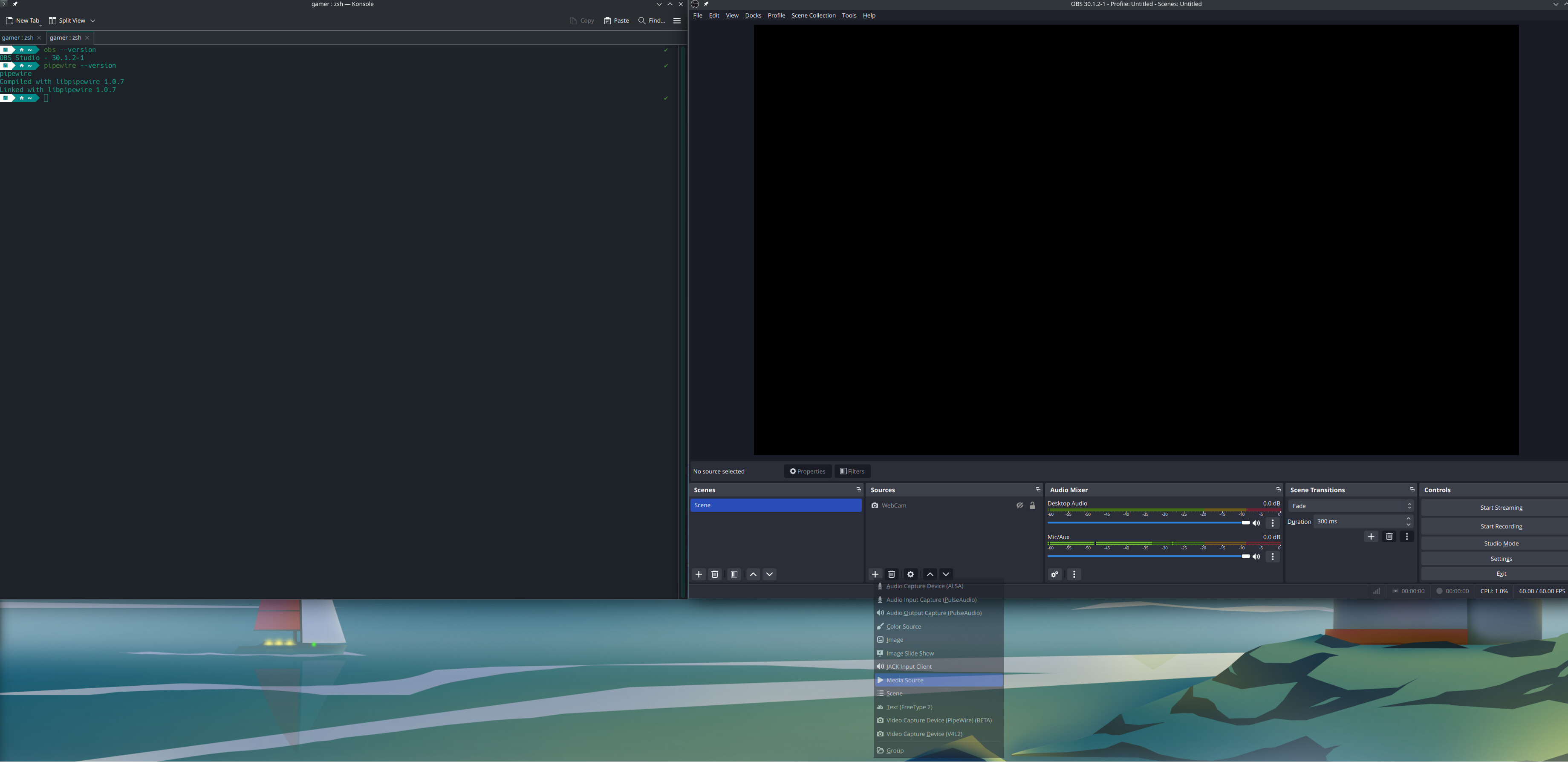
Hi All,
I’ve just installed obs, the camera works, but screen capture option does not even show. See details below.
Manjaro version:
NAME=“Manjaro Linux”
PRETTY_NAME=“Manjaro Linux”
ID=manjaro
ID_LIKE=arch
BUILD_ID=rolling
ANSI_COLOR=“32;1;24;144;200”
HOME_URL=“https://manjaro.org/”
DOCUMENTATION_URL=“https://wiki.manjaro.org/”
SUPPORT_URL=“https://forum.manjaro.org/”
BUG_REPORT_URL=“Help – Manjaro”
PRIVACY_POLICY_URL=“Privacy Policy – Manjaro”
LOGO=manjarolinux
OBS Studio Version: 30.1.2-1
Pipewire Version:
Compiled with libpipewire 1.0.7
Linked with libpipewire 1.0.7
The issues seems to be retated to “XDG_SESSION_TYPE=Wayland”, When i change “XDG_SESSION_TYPE=X11” Obs works fine. But this appears to break my my Plasma session and not detecting my second screen.
Did you try selecting Video Capture Device (PipeWire)(Beta)?
I am anything but proficient with OBS. But, when I select that source it does capture which ever window I select.
Yes, tried that and no luck.
I did managed to get it working, how!? that is a good answer. Somehow i managed to switch to “x11” and obs display capture worked. But had issues with other things such as my second monitor not detected by manjaro.
Then, i switched back to “plasma” by going under “Appearance & Style” → “Login Screen (SDDM)” → “Behavior” and i selected automatically login picked my user and selected the first “wayland” option… and guess what, obs now shows display capture under “Plasma”.
I don’t consider this a solution, rather, an accident which caused some grey hairs.