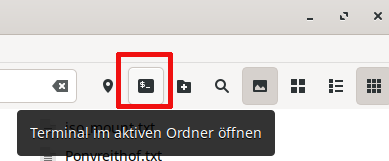
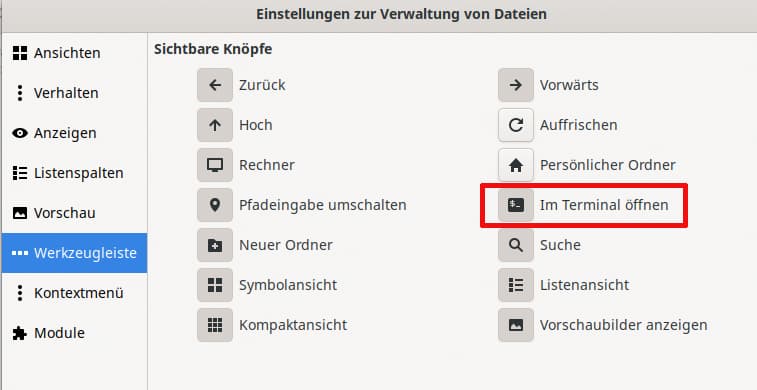
In Nemo, there is a tool with an icon that is supposed to open the terminal in the active folder. This worked before I reinstalled the actual Manjaro Gnome today. The kgx or gnome-terminal opens the respective console, but not in this directory. This did not help:
gsettings set org.cinnamon.desktop.default-applications.terminal exec 'kgx'
gsettings set org.cinnamon.desktop.default-applications.terminal exec gnome-terminal
My point was that you spoke of Nemo - which is the file manager that “normally” comes with Cinnamon.
Gnome comes with Nautilus.
Not Nemo.
When you use Nemo with Gnome there might be things missing or issues such as this.
When I tried the function to check whether it works here, I did not notice the icon like in your picture
(I’m not saying it isn’t there, but I can’t check right now).
I did use the context menu - right click in the window that shows the content of the current folder.
That is what I described.
This is what I see, what my default Gnome file manager with that menu looks like:
The prompt would normally be configured via ~/.zshrc — or ~/.bashrc if you use bash— but I have found that, even with Plasma, it only works if the terminal window is opened in the top level of your home directory, where those files are.
I have been using Nemo as my default file manager for many years and have always appreciated the feature that, when the ‘activate terminal here’ button is pressed in a specific folder, the terminal opens and displays the current path. With Console (kgx), this is no longer the case (Manjaro Gnome 25.1). The functionality remains the same, it’s just that the path is no longer displayed. That’s why I thought there was a bug in Nemo. I was wrong. It works as designed.
A workaround is to use the Nemo Terminal and type, for example, konsole pwd (depends, I assume, on which terminal one has installed), it’ll start a new window of konsole with the current working directory open. At least, it does for me. 8)
I would check the configured for your user - in case of % - I am guessing your ~.zshrc has gone missing or has is absent from the /etc/skel folder.
EDIT
For the sake of verification, I did some playing around.
On my Plasma desktop - installing nemo and adding the terminal icon to the toolbar work - clicking it does not - and I already knew why.
I installed dconf-editor and launched it. Navigating /org/cinnamon/desktop/applications/terminal then change the default to konsole.
Then the button work - and it does indeed open in the current folder.
As I noted above I suspect you are missing the .zshrc file - usually installed via /etc/skel - and if the file is missing then @Yochanan may want to look into the manjaro-gnome-settings package - see if went AWOL.