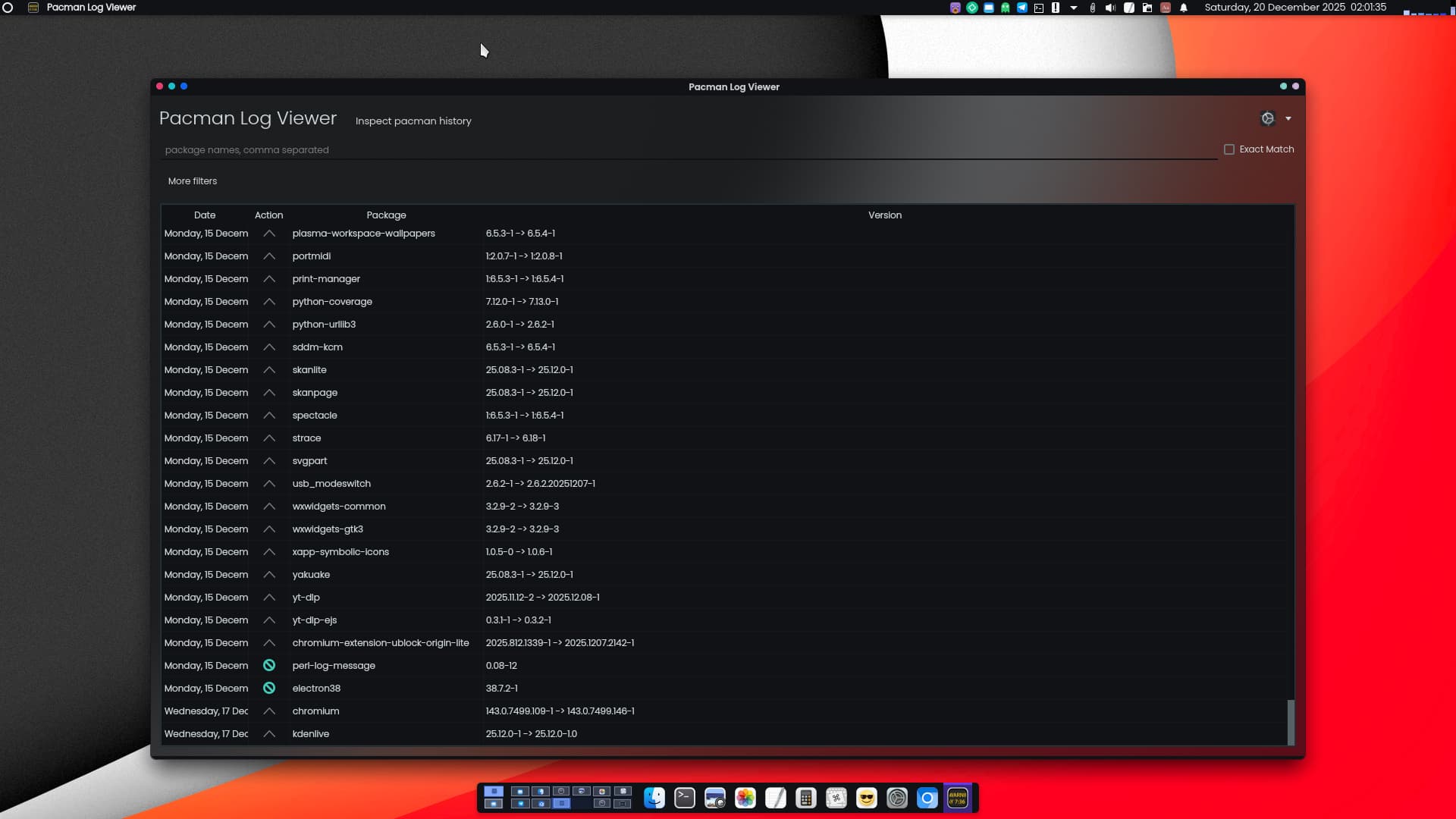
I think I saw how to do this somewhere, but can’t find it now. Tried search terms such as “log TTY” “install log TTY” etc. Must be called something else. Or I had a dream. 8*)
There were some strange messages flashing by that I would like to inspect before I reboot the machine after updating. They went by far too quickly for me to be able to read it all.
I trust that there is a log saved somewhere of the things that flew by?
Is that in the journal somewhere, or is it saved separately somewhere? Inspecting the journal with journalctl -n 1500 doesn’t seem to contain anything relating to the install log. so if it exists, it must be saved some place else.
If you want to list and inspect the system log: journalctl -r
will list it - in reverse order (newest first, that is what the -r stands for)
scrollable with the arrow down and arrow up keys
I think he just wants to scroll back the tty. Unfortunately that feature was removed from all recent kernels and is done.
So the options are the journal OR inspecting /var/log/pacman.log but they contain most but not all of what gets outputted to tty during update.
Personally, I also have journald logging to tty12. In order to do that, you need to modify /etc/systemd/journald.conf and uncomment the following lines…
I don’t know what I would do without tmux. It’s the first package I install on every distro. (It was called screen many forks ago.)
You can just restart your DE, and just reattach to all your terminal windows, connect via ssh and attach, and so much more. Paging is just one of many features (which uses PgUp/PgDn).
I have learned from this that tmux is (now) the better screen.
I knew the latter and have used it - I’d perhaps never have learned about the former (tmux) without this here.
I didn’t see anything weird in the journal so I went ahead and rebooted the system. It seems to be working fine.
The log viewer suggested by @Aragorn was nice, with colors and everything. I installed that later, when I was up and running.
I will therefore mark his response as the solution, although I read about all the rest of the things people said also and I will maybe implement a few more things later.
Thanks, but the Terminal version is perfectly okay, since I wanted something for the TTY. It is probably only then I will be using it, since I always go via the TTY when I update the system. Work order is: reboot, TTY and update, reboot while keeping fingers crossed … and if I can get my fingers unstuck, I’ll even log in after. 8)