@nikgnomic
I’m back because i have just had another instance of my screen completely flashing on and off. This happened immediately after watching a YouTube video. It must be related to my graphics card.
I have taken note of the fact that you have the same GT 730 GPU as I do, but I have never been able to get it to work. I don’t know why. I think you have the solution, I am going to try again tomorrow following your steps exactly.
Mod edit :-
This topic continues from another thread:
There is not enough information to make an accurate guess. Inadvertantly, maybe, but a more valid reason for updating a BIOS would be the security mitigations alone; other general fixes or improvements are a welcome bonus.
Ignoring BIOS updates is never wise; rather, it’s usually an approach adopted by those too uninformed, or scared to actually do it. This seems common among computer users today, much like those who buy a car and never learn how to change a wheel.
Ultimately, the choice is …
I cannot get past step 1 as this command is not recognized?
`[manupc7@manupc7-ms78 ~]$ sudo nvidia-settings`
`[sudo] password for manupc7:`
`sudo: nvidia-settings: command not found`
`[manupc7@manupc7-ms78 ~]$`
dmt
22 October 2025 17:37
3
It’s not installed yet.
sudo pacman -S nvidia-settings
Hi dmt
After installing nvidia-settings and running the command, two things happened simultaneously:
I got this output:
manupc7@manupc7-ms78 ~]$ sudo nvidia-settings
[sudo] password for manupc7:

ERROR: NVIDIA driver is not loaded

error: XDG_RUNTIME_DIR is invalid or not set in the environment.

(nvidia-settings:2127): GLib-GObject-CRITICAL **: 19:43:40.636: g_object_unref: assertion 'G_IS_OBJECT (object)' failed

** (nvidia-settings:2127): CRITICAL **: 19:43:40.637: ctk_powermode_new: assertion '(ctrl_target != NULL) && (ctrl_target->h != NULL)' failed

ERROR: nvidia-settings could not find the registry key file or the X server is
       not accessible. This file should have been installed along with this
       driver at
       /usr/share/nvidia/nvidia-application-profiles-key-documentation. The
       application profiles will continue to work, but values cannot be
       prepopulated or validated, and will not be listed in the help text.
       Please see the README for possible values and descriptions.
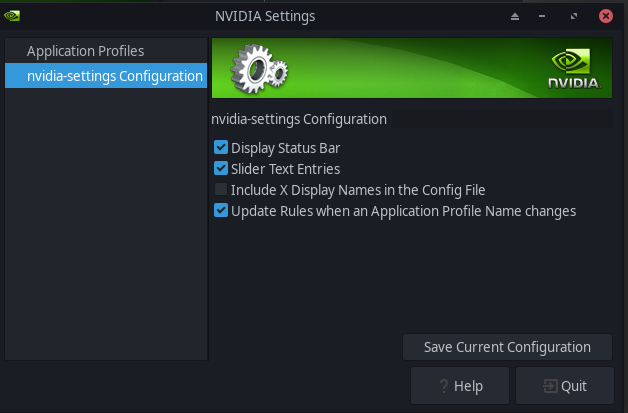
and this window also opened:
I am not sure whee to find the X-Server Display Configuration tab,
That error may be because of the use of sudo.
XDG_RUNTIME_DIR is not set for me either when I run
printenv | grep XDG_R
via sudo
It is set when I run it as my user …
… this is purely speculation as I do not even have NVIDIA hardware …
Hi Nachlese
The same happens without using sudo. I am at a loss.
As I just saw, you seem to be using nouveau - which is the “free” driver - the Nvidia settings is, as far as I know, for the Nvidia proprietary (non-free) driver.
So, as far as the tool knows: the Nvidia driver is indeed not loaded …
That tool is the wrong tool for the job with that driver.
Oh, of course. I removed it last time. How silly of me. Okay, I will reinstall video-nvidia-470xx
Wait, what am i doing wrong?
manupc7@manupc7-ms78 ~]$ sudo pacman -S video-nvidia-470xx
[sudo] password for manupc7:
error: target not found: video-nvidia-470xx
[manupc7@manupc7-ms78 ~]$
I do not know.mhwd to install and manage drivers.
I’m absolutely, positively, most definitely … totally ignorant when it comes to versions of proprietary Nvidia drivers and which will be the correct one.
Hi nikgnomic
Do I remove libxnvctrl-580.82.09-1 or how best to proceed?
[
manupc7@manupc7-ms78 ~]$ sudo mhwd -a pci nonfree 0300
[sudo] password for manupc7:
> Using config 'video-nvidia-470xx' for device: 0000:01:00.0 (0300:10de:1287) Display controller nVidia Corporation GK208B [GeForce GT 730]
> Installing video-nvidia-470xx...
Sourcing /etc/mhwd-x86_64.conf
Has lib32 support: true
Sourcing /var/lib/mhwd/db/pci/graphic_drivers/nvidia-470xx/MHWDCONFIG
Processing classid: 0300
Sourcing /var/lib/mhwd/scripts/include/0300
Processing classid: 0302
checking dependencies...
:: ffmpeg optionally requires nvidia-utils: Nvidia NVDEC/NVENC support
:: ffmpeg4.4 optionally requires nvidia-utils: Nvidia NVDEC/NVENC support
:: libvdpau optionally requires nvidia-utils: driver for NVIDIA
:: sdl3 optionally requires vulkan-driver: vulkan renderer
:: vulkan-icd-loader optionally requires vulkan-driver: packaged vulkan driver
warning: dependency cycle detected:
warning: eglexternalplatform will be removed after its nvidia-utils dependency

Packages (6) egl-gbm-1.1.2.1-1  egl-wayland-4:1.1.20-1  egl-x11-1.0.3-1  eglexternalplatform-1.2.1-1  nvidia-settings-580.82.09-1  nvidia-utils-580.82.09-1

Total Removed Size:  902.38 MiB

:: Do you want to remove these packages? [Y/n]
:: Processing package changes...
removing nvidia-settings...
removing nvidia-utils...
Removed '/etc/systemd/system/systemd-suspend.service.wants/nvidia-resume.service'.
Removed '/etc/systemd/system/systemd-suspend.service.wants/nvidia-suspend.service'.
Removed '/etc/systemd/system/systemd-hibernate.service.wants/nvidia-resume.service'.
Removed '/etc/systemd/system/systemd-hibernate.service.wants/nvidia-hibernate.service'.
Removed '/etc/systemd/system/systemd-suspend-then-hibernate.service.wants/nvidia-resume.service'.
removing egl-x11...
removing egl-wayland...
removing egl-gbm...
removing eglexternalplatform...
:: Running post-transaction hooks...
(1/6) Reloading system manager configuration...
(2/6) Reloading device manager configuration...
(3/6) Arming ConditionNeedsUpdate...
(4/6) Updating linux initcpios...
==> Building image from preset: /etc/mkinitcpio.d/linux612.preset: 'default'
==> Using default configuration file: '/etc/mkinitcpio.conf'
  -> -k /boot/vmlinuz-6.12-x86_64 -g /boot/initramfs-6.12-x86_64.img
==> Starting build: '6.12.48-1-MANJARO'
  -> Running build hook: [base]
  -> Running build hook: [udev]
  -> Running build hook: [autodetect]
  -> Running build hook: [microcode]
  -> Running build hook: [kms]
  -> Running build hook: [modconf]
  -> Running build hook: [block]
  -> Running build hook: [keyboard]
  -> Running build hook: [keymap]
loadkeys: Unable to open file: za: No such file or directory
  -> Running build hook: [consolefont]
==> WARNING: consolefont: no font found in configuration
  -> Running build hook: [plymouth]
  -> Running build hook: [resume]
  -> Running build hook: [filesystems]
==> Generating module dependencies
==> Creating zstd-compressed initcpio image: '/boot/initramfs-6.12-x86_64.img'
  -> Early uncompressed CPIO image generation successful
==> Initcpio image generation successful
==> Running post hooks
  -> Running post hook: [sbctl]
Secureboot key directory doesn't exist, not signing!
==> Post processing done
==> Building image from preset: /etc/mkinitcpio.d/linux612.preset: 'fallback'
==> Using default configuration file: '/etc/mkinitcpio.conf'
  -> -k /boot/vmlinuz-6.12-x86_64 -g /boot/initramfs-6.12-x86_64-fallback.img -S autodetect
==> Starting build: '6.12.48-1-MANJARO'
  -> Running build hook: [base]
  -> Running build hook: [udev]
  -> Running build hook: [microcode]
  -> Running build hook: [kms]
==> WARNING: Possibly missing firmware for module: 'ast'
  -> Running build hook: [modconf]
  -> Running build hook: [block]
==> WARNING: Possibly missing firmware for module: 'aic94xx'
==> WARNING: Possibly missing firmware for module: 'bfa'
==> WARNING: Possibly missing firmware for module: 'qed'
==> WARNING: Possibly missing firmware for module: 'qla1280'
==> WARNING: Possibly missing firmware for module: 'qla2xxx'
==> WARNING: Possibly missing firmware for module: 'wd719x'
==> WARNING: Possibly missing firmware for module: 'xhci_pci_renesas'
  -> Running build hook: [keyboard]
  -> Running build hook: [keymap]
loadkeys: Unable to open file: za: No such file or directory
  -> Running build hook: [consolefont]
==> WARNING: consolefont: no font found in configuration
  -> Running build hook: [plymouth]
  -> Running build hook: [resume]
  -> Running build hook: [filesystems]
==> Generating module dependencies
==> Creating zstd-compressed initcpio image: '/boot/initramfs-6.12-x86_64-fallback.img'
  -> Early uncompressed CPIO image generation successful
==> Initcpio image generation successful
==> Running post hooks
  -> Running post hook: [sbctl]
Secureboot key directory doesn't exist, not signing!
==> Post processing done
(5/6) Reloading system bus configuration...
(6/6) Updating the desktop file MIME type cache...
:: Synchronizing package databases...
 core downloading...
 extra downloading...
 multilib downloading...
resolving dependencies...
looking for conflicting packages...
:: libxnvctrl-470xx-470.256.02-1 and libxnvctrl-580.82.09-1 are in conflict. Remove libxnvctrl? [y/N] error: unresolvable package conflicts detected
error: failed to prepare transaction (conflicting dependencies)

:: libxnvctrl-470xx-470.256.02-1 and libxnvctrl-580.82.09-1 are in conflict
Error: pacman failed!
Error: script failed!
[manupc7@manupc7-ms78 ~]$
No worries, I am very grateful.
newbietolinux:
Wait, what am i doing wrong?
manupc7@manupc7-ms78 ~]$ sudo pacman -S video-nvidia-470xx
[sudo] password for manupc7:
error: target not found: video-nvidia-470xx
[manupc7@manupc7-ms78 ~]$
sudo mhwd -i pci video-nvidia-470xx
but first, check that it’s available:
mhwd -l
Thanks soundofthunder.
Unfortunately something keeps going wrong…
[
manupc7@manupc7-ms78 ~]$ mhwd -l
> 0000:01:00.0 (0300:10de:1287) Display controller nVidia Corporation:
--------------------------------------------------------------------------------
                  NAME               VERSION          FREEDRIVER           TYPE
--------------------------------------------------------------------------------
    video-nvidia-470xx            2023.03.23               false            PCI
    video-nvidia-390xx            2023.03.23               false            PCI
           video-linux            2024.05.06                true            PCI
     video-modesetting            2020.01.13                true            PCI
            video-vesa            2017.03.12                true            PCI
manupc7@manupc7-ms78 ~]$ sudo mhwd -i pci video-nvidia-470xx
[sudo] password for manupc7:
> Installing video-nvidia-470xx...
Sourcing /etc/mhwd-x86_64.conf
Has lib32 support: true
Sourcing /var/lib/mhwd/db/pci/graphic_drivers/nvidia-470xx/MHWDCONFIG
Processing classid: 0300
Sourcing /var/lib/mhwd/scripts/include/0300
Processing classid: 0302
:: Synchronizing package databases...
 core downloading...
 extra downloading...
 multilib downloading...
resolving dependencies...
looking for conflicting packages...
:: libxnvctrl-470xx-470.256.02-1 and libxnvctrl-580.82.09-1 are in conflict. Remove libxnvctrl? [y/N] error: unresolvable package conflicts detected
error: failed to prepare transaction (conflicting dependencies)

:: libxnvctrl-470xx-470.256.02-1 and libxnvctrl-580.82.09-1 are in conflict
Error: pacman failed!
Error: script failed!
dmt
22 October 2025 18:45
15
newbietolinux:
I got this output:
Based on your posts, I’d assumed you were following @nikgnomic ’s advice and had already installed the driver.
Hi dmt
I’m struggling to install the proprietary driver 470xx.. I;d forgotten I removed it previously. To follow nikgnomic’s steps I now need to install it again.
It might be best to do this from a chroot environment (via the Manjaro Installer USB) – remove the current driver first, and then install the 470xx.
The prompt you see is not an error – it asks to remove the current driver – in an ideal world you would choose Y.
dmt
22 October 2025 18:48
18
Try uninstalling libxnvctrl
sudo pacman -R libxnvctrl
You may get a conflict but that will provide us with information.
Also let’s check what driver is already installed.
mhwd -li
Answering y instead of the (default) N will likely resolve that conflict.
dmt
22 October 2025 18:56
20
I’d assumed they had, but you know what they say about assumption - maybe they didn’t.