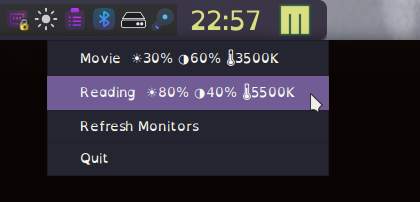
To adjust settings that are on the OSD, but through a app for linux. Like ASUS’s display widget?
You haven’t given us much to go on, but you might want to look at these options:
Plasma widgets:
I’m not sure if they would fulfill your needs as they don’t allow contrast control.
There is also a software package that can be installed via the AUR (it was only added to the AUR 2 weeks ago) that does enable both brightness & contrast adjustment (using ddcutil):
As it runs on Qt it should work with Plasma. So you could install it and then add its launcher to your desktop, or pin the launcher to the task manager, so that it can be quickly launched without the need to open your application menu.
2 Likes
I bought a INNOCN 32M2V recently, it is great. The OSD sucks, bad controls & horid menu color, vision issues, can’t see & I am wondering if I can run thier software on Linux. I need a way to adjust it from the OS?
Can’t you do it from within Plasma’s System Settings? 
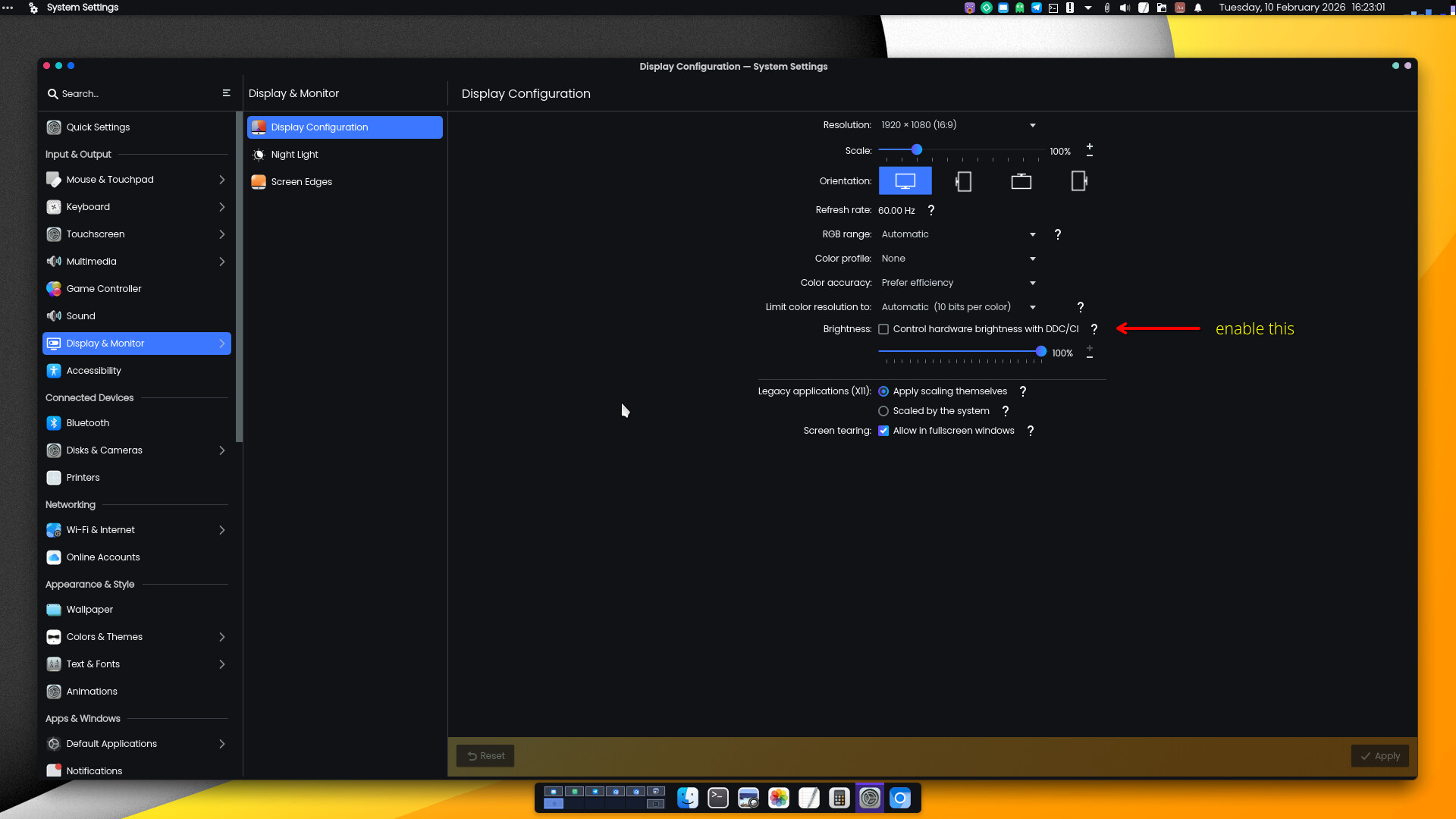
If you hover the mouse over the question mark, it’ll tell you what it’s for.
2 Likes
Then return it. 
What, their PC Tool? It doesn’t mention your model number. Either way, I don’t think I’ve ever needed software for a monitor my entire life on Windows, Mac or Linux. All the controls and settings are available via the monitor itself.
2 Likes
Vision issues, I can’t see the OSD good enough. Any way to adjust it un Limux?
No, it’s built in to the monitor itself.
1 Like
Well, I can’t see it, so that sucks.
Have you looked in System Settings as I told you in post #2?
1 Like
Is there any software to control the monitor OSD from Linux? I can’t see it good enough to mess with it.
You mean the settings regarding brightness, contrast etc?
I don’t think this is possible.
Perhaps VDU Controls in AUR:
yay -Si vdu_controls
You already asked that question and already received answers. I’ve merged your duplicate thread here. 
1 Like
Simple answer: You can only adjust settings which the monitor itself might present to the connected device/OS.
I was quite surprised to find that a couple of my monitors do actually support the basics:
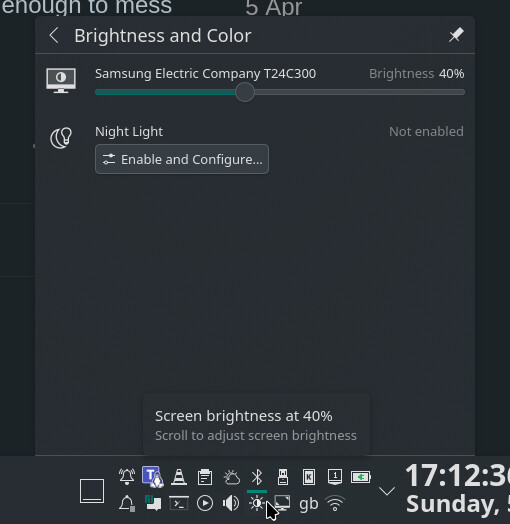
… You might not have that showing in your panel though, but easy enough to add if you want.
1 Like
You may use ddcutil to deeply control your monitor through DDC/CI protocol (ddcui for GUI, in AUR)
There is ddcci-driver-linux for external monitor too (for laptops, but i never tried this one)
I hope it may help
1 Like