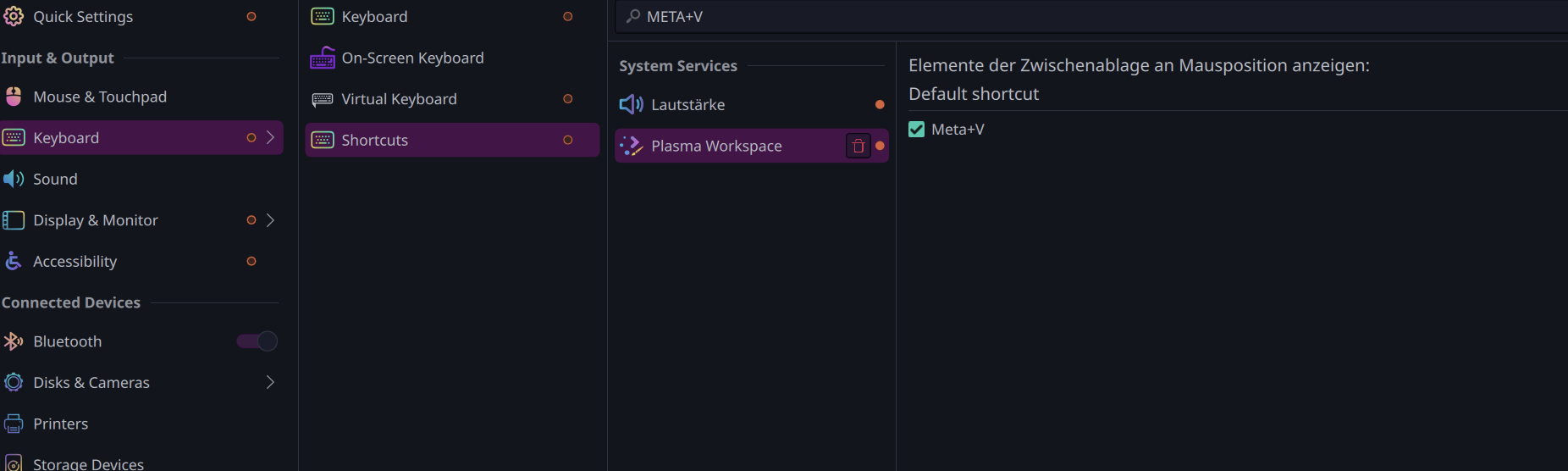
The emoji window reminds me, the default clipboard history menu, which comes up with Meta + V, has stopped coming up at some point since a month or two ago…
No idea why…
I was already using copyq in parallel before it stopped working, they were working in parallel to be fair…
I checked the kyboard shortcut and it is still the same…
For reference, copyq’s history menu is bind to Meta + Shift + V , so theres no conflict or anything.
I didnt make a support issue as I just started using copyq all the time anyway… Copy q has better support for terminal / cli actions, where I can activate certain recemt item via keyboard shortcut and use xdotools in combination to paste it…
So like Ctrl + Numpad 1-3 can do paste normal recent item for 1, to 2nd/3rd items for 2-3, and more if I need… which I dont, 4-6 are just type my email, reoeated texts etc using xdotools.
I did check that just yesterday actually.
I was setting some other shortcuts…
So first disabled (unticked) the Meta+V, clicked apply so it saves…
Then rather than tick, I clicked input and entered Meta+V, so that if there is any conflict due to auto generated shortcuts with kWin scripts etc sometimes do,
but nope, as soon as I pressed it the tick got enabled again,
then I clicked apply again, still wont work
Perhaps something has changed among the dependencies after a system update..? This copyq has a fairly long-ish list of things it depends on. Perhaps the two clipboard things didn’t conflict with one another before, but perhaps they do now.