I don’t use it very often but just noticed the icon text in manjaro-settings-manager is truncated on most icons. I doubt it is supposed to be. I would log an issue on the repository but I can’t find where it now lives, the 3 repos I found all seem to be out of date.
(image uploaded on external server, for avoiding the load on the forum storage - now I see that https://forum.manjaro.org/u/system has edited my message with the reason “downloaded local copies of images” and now the image is loaded on the forum storage. I surrender!)
A search revealed it is an issue between Plasma 6 and Qt5 applications. The search result talks about the Breeze style, however i use Oxygen (there is a recent version of this ) and it is just the same. I don’t understand the exact reason. However, as workaround i tried
# NOTICE: Don't install qt5ct or qt6ct when running Plasma! See the following posts.
QT_QPA_PLATFORMTHEME=qt5ct manjaro-settings-manager&
Yes, just like for XFCE or also LXQt - no issue. The search result says it is an issue between Plasma 6 and Qt5 applications. Running
# NOTICE: Don't install qt5ct or qt6ct when running Plasma! See the following posts.
QT_QPA_PLATFORMTHEME=qt6ct manjaro-settings-manager&
works for me, too, with no visible difference compared to qt5ct.
So it really seems to be related to Plasma 6 itself. (Changing fonts and themes and styles didn’t do it - but maybe i missed something since i didn’t try every combination).
I have the exact same problem with my Fresh Manjaro/KDE install on my new PC!
My mouse cursor changed also in Manjaro Settings Manager from White to a Black Mouse Cursor… which reminds me about GTK Applications… i don’t know…
But my two other Manjaro/KDE devices with the same Home Settings and layouts, has no issues with Manjaro Settings Manager.
I think there is maybe something related about the new ISO?
How old is your installation?
I have not seen any issues in any other application. And qt5ct or qt6ct are not and have never been installed on this system.
Most Manjaro apps started out on Github and still have idle repositories there. I should have thought to check the link on the installed package, but following that URL from your comment it does not have a 0.5.8.9 release. The latest release at that repo is 0.5.6 released April 2019.
Installed fresh in December 2025 but the issue did not appear until recently (but I can’t say exactly when as I don’t open manjaro-settings-manager very often at all, I prefer the terminal).
I’ve gone through every custom setting and can’t find any that affect it. I have a stock Manjaro installation on a USB that I created at the same time I setup this system. I just checked that and it has the same issue, and there are zero customisations on that install, just the default KDE Plasma and all updates to current.
same here, plasma, testing, wayland, K 7.1 - 6.18
I don’t have qt5ct or qt6ct installed…
the two workaround suggested here deed not work
should I install qt5ct and/or qt6ct?
I wondered that too since I do have mine set to 125% - however changing it to 100% made no difference, and the stock system on USB drive has no scaling but also has the issue.
I have updated the original post with kinfo for comparison.
Definitely not, because that would cause conflicts with Plasma’s system-settings. qt5ct and qt6ct are for configuring the look & feel of qt5- and qt6-based applications in gtk-based desktop environments such GNOME, Xfce, Cinnamon, MATE, et al.
Not only are they not required on Plasma, but they would seriously mess up your configuration if you were to use them.
I’m at 150% for a 27" 4k display. I tried scaling it down to 100%, and had no impact, still seeing the truncated text. Also, my desktop looked like it was built for ants.
and most likely gtk3 is installed as dependency of some apps already.
However
I don’t understand this. Breath is nothing but Breeze - i mean there are no real changes other than adding a bit of Manjaro branding to Breeze. And for me it doesn’t make any difference regardless of what themes, or fonts, or scaling i choose, i get always the same result. On the other hand the QT_QPA_PLATFORMTHEME environment variable instructs the application to get a theme from somewhere else and this fixes these ellipsis (which if you look at the screenshot don’t even make any sense - they look arbitrary)
I can’t think of a good reason why someone would tag a version number rather than releasing it, particularly since the last release was 7 years ago. It would make sense for alpha/beta versions, but why would someone choose to tag a version number rather than releasing it?
I can confirm running manjaro-settings-manager with the QT_QPA_PLATFORMTHEME variable results in correct display of the labels on my system. Would that then point to a recent change in Qt that needs implementing in manjaro-settings-manager???
EDIT: Rechecked recent upgrades, and pango was recently upgraded, which up until now I am unfamiliar with but apparently it is used for text layout for GTK apps. What are the chances of pango being the culprit and breaking my system if I downgrade pango to the previous version in order to identify the issue?
EDIT2: I went down the rabbit hole and learnt some Qt and remembered some C++. I believe the issue is in MsmWindow.cpp line 104. The size is hard coded and thus some recent change in either Breeze or KDE has taken up a couple of extra pixels and pushed the content over the available space and Qt is clever in that it will automatically elide it.
item->setSizeHint( QSize( 135, 100 ) );
A quick fix is to increase the values, but then anyone using a custom UI font may face the same issue.
Calculating the value based on the UI font would be better (but I haven’t read enough yet to know how). Or perhaps setting setTextElideMode(Qt::ElideNone) to force the text to wrap, but I’m not sure if that runs into the same issue if UI font is changed or increased.
Testing if the theme is the culprit displays the text fine, so either Breeze changed recently or the available space for stuff reduced and Breeze takes more space than Fusion.: QT_STYLE_OVERRIDE=fusion manjaro-settings-manager

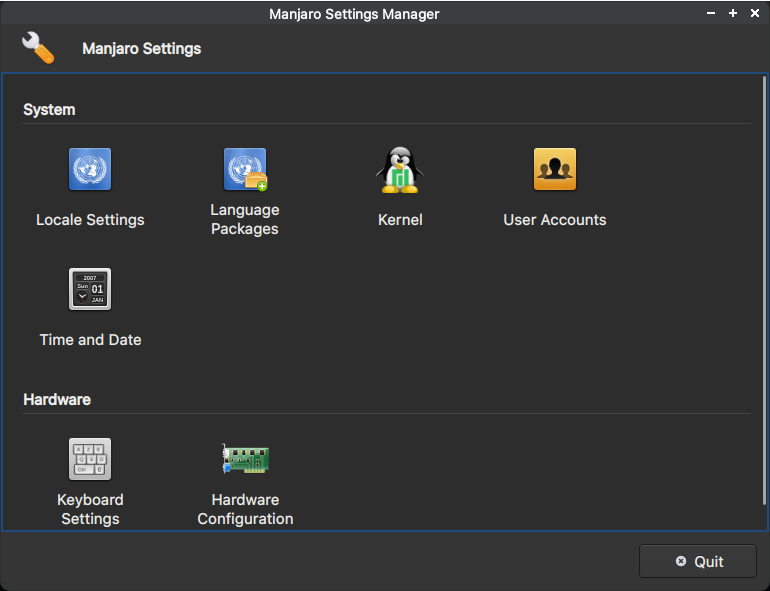

 ) and it is just the same. I don’t understand the exact reason. However, as workaround i tried

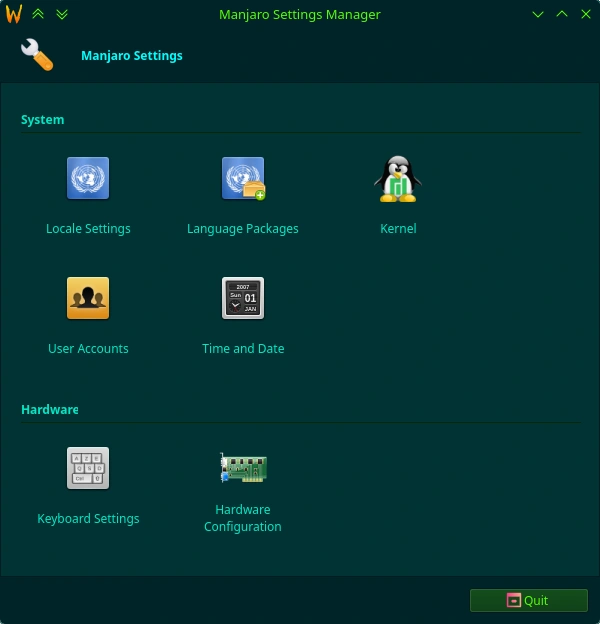
 I’ve gone through every custom setting and can’t find any that affect it. I have a stock Manjaro installation on a USB that I created at the same time I setup this system. I just checked that and it has the same issue, and there are zero customisations on that install, just the default KDE Plasma and all updates to current.