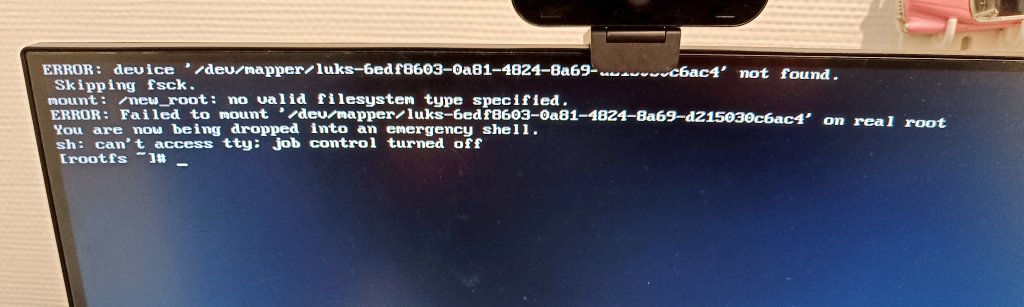
Hi, i can’t boot since last update.
Boot message says it can’t find the file system type.
But i think anything has broken my crypted Drive.
I dont know what to do…
Hi, i can’t boot since last update.
Boot message says it can’t find the file system type.
But i think anything has broken my crypted Drive.
I dont know what to do…
You shouldn’t be using encryption when you don’t know what to do in cases like this.
anyway:
how to chroot into an encrypted system
boot from USB (Manjaro USB you used to install)
do not mount anything!
lsblk -f
to see the names of your partitions - you want the name of the encrypted one
sudo cryptsetup open /dev/name_of_partition encr
to open/decrypt the encrypted partition and make it available under the name “encr”
this is an arbitrary name - you can choose any other
sudo mount /dev/mapper/encr /mnt
to mount the now decrypted partition, which is now available under /dev/mapper/encr to the /mnt directory
manjaro-chroot /mnt /bin/bash
to enter your defunct system
and do whatever needs to be done to repair it
when done:
exit
and then reboot normally
Thank you a lot !
It help me to save some files.
I dont know how to restor the system so i re-install it.
Thanks
You could have simply used the file manager (of your live system) for that.
Oh well … better luck next time, I guess.
Let’s hope it never comes.