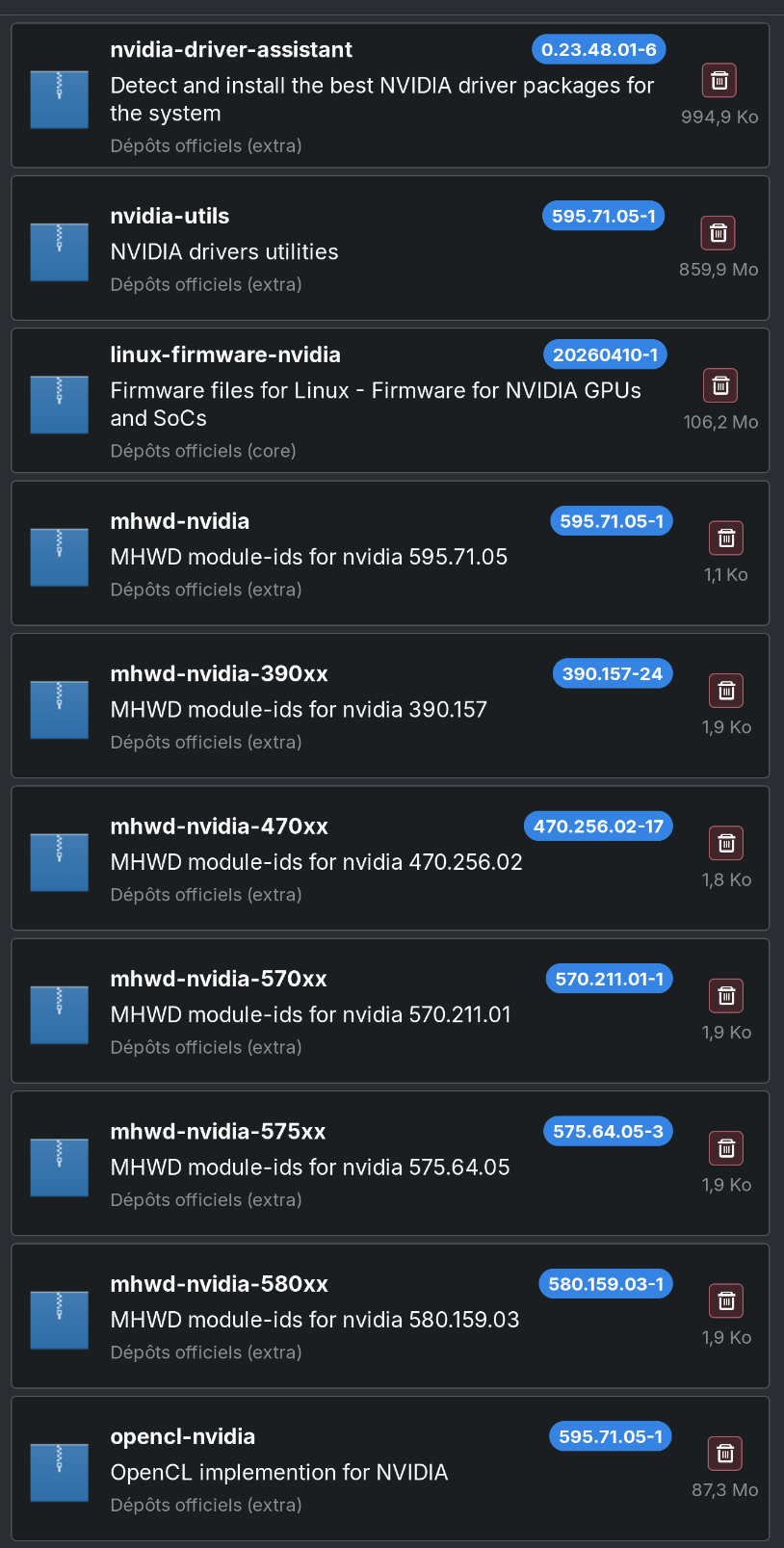
I’m running Manjaro on my Dektop PC, which has no integrated graphics, and a AMD 7800XT. I never had an Nvidia GPU in that system, yet the following packages are installed for some reason. Since late last year, Ollama stopped accelerating prompts on my system, and it falls back to the CPU. Some sites mention nvidia-smi should not be installed, or it will think you have an Nvidia GPU. It’s not installed, but the packages below are.
So as the title says, I’d like to know if it’s safe for me to uninstall them, in case they are part of the Ollama acceleration problem.
You should be able to safely remove most of them. I removed a few nvidia packages last year, so these are the only packages I now have on my trouble-free AMD-only system:
pamac search -i nvidia
mhwd-nvidia-580xx  580.159.03-1                                            extra
    MHWD module-ids for nvidia 580.159.03
mhwd-nvidia-470xx  470.256.02-17                                           extra
    MHWD module-ids for nvidia 470.256.02
mhwd-nvidia-390xx  390.157-24                                              extra
    MHWD module-ids for nvidia 390.157
mhwd-nvidia  595.71.05-1                                                   extra
    MHWD module-ids for nvidia 595.71.05
nvidia-driver-assistant  0.23.48.01-6                                      extra
    Detect and install the best NVIDIA driver packages for the system
You won’t be able to remove the mhwd-nvidia-* & nvidia-driver-assistant packages though as they are required by mhwd (Manjaro Linux Hardware Detection).
You can remove the linux-firmware-nvidia package. However, as it is a required dependency of linux-firmware-meta which will also have to be removed, you must first mark the other installed linux-firmware-* packages on your system as Explicitly Installed to prevent them from being removed as well.
These are the firmware packages I still have installed on my system - all are marked as explicitly installed:
pamac search -i linux-firmware
linux-firmware-whence  20260410-1                                           core
    Firmware files for Linux - WHENCE file (vendor licenses)
linux-firmware-realtek  20260410-1                                          core
    Firmware files for Linux - Firmware for Realtek devices
linux-firmware-radeon  20260410-1                                           core
    Firmware files for Linux - Firmware for ATI Radeon GPUs
linux-firmware-qlogic  20260410-1                                           core
    Firmware files for Linux - Firmware for QLogic devices
linux-firmware-other  20260410-1                                            core
    Firmware files for Linux - Unsorted firmware for various devices
linux-firmware-nfp  20260410-1                                              core
    Firmware files for Linux - Firmware for Netronome Flow Processors
linux-firmware-mellanox  20260410-1                                         core
    Firmware files for Linux - Firmware for Mellanox Spectrum switches
linux-firmware-mediatek  20260410-1                                         core
    Firmware files for Linux - Firmware for MediaTek and Ralink devices
linux-firmware-liquidio  20260410-1                                         core
    Firmware files for Linux - Firmware for Cavium LiquidIO server adapters
linux-firmware-intel  20260410-1                                            core
    Firmware files for Linux - Firmware for Intel devices
linux-firmware-cirrus  20260410-1                                           core
    Firmware files for Linux - Firmware for Cirrus Logic audio devices
linux-firmware-broadcom  20260410-1                                         core
    Firmware files for Linux - Firmware for Broadcom and Cypress network
    adapters
linux-firmware-atheros  20260410-1                                          core
    Firmware files for Linux - Firmware for Qualcomm Atheros WiFi and
    Bluetooth adapters
linux-firmware-amdgpu  20260410-1                                           core
    Firmware files for Linux - Firmware for AMD Radeon GPUs
Note though that the risk with removing linux-firmware-meta is that, if another firmware package is added to it, the new firmware package won’t be automatically installed on your system.
If you ever do add an Nvidia GPU to your system, don’t forget to reinstall the linux-firmware-nvidia package.