I don’t know how to describe this situation, but see the gif below
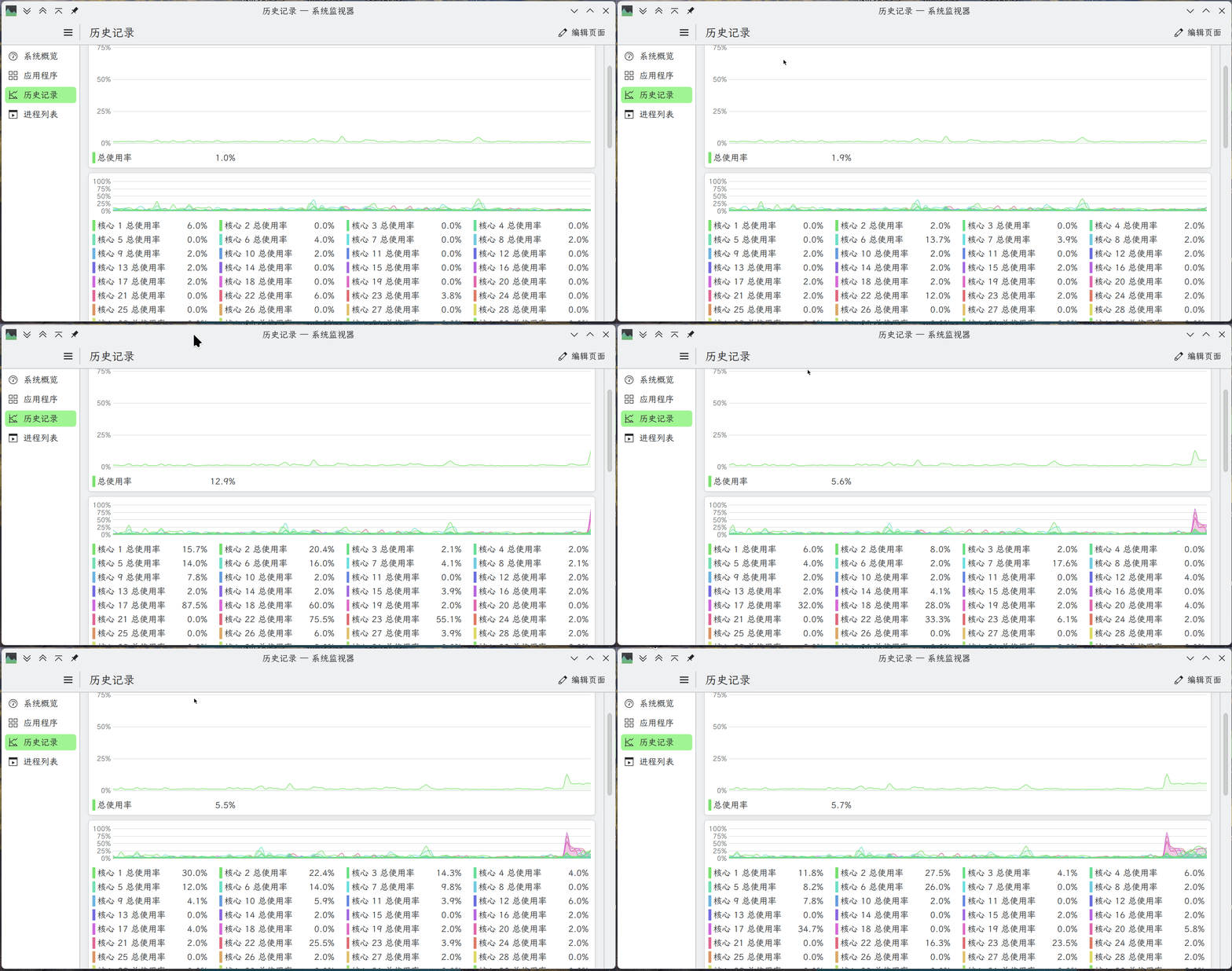
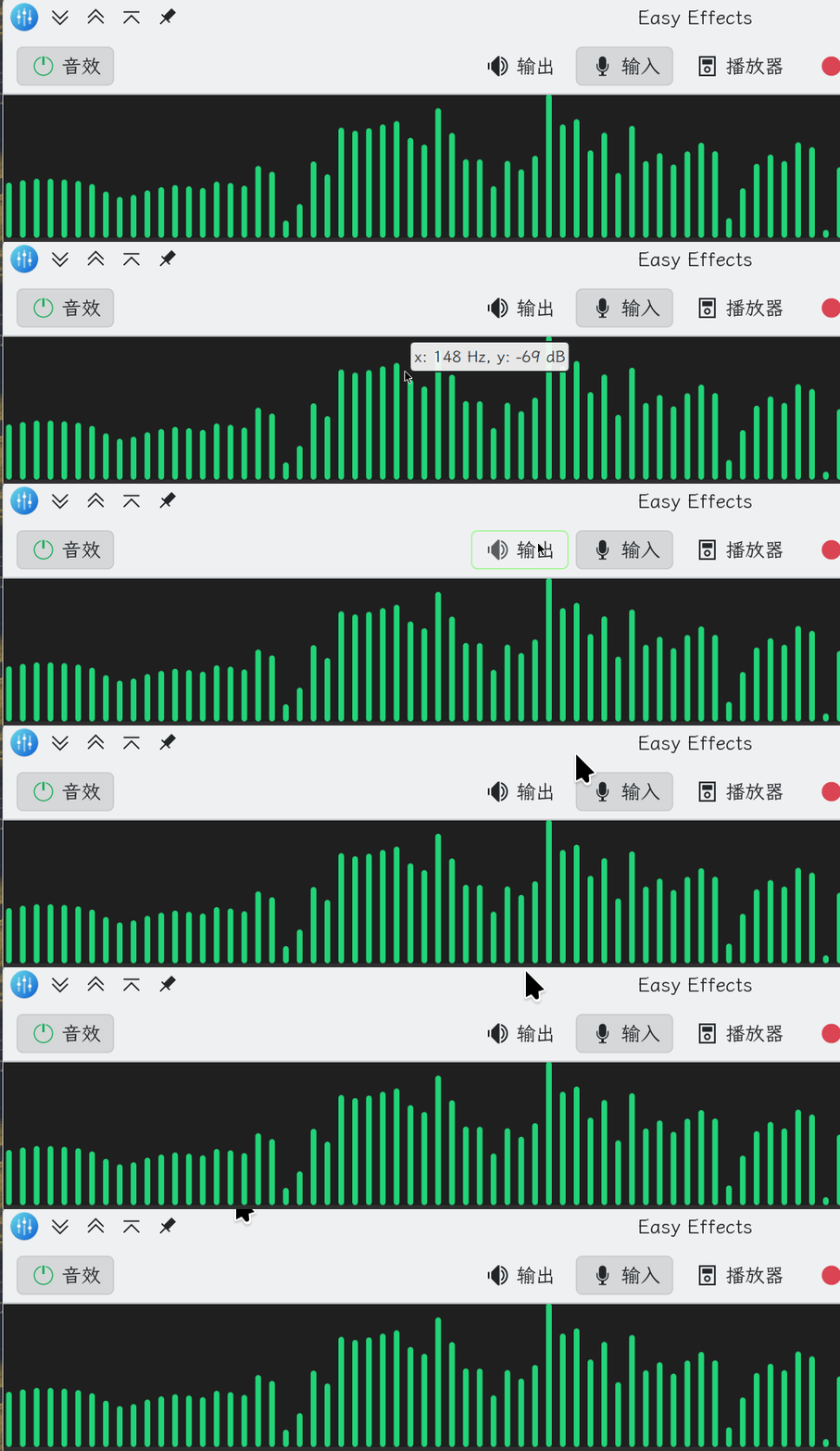
Why is this happening? Can anyone solve it?
I don’t know how to describe this situation, but see the gif below
Why is this happening? Can anyone solve it?
Is it just in this software? It seems to be a scaling issue, perhaps related to X or Wayland compatibility. You should provide the output of inxi -zv8 so we know what setup your using. Also include the name of this software and where you installed it from.
As @bananamangodog said, it’s a scaling issue, possibly related to the application being an X11 application while Plasma runs on Wayland.
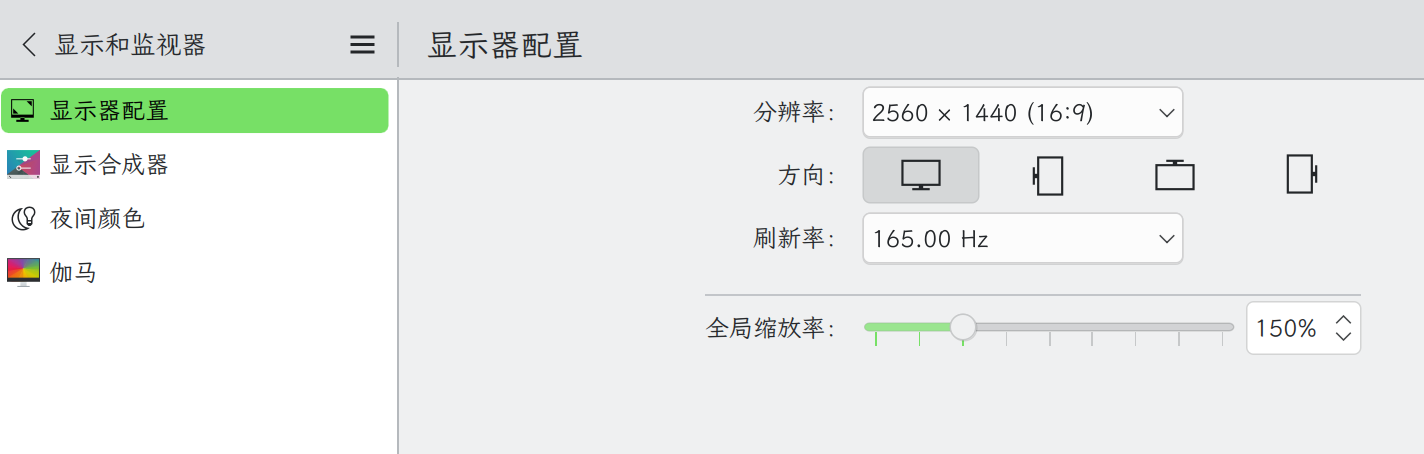
You can adjust the scaling options here… 
System:
  Kernel: 6.18.35-1-MANJARO arch: x86_64 bits: 64 compiler: gcc v: 16.1.1
    clocksource: tsc avail: hpet,acpi_pm
    parameters: BOOT_IMAGE=/@/boot/vmlinuz-6.18-x86_64
    root=UUID=251ec86d-fc38-4856-aaad-ad4636b65086 rw rootflags=subvol=@
    quiet splash udev.log_priority=3
  Desktop: KDE Plasma v: 6.6.5 tk: Qt v: N/A info: frameworks v: 6.26.0
    wm: kwin_x11 vt: 2 dm: N/A Distro: Manjaro base: Arch Linux
Machine:
  Type: Desktop Mobo: ASUSTeK model: ROG STRIX X570-E GAMING v: Rev X.0x
    serial: <superuser required> part-nu: SKU uuid: <superuser required>
    Firmware: UEFI vendor: American Megatrends v: 5031 date: 01/13/2025
Battery:
  Message: No system battery data found. Is one present?
Memory:
  System RAM: total: 64 GiB available: 62.67 GiB used: 27.22 GiB (43.4%)
  Message: For most reliable report, use superuser + dmidecode.
  Array-1: capacity: 128 GiB slots: 4 modules: 2 EC: None
    max-module-size: 32 GiB note: est.
  Device-1: DIMM_A1 type: no module installed
  Device-2: DIMM_A2 type: DDR4 detail: synchronous unbuffered (unregistered)
    size: 32 GiB speed: 2666 MT/s volts: note: check curr: 1 min: 1 max: 1
    width (bits): data: 64 total: 64 manufacturer: G Skill Intl
    part-no: F4-3600C18-32GVK serial: N/A
  Device-3: DIMM_B1 type: no module installed
  Device-4: DIMM_B2 type: DDR4 detail: synchronous unbuffered (unregistered)
    size: 32 GiB speed: 2666 MT/s volts: note: check curr: 1 min: 1 max: 1
    width (bits): data: 64 total: 64 manufacturer: G Skill Intl
    part-no: F4-3600C18-32GVK serial: N/A
PCI Slots:
  Permissions: Unable to run dmidecode. Root privileges required.
CPU:
  Info: model: AMD Ryzen 9 5950X bits: 64 type: MT MCP arch: Zen 3+ gen: 3
    level: v3 note: check built: 2022 process: TSMC n6 (7nm) family: 0x19 (25)
    model-id: 0x21 (33) stepping: 0 microcode: 0xA201030
  Topology: cpus: 1x dies: 1 clusters: 1 cores: 16 threads: 32 tpc: 2
    smt: enabled cache: L1: 1024 KiB desc: d-16x32 KiB; i-16x32 KiB L2: 8 MiB
    desc: 16x512 KiB L3: 64 MiB desc: 2x32 MiB
  Speed (MHz): avg: 3629 min/max: 582/5086 boost: enabled scaling:
    driver: amd-pstate-epp governor: powersave cores: 1: 3629 2: 3629 3: 3629
    4: 3629 5: 3629 6: 3629 7: 3629 8: 3629 9: 3629 10: 3629 11: 3629 12: 3629
    13: 3629 14: 3629 15: 3629 16: 3629 17: 3629 18: 3629 19: 3629 20: 3629
    21: 3629 22: 3629 23: 3629 24: 3629 25: 3629 26: 3629 27: 3629 28: 3629
    29: 3629 30: 3629 31: 3629 32: 3629 bogomips: 217190
  Flags: 3dnowprefetch abm adx aes aperfmperf apic arat avic avx avx2 bmi1
    bmi2 bpext cat_l3 cdp_l3 clflush clflushopt clwb clzero cmov cmp_legacy
    constant_tsc cpb cpuid cqm cqm_llc cqm_mbm_local cqm_mbm_total
    cqm_occup_llc cr8_legacy cx16 cx8 de debug_swap decodeassists erms
    extapic extd_apicid f16c flushbyasid fma fpu fsgsbase fsrm fxsr fxsr_opt
    ht hw_pstate ibpb ibrs ibs invpcid irperf lahf_lm lbrv lm mba mca mce
    misalignsse mmx mmxext monitor movbe msr mtrr mwaitx nonstop_tsc nopl npt
    nrip_save nx ospke osvw overflow_recov pae pat pausefilter pclmulqdq
    pdpe1gb perfctr_core perfctr_llc perfctr_nb pfthreshold pge pku pni
    popcnt pse pse36 rapl rdpid rdpru rdrand rdseed rdt_a rdtscp rep_good sep
    sha_ni skinit smap smca smep ssbd sse sse2 sse4_1 sse4_2 sse4a ssse3
    stibp succor svm svm_lock syscall tce topoext tsc tsc_scale umip
    user_shstk v_spec_ctrl v_vmsave_vmload vaes vgif vmcb_clean vme vmmcall
    vpclmulqdq wbnoinvd wdt x2apic xgetbv1 xsave xsavec xsaveerptr xsaveopt
    xsaves xtopology
  Vulnerabilities:
  Type: gather_data_sampling status: Not affected
  Type: ghostwrite status: Not affected
  Type: indirect_target_selection status: Not affected
  Type: itlb_multihit status: Not affected
  Type: l1tf status: Not affected
  Type: mds status: Not affected
  Type: meltdown status: Not affected
  Type: mmio_stale_data status: Not affected
  Type: old_microcode status: Not affected
  Type: reg_file_data_sampling status: Not affected
  Type: retbleed status: Not affected
  Type: spec_rstack_overflow mitigation: Safe RET
  Type: spec_store_bypass mitigation: Speculative Store Bypass disabled via
    prctl
  Type: spectre_v1 mitigation: usercopy/swapgs barriers and __user pointer
    sanitization
  Type: spectre_v2 mitigation: Retpolines; IBPB: conditional; IBRS_FW;
    STIBP: always-on; RSB filling; PBRSB-eIBRS: Not affected; BHI: Not
    affected
  Type: srbds status: Not affected
  Type: tsa mitigation: Clear CPU buffers
  Type: tsx_async_abort status: Not affected
  Type: vmscape mitigation: IBPB before exit to userspace
Graphics:
  Device-1: NVIDIA GA102 [GeForce RTX 3090] vendor: ASUSTeK driver: nvidia
    v: 610.43.02 alternate: nouveau,nova_core,nvidia_drm non-free: 550-580.xx+
    status: current (as of 2025-11; EOL~2026-12-xx) arch: Ampere code: GAxxx
    process: TSMC n7 (7nm) built: 2020-2023 pcie: gen: 4 speed: 16 GT/s
    lanes: 16 ports: active: none off: DP-2 empty: DP-1, DP-3, HDMI-A-1,
    HDMI-A-2 bus-ID: 0b:00.0 chip-ID: 10de:2204 class-ID: 0300
  Display: x11 server: X.Org v: 21.1.23 with: Xwayland v: 24.1.12
    compositor: kwin_x11 driver: X: loaded: nvidia
    gpu: nv_platform,nvidia,nvidia-nvswitch display-ID: :0 screens: 1
  Screen-1: 0 s-res: 2560x1440 s-dpi: 108 s-size: 602x333mm (23.70x13.11")
    s-diag: 688mm (27.09")
  Monitor-1: DP-2 note: disabled model: Mi Monitor serial: <filter>
    built: 2020 res: N/A dpi: 109 gamma: 1.2 chroma: red: x: 0.678 y: 0.310
    green: x: 0.271 y: 0.686 blue: x: 0.153 y: 0.047 white: x: 0.314 y: 0.329
    size: 600x330mm (23.62x12.99") diag: 685mm (27") ratio: 16:9
    modes: 2560x1440, 1920x1200, 1920x1080, 1600x1200, 1680x1050, 1600x900,
    1280x1024, 1440x900, 1280x960, 1280x800, 1152x864, 1280x720, 1024x768,
    800x600, 720x576, 720x480, 640x480
  EDID-Warnings: 1: parse_edid: unknown tag 112
  API: EGL v: 1.5 hw: drv: nvidia platforms: device: 0 drv: nvidia device: 2
    drv: swrast gbm: drv: nvidia surfaceless: drv: nvidia x11: drv: nvidia
    inactive: wayland,device-1
  API: OpenGL v: 4.6.0 compat-v: 4.6 vendor: nvidia mesa v: 610.43.02
    glx-v: 1.4 direct-render: yes renderer: NVIDIA GeForce RTX 3090/PCIe/SSE2
    memory: 23.44 GiB
  API: Vulkan v: 1.4.350 layers: 6 device: 0 type: discrete-gpu
    name: NVIDIA GeForce RTX 3090 driver: nvidia v: 610.43.02
    device-ID: 10de:2204 surfaces: N/A
  Info: Tools: api: clinfo, eglinfo, glxinfo, vulkaninfo
    de: kscreen-console,kscreen-doctor gpu: nvidia-settings,nvidia-smi
    wl: wayland-info x11: xdpyinfo, xprop, xrandr
Audio:
  Device-1: NVIDIA GA102 High Definition Audio vendor: ASUSTeK
    driver: snd_hda_intel v: kernel pcie: gen: 4 speed: 16 GT/s lanes: 16
    bus-ID: 0b:00.1 chip-ID: 10de:1aef class-ID: 0403
  Device-2: Advanced Micro Devices [AMD] Starship/Matisse HD Audio
    vendor: ASUSTeK driver: snd_hda_intel v: kernel pcie: gen: 4 speed: 16 GT/s
    lanes: 16 bus-ID: 0d:00.4 chip-ID: 1022:1487 class-ID: 0403
  Device-3: C-Media Audio Adapter (Unitek Y-247A)
    driver: cmedia_hs100b,snd-usb-audio,usbhid type: USB rev: 1.1 speed: 12 Mb/s
    lanes: 1 mode: 1.1 bus-ID: 5-4:2 chip-ID: 0d8c:0014 class-ID: 0300
  API: ALSA v: k6.18.35-1-MANJARO status: kernel-api with: aoss
    type: oss-emulator tools: alsactl,alsamixer,amixer
  Server-1: sndiod v: N/A status: off tools: aucat,midicat,sndioctl
  Server-2: JACK v: 1.9.22 status: off tools: N/A
  Server-3: PipeWire v: 1.6.6 status: active with: 1: pipewire-pulse
    status: active 2: wireplumber status: active 3: pipewire-alsa type: plugin
    tools: pactl,pw-cat,pw-cli,wpctl
Network:
  Device-1: Intel Wi-Fi 6 AX200 driver: iwlwifi v: kernel pcie: gen: 2
    speed: 5 GT/s lanes: 1 bus-ID: 05:00.0 chip-ID: 8086:2723 class-ID: 0280
  IF: wlp5s0 state: down mac: <filter>
  Device-2: Realtek RTL8125 2.5GbE vendor: ASUSTeK driver: r8169 v: kernel
    pcie: gen: 2 speed: 5 GT/s lanes: 1 port: e000 bus-ID: 06:00.0
    chip-ID: 10ec:8125 class-ID: 0200
  IF: enp6s0 state: up speed: 2500 Mbps duplex: full mac: <filter>
  IP v4: <filter> type: dynamic noprefixroute scope: global
    broadcast: <filter>
  IP v6: <filter> type: noprefixroute scope: link
  Device-3: Intel I211 Gigabit Network vendor: ASUSTeK driver: igb v: kernel
    pcie: gen: 1 speed: 2.5 GT/s lanes: 1 port: d000 bus-ID: 07:00.0
    chip-ID: 8086:1539 class-ID: 0200
  IF: enp7s0 state: down mac: <filter>
  IF-ID-1: br-640469e4ed86 state: down mac: <filter>
  IP v4: <filter> scope: global broadcast: <filter>
  IF-ID-2: docker0 state: down mac: <filter>
  IP v4: <filter> scope: global broadcast: <filter>
  IF-ID-3: tailscale0 state: unknown speed: -1 duplex: full mac: N/A
  IP v4: <filter> scope: global
  IP v6: <filter> scope: global
  IP v6: <filter> virtual: stable-privacy proto kernel_ll scope: link
  Info: services: NetworkManager, systemd-timesyncd, wpa_supplicant
  WAN IP: <filter>
Bluetooth:
  Device-1: Intel AX200 Bluetooth driver: btusb v: 0.8 type: USB rev: 2.0
    speed: 12 Mb/s lanes: 1 mode: 1.1 bus-ID: 1-6:5 chip-ID: 8087:0029
    class-ID: e001
  Report: rfkill ID: hci0 rfk-id: 0 state: up address: see --recommends
Logical:
  Message: No logical block device data found.
RAID:
  Message: No RAID data found.
Drives:
  Local Storage: total: 5.57 TiB used: 3.39 TiB (60.8%)
  SMART Message: Unable to run smartctl. Root privileges required.
  ID-1: /dev/nvme0n1 maj-min: 259:0 vendor: Samsung model: SSD 990 PRO 2TB
    size: 1.82 TiB block-size: physical: 512 B logical: 512 B speed: 63.2 Gb/s
    lanes: 4 tech: SSD serial: <filter> fw-rev: 8B2QJXD7 temp: 49.9 C
    scheme: GPT
  ID-2: /dev/nvme1n1 maj-min: 259:2 vendor: Samsung
    model: MZVLW128HEGR-000L2 size: 119.24 GiB block-size: physical: 512 B
    logical: 512 B speed: 31.6 Gb/s lanes: 4 tech: SSD serial: <filter>
    fw-rev: 4L1QCXB7 temp: 43.9 C scheme: GPT
  ID-3: /dev/sda maj-min: 8:0 vendor: Seagate model: ST4000VX007-2DT166
    size: 3.64 TiB block-size: physical: 4096 B logical: 512 B speed: 6.0 Gb/s
    tech: HDD rpm: 5980 serial: <filter> fw-rev: CV11 scheme: GPT
  Message: No optical or floppy data found.
Partition:
  ID-1: / raw-size: 118.95 GiB size: 118.95 GiB (100.00%)
    used: 75.85 GiB (63.8%) fs: btrfs dev: /dev/nvme1n1p2 maj-min: 259:4
    label: N/A uuid: 251ec86d-fc38-4856-aaad-ad4636b65086
  ID-2: /backup raw-size: 3.64 TiB size: 3.64 TiB (100.00%)
    used: 2.1 TiB (57.8%) fs: btrfs dev: /dev/sda1 maj-min: 8:1 label: N/A
    uuid: 1eaf0bc0-ba02-4411-9a87-c68e85ca1487
  ID-3: /boot/efi raw-size: 300 MiB size: 299.4 MiB (99.80%)
    used: 664 KiB (0.2%) fs: vfat dev: /dev/nvme1n1p1 maj-min: 259:3 label: N/A
    uuid: 2B89-6774
  ID-4: /home raw-size: 1.82 TiB size: 1.82 TiB (100.00%)
    used: 1.21 TiB (66.5%) fs: btrfs dev: /dev/nvme0n1p1 maj-min: 259:1
    label: N/A uuid: 4e23d287-62a7-48c5-96d7-f7b40e9e3a17
  ID-5: /home/<filter>/NAS raw-size: N/A size: 14.53 TiB
    used: 7.3 TiB (50.2%) fs: cifs dev: /dev/个人文件
  ID-6: /var/cache raw-size: 118.95 GiB size: 118.95 GiB (100.00%)
    used: 75.85 GiB (63.8%) fs: btrfs dev: /dev/nvme1n1p2 maj-min: 259:4
    label: N/A uuid: 251ec86d-fc38-4856-aaad-ad4636b65086
  ID-7: /var/log raw-size: 118.95 GiB size: 118.95 GiB (100.00%)
    used: 75.85 GiB (63.8%) fs: btrfs dev: /dev/nvme1n1p2 maj-min: 259:4
    label: N/A uuid: 251ec86d-fc38-4856-aaad-ad4636b65086
Swap:
  Alert: No swap data was found.
Unmounted:
  Message: No unmounted partitions found.
USB:
  Hub-1: 1-0:1 info: hi-speed hub with single TT ports: 6 rev: 2.0
    speed: 480 Mb/s (57.2 MiB/s) lanes: 1 mode: 2.0 chip-ID: 1d6b:0002
    class-ID: 0900
  Device-1: 1-3:2 info: Logitech G502 SE HERO Gaming Mouse type: mouse,HID
    driver: hid-generic,usbhid interfaces: 2 rev: 2.0 speed: 12 Mb/s (1.4 MiB/s)
    lanes: 1 mode: 1.1 power: 300mA chip-ID: 046d:c08b class-ID: 0300
    serial: <filter>
  Device-2: 1-4:3 info: CHERRY G83 (RS 6000) Keyboard type: keyboard
    driver: hid-generic,usbhid interfaces: 1 rev: 2.0
    speed: 1.5 Mb/s (183 KiB/s) lanes: 1 mode: 1.0 power: 100mA
    chip-ID: 046a:0011 class-ID: 0301
  Hub-2: 1-5:4 info: Genesys Logic Hub ports: 4 rev: 2.0
    speed: 480 Mb/s (57.2 MiB/s) lanes: 1 mode: 2.0 power: 100mA
    chip-ID: 05e3:0610 class-ID: 0900
  Device-1: 1-6:5 info: Intel AX200 Bluetooth type: bluetooth driver: btusb
    interfaces: 2 rev: 2.0 speed: 12 Mb/s (1.4 MiB/s) lanes: 1 mode: 1.1
    power: 100mA chip-ID: 8087:0029 class-ID: e001
  Hub-3: 2-0:1 info: super-speed hub ports: 4 rev: 3.1
    speed: 10 Gb/s (1.16 GiB/s) lanes: 1 mode: 3.2 gen-2x1 chip-ID: 1d6b:0003
    class-ID: 0900
  Hub-4: 3-0:1 info: hi-speed hub with single TT ports: 6 rev: 2.0
    speed: 480 Mb/s (57.2 MiB/s) lanes: 1 mode: 2.0 chip-ID: 1d6b:0002
    class-ID: 0900
  Device-1: 3-4:2 info: ASUSTek AURA LED Controller type: HID
    driver: hid-generic,usbhid interfaces: 2 rev: 2.0 speed: 12 Mb/s (1.4 MiB/s)
    lanes: 1 mode: 1.1 power: 16mA chip-ID: 0b05:18f3 class-ID: 0300
    serial: <filter>
  Device-2: 3-5:3 info: NZXT KrakenZ Device type: HID
    driver: nzxt_kraken3,usbfs,usbhid interfaces: 2 rev: 2.0
    speed: 480 Mb/s (57.2 MiB/s) lanes: 1 mode: 2.0 power: 100mA
    chip-ID: 1e71:3008 class-ID: 0300 serial: <filter>
  Hub-5: 4-0:1 info: super-speed hub ports: 4 rev: 3.1
    speed: 10 Gb/s (1.16 GiB/s) lanes: 1 mode: 3.2 gen-2x1 chip-ID: 1d6b:0003
    class-ID: 0900
  Hub-6: 5-0:1 info: hi-speed hub with single TT ports: 4 rev: 2.0
    speed: 480 Mb/s (57.2 MiB/s) lanes: 1 mode: 2.0 chip-ID: 1d6b:0002
    class-ID: 0900
  Device-1: 5-4:2 info: C-Media Audio Adapter (Unitek Y-247A)
    type: audio,HID driver: cmedia_hs100b,snd-usb-audio,usbhid interfaces: 4
    rev: 1.1 speed: 12 Mb/s (1.4 MiB/s) lanes: 1 mode: 1.1 power: 100mA
    chip-ID: 0d8c:0014 class-ID: 0300
  Hub-7: 6-0:1 info: super-speed hub ports: 4 rev: 3.1
    speed: 10 Gb/s (1.16 GiB/s) lanes: 1 mode: 3.2 gen-2x1 chip-ID: 1d6b:0003
    class-ID: 0900
Sensors:
  System Temperatures: cpu: 50.0 C mobo: 37.0 C gpu: nvidia temp: 47 C
  Fan Speeds (rpm): fan-1: 1304 fan-2: 2005 fan-3: 1182 fan-4: 0 fan-5: 0
    fan-6: 0 gpu: nvidia fan: 44%
Repos:
  Packages: pm: pacman pkgs: 1924 libs: 409 tools: pamac,paru,yay
  Active pacman repo servers in: /etc/pacman.d/mirrorlist
    1: https://mirrors.sjtug.sjtu.edu.cn/manjaro/unstable/$repo/$arch
Processes:
  CPU top: 5 of 825
  1: cpu: 200% command: ps pid: 400319 mem: 4.82 MiB (0.0%)
  2: cpu: 21.7% command: chrome pid: 328290 mem: 664.1 MiB (1.0%)
  3: cpu: 9.2% command: chrome pid: 400120 mem: 435.6 MiB (0.6%)
  4: cpu: 8.2% command: chrome pid: 173108 mem: 454.8 MiB (0.7%)
  5: cpu: 7.6% command: kwin_x11 pid: 2221 mem: 403.3 MiB (0.6%)
  Memory top: 5 of 825
  1: mem: 4922.1 MiB (7.6%) command: baloo_file pid: 2028 cpu: 3.4%
  2: mem: 2632.5 MiB (4.1%) command: VLLM::EngineCore pid: 52213 cpu: 0.6%
  3: mem: 2107.7 MiB (3.2%) command: chrome pid: 173545 cpu: 3.8%
  4: mem: 1583.3 MiB (2.4%) command: vllm started-by: python3 pid: 51534
    cpu: 0.1%
  5: mem: 1432.3 MiB (2.2%) command: chrome pid: 20453 cpu: 2.0%
Info:
  Processes: 825 Power: uptime: 10h 21m states: freeze,mem,disk suspend: deep
    avail: s2idle wakeups: 0 hibernate: platform avail: shutdown, reboot,
    suspend, test_resume image: 24.98 GiB services: org_kde_powerdevil,
    power-profiles-daemon, upowerd Init: systemd v: 260 default: graphical
    tool: systemctl
  Compilers: clang: 22.1.6 gcc: 16.1.1 alt: 15 Shell: Zsh v: 5.9.1
    running-in: yakuake inxi: 3.3.40
I am using X11
Mod edit: Consecutive posts merged.
I had something similar happen recently with a program running in XWayland after running the command $ pacman -Rns to remove orphans. The cursor went small when hovering over it. Fortunately I looked at the log file: /var/log/pacman.log and saw that app ‘lib32-libxcursor’ had been removed (along with a few other things). Reinstalling this fixed the problem.
Is this https://github.com/wwmm/easyeffects the software you’re using?
And eventually the whole application was ported from GTK4 to a combination of Qt, QML and KDE/Kirigami frameworks.
It’s literally written for wayland, so you have the opposite problem usually encountered these days. Instead of an old X11 app not scaling correctly on wayland, you have a wayland app not scaling correctly on X11.
And is a known issue in this and other apps https://github.com/wwmm/easyeffects/issues/2640
And likely won’t be fixed since development on X11 has slowed and the focus is on wayland.
The actual command to use is:
sudo pacman -Rns $(pacman -Qdtq)
To view the list of orphans before removing them, use:
pacman -Qdtq
You may also find the following useful in presenting code, commands and command output according to forum guidelines: 
Regards.
Note: Grave accent (or, backtick) characters are used. 
For inline code or to show a single command:
code here.For multi-line command output:
The empty row between these rows of backtick characters is where to paste any multi-line command output (such as inxi).
An example of a pre-formatted text enclosure:
What is a Quark?

A. In Physics, an elementary particle and fundamental constituent of matter.
B. A character from the Star Trek: "Deep Space Nine" television series.
C. A soft, creamy, usually unsalted cheese traditional to central Europe.
Since your inxi shows wm: kwin_x11, I would test the same app once from a Plasma Wayland session before changing many packages. If it is EasyEffects/Kirigami as suggested above, it may simply behave better there.
The lib32-libxcursor hint is still worth checking if this also happens in older/32-bit apps, but for a current Qt/Kirigami app on X11 I would not expect it to be the first fix.
And on plasma you will have only a couple of months X11 support anyways, so why not start the migration now.
This topic was automatically closed 3 days after the last reply. New replies are no longer allowed.