When I plug in a USB flash drive or external drive, Linux apparently does not automount it. It does not show up in Thunar and there’s nothing in /run/media. I can see the devices in lsusb.
I can see the drive in gparted and use that to get the device, and mount it manually. But that’s an annoying manual process and doesn’t work unless a GUI is running.
Internet search doesn’t show anything recent about automount. I found some things referencing autofs but it is not installed, autofs.service does not exist, and pacman -S autofs doesn’t find anything.
Surely this is a solved problem! What is the correct way to set this up so when I plug in a USB device it is automounted and appears in my filesystem?
Have you looked in your System Settings application? I’m not using Xfce — I use Plasma — but in Plasma, the System Settings has a section regarding removable media. By default, they are not auto-mounted, but when I plug in a USB stick I get a popup asking me whether to mount it.
Well, it was never a problem to solve, really, albeit an inconvenience for some.
Automatic mounting of removable media has long been considered a security risk. Most every OS will require you to jump through hoops of varying sizes to activate that functionality.
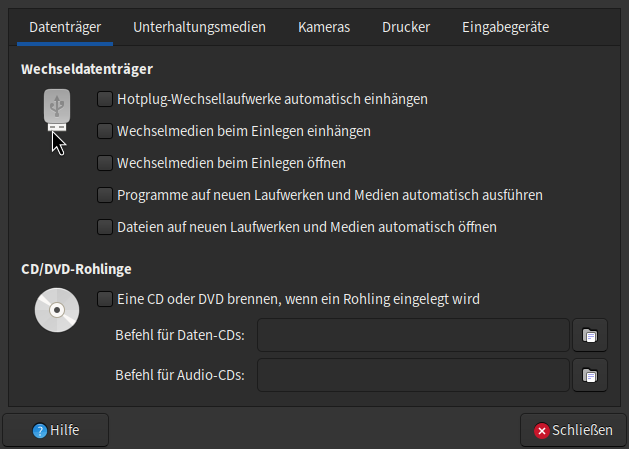
XFCE is no exception, and installs without those options activated.
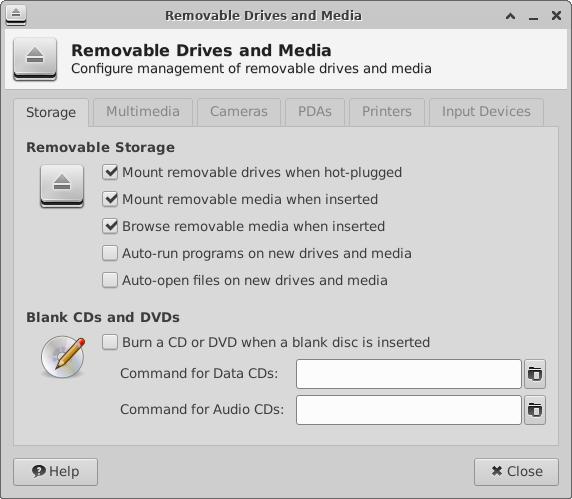
The suggestions from all three preceding posts point you to the solution. The latter shows the three boxes to be checked.
Post #3 is the answer to original question
Post #4 provides another screenshot in English (from official documentation) showing options users may wish to enable for auto-mounting drives