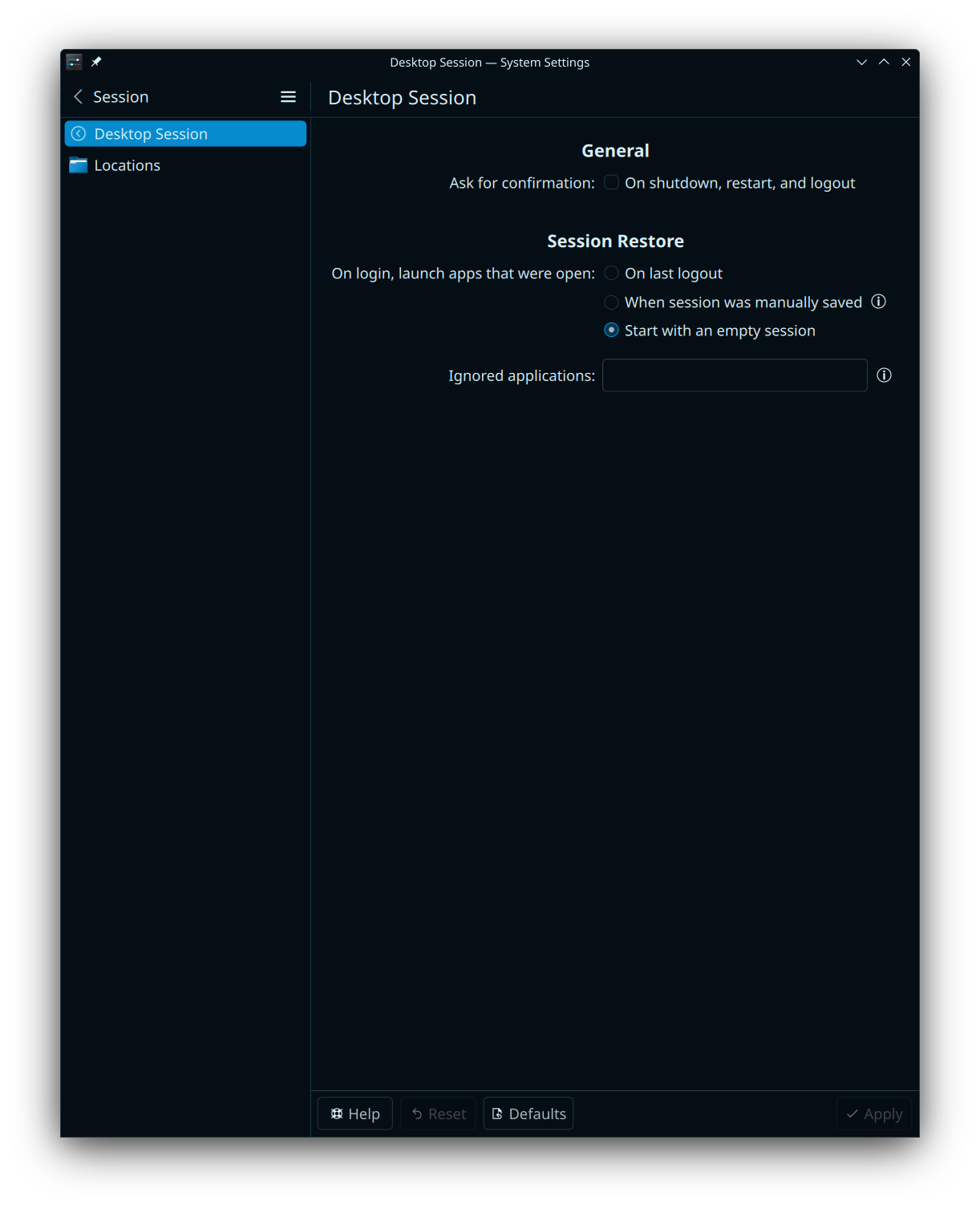
After a fresh install I cant get rid of the 30 Seconds shutdown/restart timer again.
I couldnt find a setting for this in the system settings.
After a fresh install I cant get rid of the 30 Seconds shutdown/restart timer again.
I couldnt find a setting for this in the system settings.
Thanks Wollie, but I meant the timer while shutting down or restarting.
Weirdly I have found it in a Mint Forum. It is the first option here.:
I dont know why I have to search for an hour and then just remove “arch Linux” from the search and it comes up right away.
Unchecking “Ask for confirmation: On shutdown, restart, and logout” should do it.
It’s a Plasma option, so Arch has little to do with it.
Among the first search results (Le Goog):
An alternative option is to leave the timeout active for when shutting down or rebooting via the application launcher, and to add the Shutdown or Switch plasmoid to your desktop or panel. The plasmoid skips the waiting time.
That might simply be because what you were looking for isn’t specific to Arch Linux, but rather a feature of the desktop environment (which is virtually identical in all Linux distributions).
So, it might have helped to include the name of your desktop environment in your search.
Of course, it’s easy to say that in hindsight. 
This topic was automatically closed 3 days after the last reply. New replies are no longer allowed.