I’ve tried egpu-switcher and gswitcher. Neither work…
With the little info I have, what is the eGPU enclosure, and what is the laptop? The other thread just said:
Radeon RX Vega hooked up via a gpu enclosure
The output of a inxi -zv8 would help part of this.
What is the enclosure? How is it connected? With what protocol?
External GPUs need to talk PCIe. Years ago, at least for laptops, this was done via ways that were pretty awful. Things like ExpressCard (a whole 1x lane), or mini-PCIe, all pretty terrible.
Nowadays you need a laptop with Thunderbolt 3 or 4 support. It’s the only one that can put PCIe over serial at speeds you would need.
Technically USB 4 can do this as well, but PCIe tunnelling support is very inconsistent.
2 Likes
System:
  Kernel: 6.18.18-1-MANJARO arch: x86_64 bits: 64 compiler: gcc v: 15.2.1
    clocksource: tsc avail: acpi_pm
    parameters: BOOT_IMAGE=/@/boot/vmlinuz-6.18-x86_64
    root=UUID=f2eca050-306b-43b7-9616-00ecd085ae86 rw rootflags=subvol=@
    quiet splash resume=UUID=e69b4bb4-c739-4ef3-ab73-1a2411af48d5
    udev.log_priority=3
  Desktop: KDE Plasma v: 6.5.6 tk: Qt v: N/A info: frameworks v: 6.24.0
    wm: kwin_wayland vt: 1 dm: SDDM Distro: Manjaro base: Arch Linux
Machine:
  Type: Laptop System: Dell product: XPS 15 9570 v: N/A
    serial: <superuser required> Chassis: type: 10 serial: <superuser required>
  Mobo: Dell model: 0D0T05 v: A00 serial: <superuser required> part-nu: 087C
    uuid: <superuser required> Firmware: UEFI vendor: Dell v: 1.20.0
    date: 06/07/2021
Battery:
  ID-1: BAT0 charge: 63.6 Wh (100%) condition: 63.6/97 Wh (65.6%) volts: 12.61
    min: 11.4 model: LGC-LGC8.33 DELL 5XJ2889 type: Li-ion serial: <filter>
    charging: status: full control: start: 50% end: 90% type: adaptive
    avail: adaptive,custom,fast,standard,trickle cycles: N/A
Memory:
  System RAM: total: 32 GiB available: 30.97 GiB used: 6.75 GiB (21.8%)
  Message: For most reliable report, use superuser + dmidecode.
  Array-1: capacity: 32 GiB slots: 2 modules: 2 EC: None
    max-module-size: 16 GiB note: est.
  Device-1: DIMM A type: DDR4 detail: synchronous size: 16 GiB
    speed: 2133 MT/s volts: note: check curr: 1 min: 1 max: 1 width (bits):
    data: 64 total: 64 manufacturer: 80AD000080AD part-no: HMA82GS6MFR8N-TF
    serial: <filter>
  Device-2: DIMM B type: DDR4 detail: synchronous size: 16 GiB speed:
    spec: 2667 MT/s actual: 2133 MT/s volts: note: check curr: 1 min: 1 max: 1
    width (bits): data: 64 total: 64 manufacturer: 80CE000080CE
    part-no: M471A2K43CB1-CTD serial: <filter>
PCI Slots:
  Permissions: Unable to run dmidecode. Root privileges required.
CPU:
  Info: model: Intel Core i7-8750H bits: 64 type: MT MCP arch: Coffee Lake
    gen: core 8 level: v3 note: check built: 2018 process: Intel 14nm family: 6
    model-id: 0x9E (158) stepping: 0xA (10) microcode: 0xFA
  Topology: cpus: 1x dies: 1 clusters: 6 cores: 6 threads: 12 tpc: 2
    smt: enabled cache: L1: 384 KiB desc: d-6x32 KiB; i-6x32 KiB L2: 1.5 MiB
    desc: 6x256 KiB L3: 9 MiB desc: 1x9 MiB
  Speed (MHz): avg: 4000 min/max: 800/4100 scaling: driver: intel_pstate
    governor: powersave cores: 1: 4000 2: 4000 3: 4000 4: 4000 5: 4000 6: 4000
    7: 4000 8: 4000 9: 4000 10: 4000 11: 4000 12: 4000 bogomips: 52799
  Flags: 3dnowprefetch abm acpi adx aes aperfmperf apic arat
    arch_capabilities arch_perfmon art avx avx2 bmi1 bmi2 bts clflush
    clflushopt cmov constant_tsc cpuid cpuid_fault cx16 cx8 de ds_cpl dtes64
    dtherm dts epb ept ept_ad erms est f16c flexpriority flush_l1d fma fpu
    fsgsbase fxsr ht hwp hwp_act_window hwp_epp hwp_notify ibpb ibrs ida
    intel_pt invpcid lahf_lm lm mca mce md_clear mmx monitor movbe mpx msr
    mtrr nonstop_tsc nopl nx pae pat pbe pcid pclmulqdq pdcm pdpe1gb pebs pge
    pln pni popcnt pse pse36 pti pts rdrand rdseed rdtscp rep_good sdbg sep
    sgx sgx_lc smap smep ss ssbd sse sse2 sse4_1 sse4_2 ssse3 stibp syscall
    tm tm2 tpr_shadow tsc tsc_adjust tsc_deadline_timer vme vmx vnmi vpid
    x2apic xgetbv1 xsave xsavec xsaveopt xsaves xtopology xtpr
  Vulnerabilities:
  Type: gather_data_sampling mitigation: Microcode
  Type: ghostwrite status: Not affected
  Type: indirect_target_selection status: Not affected
  Type: itlb_multihit status: KVM: Split huge pages
  Type: l1tf mitigation: PTE Inversion; VMX: conditional cache flushes, SMT
    vulnerable
  Type: mds mitigation: Clear CPU buffers; SMT vulnerable
  Type: meltdown mitigation: PTI
  Type: mmio_stale_data mitigation: Clear CPU buffers; SMT vulnerable
  Type: old_microcode status: Not affected
  Type: reg_file_data_sampling status: Not affected
  Type: retbleed mitigation: IBRS
  Type: spec_rstack_overflow status: Not affected
  Type: spec_store_bypass mitigation: Speculative Store Bypass disabled via
    prctl
  Type: spectre_v1 mitigation: usercopy/swapgs barriers and __user pointer
    sanitization
  Type: spectre_v2 mitigation: IBRS; IBPB: conditional; STIBP: conditional;
    RSB filling; PBRSB-eIBRS: Not affected; BHI: Not affected
  Type: srbds mitigation: Microcode
  Type: tsa status: Not affected
  Type: tsx_async_abort status: Not affected
  Type: vmscape mitigation: IBPB before exit to userspace
Graphics:
  Device-1: Intel CoffeeLake-H GT2 [UHD Graphics 630] vendor: Dell
    driver: i915 v: kernel arch: Gen-9.5 process: Intel 14nm built: 2016-20
    ports: active: eDP-1 empty: DP-1,DP-2,DP-3 bus-ID: 00:02.0
    chip-ID: 8086:3e9b class-ID: 0300
  Device-2: NVIDIA GP107M [GeForce GTX 1050 Ti Mobile] vendor: Dell
    driver: nvidia v: 575.64.05 alternate: nouveau,nova_core,nvidia_drm
    non-free: 550-580.xx+ status: current (as of 2025-11; EOL~2026-12-xx)
    arch: Pascal code: GP10x process: TSMC 16nm built: 2016-2021 pcie: gen: 3
    speed: 8 GT/s lanes: 16 bus-ID: 01:00.0 chip-ID: 10de:1c8c class-ID: 0302
  Device-3: Advanced Micro Devices [AMD/ATI] Vega 10 XL/XT [Radeon RX 56/64]
    driver: amdgpu v: kernel arch: GCN-5 code: Vega process: GF 14nm
    built: 2017-20 pcie: gen: 3 speed: 8 GT/s lanes: 16 ports: active: none
    empty: DP-4, DP-5, DP-6, HDMI-A-1 bus-ID: 09:00.0 chip-ID: 1002:687f
    class-ID: 0300
  Device-4: Microdia Integrated_Webcam_HD driver: uvcvideo type: USB
    rev: 2.0 speed: 480 Mb/s lanes: 1 mode: 2.0 bus-ID: 1-12:5
    chip-ID: 0c45:671d class-ID: 0e02
  Display: wayland server: X.org v: 1.21.1.21 with: Xwayland v: 24.1.9
    compositor: kwin_wayland driver: X: loaded: modesetting,nvidia
    alternate: amdgpu dri: iris,radeonsi gpu: i915 display-ID: 0
  Monitor-1: eDP-1 model: Sharp 0x149a built: 2018 res: mode: 1920x1080
    hz: 60 scale: 100% (1) dpi: 142 gamma: 1.2 chroma: red: x: 0.639 y: 0.329
    green: x: 0.298 y: 0.600 blue: x: 0.149 y: 0.059 white: x: 0.314 y: 0.329
    size: 344x194mm (13.54x7.64") diag: 395mm (15.5") ratio: 16:9
    modes: 1920x1080
  EDID-Warnings: 1: parse_edid: unknown flag 0
  API: EGL v: 1.5 hw: drv: intel iris drv: nvidia drv: amd radeonsi
    platforms: device: 0 drv: nvidia device: 2 drv: radeonsi device: 3 drv: iris
    device: 4 drv: swrast gbm: drv: nvidia surfaceless: drv: nvidia wayland:
    drv: nvidia x11: drv: nvidia inactive: device-1
  API: OpenGL v: 4.6.0 compat-v: 4.5 vendor: nvidia mesa v: 575.64.05
    glx-v: 1.4 direct-render: yes renderer: NVIDIA GeForce GTX 1050 Ti with
    Max-Q Design/PCIe/SSE2 memory: 3.91 GiB display-ID: :1.0
  API: Vulkan v: 1.4.341 layers: 8 device: 0 type: discrete-gpu name: NVIDIA
    GeForce GTX 1050 Ti with Max-Q Design driver: nvidia v: 575.64.05
    device-ID: 10de:1c8c surfaces: N/A
  Info: Tools: api: clinfo, eglinfo, glxinfo, vulkaninfo
    de: kscreen-console,kscreen-doctor gpu: nvidia-settings,nvidia-smi
    wl: wayland-info x11: xdpyinfo, xprop, xrandr
Audio:
  Device-1: Intel Cannon Lake PCH cAVS vendor: Dell driver: snd_hda_intel
    v: kernel alternate: snd_soc_avs,snd_sof_pci_intel_cnl bus-ID: 00:1f.3
    chip-ID: 8086:a348 class-ID: 0403
  Device-2: Advanced Micro Devices [AMD/ATI] Vega 10 HDMI Audio [Radeon
    56/64] driver: snd_hda_intel v: kernel pcie: gen: 3 speed: 8 GT/s
    lanes: 16 bus-ID: 09:00.1 chip-ID: 1002:aaf8 class-ID: 0403
  Device-3: Realtek USB Audio driver: snd-usb-audio type: USB rev: 2.0
    speed: 480 Mb/s lanes: 1 mode: 2.0 bus-ID: 5-2.3.4:6 chip-ID: 0bda:402e
    class-ID: 0102 serial: <filter>
  API: ALSA v: k6.18.18-1-MANJARO status: kernel-api with: aoss
    type: oss-emulator tools: alsactl,alsamixer,amixer
  Server-1: sndiod v: N/A status: off tools: aucat,midicat,sndioctl
  Server-2: JACK v: 1.9.22 status: off tools: N/A
  Server-3: PipeWire v: 1.6.2 status: active with: 1: pipewire-pulse
    status: active 2: wireplumber status: active 3: pipewire-alsa type: plugin
    tools: pactl,pw-cat,pw-cli,wpctl
Network:
  Device-1: Qualcomm Atheros QCA6174 802.11ac Wireless Network Adapter
    vendor: Rivet Networks Killer Wireless-n/a/ac 1535 driver: ath10k_pci
    v: kernel pcie: gen: 1 speed: 2.5 GT/s lanes: 1 bus-ID: 3b:00.0
    chip-ID: 168c:003e class-ID: 0280 temp: 41.0 C
  IF: wlp59s0 state: down mac: <filter>
  Device-2: NetGear Wireless_Device driver: mt7921u type: USB rev: 3.2
    speed: 5 Gb/s lanes: 1 mode: 3.2 gen-1x1 bus-ID: 2-1:2 chip-ID: 0846:9060
    class-ID: 0000 serial: <filter>
  IF: wlp0s20f0u1 state: up mac: <filter>
  IP v4: <filter> type: dynamic noprefixroute scope: global
    broadcast: <filter>
  IP v6: <filter> type: noprefixroute scope: link
  Device-3: Realtek RTL8153 Gigabit Ethernet Adapter driver: r8152 type: USB
    rev: 3.0 speed: 5 Gb/s lanes: 1 mode: 3.2 gen-1x1 bus-ID: 6-2.4:4
    chip-ID: 0bda:8153 class-ID: 0000 serial: <filter>
  IF: enp13s0u2u4 state: down mac: <filter>
  Info: services: NetworkManager, systemd-timesyncd, wpa_supplicant
  WAN IP: <filter>
Bluetooth:
  Device-1: Qualcomm Atheros driver: btusb v: 0.8 type: USB rev: 2.0
    speed: 12 Mb/s lanes: 1 mode: 1.1 bus-ID: 1-4:3 chip-ID: 0cf3:e301
    class-ID: e001
  Report: hciconfig ID: hci0 rfk-id: 0 state: down
    bt-service: enabled,running rfk-block: hardware: no software: yes
    address: <filter>
  Info: acl-mtu: 1024:8 sco-mtu: 50:8 link-policy: rswitch hold sniff
    link-mode: peripheral accept
Logical:
  Message: No logical block device data found.
RAID:
  Message: No RAID data found.
Drives:
  Local Storage: total: 4.34 TiB used: 1.2 TiB (27.8%)
  SMART Message: Required tool smartctl not installed. Check --recommends
  ID-1: /dev/nvme0n1 maj-min: 259:0 vendor: SK Hynix model: PC401 NVMe 512GB
    size: 476.94 GiB block-size: physical: 512 B logical: 512 B speed: 31.6 Gb/s
    lanes: 4 tech: SSD serial: <filter> fw-rev: 80003E00 temp: 28.9 C
    scheme: GPT
  ID-2: /dev/sda maj-min: 8:0 vendor: Seagate model: ST4000DM 004-2CV104
    size: 3.64 TiB block-size: physical: 4096 B logical: 512 B type: USB
    rev: 3.1 spd: 5 Gb/s lanes: 1 mode: 3.2 gen-1x1 tech: N/A serial: <filter>
    fw-rev: 0001 scheme: GPT
  ID-3: /dev/sdb maj-min: 8:16 vendor: Samsung model: SSD 840 PRO Series
    size: 238.47 GiB block-size: physical: 4096 B logical: 512 B type: USB
    rev: 3.0 spd: 5 Gb/s lanes: 1 mode: 3.2 gen-1x1 tech: SSD serial: <filter>
    fw-rev: 0204 scheme: GPT
  Message: No optical or floppy data found.
Partition:
  ID-1: / raw-size: 442.58 GiB size: 442.58 GiB (100.00%)
    used: 402.65 GiB (91.0%) fs: btrfs dev: /dev/nvme0n1p2 maj-min: 259:2
    label: N/A uuid: f2eca050-306b-43b7-9616-00ecd085ae86
  ID-2: /boot/efi raw-size: 300 MiB size: 299.4 MiB (99.80%)
    used: 692 KiB (0.2%) fs: vfat dev: /dev/nvme0n1p1 maj-min: 259:1 label: N/A
    uuid: 95E0-FB98
  ID-3: /home raw-size: 442.58 GiB size: 442.58 GiB (100.00%)
    used: 402.65 GiB (91.0%) fs: btrfs dev: /dev/nvme0n1p2 maj-min: 259:2
    label: N/A uuid: f2eca050-306b-43b7-9616-00ecd085ae86
  ID-4: /run/media/raulw/Backup raw-size: 238.46 GiB
    size: 238.45 GiB (100.00%) used: 197.97 GiB (83.0%) fs: exfat dev: /dev/sdb2
    maj-min: 8:18 label: Backup uuid: 16ED-CEFB
  ID-5: /run/media/raulw/Games raw-size: 3.64 TiB size: 3.58 TiB (98.40%)
    used: 632.52 GiB (17.3%) fs: ext4 dev: /dev/sda1 maj-min: 8:1 label: Games
    uuid: f36440f0-64b1-41e1-b8aa-845827f40e57
  ID-6: /var/cache raw-size: 442.58 GiB size: 442.58 GiB (100.00%)
    used: 402.65 GiB (91.0%) fs: btrfs dev: /dev/nvme0n1p2 maj-min: 259:2
    label: N/A uuid: f2eca050-306b-43b7-9616-00ecd085ae86
  ID-7: /var/log raw-size: 442.58 GiB size: 442.58 GiB (100.00%)
    used: 402.65 GiB (91.0%) fs: btrfs dev: /dev/nvme0n1p2 maj-min: 259:2
    label: N/A uuid: f2eca050-306b-43b7-9616-00ecd085ae86
Swap:
  Kernel: swappiness: 60 (default) cache-pressure: 100 (default) zswap: yes
    compressor: zstd max-pool: 20%
  ID-1: swap-1 type: partition size: 34.07 GiB used: 8 KiB (0.0%)
    priority: -2 dev: /dev/nvme0n1p3 maj-min: 259:3 label: swap
    uuid: e69b4bb4-c739-4ef3-ab73-1a2411af48d5
Unmounted:
  ID-1: /dev/sdb1 maj-min: 8:17 size: 16 MiB fs: <superuser required>
    label: N/A uuid: N/A
USB:
  Hub-1: 1-0:1 info: hi-speed hub with single TT ports: 16 rev: 2.0
    speed: 480 Mb/s (57.2 MiB/s) lanes: 1 mode: 2.0 chip-ID: 1d6b:0002
    class-ID: 0900
  Device-1: 1-4:3 info: Qualcomm Atheros type: bluetooth driver: btusb
    interfaces: 2 rev: 2.0 speed: 12 Mb/s (1.4 MiB/s) lanes: 1 mode: 1.1
    power: 100mA chip-ID: 0cf3:e301 class-ID: e001
  Device-2: 1-7:4 info: Shenzhen Goodix Fingerprint Reader
    type: abstract (modem),CDC-data driver: N/A interfaces: 2 rev: 2.0
    speed: 12 Mb/s (1.4 MiB/s) lanes: 1 mode: 1.1 power: 100mA
    chip-ID: 27c6:5395 class-ID: 0a00 serial: <filter>
  Device-3: 1-12:5 info: Microdia Integrated_Webcam_HD type: video
    driver: uvcvideo interfaces: 2 rev: 2.0 speed: 480 Mb/s (57.2 MiB/s)
    lanes: 1 mode: 2.0 power: 500mA chip-ID: 0c45:671d class-ID: 0e02
  Hub-2: 2-0:1 info: super-speed hub ports: 10 rev: 3.1
    speed: 10 Gb/s (1.16 GiB/s) lanes: 1 mode: 3.2 gen-2x1 chip-ID: 1d6b:0003
    class-ID: 0900
  Device-1: 2-1:2 info: NetGear Wireless_Device type: Network
    driver: mt7921u interfaces: 1 rev: 3.2 speed: 5 Gb/s (596.0 MiB/s) lanes: 1
    mode: 3.2 gen-1x1 power: 160mA chip-ID: 0846:9060 class-ID: 0000
    serial: <filter>
  Hub-3: 3-0:1 info: hi-speed hub with single TT ports: 2 rev: 2.0
    speed: 480 Mb/s (57.2 MiB/s) lanes: 1 mode: 2.0 chip-ID: 1d6b:0002
    class-ID: 0900
  Hub-4: 4-0:1 info: super-speed hub ports: 2 rev: 3.1
    speed: 10 Gb/s (1.16 GiB/s) lanes: 1 mode: 3.2 gen-2x1 chip-ID: 1d6b:0003
    class-ID: 0900
  Hub-5: 5-0:1 info: hi-speed hub with single TT ports: 2 rev: 2.0
    speed: 480 Mb/s (57.2 MiB/s) lanes: 1 mode: 2.0 chip-ID: 1d6b:0002
    class-ID: 0900
  Hub-6: 5-2:2 info: Realtek Dell dock ports: 5 rev: 2.1
    speed: 480 Mb/s (57.2 MiB/s) lanes: 1 mode: 2.0 chip-ID: 0bda:5487
    class-ID: 0900
  Hub-7: 5-2.3:3 info: Realtek Dell dock ports: 6 rev: 2.1
    speed: 480 Mb/s (57.2 MiB/s) lanes: 1 mode: 2.0 chip-ID: 0bda:5413
    class-ID: 0900
  Device-1: 5-2.3.2:5 info: Dell MS116 Optical Mouse type: mouse
    driver: hid-generic,usbhid interfaces: 1 rev: 2.0
    speed: 1.5 Mb/s (183 KiB/s) lanes: 1 mode: 1.0 power: 100mA
    chip-ID: 413c:301a class-ID: 0301
  Device-2: 5-2.3.4:6 info: Realtek USB Audio type: audio
    driver: snd-usb-audio interfaces: 4 rev: 2.0 speed: 480 Mb/s (57.2 MiB/s)
    lanes: 1 mode: 2.0 power: 500mA chip-ID: 0bda:402e class-ID: 0102
    serial: <filter>
  Device-3: 5-2.3.5:7 info: Dell dock type: HID driver: hid-generic,usbhid
    interfaces: 1 rev: 2.0 speed: 480 Mb/s (57.2 MiB/s) lanes: 1 mode: 2.0
    power: 100mA chip-ID: 413c:b06f class-ID: 0300
  Device-4: 5-2.5:4 info: Dell dock type: HID driver: hid-generic,usbhid
    interfaces: 1 rev: 2.0 speed: 480 Mb/s (57.2 MiB/s) lanes: 1 mode: 2.0
    power: 100mA chip-ID: 413c:b06e class-ID: 0300
  Hub-8: 6-0:1 info: super-speed hub ports: 2 rev: 3.1
    speed: 10 Gb/s (1.16 GiB/s) lanes: 1 mode: 3.2 gen-2x1 chip-ID: 1d6b:0003
    class-ID: 0900
  Hub-9: 6-2:2 info: Realtek Dell dock ports: 4 rev: 3.1
    speed: 10 Gb/s (1.16 GiB/s) lanes: 1 mode: 3.2 gen-2x1 chip-ID: 0bda:0487
    class-ID: 0900
  Hub-10: 6-2.3:3 info: Realtek Dell dock ports: 4 rev: 3.1
    speed: 5 Gb/s (596.0 MiB/s) lanes: 1 mode: 3.2 gen-1x1 chip-ID: 0bda:0413
    class-ID: 0900
  Device-1: 6-2.3.1:5 info: VIA Labs VL817 SATA Adaptor type: mass storage
    driver: uas interfaces: 1 rev: 3.1 speed: 5 Gb/s (596.0 MiB/s) lanes: 1
    mode: 3.2 gen-1x1 power: 8mA chip-ID: 2109:0715 class-ID: 0806
    serial: <filter>
  Device-2: 6-2.3.3:6 info: JMicron / USA JMS561U two ports SATA 6Gb/s
    bridge type: mass storage driver: uas interfaces: 1 rev: 3.0
    speed: 5 Gb/s (596.0 MiB/s) lanes: 1 mode: 3.2 gen-1x1 power: 896mA
    chip-ID: 152d:1561 class-ID: 0806 serial: <filter>
  Device-3: 6-2.4:4 info: Realtek RTL8153 Gigabit Ethernet Adapter
    type: Network driver: r8152 interfaces: 1 rev: 3.0
    speed: 5 Gb/s (596.0 MiB/s) lanes: 1 mode: 3.2 gen-1x1 power: 288mA
    chip-ID: 0bda:8153 class-ID: 0000 serial: <filter>
  Hub-11: 7-0:1 info: hi-speed hub with single TT ports: 2 rev: 2.0
    speed: 480 Mb/s (57.2 MiB/s) lanes: 1 mode: 2.0 chip-ID: 1d6b:0002
    class-ID: 0900
  Hub-12: 8-0:1 info: super-speed hub ports: 2 rev: 3.1
    speed: 10 Gb/s (1.16 GiB/s) lanes: 1 mode: 3.2 gen-2x1 chip-ID: 1d6b:0003
    class-ID: 0900
Sensors:
  System Temperatures: cpu: 55.0 C pch: 60.0 C mobo: 48.0 C gpu: amdgpu
    temp: 25.0 C mem: 24.0 C
  Fan Speeds (rpm): cpu: 2512 fan-2: 0 gpu: amdgpu fan: 702
Repos:
  Packages: 1403 pm: pacman pkgs: 1384 libs: 388 tools: pamac pm: flatpak
    pkgs: 19
  Active pacman repo servers in: /etc/pacman.d/mirrorlist
    Edted out
Processes:
  CPU top: 5 of 420
  1: cpu: 21.0% command: steam pid: 6556 mem: 791.2 MiB (2.4%)
  2: cpu: 15.2% command: steamwebhelper pid: 6843 mem: 646.6 MiB (2.0%)
  3: cpu: 3.9% command: steamwebhelper pid: 6778 mem: 273.2 MiB (0.8%)
  4: cpu: 2.4% command: plasma-systemmonitor pid: 10267
    mem: 410.4 MiB (1.2%)
  5: cpu: 2.2% command: ksgrd_network_helper pid: 10284 mem: 7.01 MiB (0.0%)
  Memory top: 5 of 420
  1: mem: 1045.1 MiB (3.2%) command: firefox pid: 8135 cpu: 0.7%
  2: mem: 791.2 MiB (2.4%) command: steam pid: 6556 cpu: 21.0%
  3: mem: 646.6 MiB (2.0%) command: steamwebhelper pid: 6843 cpu: 15.2%
  4: mem: 591.1 MiB (1.8%) command: plasmashell pid: 21160 cpu: 0.0%
  5: mem: 509.4 MiB (1.6%) command: equibop pid: 4697 cpu: 1.0%
Info:
  Processes: 420 Power: uptime: 1d 1h 30m states: freeze,mem,disk
    suspend: s2idle avail: deep wakeups: 0 hibernate: platform avail: shutdown,
    reboot, suspend, test_resume image: 12.3 GiB services: org_kde_powerdevil,
    power-profiles-daemon, upowerd Init: systemd v: 259 default: graphical
    tool: systemctl
  Compilers: gcc: 15.2.1 Shell: Zsh v: 5.9 running-in: konsole inxi: 3.3.40
The enclosure is ANQ-L336. Connected via thunderbolt 3 usb c.
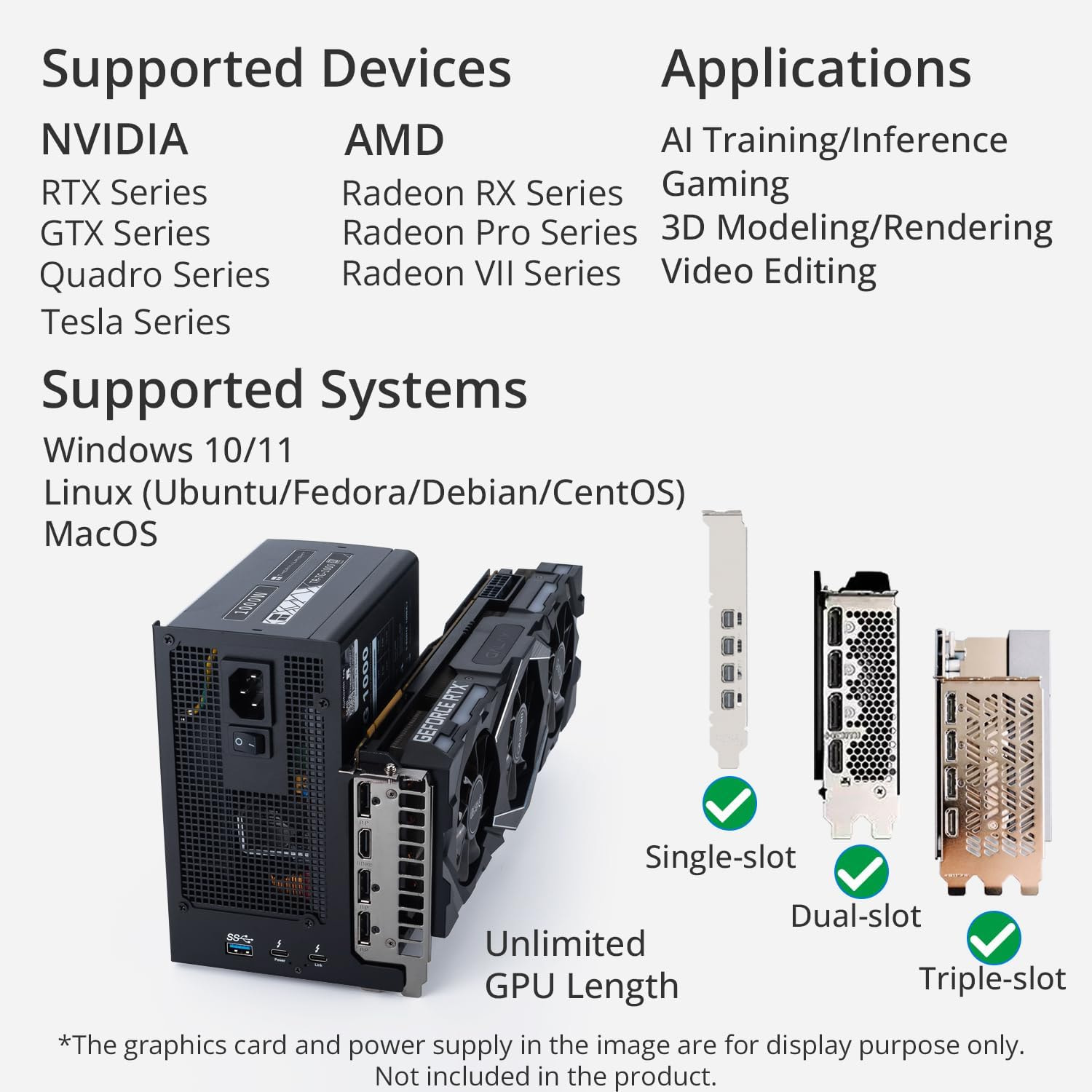
You’ve connected the powered ANQ-L336 to your laptop via Thunderbolt, and the Vega has been recognized as a GPU. What happens when you connect a display to the Vega and turn it on?
I see a screen but as far as I know the renderer is still my 1050ti. I tested Baldur’s Gate 3 which lets you choose a GPU and the 1050ti was greyed out. I couldn’t select any other GPU.
grep -r . /sys/class/drm/card*/status
This shows which GPU (Card 0/1/2) is connected to which monitor.
EDIT:
readlink -f /sys/class/drm/card0/device
/sys/devices/pci0000:00/0000:00:01.1/0000:01:00.0/0000:02:00.0/0000:03:00.0

lspci -nn | grep -i vga
03:00.0 VGA compatible controller [0300]: Advanced Micro Devices, Inc. [AMD/ATI] Navi 10 [Radeon RX 5600 OEM/5600 XT / 5700/5700 XT] [1002:731f] (rev ca)
At the end of readlink, you see the PCI number of my GPU, and in lspci, this number matches (at the beginning). This is how you identify the GPU associated with cardx.
It’s obviously using the GTX 1050, as you know.
Just using the Manjaro helper scripts.. What video driver is installed?
What is the output of.
mhwd -li
And what are your choices for what you can install?
mhwd -l
This should offer you a video-hybrid-amd-nvidia-prime or something like it?
We could try installing that..
Using prime is the default way to run certain apps on different GPUs.
The one time I dealt with dual GPUs, at least in this manner, I used
envycontrol. It did more of what I wanted, such as with putting one GPU in powersave while using the other.But Prime might be the best way if this eGPU isn’t always connected.
2 Likes
Okay. I figured it out by some miracle…
I installed the nvidia and amd driver which made it work. But because I had set the external monitor to be my primary monitor it didn’t render on my laptop screen. So I borrowed my roommate’s monitor and it actually worked!!!
The eGPU can 100% output to my laptop screen. I just needed the right driver. Thank you all for your input and help.
This topic was automatically closed 3 days after the last reply. New replies are no longer allowed.