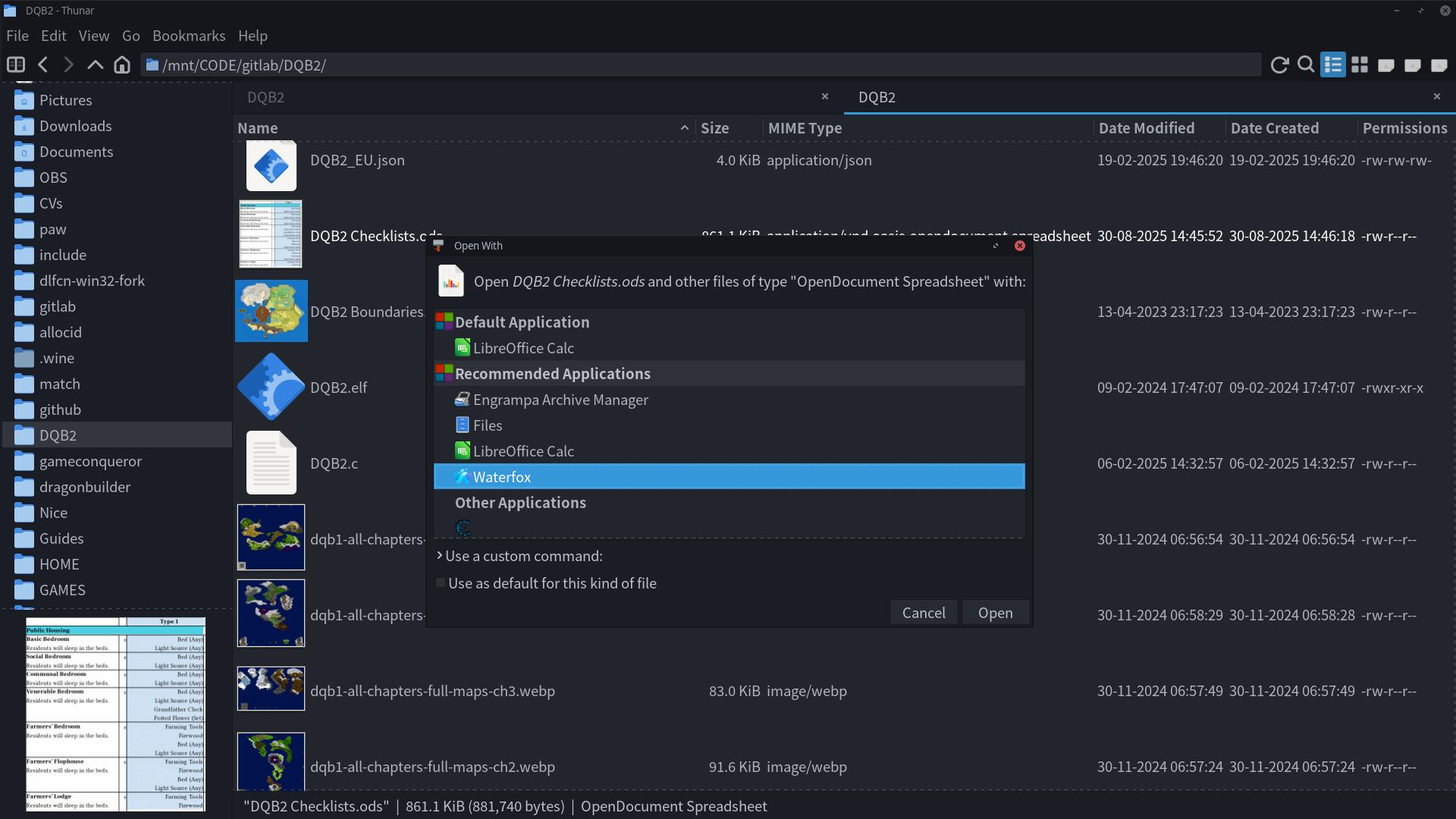
I’ll grab a screenshot of the dialog in a minute but basically when I right click files to open them in another app I generally leave the “Set default application” unmarked however when I then click open after selecting the app either thunar or manjaro just blatingly ignores the unchecked option and sets it to default anyways. How do I stop whichever it is from ignoring the option and leave the default as is?
Edit: Here’s one of the screenshots I wanted to take, can’t seem to get the screenshot of the context menu option I choose though (one that says “Open in another application…”):
Well I’ll look into it but shouldn’t thunar/xfce be managing that for me? Isn’t that the whole point of a UI, to take the pain out of configuring stuff?
After some searching I finally found out the cause. It seems thunar doesn’t understand there’s already a default the 1st time the dialogue is opened so it just sets whatever I opened the file with as default despite there already being one. As soon as I correct it however it will remember that permanently. I suspect it just doesn’t know where else to look for defaults, or a tool is needed to auto generate the file it look at. Would be helpful if manjaro devs added such a tool to it’s xfce branch that can be easily found by the user and can be set as a dependency for the manjaro repository version. I’d suggest putting the tool in the manjaro settings dialogue and highlighting it to the user during the installation stage of manjaro xfce
No. You still have to configure it for Thunar/Dolphin/Whatever to know what to do with something.Whether that configuration is done by a nice eye-candied GUI or manually by editing a file, it’s still configuration,
Yeah sometimes being the operative word, this is not one of those times. You wanna draw in more users? Then you need to work on pain points like this. I wouldn’t be surprised if only 10% of your user base at most likes doing things via text editor only.
That has nothing to do with Manjaro, though and everything with Xfce. But that’s the beauty of Linux: You find something that annoys you and chances are there’s an alternative for it already. It’s called choice.
So bottom line: Manjaro can’t be blamed for KDE/Xfce/Gnome’s shortcomings.
manjaro can be blamed however for the lack of care put into their distribution of said desktop environments. If you can’t understand that much then you’ve already lost the argument because until you do your opinion on the matter will mean nothing to any user who knows your lack of understanding.
The same file.
Xfce is not bugless, but the glitches are acceptable most of the time. And fixable. By far the most serious bug in xfce/thunar i saw is the permanent! deletion of the source file (instead of the link) if you delete something from recent:///
Edit: Just tested - at least now it trashes it to the recycle bin so it is not permanent. But still a bug, just smaller.
manjaro can be blamed however for the lack of care put into their distribution of said desktop environments.
To a very little extent. There is no way a distribution team fixes the bugs of the upstream DE. They can only fine tune some parameters sometimes and update when upstram releases a new version.
I’m using it because it’s arch based and I didn’t know about the lack of care. Since it would be a pain to move to another distro I’m putting it off until I’m in the mood to do so. Also that wasn’t aggressive, just pointing out the truth. Normal Users expect the devs of the distro they’re using to be responsible for QoL when it comes to the DE they’re distributing., at least until they (like I have just now) have seen clear evidence it’s being fobbed off to the source of the DE. Just like I did today user should be coming to their distro devs 1st if they don’t know which is responsible for the distro’s version of something. Since you’ve indicated that anything XFCE related is being left to upstream I will now default to them but this experience still leaves a bad aftertaste.
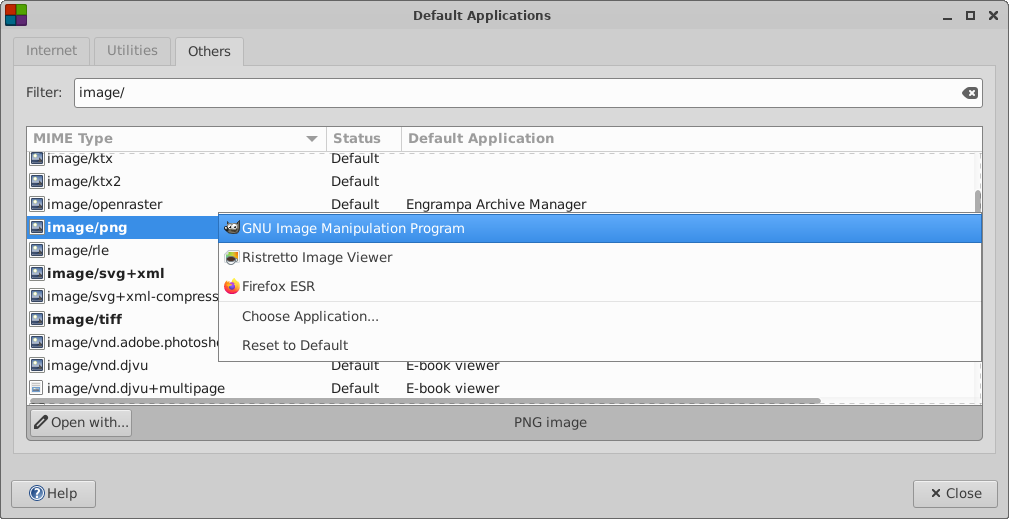
A Multipurpose Internet Mail Extension (MIME) type identifies the format of a file. The MIME type enables applications to read the file. For example, a file manager can use the image/png MIME type to detect that a Portable Networks Graphic (PNG) should be opened with Ristretto.
With the MIME Type Editor application, you can view and modify the Default Application that is associated with a Type.
xfce4-mime-settings is owned by xfce4-settings, which is inherited from Arch
so any issues should be reported upstream
Manjaro Team is usually busy maintaining the software, and most moderators are not familiar with Xfce, so it would be better to seek help from experienced Xfce users on this forum or Xfce forum to debug issues before reporting upstream
I appreciate pointing out that tool but whatever thunar is looking at is obviously not what that tool directly deals with. I was more on about a tool that loads whatever the system in general expects, converts the format of each entry to whatever thunar expects then saves said converted entries in the file that thunar looks at. The tool should do nothing more than converting to/from the formats and files. Managing the list I would expect of a different tool (the latta tool of which appears to be what you pointed out to me).
I also noticed it on my end that Thunar changes the defaults by its own when opening a file with the open with dialog. Maybe check with XFCE developers and if there is a fix for it, we can always implement it: Desktop / Xfce Forums

 .
.