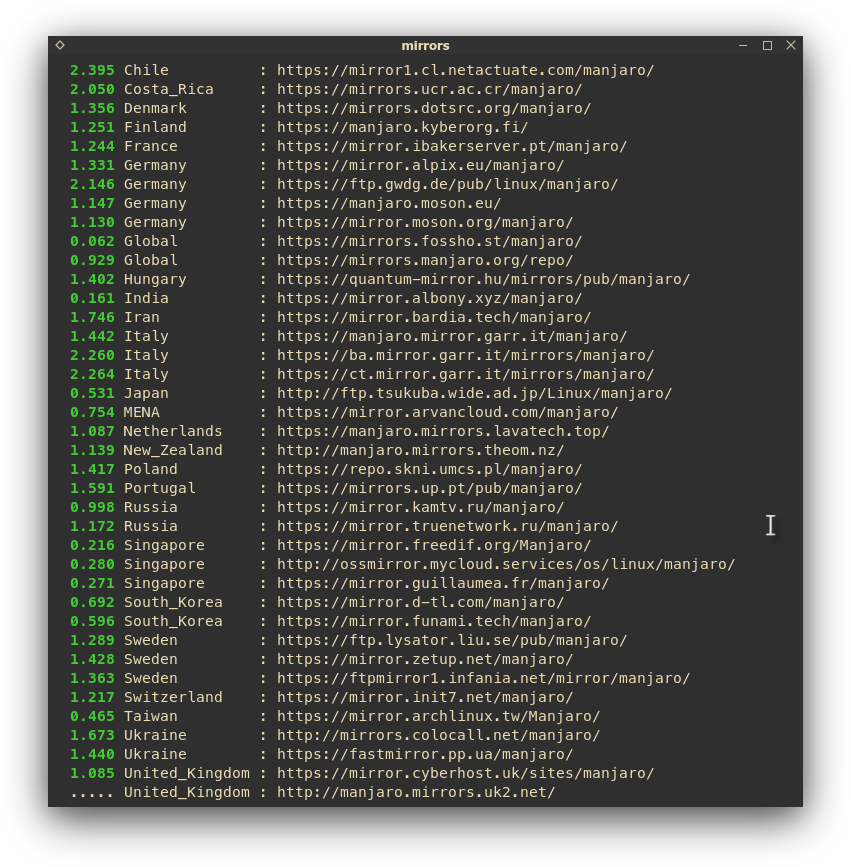
So on cli I usually run sudo pacman-mirrors --fasttrack
But it doesn’t set anything , it only generates a list stored somewhere
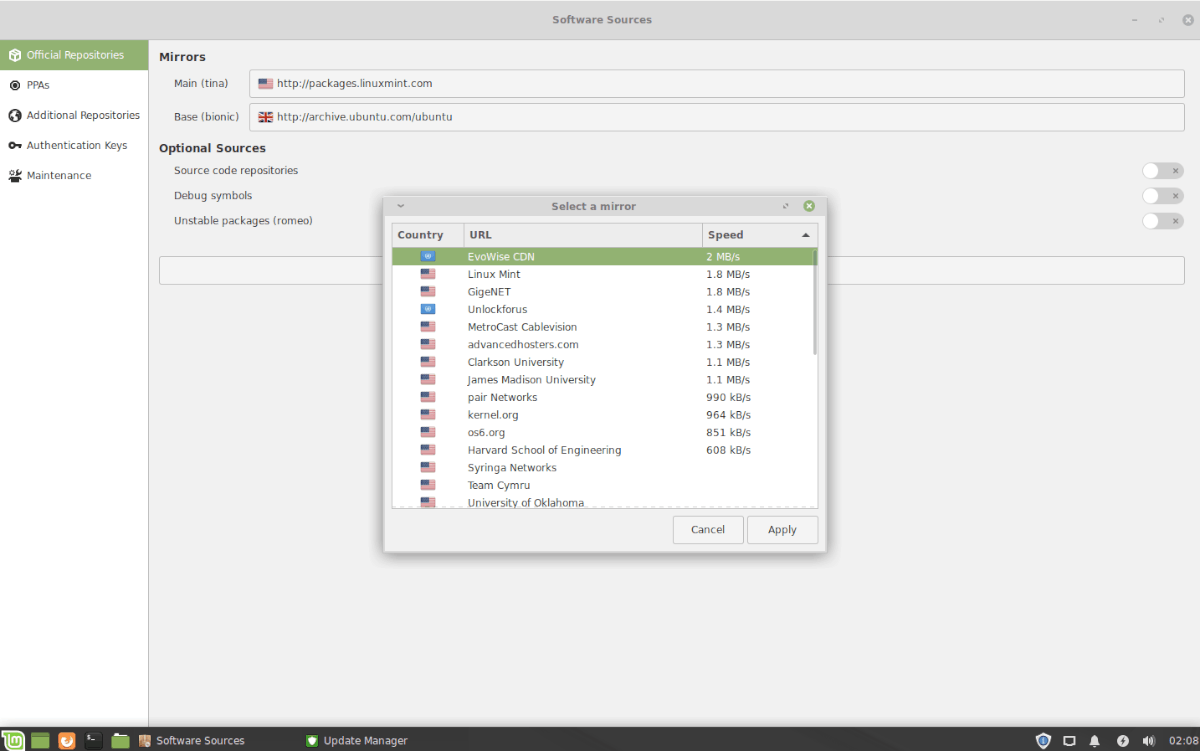
And all my mirrors are global , the speed is okay ish , but how do I set them by seeing the best mirror by speed ? - I used to have a specific tool for this in Linux Mint :
If you run the command again, it will tell you where the list is stored, you should see this:
::INFO Mirror list generated and saved to: /etc/pacman.d/mirrorlist
and those are the mirrors that will be used when updating.
Furthermore you need to synchronise the database after changing mirrors, and it’s quicker if you limit the number the mirrors, I limit it to 20 mirrors but people say 5 is enough.
I like doing this in terminal, when major updates come up, you should always come here first, look at the page for your branch (Testing is here - on that page you will see information - and warnings (and always a link for the Mirror-Check Service
To do a ‘Mint’ style run, you can do `pacman-mirrors’ and they all get tested - while you wait…
I recently decided to switch branches and came up with one or two new alias commands which do the job well, and quickly. However, after Mint - you’ll feel happier with the LONG method I guess
alias mirror='pacman-mirrors' # list MY mirrors
alias mirror-default='https://wiki.manjaro.org/index.php?title=Pacman-mirrors' #also returns to STABLE branch
alias mirror-fast='sudo pacman-mirrors --fasttrack 20 && sudo pacman -Syyu'
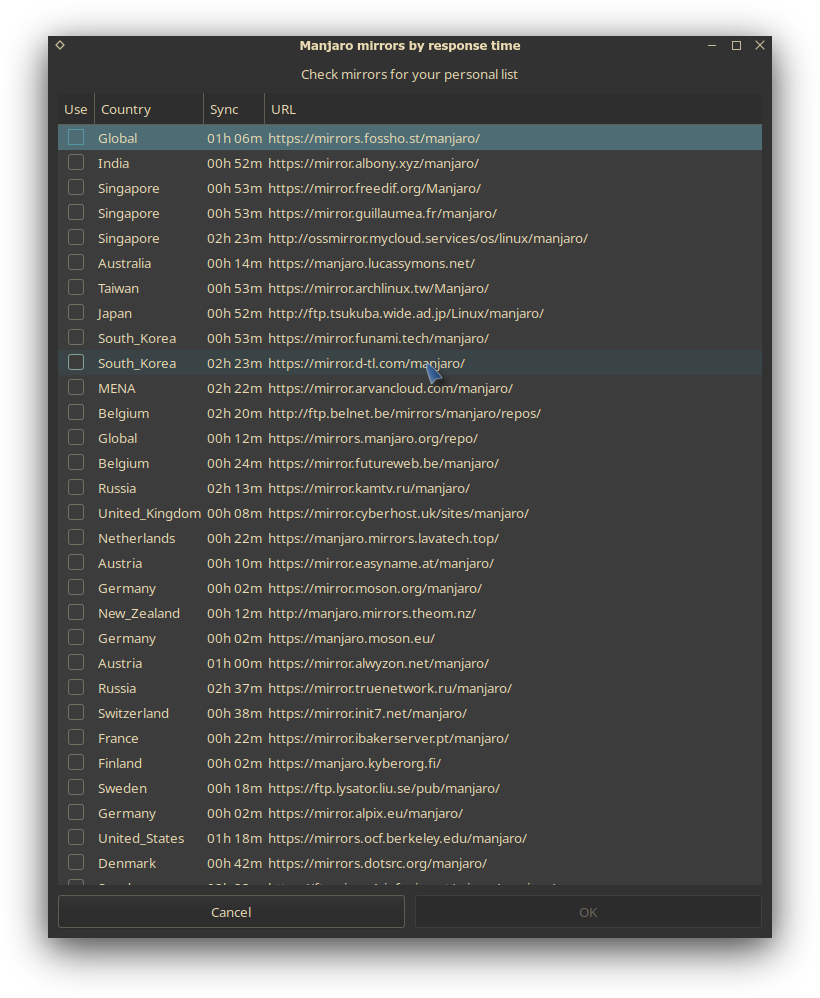
alias mirrors-choose='sudo pacman-mirrors --interactive && sudo pacman -Syyu'
alias setbranch='sudo pacman-mirrors --api --set-branch ' #stable/testing/unstable
You need to select specific mirrors manually, or select based on region, but pacman-mirrors is not meant to benchmark mirrors really, it can kinda sort them based on a quick metric (ping, download speed of small file) but if the mirror you have selected isn’t fast enough remove it manually. Mirrors should all be on dedicated machines with high speed connections, but some can have low bandwidth so depending on what you consider slow it might not be for you.
pacman-mirrors only writes the mirrorlist and optionally the utility will create a custom mirror pool.
The mirrorlist timer rewrites your mirrorlist (/etc/pacman.d/mirrorlist) every thursday at 7.00 (AM for the 12-hour people) using the command pacman-mirrors -f8. This means that whatever changes you make they are undone once a week and there is very little you can do about it.
On every run of pacman-mirrors -f (either by you or the timer) the mirror list will change and therefore your local copy of the package database is likely to become invalid. This invalidation requires a forced database sync next time a system sync (aka updating) is executed.
This forced download is to ensure you get no errors when syncing your system and is why the documentation always appends the pacman -Syyu command when referencing pacman-mirrors.
The second point to keep in mind is the fact that when you use the –interactive and/or –country argument - pacman-mirrors will create a custom mirror pool.
Such pool will effectively limit the number of mirrors available when the mirror list timer is executed or you manually run the pacman-mirrors utility.
Which brings us to the question on how to maintain the mirrorlist.
You should avoid mirror shopping - it does you no good in terms of stability. It is better to pick one mirror and stick with it as this will stabilise your update experience and only in the rare circumstance a mirror becomes available you should change the mirror.
The only viable long term solution is to create a custom mirror pool with one mirror. Which one is a matter of choice but it is recommended to select a mirror which has proven to be stable in terms of syncing with the mother ship mirror at repo.manjaro.org and has proven all-time accessible from your location.
Finally we have provided some hints to successful maintenance of your Manjaro system
As said this metric is not really relevant to estimate properly a mirror server speed/bandwidth, the sorting is done by downloading a small files and it can not give something relevant for what you expect to do with pacman-mirrors. There is a ranking option for the mirrors, but the tool itself doesn’t benchmark mirrors for sorting it is simple quick test on the mirror.
To see the real mirror speed, just download from the mirror and see in real condition how it is.
Also, on a global scale, all mirrors are susceptible to outages at any time for one reason or another. Realistically, your list could be depreciated five minutes after you established it.
So, what I do is check for updates, and if there are any, THEN I fasttrack and sync and update. This way all the mirrors are up and ready to serve.
Yes, I recently changed my habit (meaning this week) because I always thought it best to refresh every time… and now I’m on a Global server which is better than the local one.
With Linux Mint, the local servers were always good, and one (Kasetsart) always came up in the top two slots. Old habits.
However, Manjaro just bucks the rules… so you do the mirror-check and upgrade and don’t worry too much about fast-tracking every time.
If it ain’t broke, it means someone else probably already fixed it