So I have been trying to tackle an issue with my wireless mouse just to get myself swamped deep into KVM (alleged) bugs..
I’m attempting to modify the XML section in the mouse tab
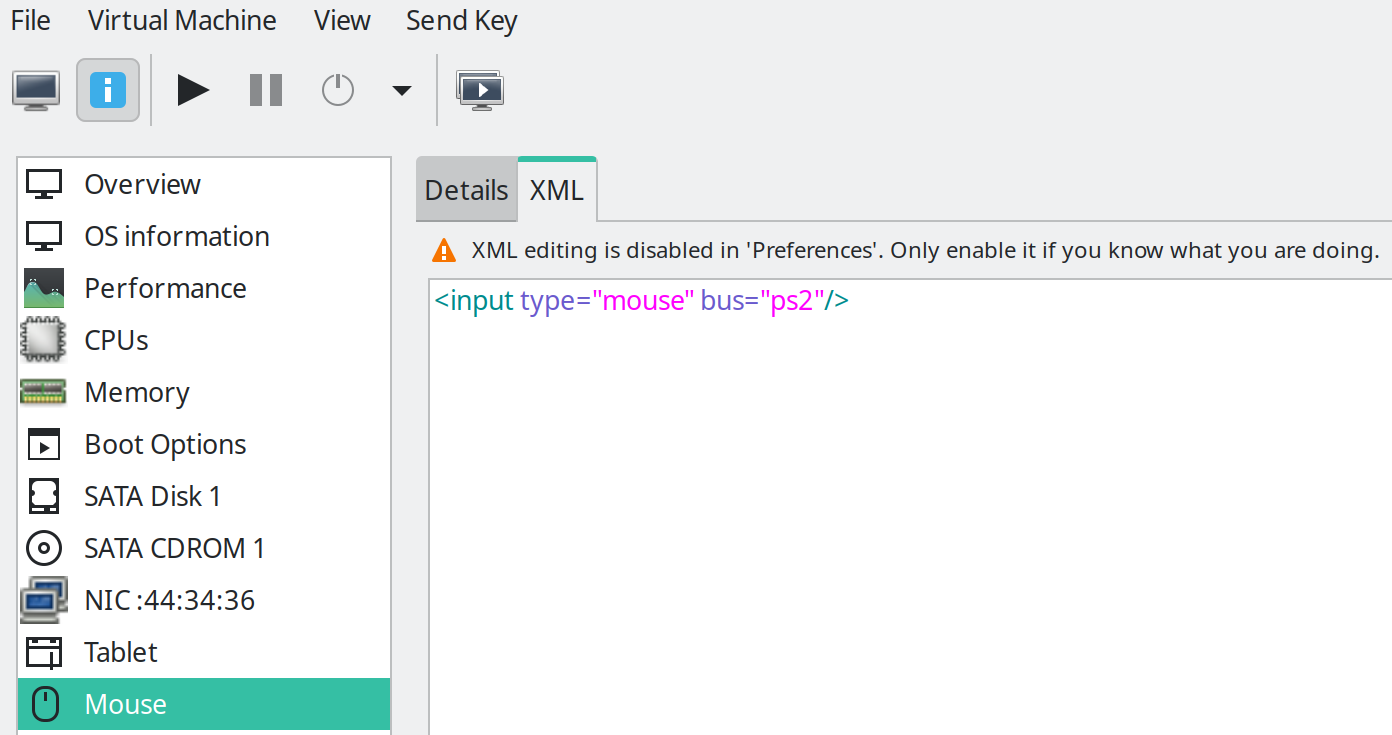
I run virt-manager as root but no matter how many times I enable XML editing that doesn’t unlock the actual editing. This issue have been reported elsewhere already, it seems a root issue.
If I run virt-manager as non-root the .xml field is accessible (is possible to type in) but as soon as I hit the Apply button I get Error changing VM configuration: xmlParseDoc() failed
I then tried modifying the XML via terminal. I used mostly nano, virsh gave me an headache 
As shown in the screenshot the mouse XML by default is <input type="mouse" bus="ps2"/>. I started making minor changes like <input type="mouse" bus="ps2"></input> just to see if back in the GUI I could see a change in the XML. I obviously sudo systemctl restart libvirtd every time i did the change.
…Nothing. No change in the XML.
I then paste what I wanted to experiment with inside the input tag
<input type='mouse' bus='ps2'>
<hostdev mode="subsystem" type="usb" managed="yes">
  <source startupPolicy="optional">
    <vendor id="0x1ea7"/>
    <product id="0x0066"/>
  </source>
  <address type="usb" bus="0" port="4"/>
</hostdev>
</input>
Restart libvirtd…Nothing changes.
Am I actually changing the file?
I think so, because if I delete the / that closes the input tag and restart libvirtd I “break” the virtual machine - mymachine disappears from the list in virt-manager GUI.
This is the XML path sudo nano /etc/libvirt/qemu/mymachine.xml. After changing it I do ctrl+o to save and ctrl+x to exit.
Any suggestion?