Headphone detection doesn't work in KDE

I already followed steps from this post: Can't select wired headphone as output device in KDE audio panel - #6 by siberianhusky

Both of our problems were pretty similar. But I have some extra issues.

Main problem

When I plug in my wired earphone (basic ones) using the 3.5mm headphone jack in my HP 250 G9 laptop, it doesn’t detect it at all. All audio goes through speakers and headphone is just not detected at all in audio settings.

Unlike the person in the other post, I don’t get any “Ports” option to even select “Headphone (unplugged)” either.

With the help of Claude, I did manage to get that Ports option, but by doing so, my microphone became completely undetectable. But even with the ports, I had to switch manually. But switching to Headphones(Unplugged) did play the sound through my earphones. I later had to undo all of that to bring back my microphone. And now I’m in the initial state where I started from.

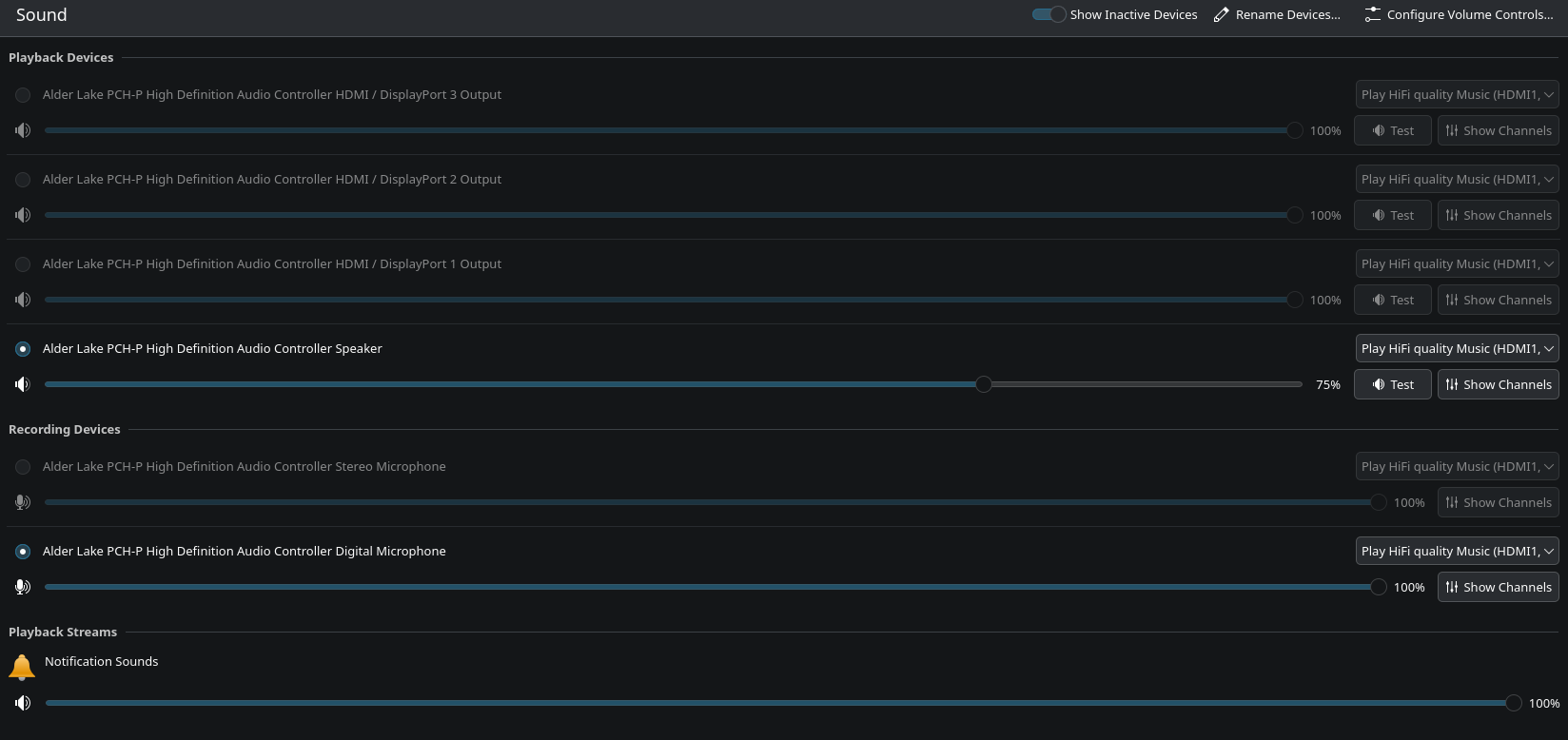
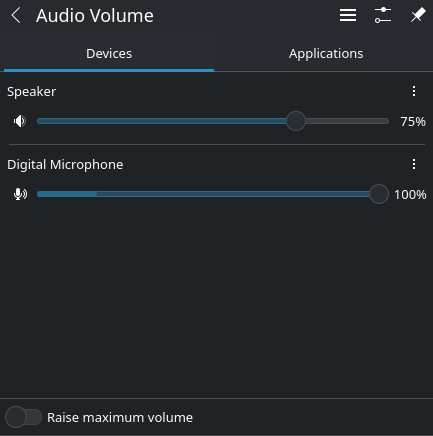
This is how my settings look (Headphones plugged in btw)

With alsamixer command, it shows this:

If I unmute Headphone, then audio comes through both speakers and headphones at the same time. I tried muting the speakers. But the physical volume buttons in my laptop unmutes the speakers again.
So, I can mute the Headphones, but not the Speakers.

At this point, I don’t even need a auto detect feature. If I could somehow manually turn on/off speakers and headphones, I’d be more than happy.

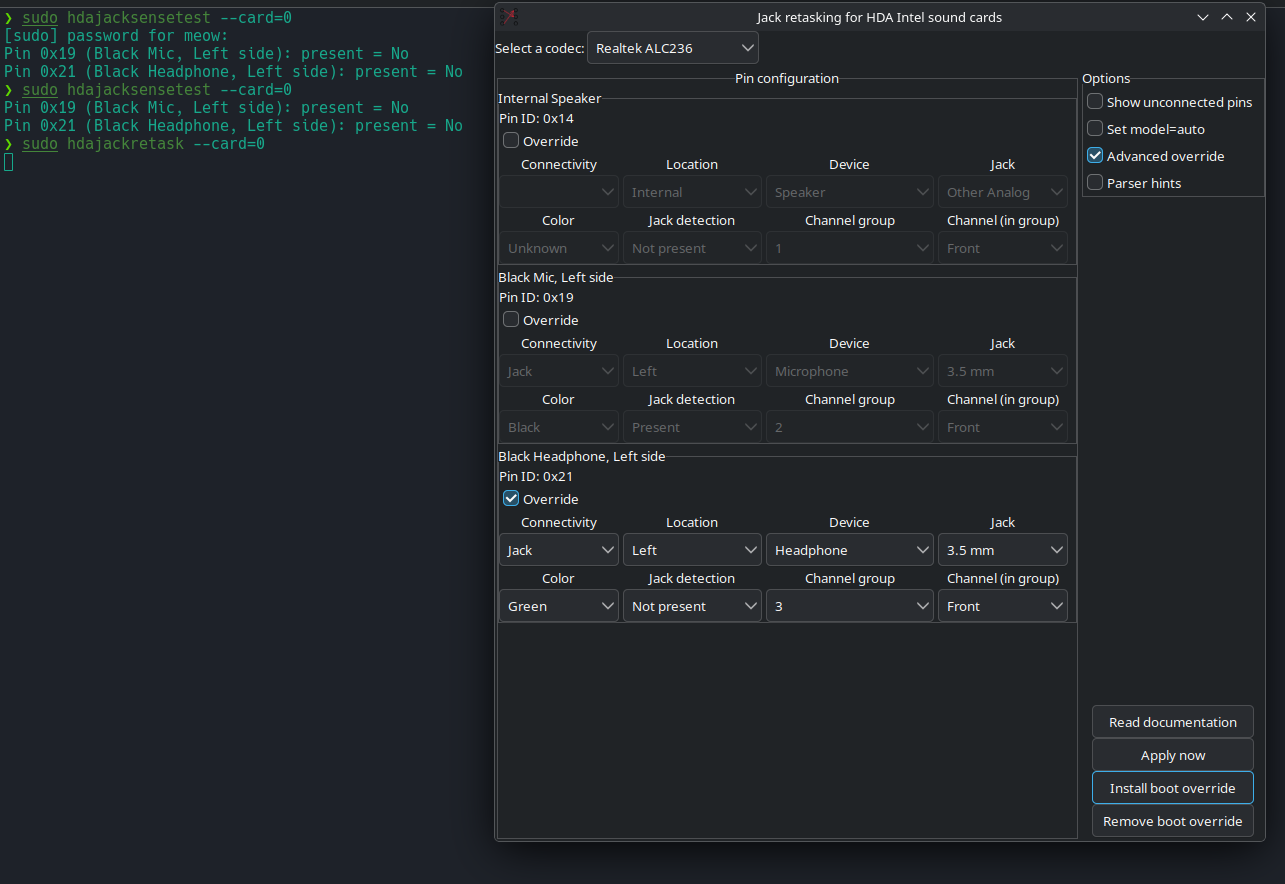
Tried the solutions from this post: No Sound after Installation Front Detection? - #4 by RaphaelDeck

Did all steps properly. Mine was Black Headphone instead of Green, but applying changes didn’t do anything.

I was initially in 6.18.26-1-MANJARO, then downgraded to 6.12.85-1-MANJARO to see if it had anything to do with the kernal. But nothing changed, so i’m back to 6.18 now.

I came from Windows 10 → Fedora KDE → Manjaro KDE → Windows 10 → Ubuntu → Windows 11 → PopOS → Manjaro KDE (rn)
I didn’t switch for “ease”. It’s a long story, not relevant for this post. But, I’m actually tired, a lot. :")

Thanks a lot for reading this far. <3

2 Likes

Hello and welcome.

Just a little housekeeping for reference:

The preference is to not rely on pasted images to describe an issue, but instead, use real words to describe the situation.

For example, instead of;

… actually write what you intend to convey by posting an image – for example, which channels are active, and which are not.

The same would apply here – type a list to indicate which settings are active or not (I think you get the picture).

Be kind to the Server.

Regards.


In the meantime, you might like to use the forum Search to find others with similar problems, which might be helpful.

I have taken the liberty of creating a targeted Search link for you, using the term headphone not detected;

See what that reveals. :wink:


[Mini-HowTo] Provide System Information

Basic details provided by *-fetch type apps might give enough information for someone wishing to buy a computer, however, for Support purposes it’s best to ask your system directly.

Output of the inxi command will generate more useful and detailed information for those who may wish to help:


Suggested inxi command (use either):

inxi -zv8 (short-form)
inxi --filter --verbosity=8 (long-form)

Command output should be presented as pre-formatted text in accordance with forum guidelines. :eyes:


Running inxi within a chroot environment

  • Add --color=0 to the long-form command, or…
  • Change the short-form command to inxi -zv8c0

Your privacy is respected


3 Likes

Please post the output of inxi -zv8.

So the headphones are detected and were only muted?

(Why is this quoted?) Claude is a text generator not a solution machine. There are different types of 3.5mm jacks. Some devices have two jacks, one for headphones the other for a mic - other devices have a combined jack.

2 Likes

Thanks for explaining. Really appreciate that. I will keep that in mind from next time.

Output of inxi -zv8:

System:
  Kernel: 6.18.26-1-MANJARO arch: x86_64 bits: 64 compiler: gcc v: 15.2.1
    clocksource: tsc avail: acpi_pm
    parameters: BOOT_IMAGE=/boot/vmlinuz-6.18-x86_64
    root=UUID=46c98168-3596-4daa-a139-745a7a9cccbf rw quiet splash
    udev.log_priority=3 reboot=efi
  Desktop: KDE Plasma v: 6.6.4 tk: Qt v: N/A info: frameworks v: 6.25.0
    wm: kwin_wayland vt: 1 dm: SDDM Distro: Manjaro base: Arch Linux
Machine:
  Type: Laptop System: HP product: HP 250 15.6 inch G9 Notebook PC
    v: Type1ProductConfigId serial: <superuser required> Chassis: type: 10
    serial: <superuser required>
  Mobo: HP model: 8A1D v: 08.42 serial: <superuser required>
    part-nu: 723Q9EA#BH5 uuid: <superuser required> Firmware: UEFI
    vendor: Insyde v: F.66 date: 05/10/2024
Battery:
  ID-1: BAT1 charge: 35.1 Wh (100%) condition: 35.1/41 Wh (85.6%) volts: 12.92
    min: 11.34 model: Hewlett-Packard PABAS0241231 type: Li-ion serial: <filter>
    charging: status: full cycles: N/A
Memory:
  System RAM: total: 8 GiB available: 7.43 GiB used: 4.99 GiB (67.1%)
  Message: For most reliable report, use superuser + dmidecode.
  Array-1: capacity: 64 GiB slots: 2 modules: 1 EC: None
    max-module-size: 32 GiB note: est.
  Device-1: Bottom - Slot 1 (left) type: DDR4 detail: synchronous
    size: 8 GiB speed: 3200 MT/s volts: curr: 1 width (bits): data: 64 total: 64
    manufacturer: Micron Technology part-no: 8ATF1G64HZ-3G2R1 serial: <filter>
  Device-2: Bottom - Slot 2 (right) type: no module installed
PCI Slots:
  Permissions: Unable to run dmidecode. Root privileges required.
CPU:
  Info: model: 12th Gen Intel Core i5-1235U bits: 64 type: MST AMCP
    arch: Alder Lake level: v3 note: check built: 2021+
    process: Intel 7 (10nm ESF) family: 6 model-id: 0x9A (154) stepping: 4
    microcode: 0x43B
  Topology: cpus: 1x dies: 1 clusters: 4 cores: 10 threads: 12 mt: 2 tpc: 2
    st: 8 smt: enabled cache: L1: 928 KiB desc: d-8x32 KiB, 2x48 KiB; i-2x32
    KiB, 8x64 KiB L2: 6.5 MiB desc: 2x1.2 MiB, 2x2 MiB L3: 12 MiB
    desc: 1x12 MiB
  Speed (MHz): avg: 407 min/max: 400/4400:3300 scaling: driver: intel_pstate
    governor: powersave cores: 1: 407 2: 407 3: 407 4: 407 5: 407 6: 407 7: 407
    8: 407 9: 407 10: 407 11: 407 12: 407 bogomips: 59904
  Flags: 3dnowprefetch abm acpi adx aes aperfmperf apic arat
    arch_capabilities arch_lbr arch_perfmon art avx avx2 avx_vnni bmi1 bmi2
    bts clflush clflushopt clwb cmov constant_tsc cpuid cpuid_fault cx16 cx8
    de ds_cpl dtes64 dtherm dts epb ept ept_ad erms est f16c flexpriority
    flush_l1d fma fpu fsgsbase fsrm fxsr gfni hfi ht hwp hwp_act_window
    hwp_epp hwp_notify hwp_pkg_req ibpb ibrs ibrs_enhanced ibt ida intel_pt
    invpcid lahf_lm lm mca mce md_clear mmx monitor movbe movdir64b movdiri
    msr mtrr nonstop_tsc nopl nx ospke pae pat pbe pcid pclmulqdq pdcm
    pdpe1gb pebs pge pku pln pni popcnt pse pse36 pts rdpid rdrand rdseed
    rdtscp rep_good sdbg sep serialize sha_ni smap smep smx split_lock_detect
    ss ssbd sse sse2 sse4_1 sse4_2 ssse3 stibp syscall tm tm2 tpr_shadow tsc
    tsc_adjust tsc_deadline_timer tsc_known_freq umip user_shstk vaes vme vmx
    vnmi vpclmulqdq vpid waitpkg x2apic xgetbv1 xsave xsavec xsaveopt xsaves
    xtopology xtpr
  Vulnerabilities:
  Type: gather_data_sampling status: Not affected
  Type: ghostwrite status: Not affected
  Type: indirect_target_selection status: Not affected
  Type: itlb_multihit status: Not affected
  Type: l1tf status: Not affected
  Type: mds status: Not affected
  Type: meltdown status: Not affected
  Type: mmio_stale_data status: Not affected
  Type: old_microcode status: Not affected
  Type: reg_file_data_sampling mitigation: Clear Register File
  Type: retbleed status: Not affected
  Type: spec_rstack_overflow status: Not affected
  Type: spec_store_bypass mitigation: Speculative Store Bypass disabled via
    prctl
  Type: spectre_v1 mitigation: usercopy/swapgs barriers and __user pointer
    sanitization
  Type: spectre_v2 mitigation: Enhanced / Automatic IBRS; IBPB:
    conditional; PBRSB-eIBRS: SW sequence; BHI: BHI_DIS_S
  Type: srbds status: Not affected
  Type: tsa status: Not affected
  Type: tsx_async_abort status: Not affected
  Type: vmscape mitigation: IBPB before exit to userspace
Graphics:
  Device-1: Intel Alder Lake-UP3 GT2 [UHD Graphics] vendor: Hewlett-Packard
    driver: i915 v: kernel alternate: xe arch: Xe process: Intel 10nm
    built: 2020-21 ports: active: eDP-1 empty: DP-1, DP-2, DP-3, HDMI-A-1
    bus-ID: 00:02.0 chip-ID: 8086:4628 class-ID: 0300
  Device-2: Cheng Uei Precision Industry (Foxlink) HP True Vision HD Camera
    driver: uvcvideo type: USB rev: 2.0 speed: 480 Mb/s lanes: 1 mode: 2.0
    bus-ID: 1-5:2 chip-ID: 05c8:0b05 class-ID: 0e02 serial: <filter>
  Display: wayland server: X.org v: 1.21.1.22 with: Xwayland v: 24.1.11
    compositor: kwin_wayland driver: X: loaded: modesetting
    alternate: fbdev,vesa dri: iris gpu: i915 display-ID: 0
  Monitor-1: eDP-1 model: AU Optronics 0x21ed built: 2017 res:
    mode: 1920x1080 hz: 60 scale: 100% (1) dpi: 142 gamma: 1.2 chroma: red:
    x: 0.576 y: 0.345 green: x: 0.345 y: 0.573 blue: x: 0.157 y: 0.118 white:
    x: 0.314 y: 0.329 size: 344x193mm (13.54x7.6") diag: 394mm (15.5")
    ratio: 16:9 modes: 1920x1080
  API: EGL v: 1.5 hw: drv: intel iris platforms: device: 0 drv: iris
    device: 1 drv: swrast gbm: drv: iris surfaceless: drv: iris wayland:
    drv: iris x11: drv: iris
  API: OpenGL v: 4.6 compat-v: 4.5 vendor: intel mesa v: 26.0.6-arch1.1
    glx-v: 1.4 direct-render: yes renderer: Mesa Intel Graphics (ADL GT2)
    device-ID: 8086:4628 memory: 7.26 GiB unified: yes display-ID: :1.0
  API: Vulkan v: 1.4.341 layers: 2 device: 0 type: integrated-gpu name: Intel
    Graphics (ADL GT2) driver: mesa intel v: 26.0.6-arch1.1
    device-ID: 8086:4628 surfaces: N/A
  Info: Tools: api: clinfo, eglinfo, glxinfo, vulkaninfo
    de: kscreen-console,kscreen-doctor wl: wayland-info x11: xdpyinfo,xprop
Audio:
  Device-1: Intel Alder Lake PCH-P High Definition Audio
    vendor: Hewlett-Packard driver: sof-audio-pci-intel-tgl
    alternate: snd_soc_avs, snd_sof_pci_intel_tgl, snd_hda_intel
    bus-ID: 00:1f.3 chip-ID: 8086:51c8 class-ID: 0401
  API: ALSA v: k6.18.26-1-MANJARO status: kernel-api with: aoss
    type: oss-emulator tools: alsactl,alsamixer,amixer
  Server-1: sndiod v: N/A status: off tools: aucat,midicat,sndioctl
  Server-2: JACK v: 1.9.22 status: off tools: N/A
  Server-3: PipeWire v: 1.6.4 status: active with: 1: pipewire-pulse
    status: active 2: wireplumber status: active 3: pipewire-alsa type: plugin
    tools: pactl,pw-cat,pw-cli,wpctl
Network:
  Device-1: Realtek RTL8111/8168/8211/8411 PCI Express Gigabit Ethernet
    vendor: Hewlett-Packard driver: r8169 v: kernel pcie: gen: 1 speed: 2.5 GT/s
    lanes: 1 port: 4000 bus-ID: 02:00.0 chip-ID: 10ec:8168 class-ID: 0200
  IF: eno1 state: down mac: <filter>
  Device-2: Realtek RTL8852BE PCIe 802.11ax Wireless Network
    vendor: Hewlett-Packard driver: rtw89_8852be v: kernel pcie: gen: 1
    speed: 2.5 GT/s lanes: 1 port: 3000 bus-ID: 03:00.0 chip-ID: 10ec:b852
    class-ID: 0280
  IF: wlo1 state: up mac: <filter>
  IP v4: <filter> type: dynamic noprefixroute scope: global
    broadcast: <filter>
  IF-ID-1: virbr0 state: down mac: <filter>
  IP v4: <filter> scope: global broadcast: <filter>
  Info: services: NetworkManager, systemd-timesyncd, wpa_supplicant
  WAN IP: <filter>
Bluetooth:
  Device-1: Realtek Bluetooth Radio driver: btusb v: 0.8 type: USB rev: 1.0
    speed: 12 Mb/s lanes: 1 mode: 1.1 bus-ID: 1-10:3 chip-ID: 0bda:b85c
    class-ID: e001 serial: <filter>
  Report: rfkill ID: hci0 rfk-id: 2 state: up address: see --recommends
Logical:
  Message: No logical block device data found.
RAID:
  Message: No RAID data found.
Drives:
  Local Storage: total: 476.94 GiB used: 349.74 GiB (73.3%)
  SMART Message: Unable to run smartctl. Root privileges required.
  ID-1: /dev/nvme0n1 maj-min: 259:0 vendor: Phison model: PSEJN512GA87EC0
    size: 476.94 GiB block-size: physical: 512 B logical: 512 B speed: 63.2 Gb/s
    lanes: 4 tech: SSD serial: <filter> fw-rev: HPE36P01 temp: 32.9 C
    scheme: GPT
  Message: No optical or floppy data found.
Partition:
  ID-1: / raw-size: 476.64 GiB size: 468.09 GiB (98.21%)
    used: 349.64 GiB (74.7%) fs: ext4 dev: /dev/nvme0n1p2 maj-min: 259:2
    label: N/A uuid: 46c98168-3596-4daa-a139-745a7a9cccbf
  ID-2: /boot/efi raw-size: 300 MiB size: 299.4 MiB (99.80%)
    used: 328 KiB (0.1%) fs: vfat dev: /dev/nvme0n1p1 maj-min: 259:1 label: N/A
    uuid: D144-DB5E
  ID-3: /tmp/.mount_handy.mCBHCp raw-size: N/A size: 100.9 MiB
    used: 100.9 MiB (100.0%) fs: fuse.handy.appimage source: ERR-102
  ID-4: /tmp/.mount_myqbitkDIpiN raw-size: N/A size: 47.2 MiB
    used: 47.2 MiB (100.0%) fs: fuse.myqbittorrent.appimage source: ERR-102
Swap:
  Kernel: swappiness: 80 (default 60) cache-pressure: 100 (default) zswap: yes
    compressor: zstd max-pool: 20%
  ID-1: swap-1 type: file size: 16 GiB used: 0 KiB (0.0%) priority: -2
    file: /swapfile
  ID-2: swap-2 type: zram size: 14.86 GiB used: 8 KiB (0.0%) priority: 100
    comp: zstd avail: lzo-rle,lzo,lz4,lz4hc,deflate,842 dev: /dev/zram0
Unmounted:
  Message: No unmounted partitions found.
USB:
  Hub-1: 1-0:1 info: hi-speed hub with single TT ports: 12 rev: 2.0
    speed: 480 Mb/s (57.2 MiB/s) lanes: 1 mode: 2.0 chip-ID: 1d6b:0002
    class-ID: 0900
  Device-1: 1-5:2 info: Cheng Uei Precision Industry (Foxlink) HP True
    Vision HD Camera type: video driver: uvcvideo interfaces: 2 rev: 2.0
    speed: 480 Mb/s (57.2 MiB/s) lanes: 1 mode: 2.0 power: 500mA
    chip-ID: 05c8:0b05 class-ID: 0e02 serial: <filter>
  Device-2: 1-10:3 info: Realtek Bluetooth Radio type: bluetooth
    driver: btusb interfaces: 2 rev: 1.0 speed: 12 Mb/s (1.4 MiB/s) lanes: 1
    mode: 1.1 power: 500mA chip-ID: 0bda:b85c class-ID: e001 serial: <filter>
  Hub-2: 2-0:1 info: super-speed hub ports: 4 rev: 3.1
    speed: 10 Gb/s (1.16 GiB/s) lanes: 1 mode: 3.2 gen-2x1 chip-ID: 1d6b:0003
    class-ID: 0900
Sensors:
  System Temperatures: cpu: 52.0 C mobo: N/A
  Fan Speeds (rpm): cpu: 0 fan-2: 0
Repos:
  Packages: 1514 pm: pacman pkgs: 1469 libs: 374 tools: pamac,yay pm: flatpak
    pkgs: 45
  Active pacman repo servers in: /etc/pacman.d/mirrorlist
    1: https://mirror.raiolanetworks.com/manjaro/stable/$repo/$arch
    2: https://manjaro.ynh.ovh/stable/$repo/$arch
    3: https://ftp.linux.org.tr/manjaro/stable/$repo/$arch
    4: https://ftp.gwdg.de/pub/linux/manjaro/stable/$repo/$arch
    5: https://southfront.mm.fcix.net/manjaro/stable/$repo/$arch
    6: https://nocix.mm.fcix.net/manjaro/stable/$repo/$arch
    7: https://manjaro.mirror.garr.it/manjaro/stable/$repo/$arch
    8: https://mirrors.gigenet.com/manjaro/stable/$repo/$arch
Processes:
  CPU top: 5 of 342
  1: cpu: 16.4% command: brave pid: 12737 mem: 374.8 MiB (4.9%)
  2: cpu: 9.1% command: brave pid: 13044 mem: 244.1 MiB (3.2%)
  3: cpu: 2.3% command: kwin_wayland pid: 1027 mem: 277.4 MiB (3.6%)
  4: cpu: 2.3% command: brave pid: 2266 mem: 247.2 MiB (3.2%)
  5: cpu: 2.0% command: brave pid: 2212 mem: 487.9 MiB (6.4%)
  Memory top: 5 of 342
  1: mem: 614.9 MiB (8.0%) command: Telegram pid: 2003 cpu: 1.2%
  2: mem: 487.9 MiB (6.4%) command: brave pid: 2212 cpu: 2.0%
  3: mem: 423.4 MiB (5.5%) command: plasmashell pid: 1150 cpu: 1.0%
  4: mem: 374.8 MiB (4.9%) command: brave pid: 12737 cpu: 16.4%
  5: mem: 277.4 MiB (3.6%) command: kwin_wayland pid: 1027 cpu: 2.3%
Info:
  Processes: 342 Power: uptime: 2h 25m states: freeze,mem,disk suspend: s2idle
    avail: deep wakeups: 1 hibernate: platform avail: shutdown, reboot,
    suspend, test_resume image: 2.94 GiB services: org_kde_powerdevil,
    power-profiles-daemon, upowerd Init: systemd v: 260 default: graphical
    tool: systemctl
  Compilers: gcc: 15.2.1 Shell: Zsh v: 5.9 default: Bash v: 5.3.9
    running-in: konsole inxi: 3.3.40
1 Like

If the headphone jack is always shown as unplugged in PipeWire GUI, the jack detection circuit is either broken or malfunctioning. Jack detection can be tested using jack sensing tool to confirm this:

sudo hdajacksensetest

If jack detection is malfunctioning, PipeWire detects the Headphone port as availability: no
and will avoid using it for audio playback.

But if the jack detection is disabled in hdajackretask the Headphone port should be detected as availability: unknown, similar to the Internal Speaker port

To check PipeWire port availability:

pactl list cards

Please post more information about ALSA audio playback devices:

aplay -l

and ALSA mixer controls

amixer --card=0
4 Likes

No. The system does not detect the headphone plug in or plug off at all. But forcing the audio through “Headphones” does transfer the sound to the headphones, while also outputting from the Speakers.

I didn’t actually know that > is used for quoting until now. I thought it’s used for “side-information”.

And I have a combined 3.5mm jack, not separate.

Jack detection always says No, regardless of plugged in or not.

❯ sudo hdajacksensetest
Pin 0x19 (Black Mic, Left side): present = No
Pin 0x21 (Black Headphone, Left side): present = No
❯ pactl list cards
Card #47
        Name: alsa_card.pci-0000_00_1f.3-platform-skl_hda_dsp_generic
        Driver: alsa
        Owner Module: n/a
        Properties:
                device.enum.api = "udev"
                device.api = "alsa"
                media.class = "Audio/Device"
                api.alsa.path = "hw:0"
                api.alsa.card = "0"
                api.alsa.card.name = "sof-hda-dsp"
                api.alsa.card.longname = "HP-HP25015.6inchG9NotebookPC-Type1ProductConfigId-8A1D"
                device.plugged.usec = "5884266"
                device.bus_path = "pci-0000:00:1f.3-platform-skl_hda_dsp_generic"
                sysfs.path = "/devices/pci0000:00/0000:00:1f.3/skl_hda_dsp_generic/sound/card0"
                device.bus = "pci"
                device.subsystem = "sound"
                device.vendor.id = "0x8086"
                device.vendor.name = "Intel Corporation"
                device.product.id = "0x51c8"
                device.product.name = "Alder Lake PCH-P High Definition Audio Controller"
                device.name = "alsa_card.pci-0000_00_1f.3-platform-skl_hda_dsp_generic"
                device.description = "Alder Lake PCH-P High Definition Audio Controller"
                device.nick = "sof-hda-dsp"
                device.icon_name = "audio-card-analog-pci"
                api.alsa.use-acp = "true"
                api.acp.auto-profile = "false"
                api.acp.auto-port = "false"
                api.dbus.ReserveDevice1.Priority = "-20"
                api.alsa.split-enable = "true"
                api.dbus.ReserveDevice1 = "Audio0"
                spa.object.id = "2"
                factory.id = "15"
                client.id = "46"
                object.id = "47"
                object.serial = "47"
                object.path = "alsa:acp:sofhdadsp"
                alsa.card = "0"
                alsa.card_name = "sof-hda-dsp"
                alsa.long_card_name = "HP-HP25015.6inchG9NotebookPC-Type1ProductConfigId-8A1D"
                alsa.driver_name = "snd_soc_skl_hda_dsp"
                alsa.mixer_name = "Realtek ALC236"
                alsa.components = "HDA:8086281c,80860101,00100000 HDA:10ec0236,103c8a1d,00100002 cfg-dmics:2"
                alsa.id = "sofhdadsp"
                device.string = "0"
        Profiles:
                off: Off (sinks: 0, sources: 0, priority: 0, available: yes)
                HiFi (HDMI1, HDMI2, HDMI3, Headphones, Mic1, Mic2): Play HiFi quality Music (HDMI1, HDMI2, HDMI3, Headphones, Mic1, Mic2) (sinks: 4, sources: 2, priority: 10300, available: no)
                HiFi (HDMI1, HDMI2, HDMI3, Mic1, Mic2, Speaker): Play HiFi quality Music (HDMI1, HDMI2, HDMI3, Mic1, Mic2, Speaker) (sinks: 4, sources: 2, priority: 10200, available: yes)
                pro-audio: Pro Audio (sinks: 5, sources: 3, priority: 1, available: yes)
        Active Profile: HiFi (HDMI1, HDMI2, HDMI3, Mic1, Mic2, Speaker)
        Ports:
                [Out] HDMI3: HDMI / DisplayPort 3 Output (type: HDMI, priority: 700, latency offset: 0 usec, availability group: HDMI/DP,pcm=5, not available)
                        Properties:
                                port.type = "hdmi"
                                port.availability-group = "HDMI/DP,pcm=5"
                                device.icon_name = "video-display"
                                card.profile.port = "0"
                        Part of profile(s): HiFi (HDMI1, HDMI2, HDMI3, Mic1, Mic2, Speaker), HiFi (HDMI1, HDMI2, HDMI3, Headphones, Mic1, Mic2)
                [Out] HDMI2: HDMI / DisplayPort 2 Output (type: HDMI, priority: 600, latency offset: 0 usec, availability group: HDMI/DP,pcm=4, not available)
                        Properties:
                                port.type = "hdmi"
                                port.availability-group = "HDMI/DP,pcm=4"
                                device.icon_name = "video-display"
                                card.profile.port = "1"
                        Part of profile(s): HiFi (HDMI1, HDMI2, HDMI3, Mic1, Mic2, Speaker), HiFi (HDMI1, HDMI2, HDMI3, Headphones, Mic1, Mic2)
                [Out] HDMI1: HDMI / DisplayPort 1 Output (type: HDMI, priority: 500, latency offset: 0 usec, availability group: HDMI/DP,pcm=3, not available)
                        Properties:
                                port.type = "hdmi"
                                port.availability-group = "HDMI/DP,pcm=3"
                                device.icon_name = "video-display"
                                card.profile.port = "2"
                        Part of profile(s): HiFi (HDMI1, HDMI2, HDMI3, Mic1, Mic2, Speaker), HiFi (HDMI1, HDMI2, HDMI3, Headphones, Mic1, Mic2)
                [Out] Speaker: Speaker (type: Speaker, priority: 100, latency offset: 0 usec, availability unknown)
                        Properties:
                                port.type = "speaker"
                                device.icon_name = "audio-speakers"
                                card.profile.port = "3"
                        Part of profile(s): HiFi (HDMI1, HDMI2, HDMI3, Mic1, Mic2, Speaker)
                [In] Mic2: Stereo Microphone (type: Mic, priority: 200, latency offset: 0 usec, availability group: Mic, not available)
                        Properties:
                                port.type = "mic"
                                port.availability-group = "Mic"
                                device.icon_name = "audio-input-microphone"
                                card.profile.port = "4"
                        Part of profile(s): HiFi (HDMI1, HDMI2, HDMI3, Mic1, Mic2, Speaker), HiFi (HDMI1, HDMI2, HDMI3, Headphones, Mic1, Mic2)
                [In] Mic1: Digital Microphone (type: Mic, priority: 100, latency offset: 0 usec, availability unknown)
                        Properties:
                                port.type = "mic"
                                device.icon_name = "audio-input-microphone"
                                card.profile.port = "5"
                        Part of profile(s): HiFi (HDMI1, HDMI2, HDMI3, Mic1, Mic2, Speaker), HiFi (HDMI1, HDMI2, HDMI3, Headphones, Mic1, Mic2)
                [Out] Headphones: Headphones (type: Headphones, priority: 200, latency offset: 0 usec, availability group: Headphone, not available)
                        Properties:
                                port.type = "headphones"
                                port.availability-group = "Headphone"
                                device.icon_name = "audio-headphones"
                                card.profile.port = "6"
                        Part of profile(s): HiFi (HDMI1, HDMI2, HDMI3, Headphones, Mic1, Mic2)
❯ aplay -l
**** List of PLAYBACK Hardware Devices ****
card 0: sofhdadsp [sof-hda-dsp], device 0: HDA Analog (*) []
  Subdevices: 1/1
  Subdevice #0: subdevice #0
card 0: sofhdadsp [sof-hda-dsp], device 3: HDMI1 (*) []
  Subdevices: 1/1
  Subdevice #0: subdevice #0
card 0: sofhdadsp [sof-hda-dsp], device 4: HDMI2 (*) []
  Subdevices: 1/1
  Subdevice #0: subdevice #0
card 0: sofhdadsp [sof-hda-dsp], device 5: HDMI3 (*) []
  Subdevices: 1/1
  Subdevice #0: subdevice #0
card 0: sofhdadsp [sof-hda-dsp], device 31: HDA Analog Deep Buffer (*) []
  Subdevices: 1/1
  Subdevice #0: subdevice #0
❯ amixer --card=0
Simple mixer control 'Master',0
  Capabilities: pvolume pvolume-joined pswitch pswitch-joined
  Playback channels: Mono
  Limits: Playback 0 - 87
  Mono: Playback 87 [100%] [0.00dB] [on]
Simple mixer control 'Headphone',0
  Capabilities: pvolume pswitch
  Playback channels: Front Left - Front Right
  Limits: Playback 0 - 87
  Mono:
  Front Left: Playback 76 [87%] [-8.25dB] [off]
  Front Right: Playback 76 [87%] [-8.25dB] [off]
Simple mixer control 'Speaker',0
  Capabilities: pvolume pswitch
  Playback channels: Front Left - Front Right
  Limits: Playback 0 - 87
  Mono:
  Front Left: Playback 77 [89%] [-7.50dB] [on]
  Front Right: Playback 77 [89%] [-7.50dB] [on]
Simple mixer control 'Mic Boost',0
  Capabilities: volume
  Playback channels: Front Left - Front Right
  Capture channels: Front Left - Front Right
  Limits: 0 - 3
  Front Left: 0 [0%] [0.00dB]
  Front Right: 0 [0%] [0.00dB]
Simple mixer control 'IEC958',0
  Capabilities: pswitch pswitch-joined
  Playback channels: Mono
  Mono: Playback [off]
Simple mixer control 'IEC958',1
  Capabilities: pswitch pswitch-joined
  Playback channels: Mono
  Mono: Playback [off]
Simple mixer control 'IEC958',2
  Capabilities: pswitch pswitch-joined
  Playback channels: Mono
  Mono: Playback [off]
Simple mixer control 'Capture',0
  Capabilities: cvolume cswitch
  Capture channels: Front Left - Front Right
  Limits: Capture 0 - 63
  Front Left: Capture 38 [60%] [11.25dB] [off]
  Front Right: Capture 38 [60%] [11.25dB] [off]
Simple mixer control 'Auto-Mute Mode',0
  Capabilities: enum
  Items: 'Disabled' 'Enabled'
  Item0: 'Enabled'
Simple mixer control 'Dmic0',0
  Capabilities: cvolume cswitch
  Capture channels: Front Left - Front Right
  Limits: Capture 0 - 70
  Front Left: Capture 70 [100%] [20.00dB] [on]
  Front Right: Capture 70 [100%] [20.00dB] [on]
Simple mixer control 'Dmic1 2nd',0
  Capabilities: cvolume
  Capture channels: Front Left - Front Right
  Limits: Capture 0 - 70
  Front Left: Capture 50 [71%] [0.00dB]
  Front Right: Capture 50 [71%] [0.00dB]
Simple mixer control 'PGA1.0 1 Master',0
  Capabilities: pvolume
  Playback channels: Front Left - Front Right
  Limits: Playback 0 - 32
  Mono:
  Front Left: Playback 32 [100%] [0.00dB]
  Front Right: Playback 32 [100%] [0.00dB]
Simple mixer control 'PGA2.0 2 Master',0
  Capabilities: cvolume
  Capture channels: Front Left - Front Right
  Limits: Capture 0 - 80
  Front Left: Capture 50 [62%] [0.00dB]
  Front Right: Capture 50 [62%] [0.00dB]
Simple mixer control 'PGA30.0 30',0
  Capabilities: pvolume
  Playback channels: Front Left - Front Right
  Limits: Playback 0 - 32
  Mono:
  Front Left: Playback 32 [100%] [0.00dB]
  Front Right: Playback 32 [100%] [0.00dB]
Simple mixer control 'PGA31.0 31',0
  Capabilities: pvolume
  Playback channels: Front Left - Front Right
  Limits: Playback 0 - 32
  Mono:
  Front Left: Playback 32 [100%] [0.00dB]
  Front Right: Playback 32 [100%] [0.00dB]
Simple mixer control 'PGA7.0 7 Master',0
  Capabilities: pvolume
  Playback channels: Front Left - Front Right
  Limits: Playback 0 - 32
  Mono:
  Front Left: Playback 32 [100%] [0.00dB]
  Front Right: Playback 32 [100%] [0.00dB]
Simple mixer control 'PGA8.0 8 Master',0
  Capabilities: pvolume
  Playback channels: Front Left - Front Right
  Limits: Playback 0 - 32
  Mono:
  Front Left: Playback 32 [100%] [0.00dB]
  Front Right: Playback 32 [100%] [0.00dB]
Simple mixer control 'PGA9.0 9 Master',0
  Capabilities: pvolume
  Playback channels: Front Left - Front Right
  Limits: Playback 0 - 32
  Mono:
  Front Left: Playback 32 [100%] [0.00dB]
  Front Right: Playback 32 [100%] [0.00dB]
1 Like

This seems to indicate a hardware problem. Do you have a headset with a combined jack to check whether this gets detected?

Since the issue seems to be that jack detection is malfunctioning, I’m curious about this Claude “solution”. What did you do to get this “Ports option”?

2 Likes

I’m not sure about that. Firstly, in windows my earphones used to work fine, auto detection etc.
And my earphones also work totally fine in my android phone. Including mic, buttons and all features of the earphone. I don’t have another wired earphone that I can test with at the moment.

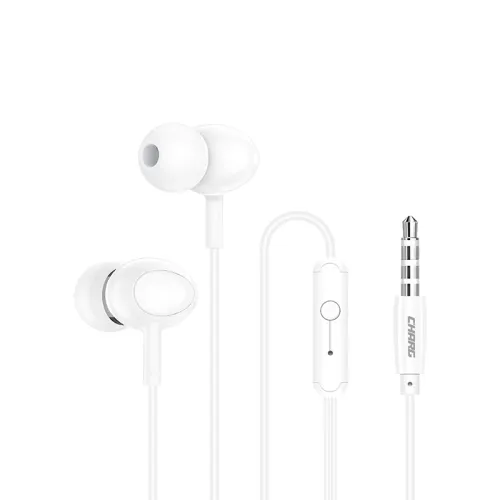
For reference, this is similar to how my earphones look:

And about how I got the Ports option to show up:

In /etc/default/grub file, added snd_intel_dspcfg.dsp_driver=1 at the end of GRUB_CMDLINE_LINUX_DEFAULT variable.

Then sudo update-grub and restart. To go back, just undo that, update-grub and restart.

Full steps:

sudo nano /etc/default/grub
# Add `snd_intel_dspcfg.dsp_driver=1` to `GRUB_CMDLINE_LINUX_DEFAULT`
sudo update-grub && sudo reboot

My current GRUB_CMDLINE_LINUX_DEFAULT looks like this:

GRUB_CMDLINE_LINUX_DEFAULT='quiet splash udev.log_priority=3 reboot=efi snd_intel_dspcfg.dsp_driver=1'

The reason I didn’t stick with the Ports option is because:

  1. My microphone completely disappeared, as if it doesn’t exist.
  2. The sound Profile used to be HiFi quality Music, and with Ports it’s Analog Sterio Duplex

The 2nd one is not that much of an issue, but I needed my microphone, that’s the reason I couldn’t stick with it.

I was curious and tested on my system with various plugs and hdajacksensetest returned present = Yes or present = No for the headphone jack correctly. From the little icon near the jack that looks like a headset it seems to be a combined jack, but there was no difference with respect to the plugs. Your earphones seem to have a built-in mic - is this right? - then it is a combined plug. But like @nikgnomic wrote if the tests always returns no this could indicate a malfunctioning jack. :man_shrugging:

This is the line after you added snd_intel_dspcfg.dsp_driver=1. Since you removed this again your current line should be

GRUB_CMDLINE_LINUX_DEFAULT='quiet splash udev.log_priority=3 reboot=efi 

Btw, is the package sof-firmware (Sound Open Firmware) installed? Perhaps also sof-tools contains something to analyse further.

1 Like

Yes. As I was recreating the Ports option, I added that and forgot to remove it when posting here.

sof-firmware was installed, but i also installed sof-tools (even though I’m tbh don’t have a clue on how to use it)

I also got another pair of old earphones (with mic, so combined port) and plugged it in, this time, the headphone detection did work perfectly fine. So, it seems to be only malfunctioning with my exact earphones that I’m trying to use.

Edit: My previous “did work perfectly fine” would be an exaggeration. I tested that earphone when I was still had the Ports option. With my main earphone, even when plugged in, it showed Headphones (unplugged). With my other earphones, when I plugged that in, it showed Headphones. And sounds were working, so I thought the issue is my other earphone.
Now I reverted to my initial state, and plugging the other earphone also doesn’t work.
I tested with sudo hdajacksensetest command and it still shows No.

I’m totally confused atp. Is the issue with my laptop’s jack or my earphone?

– Edit Ends.

But I’m a bit confused about why it works (the sound) when I manually select the Headphones (unplugged) port.

Is there a way to have the manual ports option, with having my laptop’s built in microphone work as expected?

Because with my previous attempt of having the ports option, my laptop’s microphone just did not show up at all.

HP specifications confirm system has (1) Headphone/microphone combo jack

pactl card data shows 2 HiFi profiles but the profile including Headphones is not available:

HiFi (HDMI1, HDMI2, HDMI3, Headphones, Mic1, Mic2): Play HiFi quality Music (HDMI1, HDMI2, HDMI3, Headphones, Mic1, Mic2) (sinks: 4, sources: 2, priority: 10300, available: no)
HiFi (HDMI1, HDMI2, HDMI3, Mic1, Mic2, Speaker): Play HiFi quality Music (HDMI1, HDMI2, HDMI3, Mic1, Mic2, Speaker) (sinks: 4, sources: 2, priority: 10200, available: yes)

Data also shows the Headphone port is not available

[Out] Headphones: Headphones (type: Headphones, priority: 200, latency offset: 0 usec, availability group: Headphone, not available)

amixer data shows Headphone output is muted ( [off] )

Simple mixer control 'Headphone',0
 
  Front Left: Playback 76 [87%] [-8.25dB] [off]
  Front Right: Playback 76 [87%] [-8.25dB] [off]

and Auto-Mute Mode is enabled

Simple mixer control 'Auto-Mute Mode',0

  Item0: 'Enabled'

If jack detection was working, Auto-Mute Mode would mute Speaker output and unmute the Headphone output when jack is plugged in.

sof-firmware has been included on Manjaro ISOs for over 2 years, and previous data from inxi shows SOF driver loaded

Audio:
  Device-1: Intel Alder Lake PCH-P High Definition Audio
    vendor: Hewlett-Packard driver: sof-audio-pci-intel-tgl

snd_intel_dspcfg.dsp_driver=1 is used to force loading of legacy driver snd_hda_intel driver instead of SOF driver

Audio:
  Device-1: Intel Alder Lake PCH-P High Definition Audio
    vendor: Hewlett-Packard driver: snd_hda_intel

The legacy driver does not support internal microphones

Audio device will be recognised in ALSA with a different name if SOF driver is not in use

card 0: sofhdadsp [sof-hda-dsp]

Device will also be using different card profiles in PipeWire rather than the HiFi profiles
shown previously

Jack detection is not working so PipeWire cannot recognise that Headphones are plugged in
but the audio connections are working ok

The boot override has probably failed If the Headphones are showing as unplugged

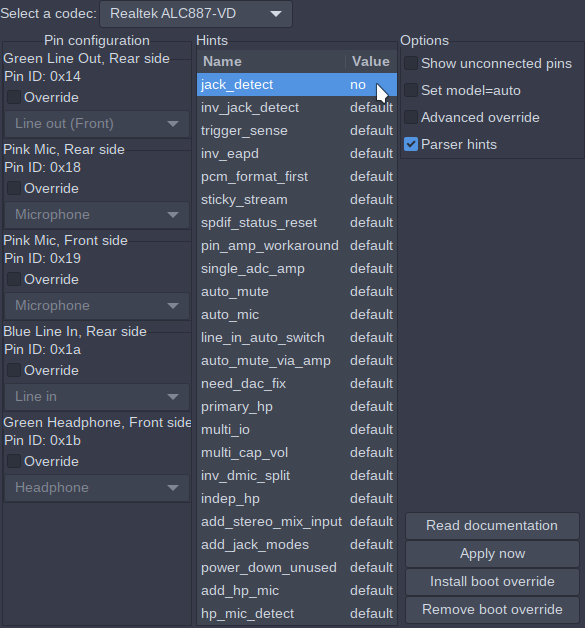
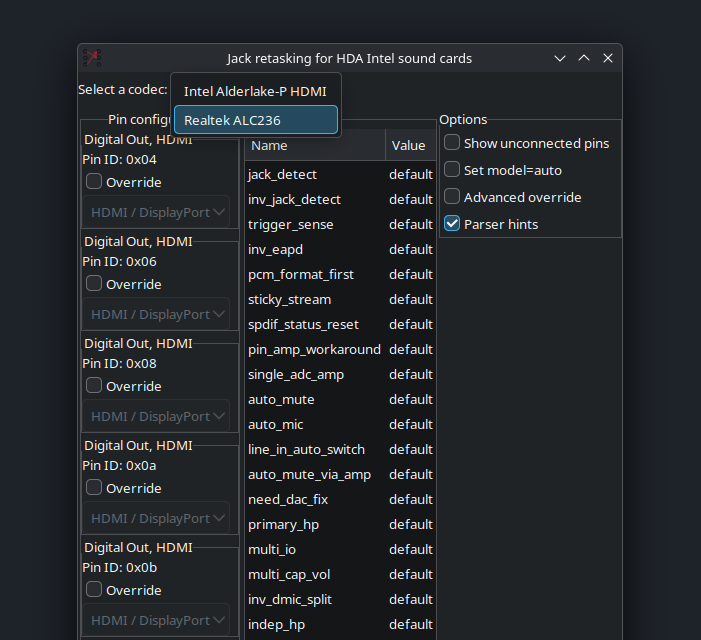
I suggest remove the original boot override in hdajackretask and try using the parser hint to disable jack_detect

1 Like

I did that multiple times, trying with both the codecs that were listed there too. But jack detection (hdajacksensetest) still was No.

I think I will pass on making it work for now. As I do have a backup bluetooth headphones, that work perfectly fine with it.

In future, if I have any more information about this, I will re-open the topic (if re-open is possible).

But thanks a lot to all of you who tried to help me. I’m sincerely grateful.

1 Like

In that case, what I’ll do is close the Topic (and, for now, unlist as it doesn’t contain a Solution), but if you do have anything further to add you may request it to be re-opened by contacting @moderators via PM. :wink:

1 Like

If you want to continue this conversation at a later date you can start a new topic with a link to this topic

Continuing the conversation from: Headphone detection doesn't work in KDE