Remove them, you will find them in /var/tmp/pamac/dbs/sync you will need root to delete them.
 If you don’t want to read, I’m out.
Sorry I have read and I tried without sudo but was not working.
I read this messages and I thought was error because I don’t have permissions:
~ pamac update ✔ 7s
ln: failed to create symbolic link '/var/tmp/pamac/dbs/local': Permission denied
Preparing...
Synchronizing package databases...
Running post-transaction hooks...
Failed to synchronize AUR database
ln: failed to create symbolic link '/var/tmp/pamac/dbs/local': Permission denied
cp: preserving times for '/var/tmp/pamac/dbs/sync': Operation not permitted
chmod: changing permissions of '/var/tmp/pamac/dbs/sync': Operation not permitted
chmod: changing permissions of '/var/tmp/pamac/dbs/sync/community.files': Operation not permitted
chmod: changing permissions of '/var/tmp/pamac/dbs/sync/packages-meta-ext-v1.json.gz': Operation not permitted
chmod: changing permissions of '/var/tmp/pamac/dbs/sync/community.db': Operation not permitted
chmod: changing permissions of '/var/tmp/pamac/dbs/sync/extra.files': Operation not permitted
chmod: changing permissions of '/var/tmp/pamac/dbs/sync/multilib.db': Operation not permitted
chmod: changing permissions of '/var/tmp/pamac/dbs/sync/multilib.files': Operation not permitted
chmod: changing permissions of '/var/tmp/pamac/dbs/sync/refresh_timestamp': Operation not permitted
chmod: changing permissions of '/var/tmp/pamac/dbs/sync/core.files': Operation not permitted
chmod: changing permissions of '/var/tmp/pamac/dbs/sync/core.db': Operation not permitted
chmod: changing permissions of '/var/tmp/pamac/dbs/sync/extra.db': Operation not permitted
ln: failed to create symbolic link '/var/tmp/pamac/dbs/local': Permission denied
cp: preserving times for '/var/tmp/pamac/dbs/sync': Operation not permitted
chmod: changing permissions of '/var/tmp/pamac/dbs/sync': Operation not permitted
chmod: changing permissions of '/var/tmp/pamac/dbs/sync/community.files': Operation not permitted
chmod: changing permissions of '/var/tmp/pamac/dbs/sync/packages-meta-ext-v1.json.gz': Operation not permitted
chmod: changing permissions of '/var/tmp/pamac/dbs/sync/community.db': Operation not permitted
chmod: changing permissions of '/var/tmp/pamac/dbs/sync/extra.files': Operation not permitted
chmod: changing permissions of '/var/tmp/pamac/dbs/sync/multilib.db': Operation not permitted
chmod: changing permissions of '/var/tmp/pamac/dbs/sync/multilib.files': Operation not permitted
chmod: changing permissions of '/var/tmp/pamac/dbs/sync/refresh_timestamp': Operation not permitted
chmod: changing permissions of '/var/tmp/pamac/dbs/sync/core.files': Operation not permitted
chmod: changing permissions of '/var/tmp/pamac/dbs/sync/core.db': Operation not permitted
chmod: changing permissions of '/var/tmp/pamac/dbs/sync/extra.db': Operation not permitted
Nothing to do.
Transaction successfully finished.
I don’t remember right now but maybe yes.
like this, right?
sudo rm -rf /var/tmp/pamac/dbs/sync
Ok I did and now the message continue appearing BUT the last refresh Sab 15 jun 2024 disappeared.
But the message continue appearing…

pacman only covers packages in the official repo
that is all updated
The rest is you having installed a lot of AUR packages.
Those are your responsibility. Your’s alone.
Check whether you even need them all.
Or just remove them and install whatever you need that you can’t get from the normal repos afterwards.
checking
might also provide some insight - esp. the comments to the various packages
It appears you use pamac - with the AUR enabled.
again:
the use of AUR requires some amount of knowledge - and is your responsibility
1 Like
Finally I solved.
- I disabled AUR Packages
- I refreshed databases:
- I enabled AUR packages again
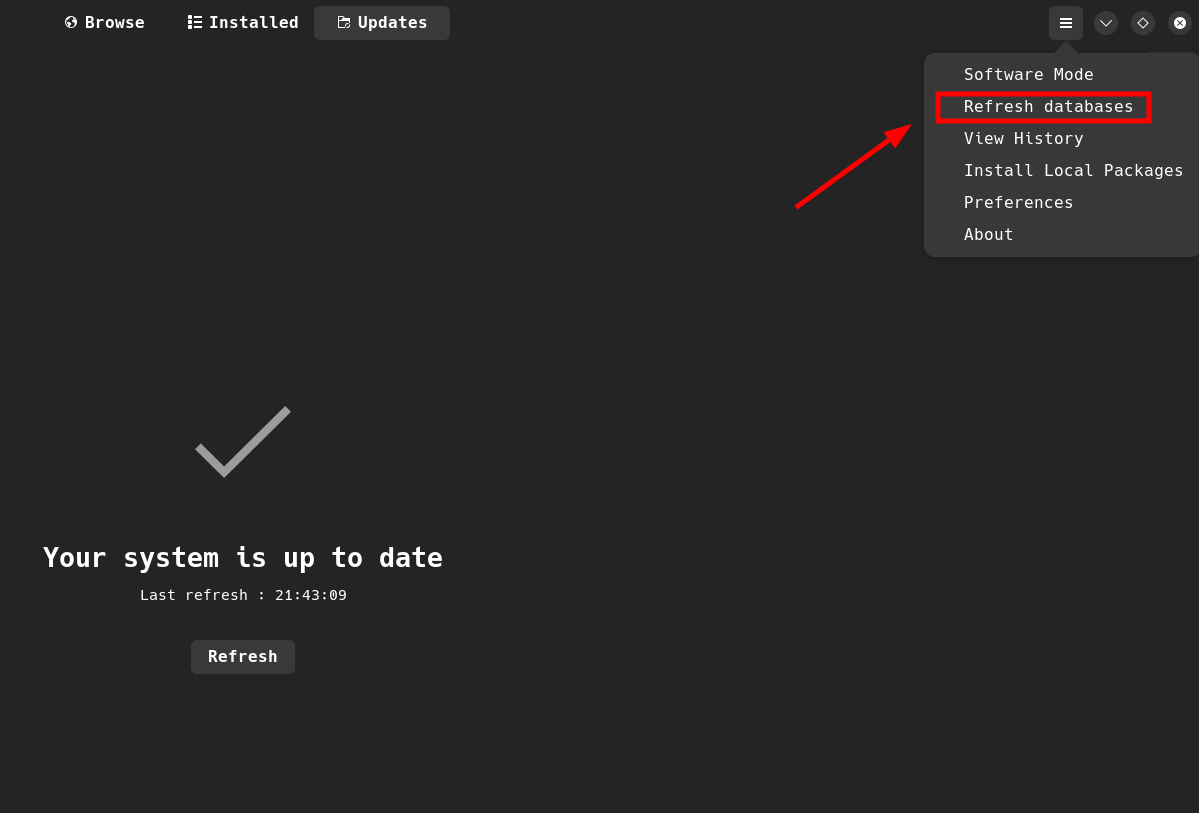
And now the message is not showing and works perfectly.
Thanks for your time and help!
This topic was automatically closed 36 hours after the last reply. New replies are no longer allowed.