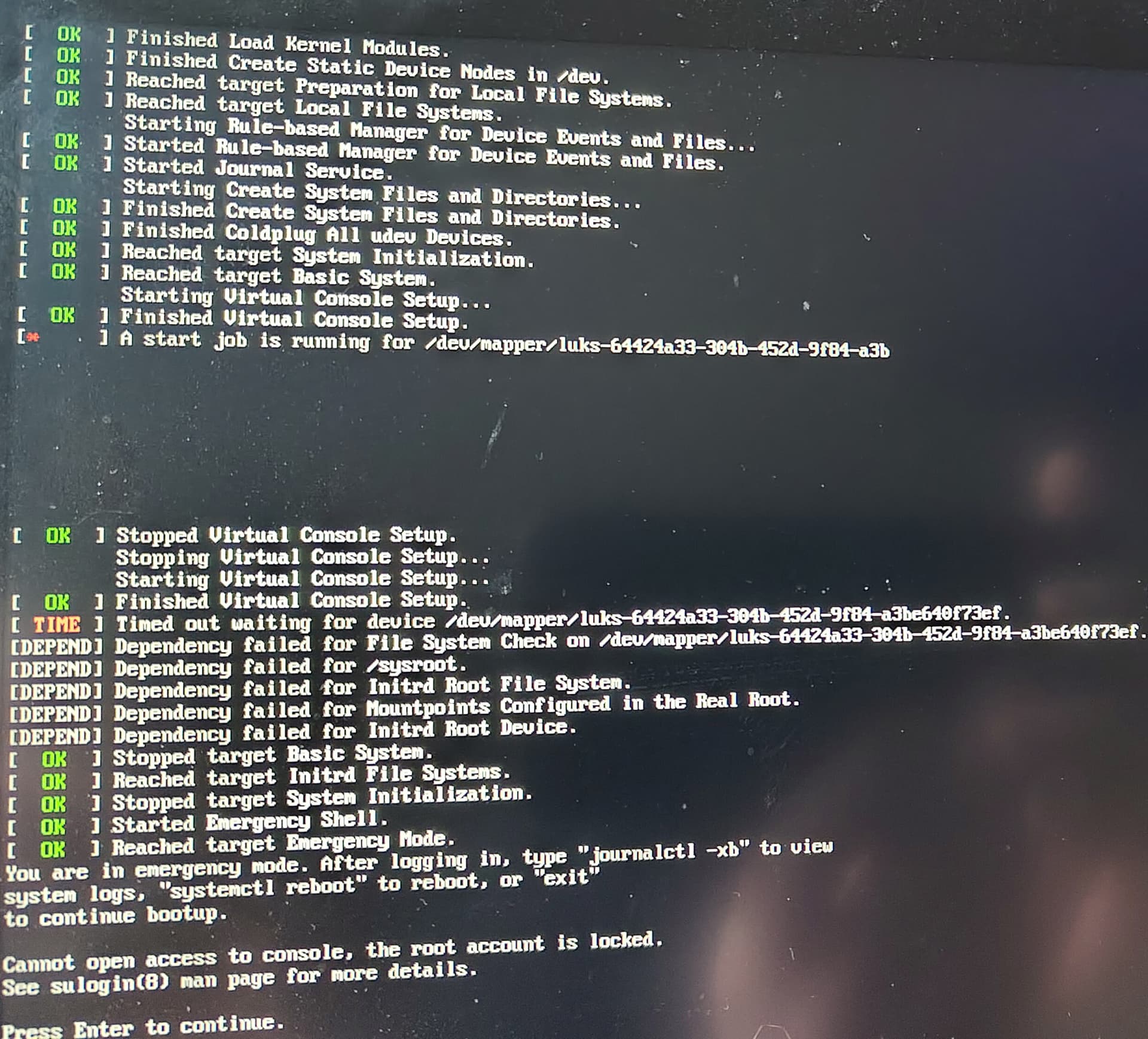
I installed my notebook with the encryption from the manjaro installer years ago.
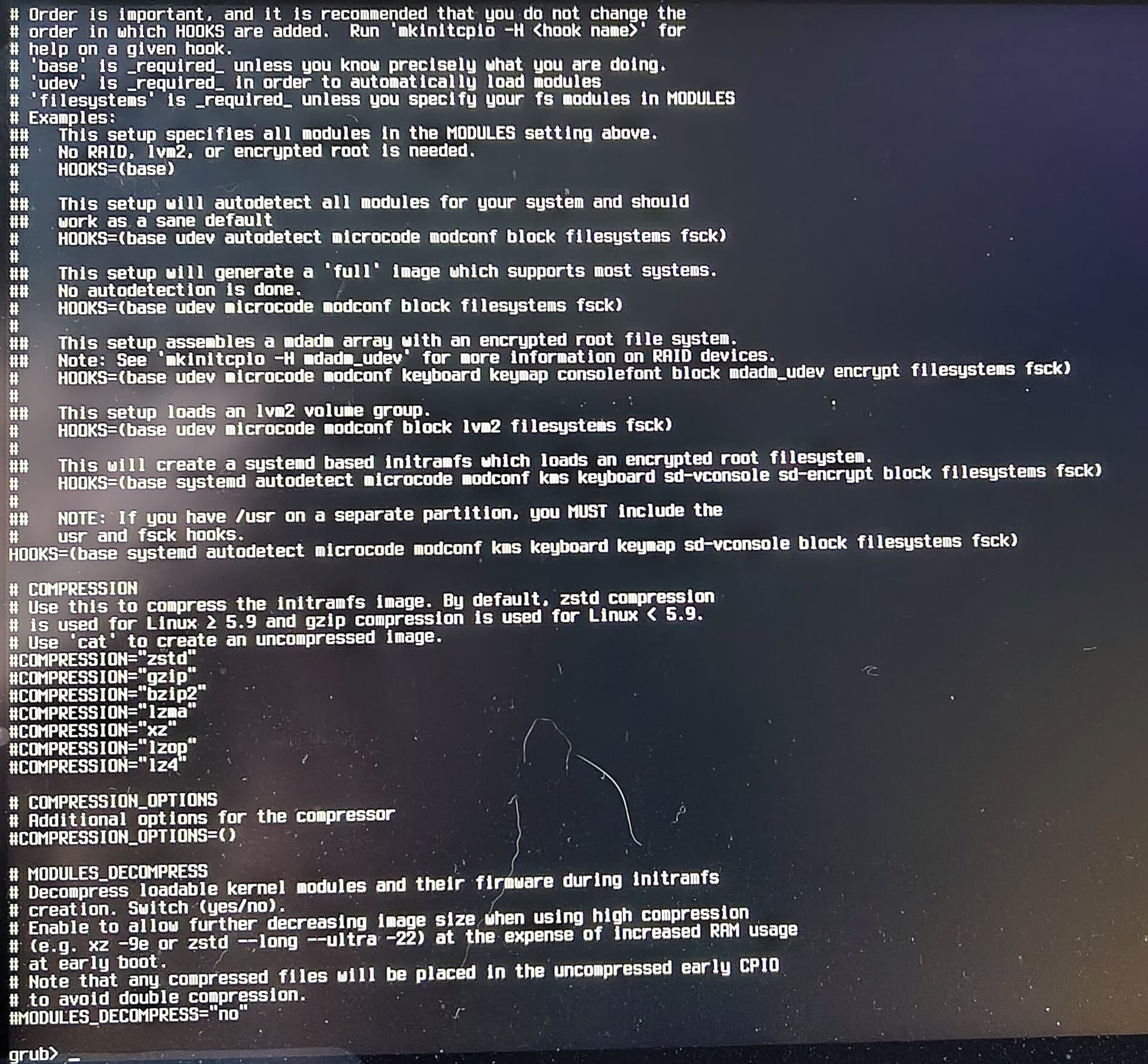
Last week I did not look closely enough over the mkinicpio.conf changed pacnew brought. So I accidently broke my initramfs. It used to have hooks for udev and encrypt. Now its systemd only.
I will not remind you that you have to read the announcements, and not just replacing the pacnews, and that you can just return the old hooks as they were (with chroot and mkinitcpio -P)…i guess you already know that.
I do not use encryption, but from what i read in the forum, the new systemd hooks require another format on the kernel boot line - rd.luks… something. See the wiki (now you will have to look closely enough)
To fix it you’ll need to chroot.
The easiest way is to just revert the changes to /etc/mkinitcpio.conf
When I make such changes, I usually comment out the line with the previous configuration - or I make a backup of that file - before I introduce a new configuration
like the change to systemd HOOKS
This change needs to be accompanied by a change to /etc/default/grub - the syntax of the kernel command line is … different than it is now.
There have been posts about that here - with examples.
again: it’s easiest to restore /etc/mkinitcpio.conf - regenerate the initrd and update-grub -
it will keep working for quite some time as it is/was
No need to rush the change.
For my understanding I need to unlock the luks partition from the live usb in the first place in order to regenerate the initramfs. As shown in the 3rd picture, can’t unlock it with the password. I think I need the crypto_keyfile.bin for this which is locked inside the partition or somewhere within grub.
Is there a way to get this file transferred to a usd stick from within the grub console?
Yes, of course.
You need to open (decrypt) the encrypted container.
The way you did it looks correct in principle:
you identify the partition, as you did, with lsblk -f
for example
the partition is: /dev/nvme0n1p5
the command (the second one) looks correct
cryptsetup open /dev/nvme0n1p5 some_name
(some_name is any arbitrary name - it’s just what the /dev/mapper device will be called
which you then can mount to access the files within)
I’m not sure why the command would fail with that error.
Perhaps you already opened the device using the file manager?
Make sure you don’t do that.
boot from USB
list the partitions (you already know it is /dev/nvme0n1p5)
open it: cryptsetup open /dev/nvme0n1p5 some_name
after being asked the password there should be a /dev/mapper/some_name
confirm with: lsblk -f
then mount it (to /mnt): mount /dev/mapper/some_name /mnt
mount the EFI partition as well, to where it belongs: mount dev/nvme0n1p1 /mnt/boot/efi
then you can chroot: manjaro-chroot /mnt /bin/bash
and change your /etc/mkinitcpio.conf and regenerate the initrd mkinitcpio -P
and update-grub
exit
to exit the chroot
…
This assumes that your file system inside the encrypted container is ext4
When it is BTRFS, the chroot procedure is a bit different - you need to mount the different BTRFS volumes, each one separately, before you can chroot.
The reason that unlocking the partition failed using the live system was that I did an update while in the live system. The idea was to have equal package versions on the live system and the broken system. Unfortunately this seems to break the encryption tools.
Without the update I could decrypt and mount the partition. For anybody interested in the process:
sudo -i
cryptsetup open /dev/nvme0n1p5 luks-root
mount /dev/mapper/luks-root /mnt
manjaro-chroot /mnt
Then edit the hooks in /etc/mkinitcpio.conf according to the example given in the arch wiki with udev and encrypt: