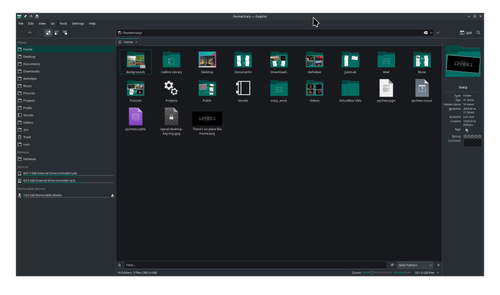
I suppose I somehow did something by accident (though I don’t know what) and the Home menu item under Places which has always been at the top appears at the bottom of the list; and, when displaying the contents of Home, all the other locations under Places appear also.
Any idea what I might have done and how I can fix it; that is, get the other places out from under Home without losing their contents? The Home item under places was draggable back to the top.
I think I did this once before and fixed it but that was some time ago and I don’t recall and haven’t been able to figure it out.
Thank you for the suggestions. Perhaps I’m losing it. I don’t see anything in those files that have to do with what appears under the Home folder when you click it and display its contents; but I’m not sure any longer of how mine was set up. I thought that the folders such as Downloads, Document, Music, etcetera never appeared under the Home directory when viewed in a tab; but I see that my laptop which is on unstable branch lists them. It just appeared to me that my desktop (on stable branch) had a lot of folders showing up under home than it used to; and I thought I recalled that I had noticed this once before and did something to change it; but I also might be mistaken.
Thus, if this is just a very stupid question I’d be happy to delete it or have a moderator remove it. Sorry for wasting anyone’s time.
What you need to understand is that the entries in the Places pane on the left are merely shortcuts. They will always show what’s in those particular directories.
I don’t use the Places section — I prefer a hierarchical directory structure — but I’ve just checked here on my system, and the Home section shows everything that is my $HOME.
I guess you’re simply misremembering, or perhaps you are conflating dolphin with the view of the desktop portal — i.e. the file open/save dialog — which is customizable, by the way. Many people do appear to think that the portal isdolphin, which it isn’t.
I have taken the liberty of marking the post by @Aragorn as the solution post, as it offers a concise explanation of how Places works which could guide you to solving the issue yourself.