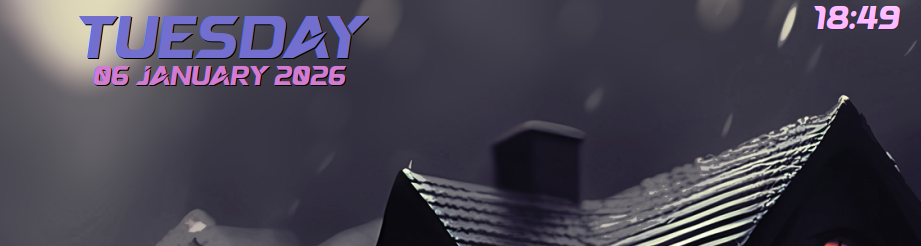
Clocks suck on vertical spaces - they always did.
Solution 1 - Score is 3/5 for this one - you create a small panel at the top for ONLY the clock…
Solution 2 - Find a plasmoid that you like - again, 3/5 because it might look great, but it will also disappear under windows.
Solution 3 - 4/5 is to create a conky…
I have one conky to show my day/date on the desktop, and another one to show my clock ON TOP of other windows (slightly transparent)…
So I can see the time when I’ve a movie playing maximised.
Day/Date conky
conky.config = {
-- Conky settings
	out_to_x = false,
	out_to_wayland = true,
    background = true,
	update_interval = 21,
	double_buffer = true,
	no_buffers = true,

	-- Window specifications
	gap_x = 800,
	gap_y = 8,
	alignment = 'top_right',
	own_window = true,
	own_window_transparent = true,
	own_window_argb_visual = true,
	own_window_argb_value = 22,
	own_window_hints = 'undecorated,below,skip_taskbar',
	own_window_class = 'conky',

-- Text
	use_xft = true,
	xftalpha = 0.5,
	default_color = '#EA55D9',
    color1 = '#736fce', -- Red
    color2 = '#d37bd3' -- pp
};


conky.text = [[${font Sakana :size=45}$alignc$color1${time  %A}${font Sakana :size=20}
$color2$alignc${time  %d %B %Y}
]];
Time
conky.config = {
-- Conky settings
	background = true,
	update_interval = 5,
	double_buffer = true,
	no_buffers = true,

-- Window specifications
	gap_x = 270,
	gap_y = 5,
	alignment = 'top_right',
	own_window = true,
	own_window_type = 'dock',
	own_window_transparent = true,
	own_window_argb_visual = true,
	own_window_argb_value = 100,
	own_window_hints = 'undecorated,above,skip_taskbar,skip_pager',
	own_window_class = 'conkyclock',

-- Text
	use_xft = true,
	xftalpha = 0.15,
	font = 'Arial Rounded MT bold :size=24',
	font = 'Sakana :size=24',

	default_color = '#db92ff',
};

conky.text = [[${time %H:%M}]];
The clock colour varies according to the background somewhat, but I’m quite happy with it - you might need to go digging for fonts first