Can't update out of date SSL certs because SSL certs are out of date

Hio. Before you reply be aware I am a noob. In manjaro years I am like 5

So I haven’t updated in a bit and because of the new SSL certs going bad after like 49 days or something my certs don’t seem to work anymore (See Image).
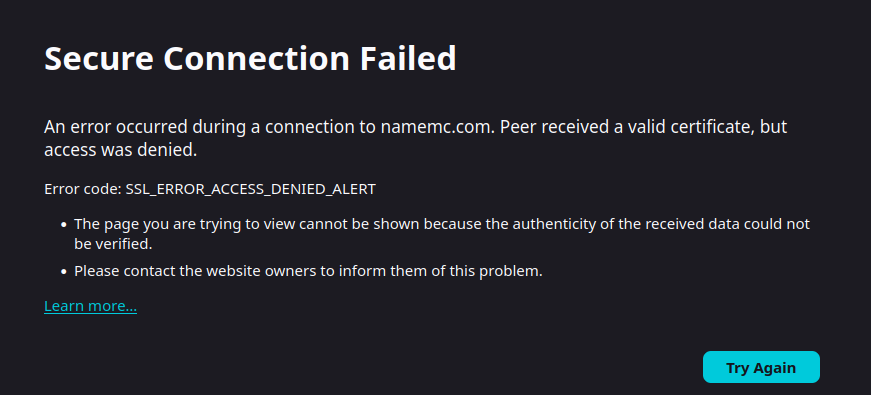

Some other apps and websites don’t work either

I tried updating to the latest version but it ended up deleting my UEFI instead, and I think it’s because the system couldn’t get the files. Fixed it by reverting to a previous snapshot and I think using BIOS or something (My UEFI screen doesn’t come up anymore).

I also tried deleting all my SSL certs and reinstalling them using “sudo pamac reinstall ca-certifications” but it couldn’t get the new SSL certs the first time I did it and the second time it didn’t do a thing. Thankfully I made a backup, so the old certs are still running. Any way I could get new SSL certs that doesn’t require a SSL cert?

Oh yea and even tho it’s a network issue I’ll include some specs:
CPU: Intel I5 2500k
GPU: Nvidia 1070
I use a wired ethernet cable to a wireless extender. Bit over-complicated but I didn’t want to drill a hole in my floor. Other machines on this network work fine. And I ain’t upgrading my computer until RAM prices look like realistic numbers.

A. Don’t use sudo with pamac.

B. The package is called ca-certificates-mozilla.

Thanks.

Ran it and threw this error:
image
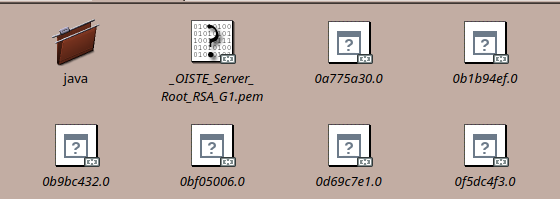
Looks like it’s missing that folder:


compared to the backup:

That directory is owned by:

pacman -Qo /etc/ssl/certs/java/
/etc/ssl/certs/java/ is owned by ca-certificates-utils

So this is an issue I had in my first year with Manjaro, it led me to protect myself…

sudo pamac install fluff
[sudo] password for ben: 
Warning: Do not use 'pamac' with 'root' privileges. It can cause permission issues.
Are you sure you want to continue? (y/n): 

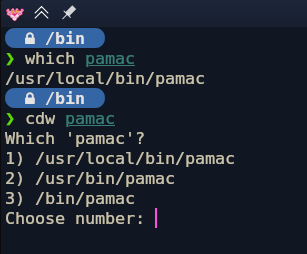
1. Create pamac in `/usr/local/bin`


So basically when I execute ‘pamac’ it actually calls on the file I put in place in /usr/local/bin:

Paste this content:

#!/bin/bash


if [[ $(ps -o comm= $PPID) == "sudo" ]]; then
    echo "Warning: Do not use 'pamac' with 'root' privileges. It can cause permission issues."
    read -p "Are you sure you want to continue? (y/n): " choice
    if [[ $choice != "y" ]]; then
        echo "Exiting..."
        exit 1
    else
        echo "Continuing..."
    fi
fi

/usr/bin/pamac "$@"

You can create that file yourself, and make sure you make it executable:

chmod +x /usr/local/bin/pamac

Feel free to enter your own self depricating sentences in place of the ‘Warning’.

Here’s V.2:

pamac v2.0
## /usr/local/bin/pamac

#!/bin/bash

if [[ $(ps -o comm= $PPID) == "sudo" ]]; then
    echo "⚠️  YOU MORON! You're running 'sudo pamac' again because you confused it with 'pacman'."
    echo "    pamac does NOT need sudo – forcing it will BREAK permissions on your system."
    echo "    Get a grip and learn the difference!"
    read -p "Are you SURE you want to ignore this and continue anyway? (y/N): " choice
    if [[ $choice != "y" && $choice != "Y" ]]; then
        echo "Good. Exiting. Go read the manual."
        exit 1
    else
        echo "Fine. You've been warned. Don't come crying when your AUR breaks."
    fi
fi

/usr/bin/pamac "$@"
EOF
sudo chmod +x /usr/local/bin/pamac

After a few calls, you’ll remember :wink: it took me a few months.

❯ sudo pamac install fluff
[sudo] password for ben: 
⚠️  YOU MORON! You're running 'sudo pamac' again because you confused it with 'pacman'.
    pamac does NOT need sudo – forcing it will BREAK permissions on your system.
    Get a grip and learn the difference!
Are you SURE you want to ignore this and continue anyway? (y/N):  

This seriously needs to be built in - it’s a very common pitfall.

Welcome to he forum! :vulcan_salute:

Well, you may not want to hear it, but then I’m afraid you’re going to have to stop being a n00b and become at least moderately proficient, because Manjaro is not a set-and-forget distribution, and it periodically requires hands-on maintenance. After all, Manjaro is based upon Arch.

:man_shrugging:

First big mistake. Manjaro must be kept up-to-date. Again, this is not a set-and-forget distribution. If you would rather have one of those, then I would advise you to install something like Mint, or perhaps Debian.

Um, your UEFI is firmware, and Manjaro does not have write access to that. Besides, if your UEFI were gone, then you wouldn’t even be able to boot.

So what you’re talking about is actually something else, but what exactly that might be, we have no clue about, because of your vague and technically nonsensical description. :face_with_diagonal_mouth:

Secondly, if Manjaro fails to update a package, then it won’t delete the outdated version of the package currently on your system. The only exceptions to that rule are the kernel images — outdated kernels are removed during a bundled system update, and only at the end of the update process are the updated kernel images recreated.

As said by others already, never use sudo with pamac. It will mess up your permissions.

And also as said by others, the package is called ca-certificates-mozilla. You have to be precise — pamac doesn’t mind-read, and it does (or attempts to do) what you tell it to do, not what you think that it thinks you might mean.

2 Likes

Redownloading the utils actually added the java folder back in, thanks! Oh and I have to use sudo since the certs file is protected, but I’ll be sure to implement ben’s suggestion as well. However I did notice that when I ran sudo pamac reinstall ca-certifications-utils it looks like it still installed an outdated version.

Download of ca-certificates-utils (20240618-1) started
Download of ca-certificates-utils (20240618-1) finished
Checking keyring...
Checking integrity...
Loading packages files...
Checking file conflicts...
Checking available disk space...
==> Skipping timeshift-autosnap because only 4 hours have passed since the last snapshot.
Reinstalling ca-certificates-utils (20240618-1)...
Running post-transaction hooks...
Arming ConditionNeedsUpdate...
Rebuilding certificate stores...
Transaction successfully finished.

Mod edit: Screenshot of text replaced.

You DO NOT EVER run pamac with sudo. Full stop.

You DO RUN pacman with sudo.

But No matter how well protected or root owned a File is, you DO NOT run pamac with sudo.

If you are now having issues with installation with pamac, it may be because you did the wrong thing before.

2 Likes

No, you don’t. pamac will prompt you for a password whenever it needs to elevate its privileges.

5 Likes

Thanks for the welcome. I’m still pretty new to Arch, but I’m here to learn. This SSL stuff has already taught me so much.

Um, your UEFI is firmware, and Manjaro does not have write access to that. Besides, if your UEFI were gone, then you wouldn’t even be able to boot.

I think I meant my GRUB, that’s my bad. It’s the little green gui that pops up whenever you load in. But that’s beside the point. Also I don’t “Set and Forget” it, updating my system can be an all day task due to my legacy hardware so I only update every 3-5 months. In fact I had it scheduled for next weekend thank you very much. I’ll bump up the update schedule

Anyway let’s let bygones be bygones. I did a fresh re-download with the new certs. Is ca-certificates-utils 20240618-1 the most recent one? That’s that the system is downloading and it feels out of date. I haven’t done a restart as I heard that it’s not required so that could be it as well.

It is.
The current packages can be checked on packages.manjaro.org

Which for that package will show this

The boot menu? If you want that visible every time you boot, edit /etc/default/grub and make sure you have… :backhand_index_pointing_down:

GRUB_TIMEOUT_STYLE=menu

… instead of… :backhand_index_pointing_down:

GRUB_TIMEOUT_STYLE=hidden

Then, save the file and run… :backhand_index_pointing_down:

sudo update-grub

If you’re on Manjaro Stable, then bundled system updates typically only come along once a month, and sometimes once every two months.

You should not skip any updates, because in a rolling-release distribution — which is what Manjaro is, even though it’s a curated system — everything depends on everything else. It all fits together like a glove, and by skipping updates, you stand a risk — as you have now discovered — of introducing incompatibilities and breaking your system.

Yes, it is, in all three of the branches. Here, see for yourself… :backhand_index_pointing_down:

You may need to log out and back in, though.

It’s common to get confused - with Gnome, with older desktops, we had to sudo edit files, but with Plasma we just edit them and enter our admin password to save the modified buffer.

That is, if you edit with kate or fresh-editor-bin… and pamac is one of the other newer applications which uses polkit to manage security and only request your admin password when it’s needed.

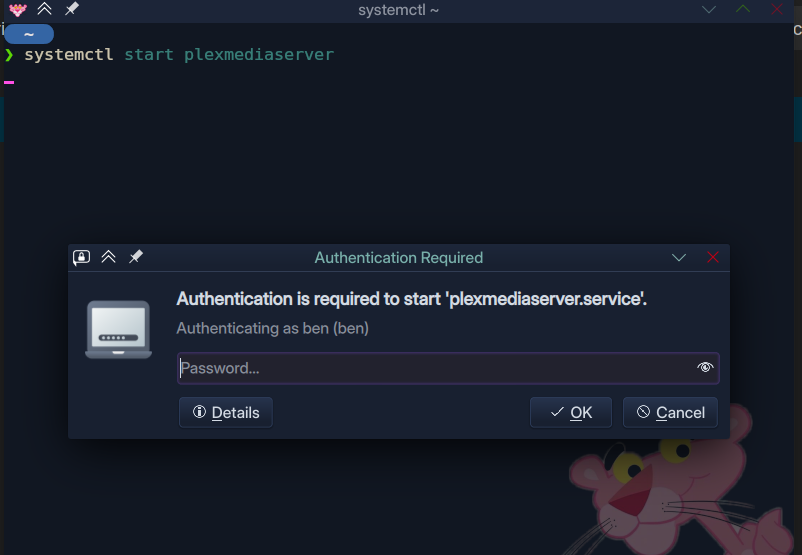
The same often applies to systemctl commands…

So the rule is:

Unless you are well informed and totally confident, just don’t use sudo.

If it fails, you can always repeat with sudo… but if it ‘succeeds’ it can do untold damage.

2 Likes

Grub thing worked! Thank you!

2 Likes

As for the SSL issue it looks like everything is up to date but I’m still getting an SSL error. The only thing I can think of is there’s something with my ISP or it’s because I’m not up to date. I can do a manual download but it’ll take time I don’t have today.
Sorry for taking you all on a wild goose chase and thank you all so much for the help!

1 Like

The system’s current date and time is important.

If the clock is completely off - certificates will stop working as it is impossible to verify the validity without the correct time.

2 Likes

You should update every month if you want to use manjaro. Not regularly updating will cumulate problems and you do not have the knowledge to solve them yet, so do yourself a favour. As you can now see, this problem is entirely caused by not updating the system when it was due.

And please do not post pictures of text and always copy the whole output including the command. And then paste with </> button.

3 Likes

This comes in small print for most rolling release distributions. Or at least update in some fashion that is not semi-annually.

Fixed release distros can be more suited towards some people. Updates are generally only for security, with minimal changes to compatibility.

Here’s a simple post explaining the differences:

2 Likes